
Voice Sheet: Expense Tracker
Voice entry for Google Sheets
Designed for iPhone, iPad, iPod touch
Free · In-app purchases
- Age rating4+
- CategoryProductivity
- DeveloperWaseem Gul
- LanguagesEnglish
- Size79.2 MB
Links to the official App Store page
Download.org hosts no file of Voice Sheet: Expense Tracker. The button opens its official App Store page, published by Waseem Gul. Listing last checked on Nov 23, 2026.
Screenshots

About
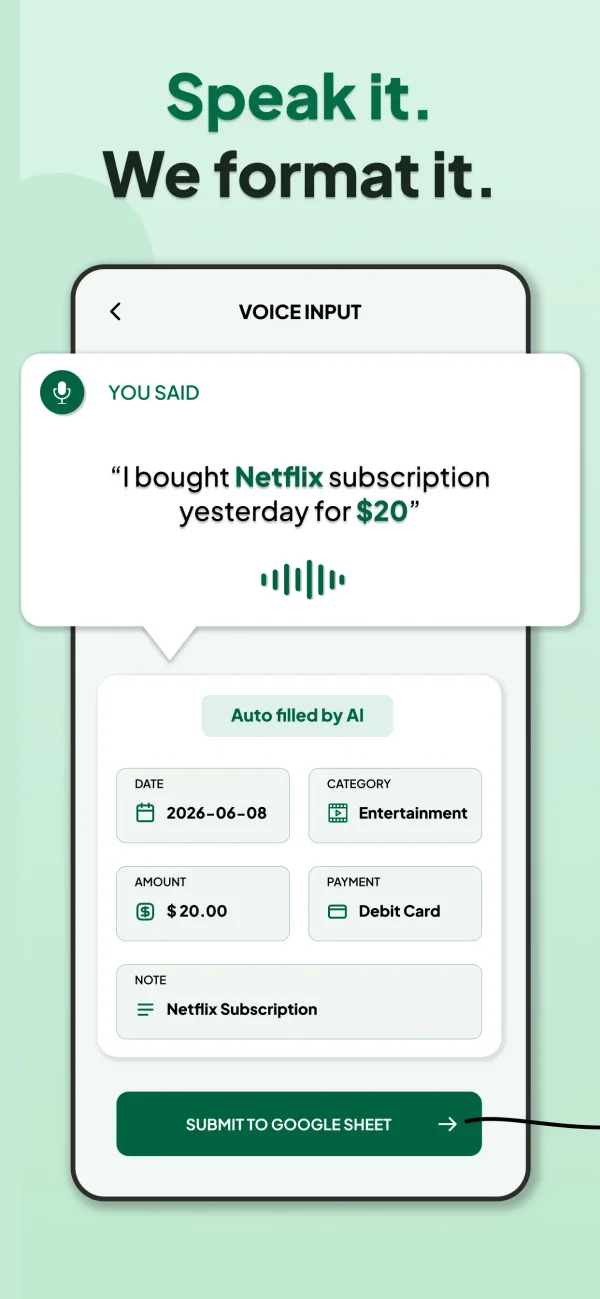
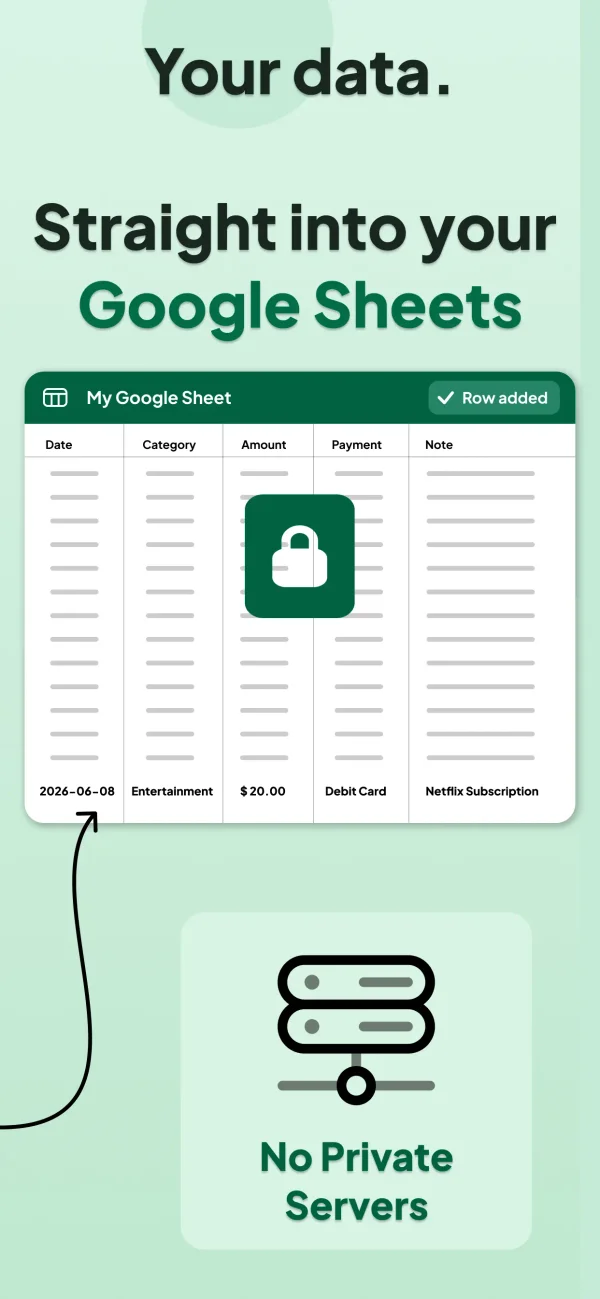
Say it, and it's a row in your own Google Sheet. Voice Sheet turns "I spent $20 on Netflix" into a complete entry with date, amount, category, payment method and notes, in the right spreadsheet and sorted by date.
Voice is now free to try: 3 voice entries every day. Use Voice Sheet as a voice expense tracker, budget log, to-do list, habit tracker, work log or inventory manager, anywhere you'd rather talk than fight the Google Sheets mobile editor.
FREE EVERY DAY
• 3 voice entries a day
• 1 widget or Quick Capture entry a day
• Unlimited manual entries with forms built from your columns
• All templates, offline entries with auto-sync, and reminders
The free plan includes ads.
PREMIUM
• Unlimited voice entries
• Unlimited Quick Capture and widget entries
• Ask Anything (beta)
• No ads
NEW: ASK ANYTHING (PREMIUM, BETA)
• Speak several entries at once and review them as drafts
• Fix them by voice before you add them
• Ask about your entries and get totals and charts: "Chart this month against last month"
SPEAK NATURALLY, GET STRUCTURED DATA
• Voice listens in your language and waits when you pause to think
• AI turns plain speech or text into formatted spreadsheet rows
• Picks the closest match from your category and payment method lists
• Fills in dates, amounts and notes, with no forms to tap through
• Teach the AI with explanations per column or category (for example, "Card is my default payment method") so it matches how you talk
QUICK CAPTURE: MANY ENTRIES AT ONCE
• One large notes-style box: write or dictate several entries in plain words or bullet points
• Voice Sheet extracts every entry and adds each as its own row
• Open it straight from a home screen widget
• Drafts stay on your device, even offline, until you're connected
WORKS WITH THE SHEETS YOU ALREADY HAVE
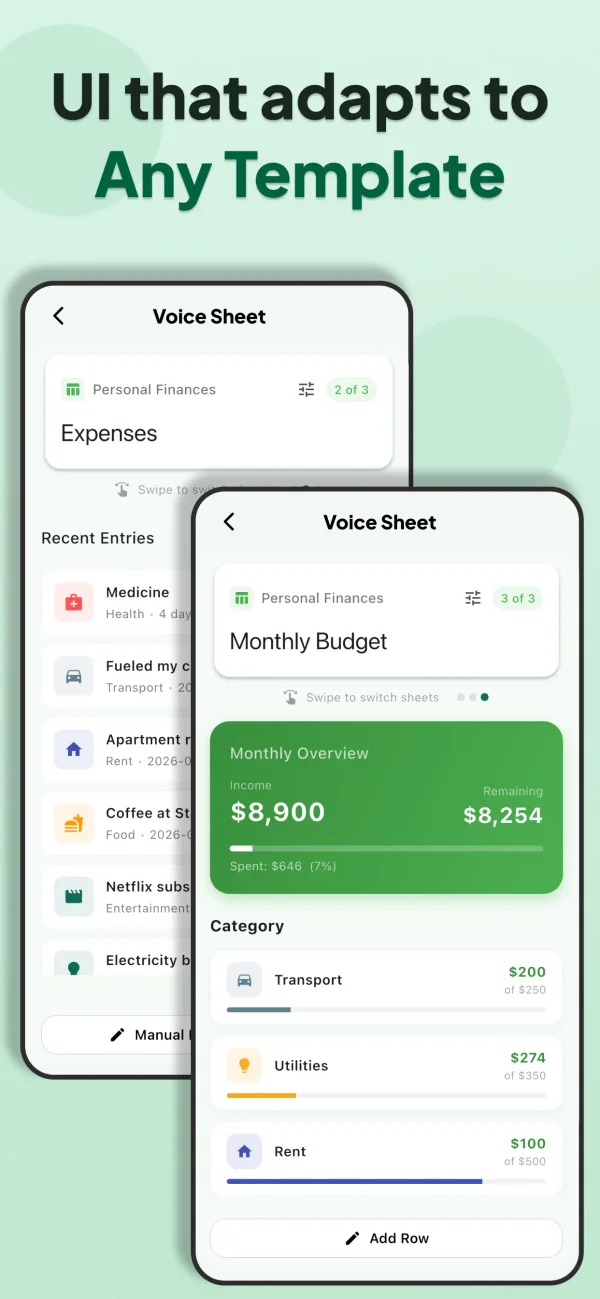
• Connect any Google Sheet: Voice Sheet reads your headers and adapts
• Date columns get a calendar, number columns a numeric keypad, list columns a dropdown
• Change formats, add list items, mark columns as required and swap columns in the app
• Backdated entries land in the correct date order
• Edit and delete entries from the app
READY-MADE TEMPLATES
• Personal Finances: income, expenses and a budget dashboard
• Tasks • Project Management • Habit Tracker • Inventory • Work Log • Health & Fitness
REMINDERS FOR RECURRING ENTRIES
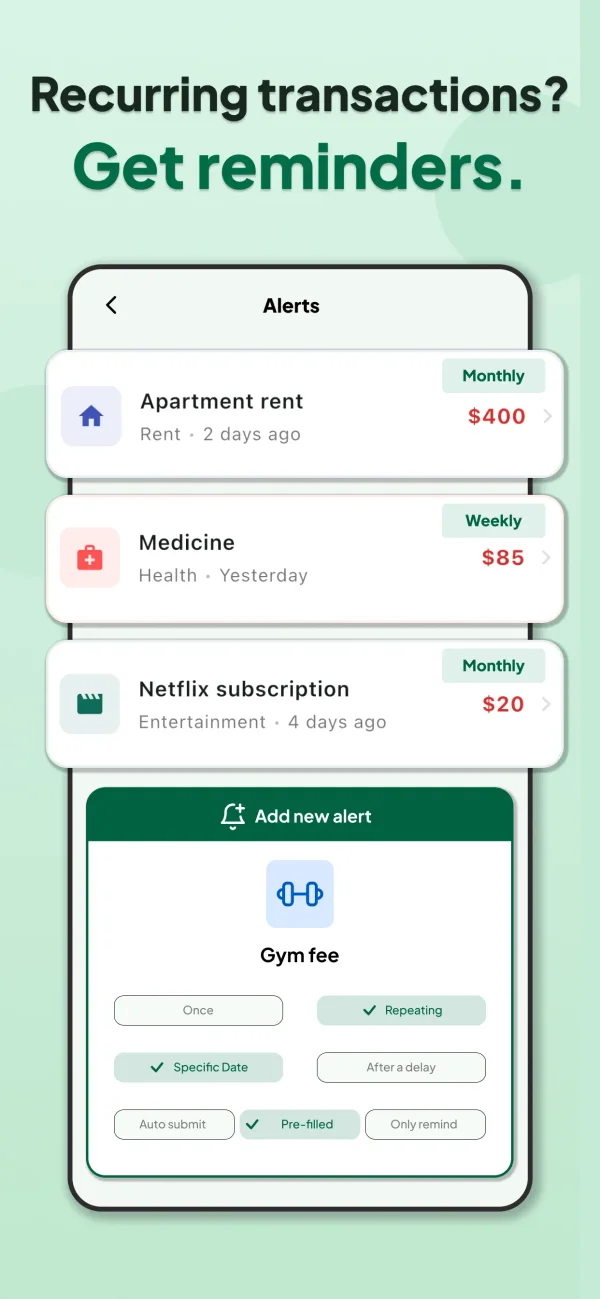
• One-time or recurring reminders for subscriptions, bills and habits
• Turn any past entry into a repeating reminder
• Tap the notification and the entry is prefilled, so you only confirm
• Missed one? It waits on your home screen
WORKS OFFLINE, SYNCS LATER
• Forms work with no signal; entries queue and sync automatically (voice needs a connection)
• Full offline mode with no Google account
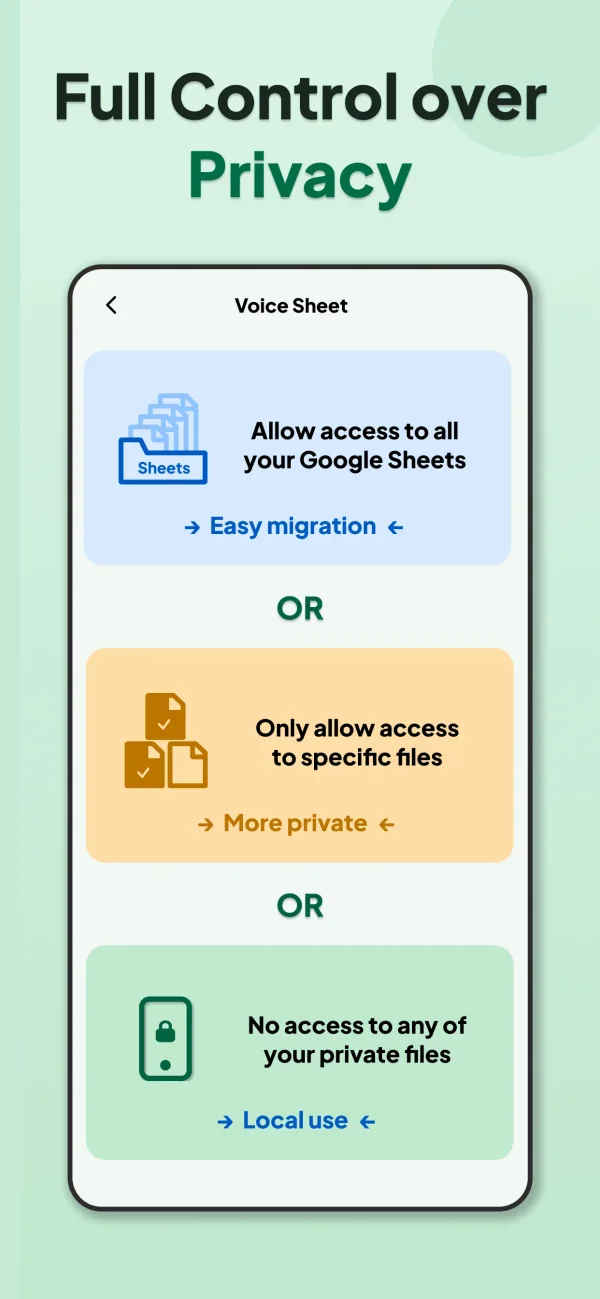
• Choose where your data lives: on your device only, restricted Google Drive access (only files Voice Sheet creates), or full Drive access
Available in English, German, Spanish, French, Hungarian, Italian, Portuguese and Russian.
YOUR DATA
Your entries live in your own Google Sheets, always exportable. Voice Sheet uses Google's Gemini AI to read your entries. It receives text for standard voice entries and Quick Capture, and the audio recording for Ask Anything and the voice try-out during setup.
Premium is an auto-renewing subscription billed through your Apple account. It renews unless canceled at least 24 hours before the current period ends. Manage or cancel it in your App Store account settings.
Voice Sheet requires a Google account for online mode. Offline mode works without any account.
Learn more at voicesheet.app
Terms of Use: https://www.apple.com/legal/internet-services/itunes/dev/stdeula/
Privacy Policy: https://www.voicesheet.app/privacy
What’s new
Version 2.4.1 · Nov 22, 2026
• Voice is now free to try: 3 voice entries a day, plus 1 Quick Capture or widget entry.
• Voice listens in your language and waits when you pause to think.
• New for Premium: Ask Anything (beta). Speak several entries at once, or ask about them.
• Make past entries repeat as reminders, and swap columns in the app.
• Onboarding improved for new users.
• Bugs fixed.
App privacy
What Waseem Gul declares on the App Store about how this app handles data.
-
Data used to track you
May be used to track you across apps and websites owned by other companies.
- Identifiers
-
Data not linked to you
May be collected but is not linked to your identity.
- Location
- Contact info
- Identifiers
- Usage data
Privacy practices may vary, for example with the features you use or your age.
Information
- Seller
- Waseem Gul
- Category
- Productivity
- Version
- 2.4.1
- Updated
- Nov 22, 2026
- Released
- Oct 13, 2025
- Size
- 79.2 MB
- Requires
- iOS 15.0 or later
- Age rating
- 4+
- Price
- Free
- In-app purchases
- Yes
- Languages
- English
- Copyright
- © Waseem Gul
You might also like
-
 Wispr FlowDictation & Notes
-
 Summary - AI Note TakerTranscribe audio to text
-
 Lovable: Build Apps With AIBuild Websites & Tools Fast
-
 AirtableProductivity
-
 Hero Assistant: Run Your DayAI Calendar, Todo, Habit, Note
-
 XLSX Sheets: Edit SpreadsheetCreate, Share XLS Office Files
-
 Genspark AI WorkspaceAutopilot Your Busywork
-
 Spreadsheet-xlsx&csv editorSpreadsheets Templates
-
 Kimi - Your Personal AI AgentK3.1 Pro,3D,Code,Slides,Agent
-
 Toki: Tasks, Scheduling & WorkAI agent for what matters