Volt - Your treadmill runmate
Bluetooth, Apple Watch & HIIT
Designed for iPhone, iPad
Free · In-app purchases
- Age rating12+
- CategoryHealth & Fitness
- DeveloperDaniel Kiss
- LanguagesEnglish+ 5 more
- Size12.5 MB
Links to the official App Store page
Download.org hosts no file of Volt - Your treadmill runmate. The button opens its official App Store page, published by Daniel Kiss. Listing last checked on Nov 23, 2026.
Screenshots


About
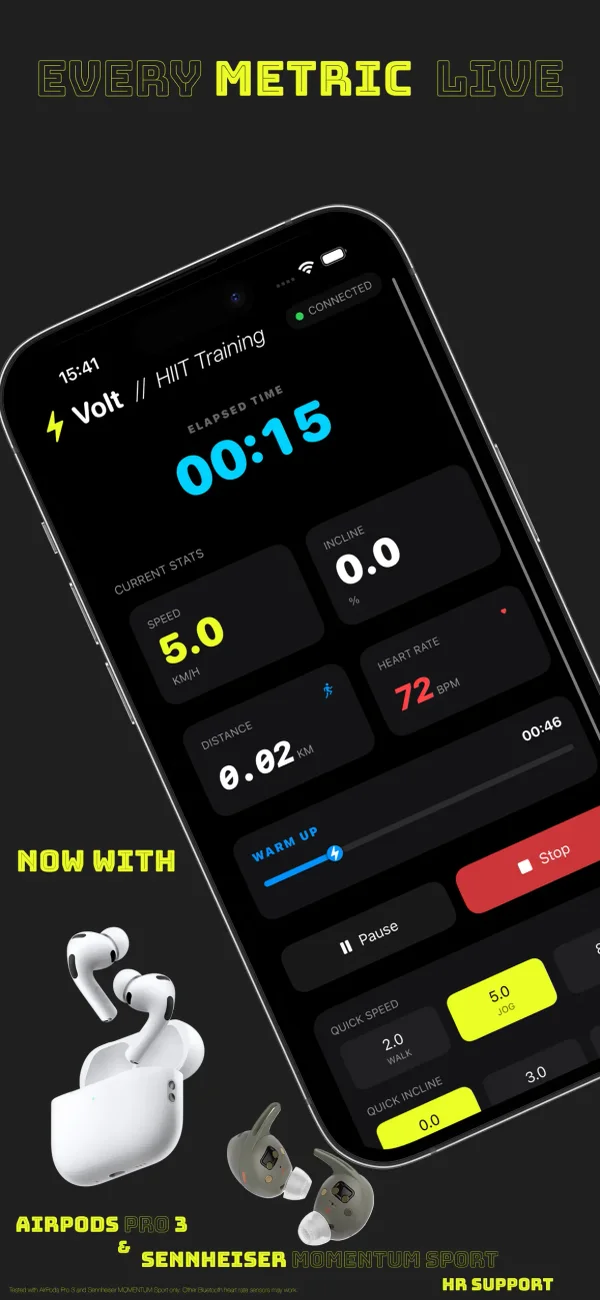
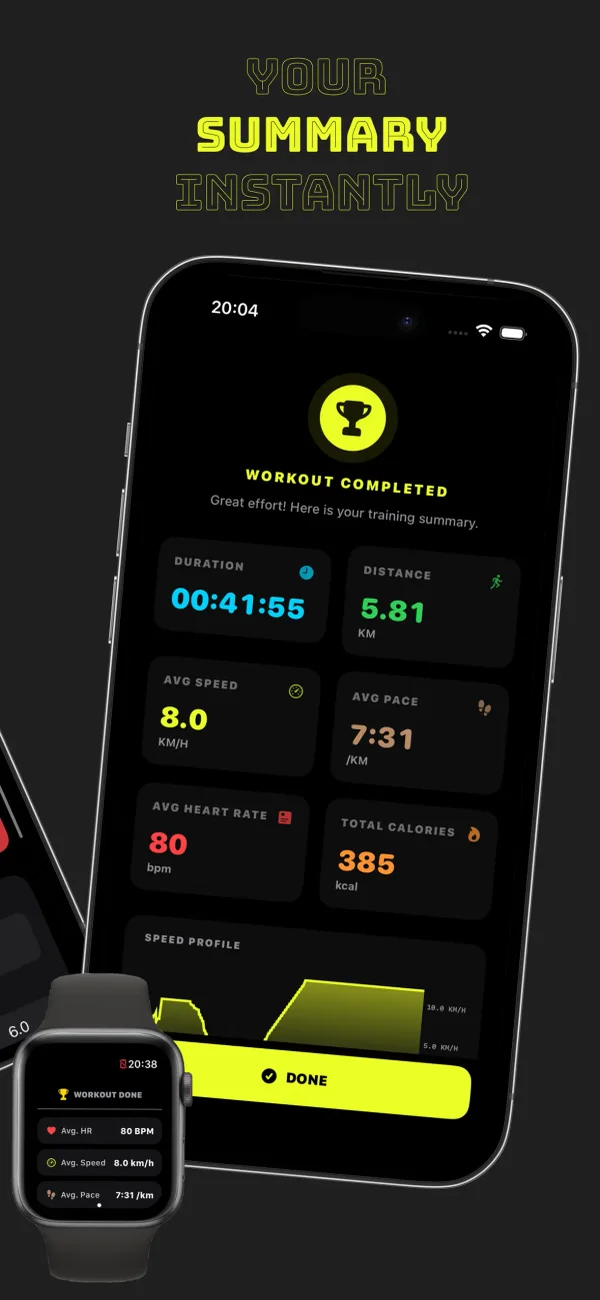
Volt turns your iPhone and iPad into a smart control panel for your Bluetooth treadmill, and your Apple Watch into a wrist display with start, pause and stop. Connect once, then control speed and incline, watch live stats, follow structured workouts and let Volt adjust your pace for you. Every workout is saved to Apple Health.
Works with treadmills that support the Bluetooth FTMS (Fitness Machine Service) standard.
CONTROL YOUR TREADMILL
• Start, pause, resume and stop from your phone, tablet or watch
• Change speed and incline in real time, with quick buttons you set up yourself
• Optional volume-button speed control on iPhone
• Safety first: nearby treadmills are ranked by signal strength, and Volt warns you if a machine already looks in use
• A 3-2-1 countdown before the belt starts
SMART WORKOUT MODES
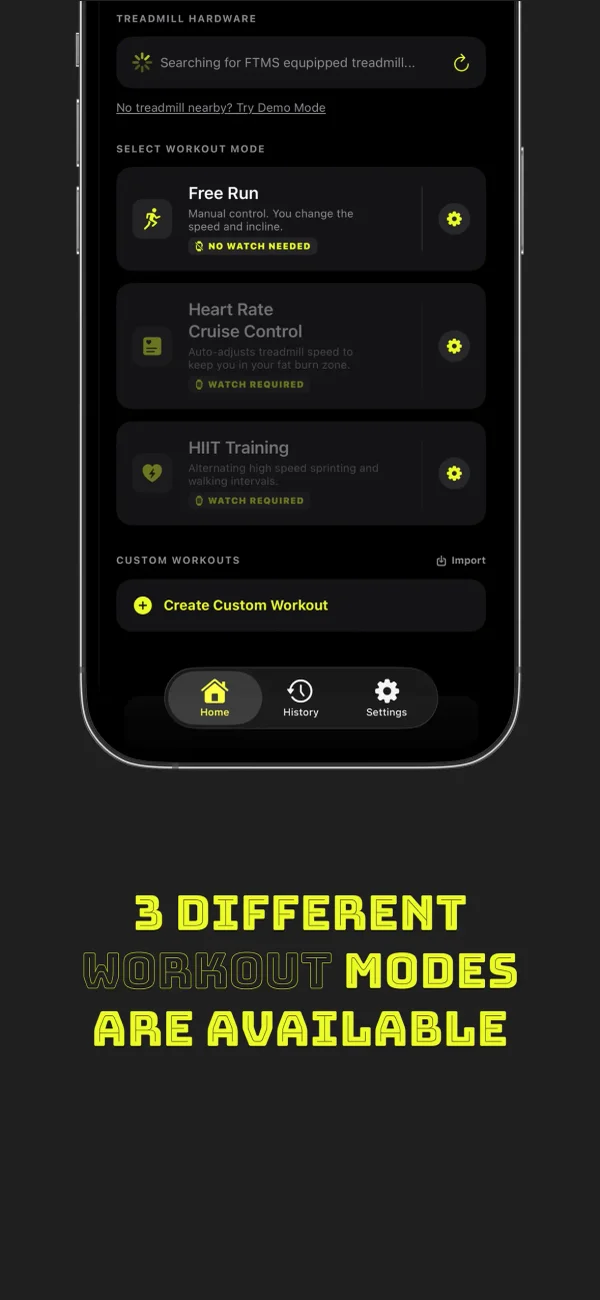
• Free Run — full manual control
• Heart Rate Cruise Control — set a target zone and Volt raises or lowers the speed to keep you in it
• HIIT — automatic sprint and rest intervals with a live round counter and a timeline
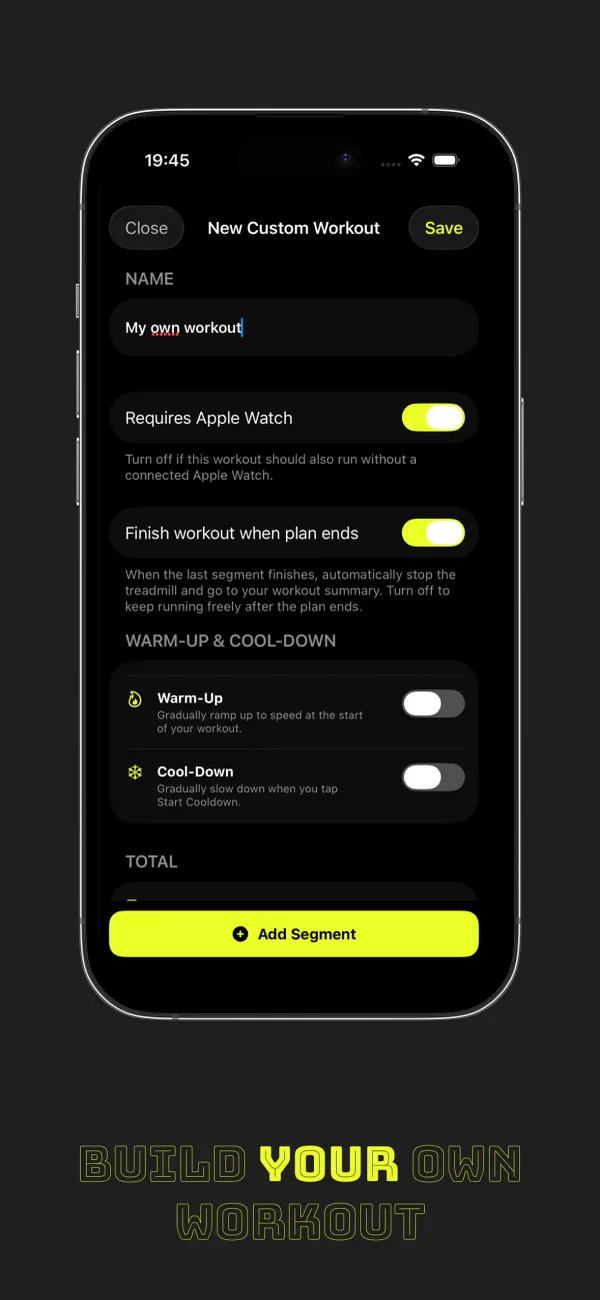
• Custom workouts — build plans from time, distance or heart rate segments with your own speed and incline, add a warm-up and cool-down, and share them as files
• Time Attack — give a distance a time limit and race a ghost of your best run
YOUR DASHBOARD, YOUR WAY
• Add, remove and re-order tiles, and keep a separate layout for each workout type
• Pace, average and top speed, calories per minute, laps, heart rate zones, elevation gain and live charts
• Pin the clock and the controls while you scroll; tap the clock to switch between elapsed and remaining time
• Landscape has its own swipeable pages; share layouts with friends as files
HEART RATE FROM THE DEVICE YOU HAVE
• Apple Watch, AirPods Pro 3 (iOS 26 or later) or a Bluetooth heart rate sensor such as a chest strap
• Workouts that don't need heart rate keep running if the signal drops
APPLE WATCH COMPANION
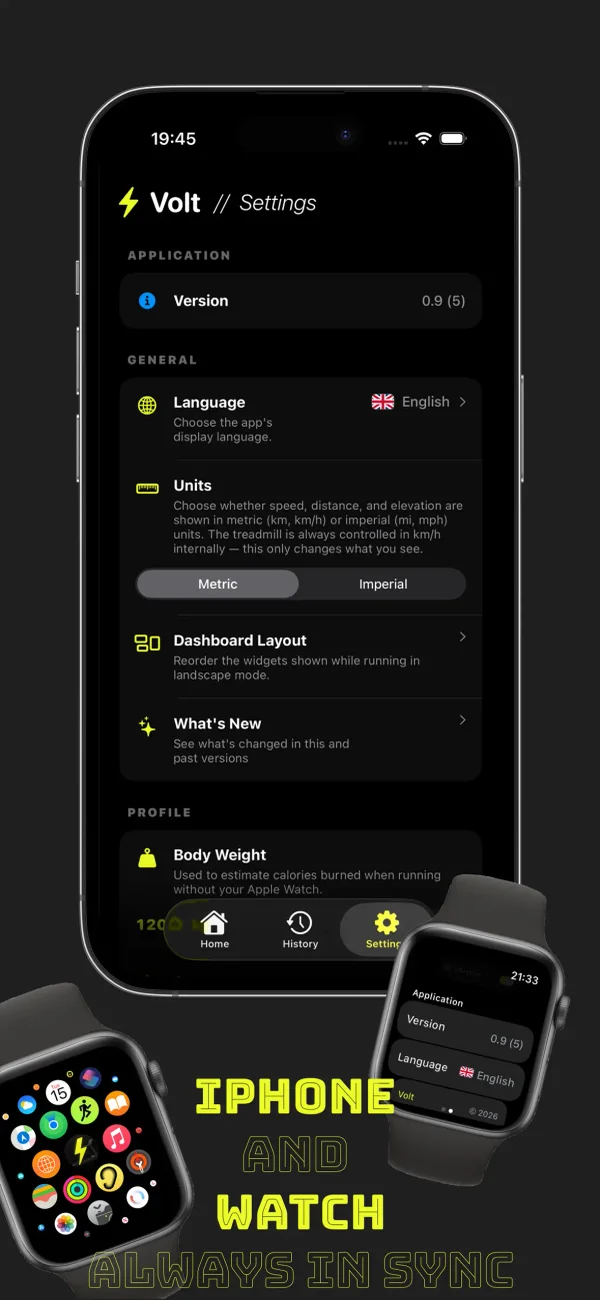
• Live speed, distance, incline and heart rate on your wrist, with pause, resume and stop
• Haptics for pace changes and intervals, readable in Always-On
• A complication with your weekly distance, and a History page on the watch
APPLE HEALTH AND HISTORY
• Workouts are saved to Health with duration, distance, calories and heart rate
• Detailed charts for speed, incline and heart rate, laps, extra metrics like top speed and moving time, a replay of the whole run and a PDF export
ALWAYS IN SIGHT
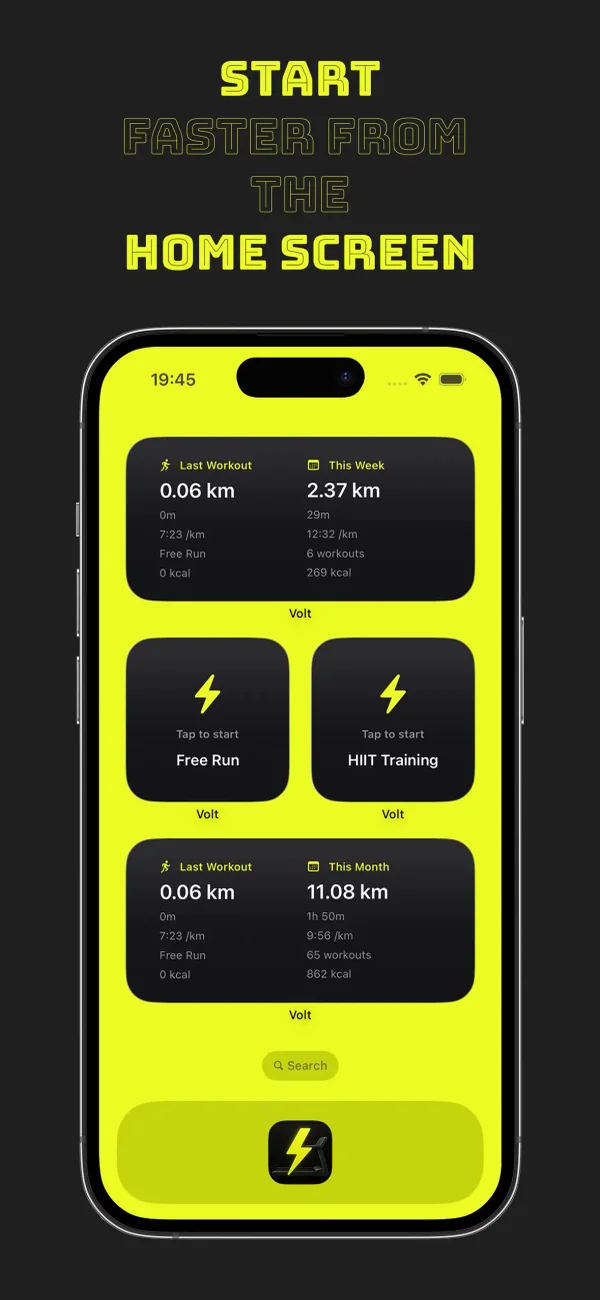
• A Home Screen widget, plus Live Activity on the Lock Screen and in the Dynamic Island
• Notifications before the next interval or phase
Available in English, Hungarian, German, Spanish and French.
VOLT YEARLY
Volt is free to download. Volt Yearly is an auto-renewing subscription that unlocks treadmill control, the smart workout modes, the Apple Watch companion and your workout history. A free trial may be available for new subscribers. Payment is charged to your Apple ID account at confirmation of purchase and renews automatically for the same period unless auto-renew is turned off at least 24 hours before the end of the current period. Manage or cancel any time in your Apple ID settings.
Terms of Use: https://volt-treadmill-app.vercel.app/terms
Privacy Policy: https://volt-treadmill-app.vercel.app/privacy
What’s new
Version 1.3.1 · Nov 20, 2026
Speed & Incline Steppers, iPhone Duo Layout & Heart Rate Warning
• New: Speed +/- and Incline +/- tiles for the Dashboard — add them in Settings › Workout › Dashboard Layout › Add widget. Tap to step by 0.5 (km/h, mph or %), or hold to keep stepping, a little faster the longer you hold. They stay within the speed limit and the maximum incline you set, and a switch in the tile's settings shows or hides the value. As a small tile the plus and minus buttons stack vertically and can sit left or right of another tile; at full width they sit side by side. The guided tour points you to them after the update
• Better on iPhone Duo: the Dashboard's big numbers now shrink to fit narrow tiles instead of being cut off, and the unfolded screen gets the same Pages / Dashboard switch as an iPad
• New: if your Apple Watch is connected but sends hardly any heart rate, a small warning appears on the Dashboard — the belt keeps running — so you notice before your workout ends up with gaps
App privacy
What Daniel Kiss declares on the App Store about how this app handles data.
-
Data not collected
The developer does not collect any data from this app.
Privacy practices may vary, for example with the features you use or your age.
Information
- Seller
- Daniel Kiss
- Category
- Health & Fitness
- Version
- 1.3.1
- Updated
- Nov 20, 2026
- Released
- Aug 14, 2026
- Size
- 12.5 MB
- Requires
- iOS 18.0 or later
- Age rating
- 12+
- Price
- Free
- In-app purchases
- Yes
- Languages
- English, French, German, Hungarian, Italian, Spanish
- Copyright
- © 2026 Daniel Mark Kiss
You might also like
-
 FTMS Treadmill IntervalsYour treadmill on autopilot
-
 RunBuilderBuild intervals, map courses
-
 CaPowHrTrack your indoor rides
-
 InclineFlowTreadmill Workout Tracker
-
 Desk Treadmill TrackerWalking Pad Workouts & Steps
-
 PulslabHealth & Fitness
-
 Hunger.Health and activity tracker
-
 Treadmill AssistantSmart Treadmill Control & Log
-
 Liftally: Gym & Workout LogStrength Progress, 1RM & DOTS
-
 TreadTapTreadmill & Walking Pad Remote