
Voxlight: Audiobook Player
Plex, Audiobookshelf, Classics
Designed for iPhone, iPad
Free · In-app purchases
- Age rating4+
- CategoryBooks
- DeveloperWeixiang Zhang
- LanguagesEnglish+ 7 more
- Size120.2 MB
Links to the official App Store page
Download.org hosts no file of Voxlight: Audiobook Player. The button opens its official App Store page, published by Weixiang Zhang. Listing last checked on Nov 23, 2026.
Screenshots


About
I'm Wei, and I make Voxlight by myself. It's an audiobook player for books you own. Start with 104 free public-domain audiobooks that come synced to their ebooks, or connect your own Plex Media Server or Audiobookshelf server and bring your library with you.
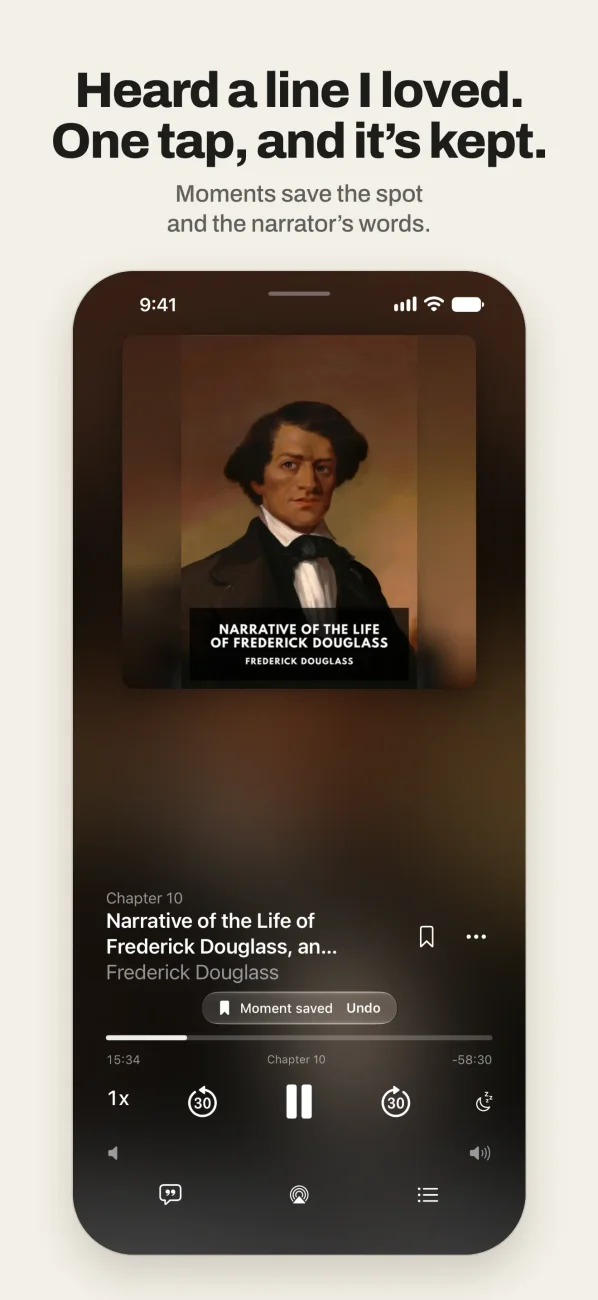
I built it because I kept hearing lines I wanted to keep. Every app I tried gave me a timestamp bookmark, and I never once went back to one of those. So the first thing I made was Moments.
MOMENTS
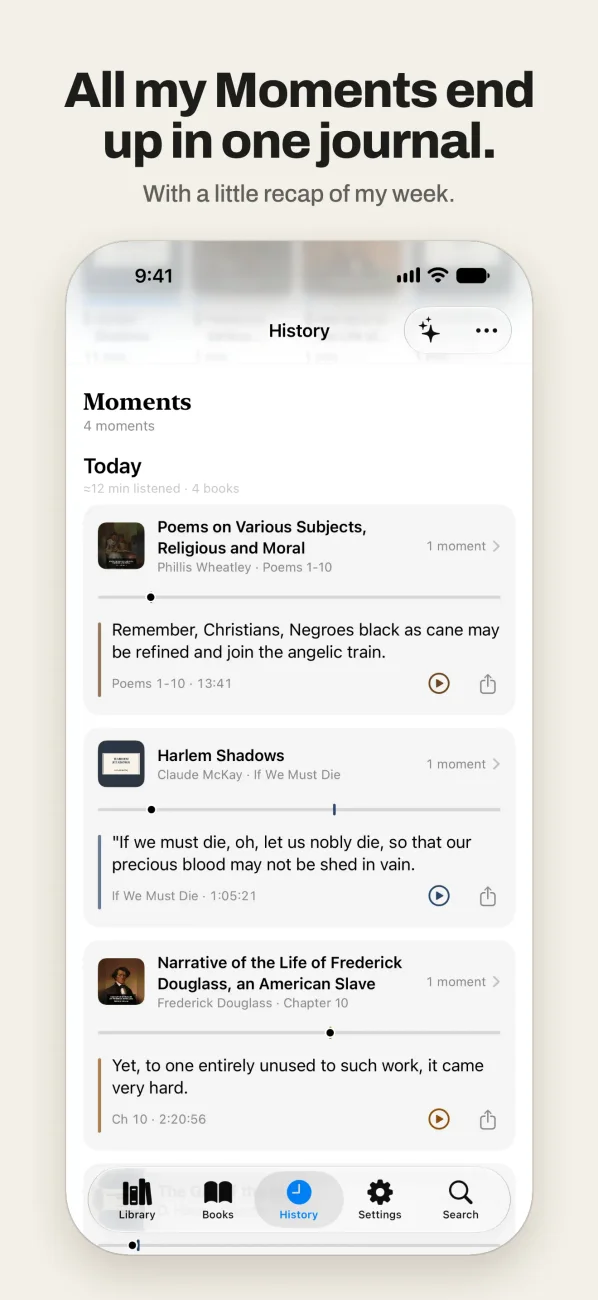
Hear something good, tap once. Voxlight saves that spot with the narrator's words written out, plus a short clip of the audio. You can share a Moment as a card, or as a little video with captions that follow the words. They sync to your iPad over iCloud, and the History tab keeps them as a daily listening journal.
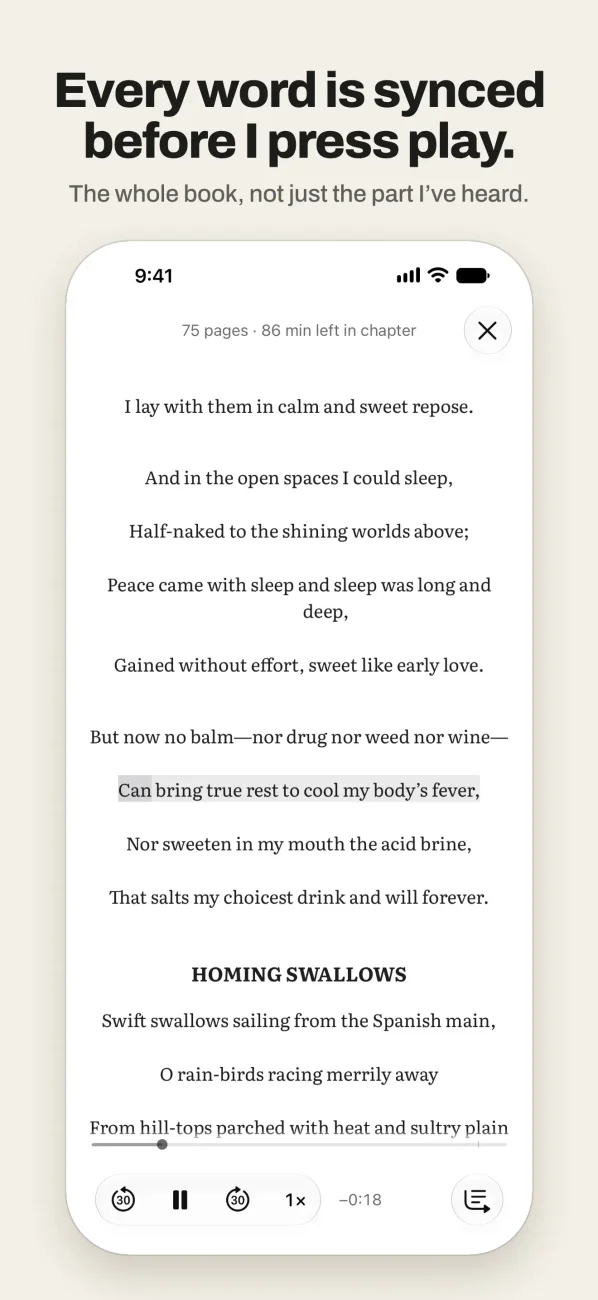
THE WHOLE BOOK, SYNCED BEFORE YOU PRESS PLAY
Pair an audiobook with its ebook or PDF and Voxlight times every word of the book up front, not just the part you're hearing right now. So you can scroll way ahead, tap a sentence you haven't reached yet, and it plays from right there. The free classics come synced already. Your own books sync on your phone.
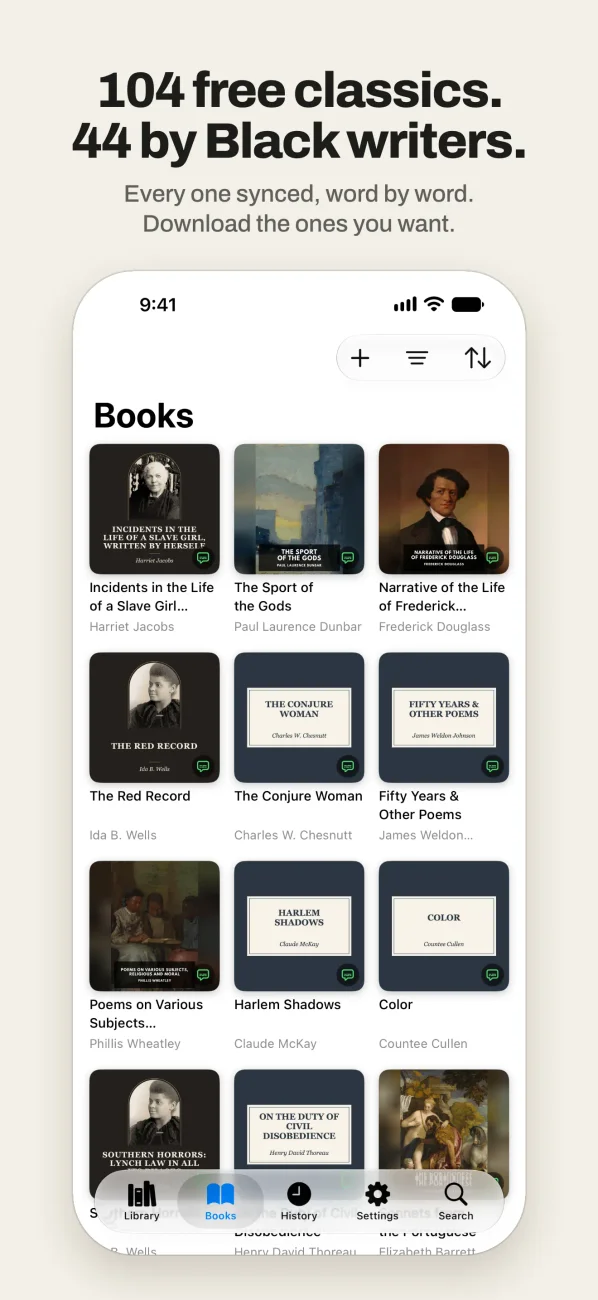
104 FREE BOOKS, 44 OF THEM BY BLACK WRITERS
The shelf has 104 public-domain audiobooks, each with its ebook and every word synced. A few are on your phone at first launch, so you can press play before you import anything. The rest download when you tap them. 44 of those books are by Black writers, and I wanted them right up front: Frederick Douglass, Ida B. Wells, Phillis Wheatley, Charles W. Chesnutt, Paul Laurence Dunbar, Claude McKay, Harriet Jacobs, Booker T. Washington, Sojourner Truth and a lot more. The recordings are by LibriVox volunteers, who are the best.
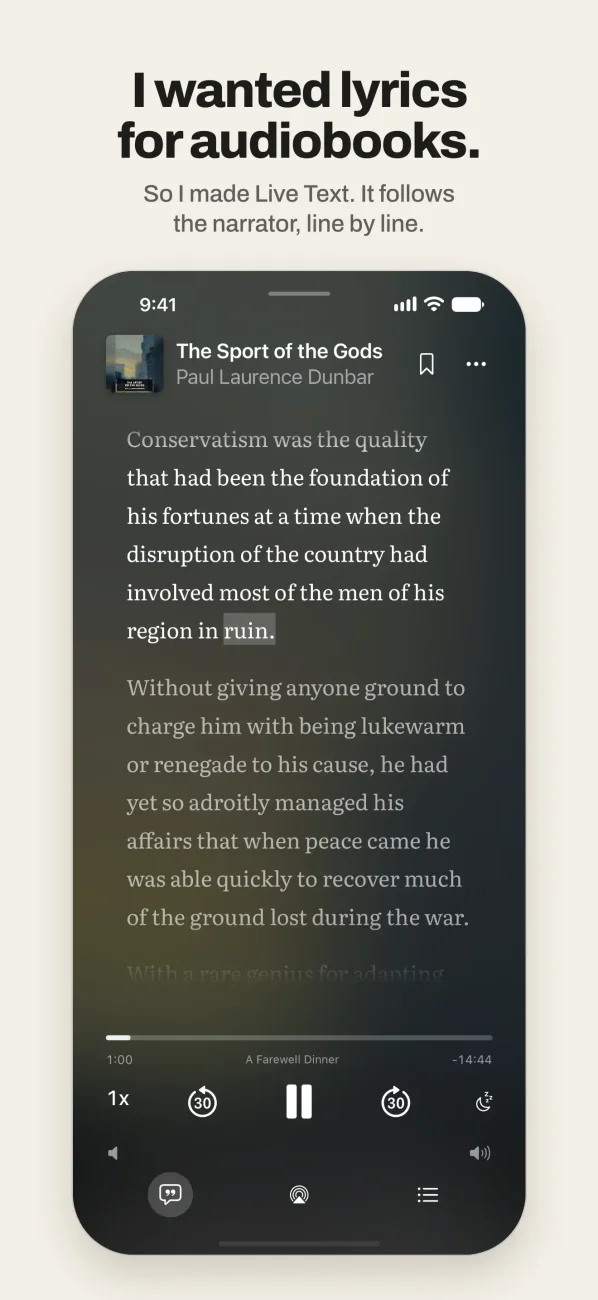
LIVE TEXT
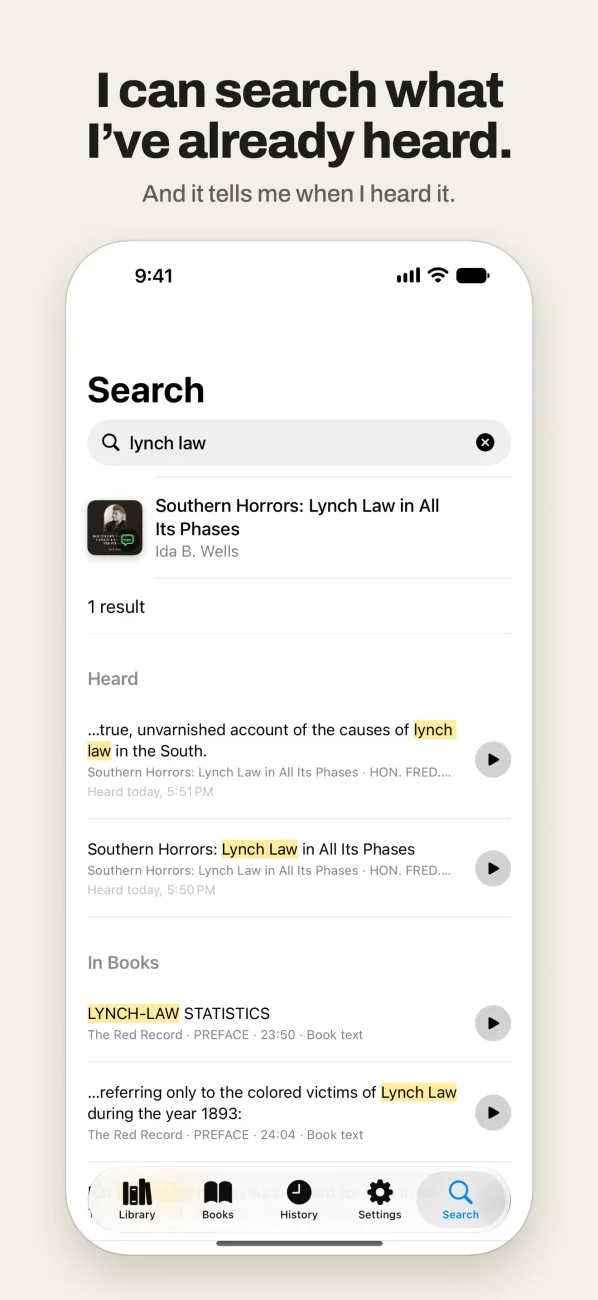
No ebook? Live Text shows what the narrator is saying while you listen, kind of like lyrics in a music app. It transcribes on your phone, and you can search everything you've heard later.
THE READER
Scroll or turn pages, pick your font and theme, and footnotes pop up right where you are. Highlight, write notes, or sketch in the margin.
IPHONE DUO
If you have an iPhone Duo, open it and the book opens with it, with the gutter right on the fold. Stand it up like a little laptop and the page sits on top while the player or your notes sit underneath.
PLEX AND AUDIOBOOKSHELF
Connect your own Plex Media Server to import audiobooks you own. Sign in with your Plex account and your audiobook library shows up in the Books tab. Stream a book right away or download it for offline, and your place syncs back to the server, so it's waiting in your other Plex apps too. More than one server works.
Audiobookshelf works too. Sign in with your server address, username and password, browse your library in the Books tab, and download any book. If the server has the ebook, it comes along and you can sync the two.
Streaming from Plex doesn't count toward the free limit. Only downloads do.
YOUR OWN FILES
M4B, MP3 and M4A all work, and a folder of numbered MP3s comes in as one book with chapters.
THE PLAYER
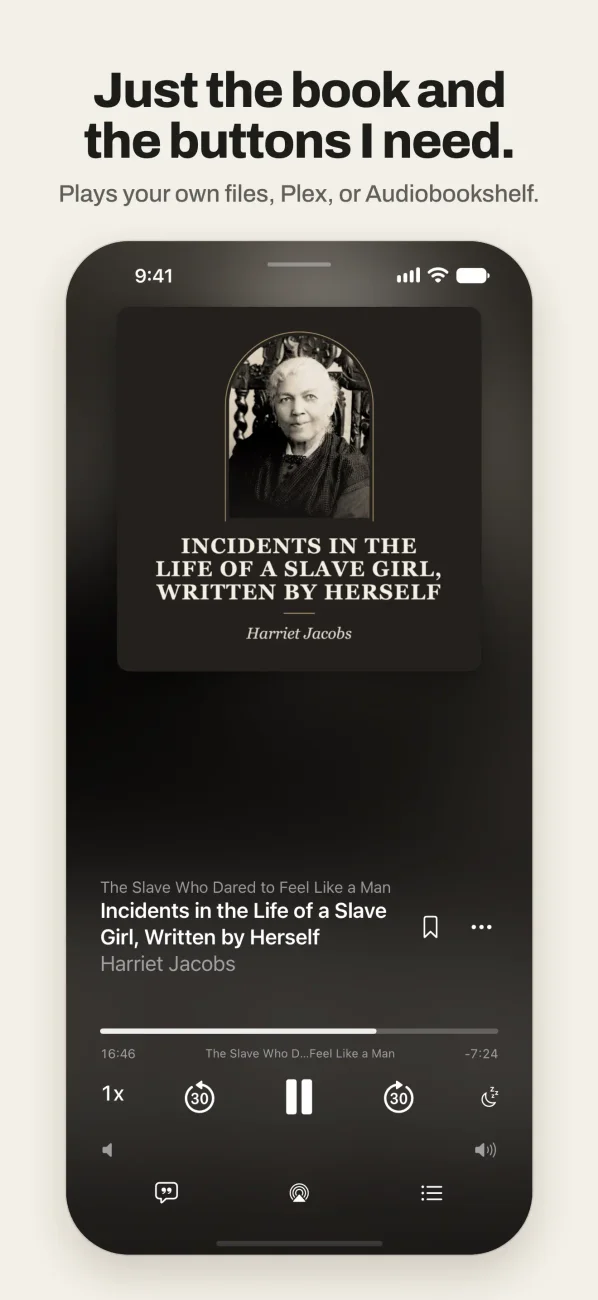
Speed goes from 0.5x to 3x and tells you what time you'll finish. The sleep timer can stop at the end of a chapter. Skips land at the start of a sentence. And if you bump the scrubber by accident, one tap takes you back.
YOUR DATA
Moments export to Markdown, JSON or CSV (Readwise works). There's no account, no analytics and no server on my end. Transcription runs on your device and sync goes through your own iCloud. The privacy label says "Data Not Collected" and I mean it.
PRICE
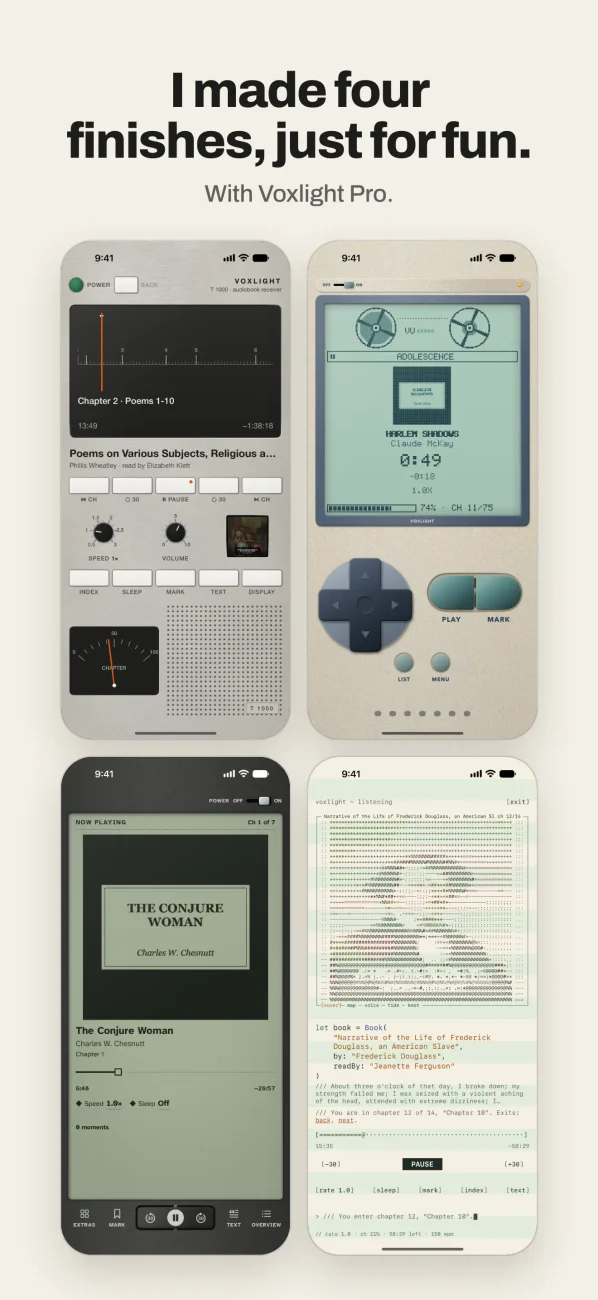
Five of your own books are free with every feature, Live Text included, and the free classics don't count toward that. Voxlight Pro is a one-time purchase, not a subscription. It removes the limit and adds four finishes for the player and reader: a titanium radio receiver, a handheld console with an LCD, a soft-touch slate, and Phosphor, an amber text terminal. Liquid Glass stays free. Family Sharing is on.
Requires iOS 27 or later.
What’s new
Version 2.0 · Nov 18, 2026
Voxlight 2.0 is the iPhone Duo release, and the biggest update so far.
MADE FOR IPHONE DUO
Open the phone and your book opens across both screens. Stand it up like a little laptop and the page sits on top, with the player or your notes underneath. Closed, everything is laid out for the outer screen.
EBOOKS ON THEIR OWN
EPUB and PDF books no longer need an audiobook. Read them on their own, or turn on Read Aloud and have any book read to you in a natural voice, even your own Personal Voice. MOBI, AZW3, FB2, TXT, Markdown and HTML files come in too.
THE PAGE FILLS THE SCREEN
Text now runs edge to edge. Tap once for the controls, tap again and they're gone. The new PDF reader works the same way and remembers your zoom for each book.
FIND FROM PAGE
Reading a paper copy? Point the camera at the page and Voxlight jumps to that spot in the audiobook or ebook. The photo never leaves your phone.
CARPLAY
Your recent books, downloads and chapters on the car screen.
LIVE TEXT IN PICTURE IN PICTURE
Keep the narrator's words floating over your other apps.
ALSO NEW
The Cover widget has a play and pause button. Siri and Spotlight can find every book on your Plex server, and Plex books start playing away from home. New looks and animations for the Pro finishes.
FIXES YOU CAN HEAR
Books made of many files no longer lose the last word when one file ends and the next begins. Books whose files are in different formats keep playing at the change. Sleep timer set to End of Chapter now stops at the end of the chapter, and its fade ends quietly. In Read Aloud, one tap on Pause stops the voice. Moments on a synced book take the ebook's words at once. In CarPlay, the steering-wheel arrows skip back and forward.
Voxlight 2.0 needs iOS 27 or later.
App privacy
What Weixiang Zhang declares on the App Store about how this app handles data.
-
Data not collected
The developer does not collect any data from this app.
Privacy practices may vary, for example with the features you use or your age.
Information
- Seller
- Weixiang Zhang
- Category
- Books
- Version
- 2.0
- Updated
- Nov 18, 2026
- Released
- Nov 5, 2026
- Size
- 120.2 MB
- Requires
- iOS 27.0 or later
- Age rating
- 4+
- Price
- Free
- In-app purchases
- Yes
- Languages
- English, Arabic, French, German, Japanese, Korean, Simplified Chinese, Spanish
- Copyright
- © 2026 Weixiang Zhang
You might also like
-
 AudioborbPlayer for Audiobookshelf
-
 ShelfDrop Audiobook PlayerPC Audiobooks, Offline
-
 Cool ReaderManga, comics & book library
-
 AudioBookSyncAudiobooks with text search
-
 Duodecimo1,009 classics. Yours to read.
-
 Shelved: Audiobookshelf readerPersonal Library & Audiobooks
-
 Witbound: Audiobook Read-AlongDyslexia Reading & Epub Sync
-
 Enve: Book PlayerEnve
-
 Unpaged: Audiobook PlayerOffline M4B, MP3 & Classics
-
 Grim Reader: EPUB, PDF, ComicsEbook reader for your library