
- Age rating4+
- CategoryEntertainment
- DeveloperMOTOSHIGE HOTAKA
- LanguagesJapanese+ 18 more
- Size965.4 MB
Links to the official App Store page
Download.org hosts no file of VR MemoPa. The button opens its official App Store page, published by MOTOSHIGE HOTAKA. Listing last checked on Nov 6, 2026.
Screenshots


About
App Overview
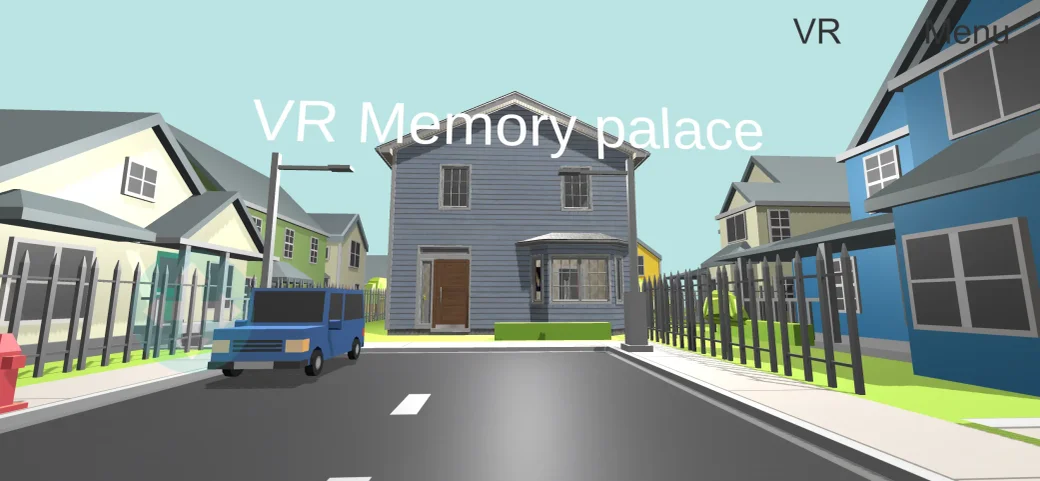
This app is designed to support memory-technique training.
Memory techniques associate information with “places” or “images,” making it easier to organize and recall.
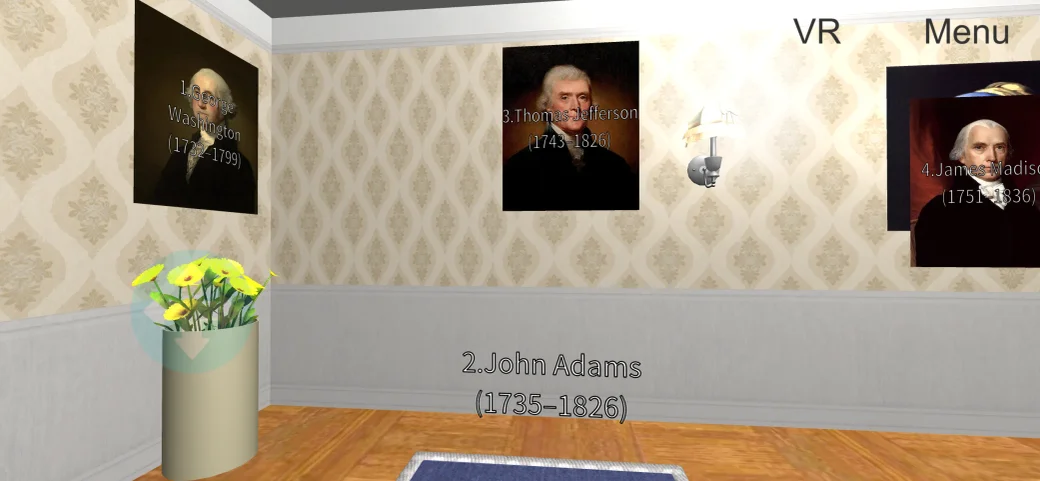
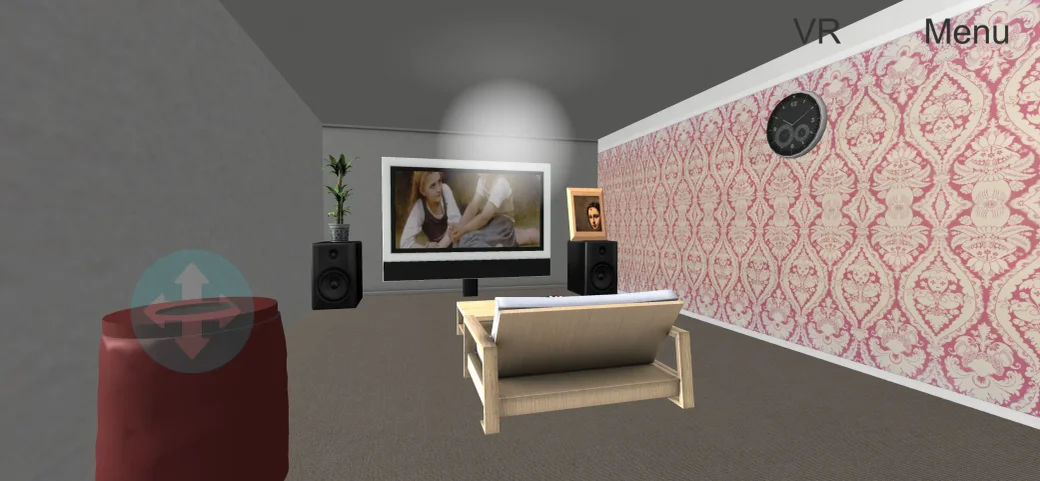
In the app, you can practice placing images at specific locations within a virtual space, just as memory athletes do.
Enter the keywords you want to memorize and their corresponding images in Google Sheets. You can then display them in the app in the format “Keyword | Image.”
Place the images in the virtual environment and view them as you move through the space. This helps you practice associating locations with mental images.
The app automatically converts Google Sheets data into Excel format. No manual conversion is required.
Regular practice can help you organize and recall information more easily. If you forget something, you can view the placed image again and use it as a memory cue.
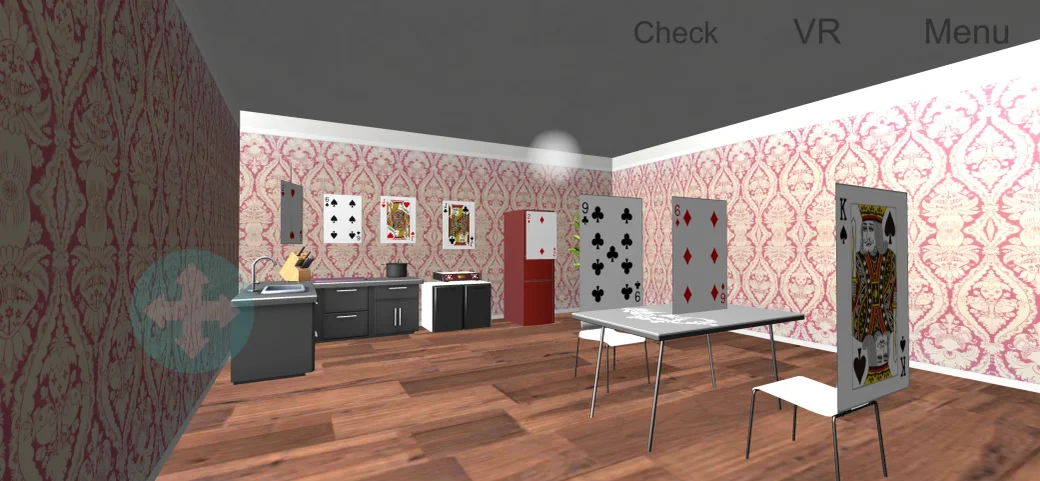
The app also includes exercises for memorizing the order of a full deck of playing cards and the positions of black and white pieces on an 8×8 board.
Reference Videos
How to Create Data Using a Smartphone
https://youtu.be/BnGdVLgvQhw
App Introduction Video
https://youtu.be/4vHh9wTzH6c
How to Remember Locations with a Memory Palace
https://youtu.be/pv0iqQWbdQQ
Basic Controls
Select “Memory Palace” from the menu to open the virtual space.
Use the directional buttons on the left to move forward, backward, right, and left. Use the control area on the right to change the viewing direction.
You can select the data you want to use from the menu. To use sample data, select “Choose Data,” followed by “Open Sample.” Several sample sheets are available.
How to Create Data
Enter data in Google Sheets using the following format:
First column: Keyword
Example: Meat
Second column: Image
Example:
https://example.com/image.png
or
gdrive:id
Enter the keyword in the first column. In the second column, enter the URL of a JPG or PNG image or the ID of an image stored in Google Drive.
To use an image from Google Drive, add gdrive: before the image ID.
The registered data can be displayed in the app in the format “Keyword | Image.”
One image can be assigned to each keyword. To use multiple images with the same keyword, enter each image on a separate row.
Using an Excel File
You can also use an Excel file (.xlsx) directly.
To save the file on an iPhone, select “Save to Files,” then choose:
“On My iPhone” → “VR Memory Palace”
You can then select the file in the app using “Select Excel File.”
Important Notes
Using many large images may consume too much device memory or slow down the display. If this happens, reduce the image sizes before use.
The app also supports VR headsets. In VR mode, you can move using a game controller.
The “8BitDo Zero 2” game controller has been tested with the app.
What’s new
Version 1.18.3 · Aug 23, 2026
Minor bug fixes and improvements.
App privacy
What MOTOSHIGE HOTAKA declares on the App Store about how this app handles data.
-
Data used to track you
May be used to track you across apps and websites owned by other companies.
- Location
- Identifiers
- Usage data
- Diagnostics
-
Data linked to you
May be collected and linked to your identity.
- Location
- Identifiers
- Usage data
- Diagnostics
Privacy practices may vary, for example with the features you use or your age.
Information
- Seller
- MOTOSHIGE HOTAKA
- Category
- Entertainment
- Version
- 1.18.3
- Updated
- Aug 23, 2026
- Released
- Nov 15, 2022
- Size
- 965.4 MB
- Requires
- iOS 13.0 or later
- Age rating
- 4+
- Languages
- Japanese, Afrikaans, Arabic, Italian, Indonesian, Ukrainian, Estonian, Dutch, Catalan, Spanish, Czech, Danish + 7 more
- Copyright
- © 2022 Hotaka.
You might also like
-
 MultiDraw - Predict AnythingMultiple Outs and Forces
-
 お笑いジムEntertainment
-
 Harassmentalk DM | DiagnosisToxic DM check in 19 factors
-
 Shake JudgeShake and judge by sound!
-
 CloakiPrivate Video Browser
-
 Onyx MagicPhotograph the Impossible
-
 ARMotion - Person Motion ARCreate AR from video
-
 Auto Palmistry PremiumEntertainment
-
 IQ Test BrambinBrain Training & Cognition
-
 VR Travel Pedometer - SmanpoWith map and 360 degree views.