
- Age rating4+
- CategoryProductivity
- DeveloperLuis Cardona
- LanguagesEnglish
- Size43.9 MB
Links to the official App Store page
Download.org hosts no file of Vrbtm. The button opens its official App Store page, published by Luis Cardona. Listing last checked on Nov 20, 2026.
Screenshots



About
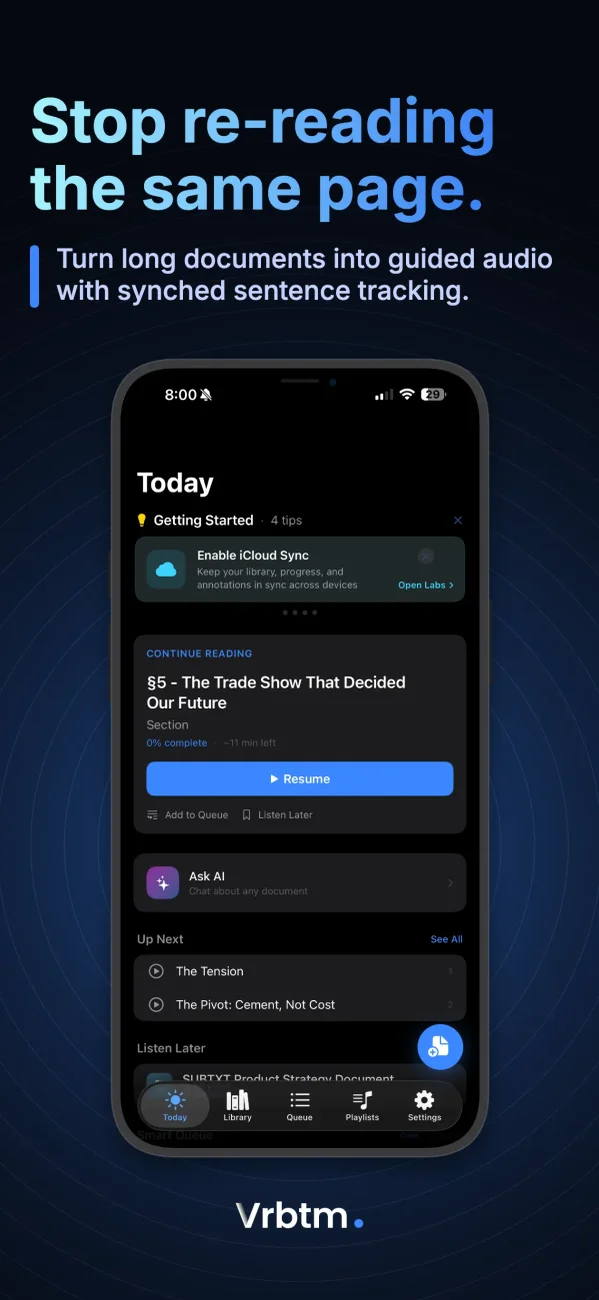
Vrbtm helps you get through dense documents without losing your place.
Turn long PDFs, notes, drafts, articles, and pasted text into guided audio sessions with real-time sentence highlighting. Listen while you read, move through documents section by section, and return to the notes and highlights that mattered.
Vrbtm is built for the documents you actually need to finish: research, reports, product briefs, study material, strategy docs, technical notes, and long articles.
HOW IT WORKS
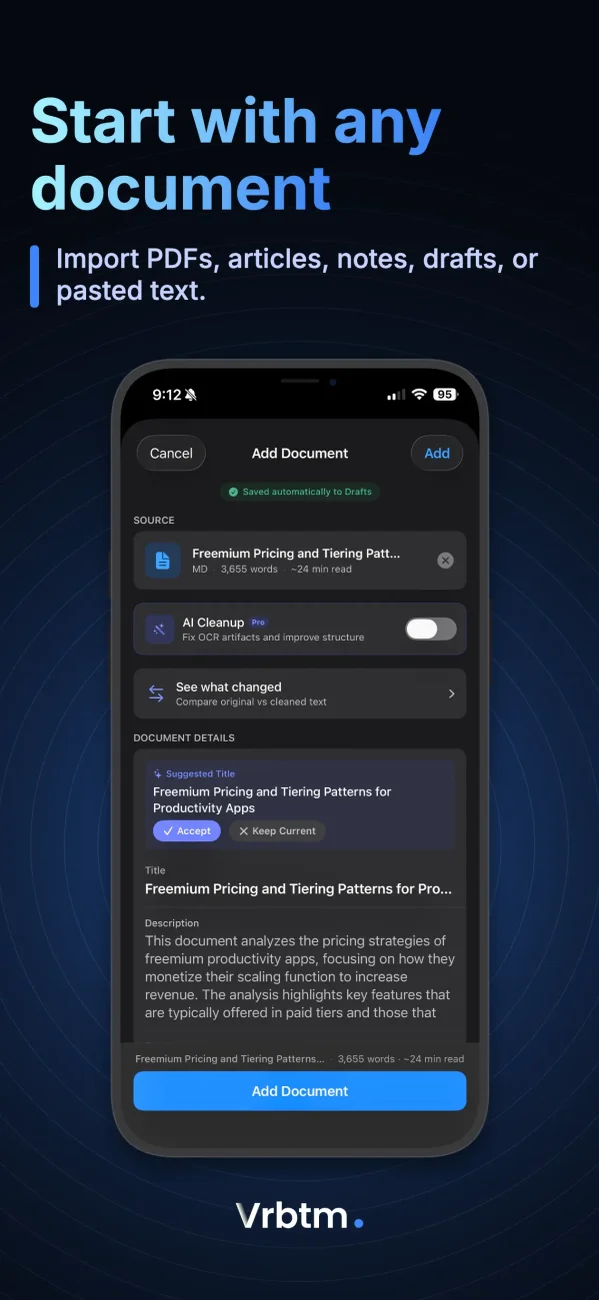
1. Import a document
Start with a PDF, text file, Markdown file, article, note, draft, or pasted text.
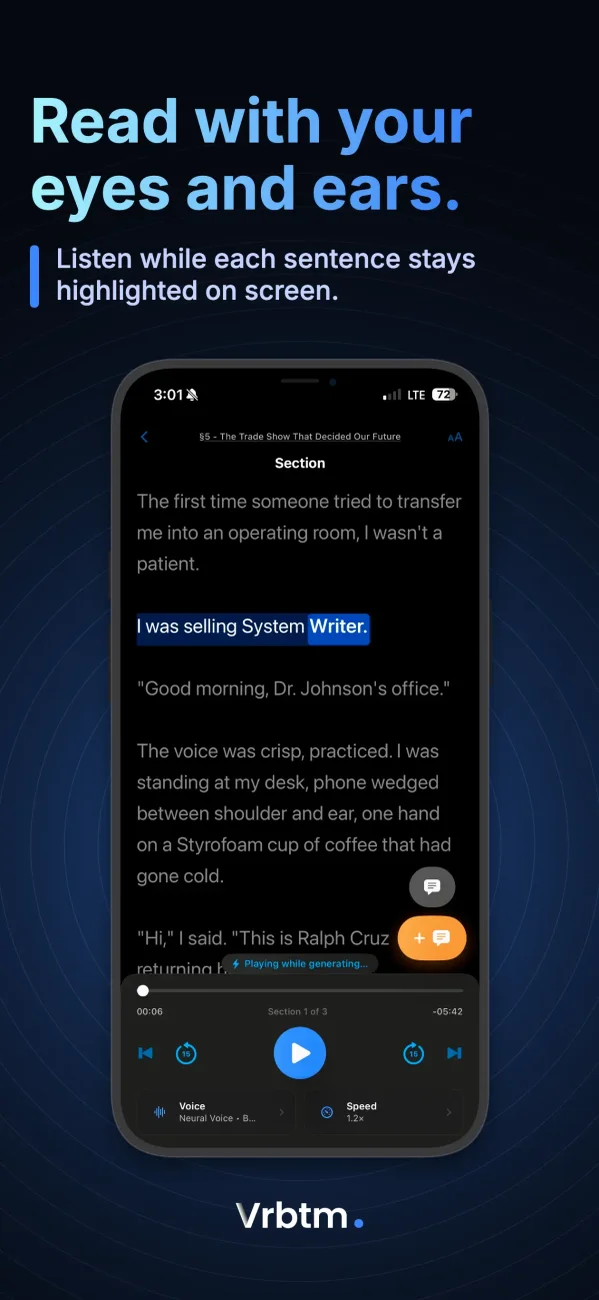
2. Read with your eyes and ears
Vrbtm reads your document aloud while keeping the current sentence highlighted on screen.
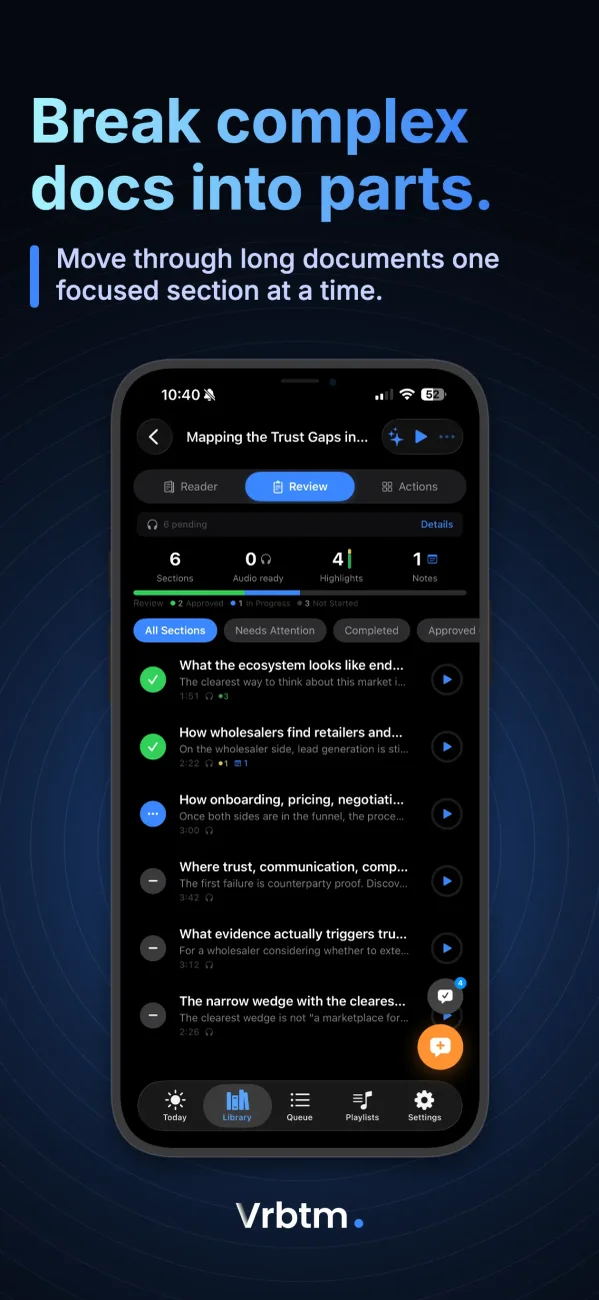
3. Break long documents into sections
Move through dense reading one focused section at a time instead of starting over every time.
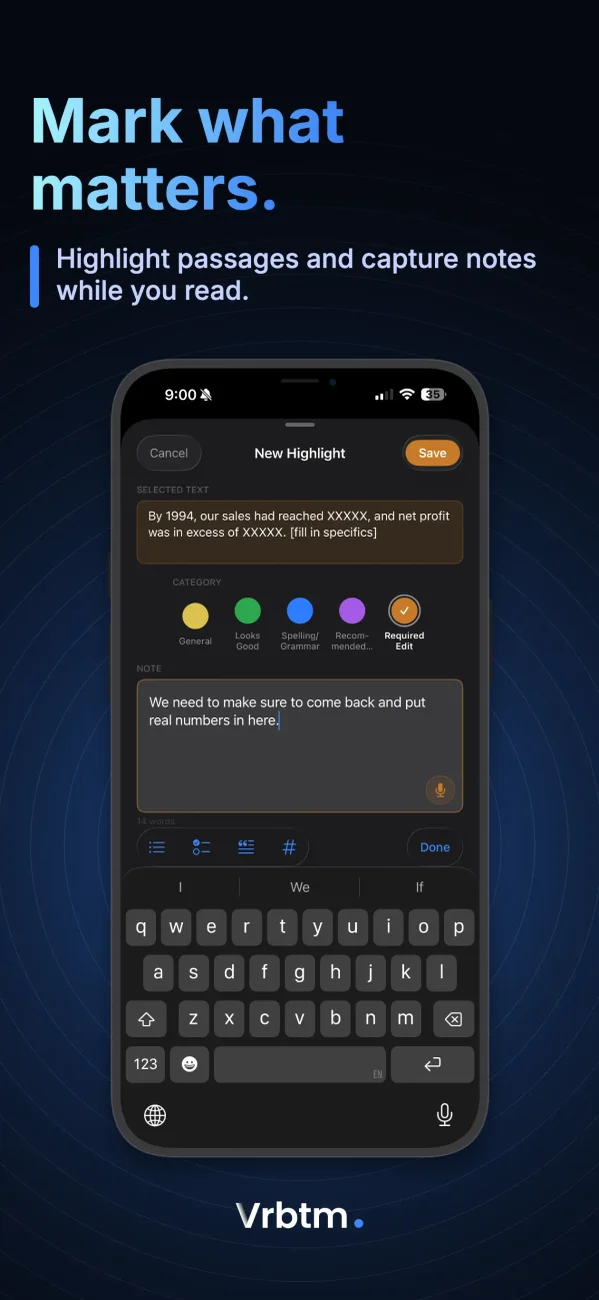
4. Mark what matters
Highlight important passages, capture notes, and flag sections that need follow-up.
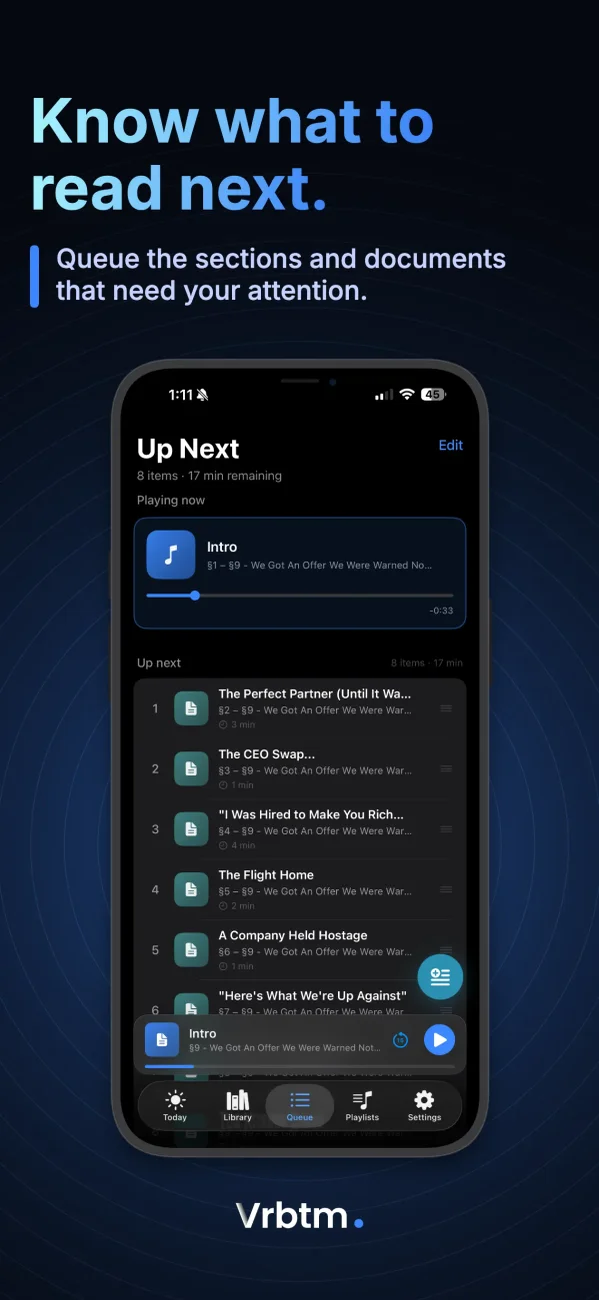
5. Know what to read next
Use your queue, library, progress, and review tools to keep moving through the documents that need your attention.
WHY VRBTM
• Stop re-reading the same page
• Listen while the text stays visually anchored
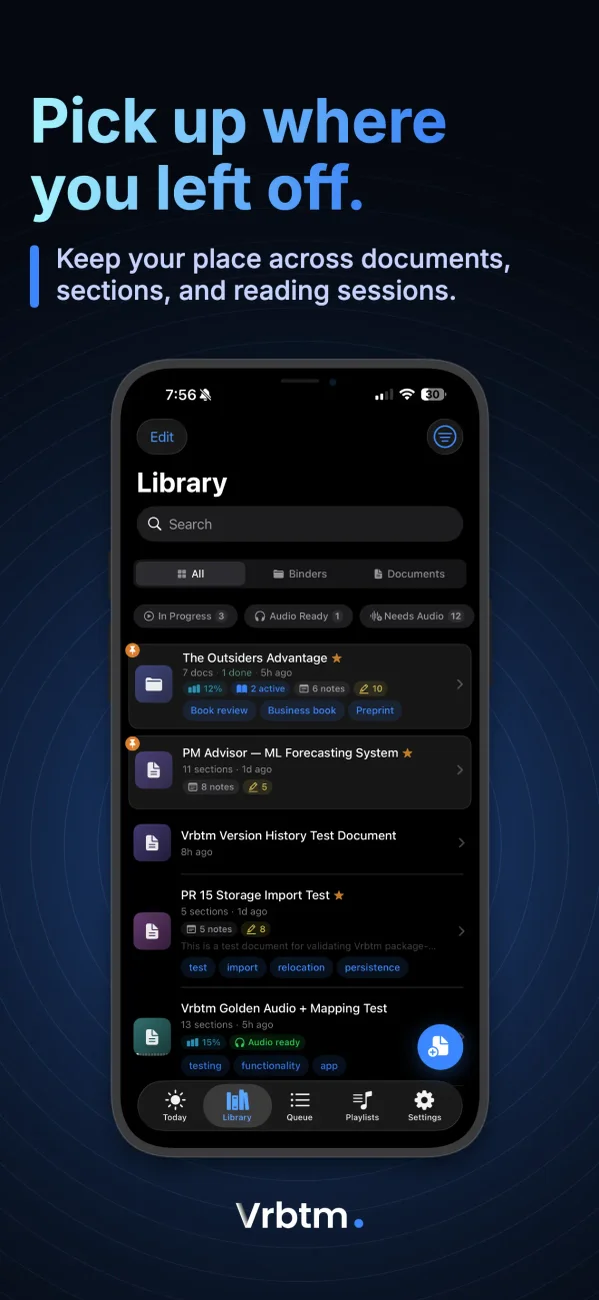
• Keep track of sections, progress, notes, and highlights
• Return to important passages without starting over
• Build a focused library for documents you care about
• Keep private reading under your control
BUILT FOR PRIVATE READING
Vrbtm is designed around private, local-first reading. Your documents, notes, highlights, and generated audio stay in your reading system, with optional iCloud storage controlled through your Apple account when enabled.
USE VRBTM FOR
• Research papers
• Business reports
• Product and strategy docs
• Study material
• Long PDFs
• Draft reviews
• Articles and saved text
• Any document you need to finish, review, and remember
Stop re-reading. Start retaining.
What’s new
Version 1.3 · Aug 6, 2026
Try Vrbtm instantly — no install required.
• Tap a Vrbtm listening link and a lightweight version of Vrbtm opens straight into the article. No install, no account, no waiting.
• Hear it read aloud with every sentence highlighted as it's spoken — the full read-along experience.
• Play, pause, skip, and change speed exactly as you would in the app.
• Install afterwards and Vrbtm offers to save that article to your library, right where you stopped listening.
Also in this release:
• Sign-in links and shared articles now route to the right place every time.
App privacy
What Luis Cardona declares on the App Store about how this app handles data.
-
Data linked to you
May be collected and linked to your identity.
- Contact info
Privacy practices may vary, for example with the features you use or your age.
Information
- Seller
- Luis Cardona
- Category
- Productivity
- Version
- 1.3
- Updated
- Aug 6, 2026
- Released
- Apr 1, 2026
- Size
- 43.9 MB
- Requires
- iOS 26.0 or later
- Age rating
- 4+
- Languages
- English
- Copyright
- © 2026 Valleyfold LLC
You might also like
-
 Lector: Clean ReadingRead without distractions
-
 ReadLock: App BlockerScreen Time blocker for focus
-
 Document Reader: PDF ScanScanner, OCR, Sign & Edit PDF
-
 LinkClip - Save links easilySave links easily by category
-
 Voice Reader AI by TissyoListen to your documents
-
 Nomily AIProductivity
-
 The Productive AppProductivity
-
 Focal: RSVP PDF/EPUB ReaderRead faster • Focus better
-
 Readmo - Book reading trackerTrack your TBR & reading list
-
 DeepReader - Text To SpeechAI Voice Aloud Reader:PDF EPUB