
- Age rating4+
- CategoryProductivity
- LanguagesEnglish+ 2 more
- Size3.5 MB
Links to the official App Store page
Download.org hosts no file of WBGT TM. The button opens its official App Store page, published by . Listing last checked on Nov 10, 2026.
Screenshots




About
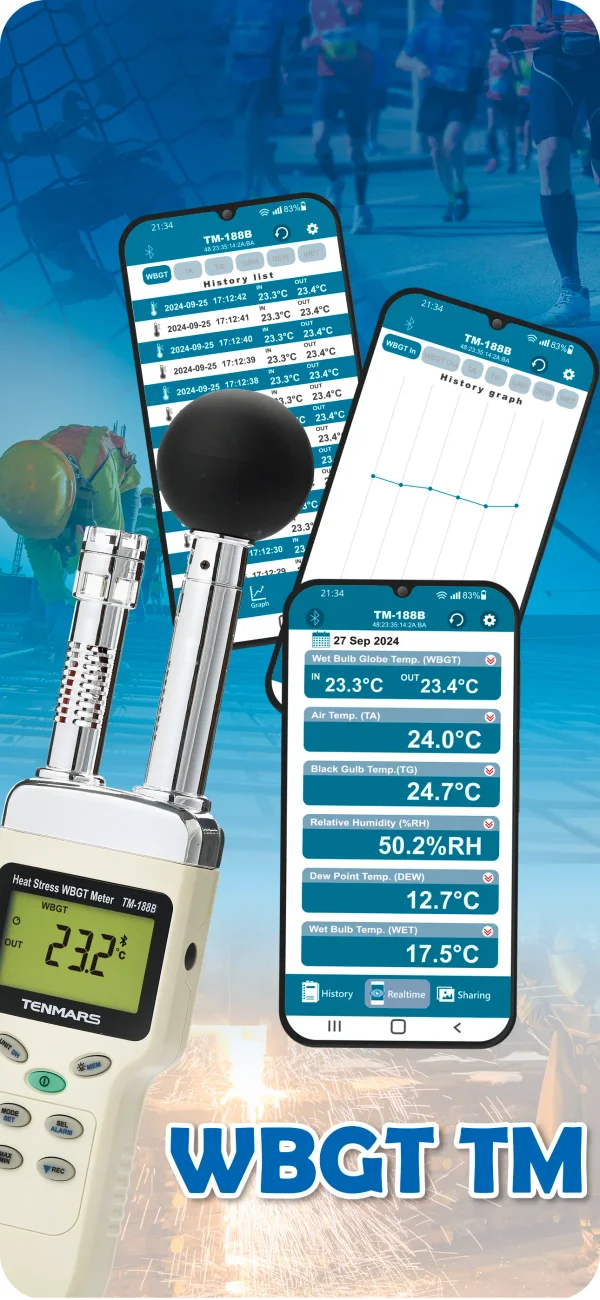
WBGT TM App can instantly transmit measurement data to the APP application via Bluetooth.
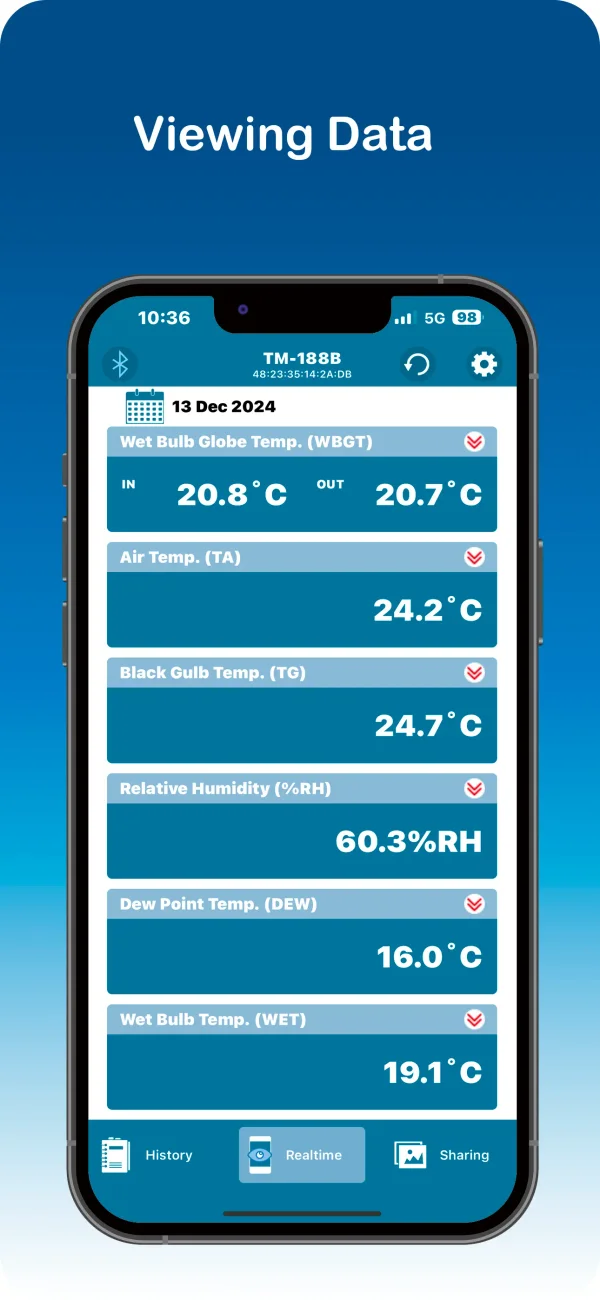
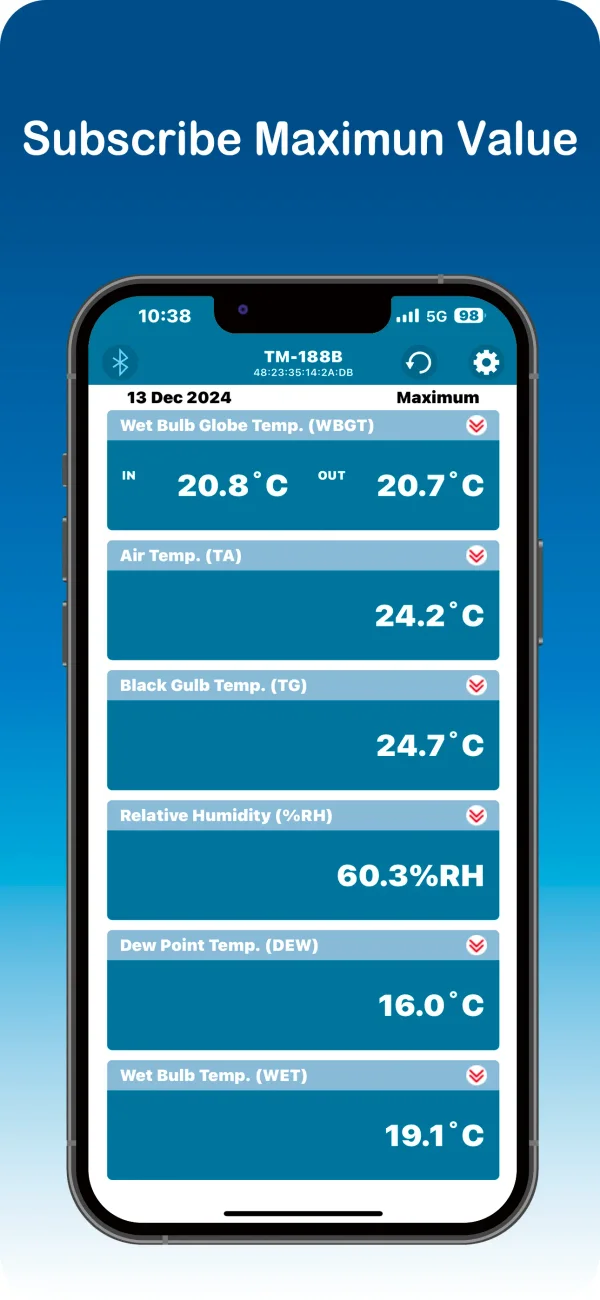
An app for recording and managing WBGT, black bulb temperature (TG), dry bulb temperature (TA), humidity (%RH), dew point (DEW), and wet bulb temperature (WET) measurements of integrated heat index meters and Bluetooth. You can view and record the WBGT value of the "Comprehensive Heat Index Meter" at the same time, and view the past date and the maximum value of today's date, real-time image transmission and sharing to e-mail or communication software, etc., and view historical records.
Use the application:
1. Please turn on the Bluetooth switch first and then press the power button of the instrument. The Bluetooth switch of this product is located on the right side below. Please open the APP after installation and click to enter the screen.
2. After turning on the phone, pay attention to whether the Bluetooth symbol appears on the LCD to confirm whether Bluetooth is successfully turned on.
3. Open the mobile APP “WBGT TM” application.
4. Please click Search Device.
5. Please push the upper right button to the right to turn it on
6. The Bluetooth symbol in the upper left corner turns blue, and the WBGT data shows that the connection is successful.
7. Click on the pen pattern to change the name
8. Click the instrument to enter the real-time display screen
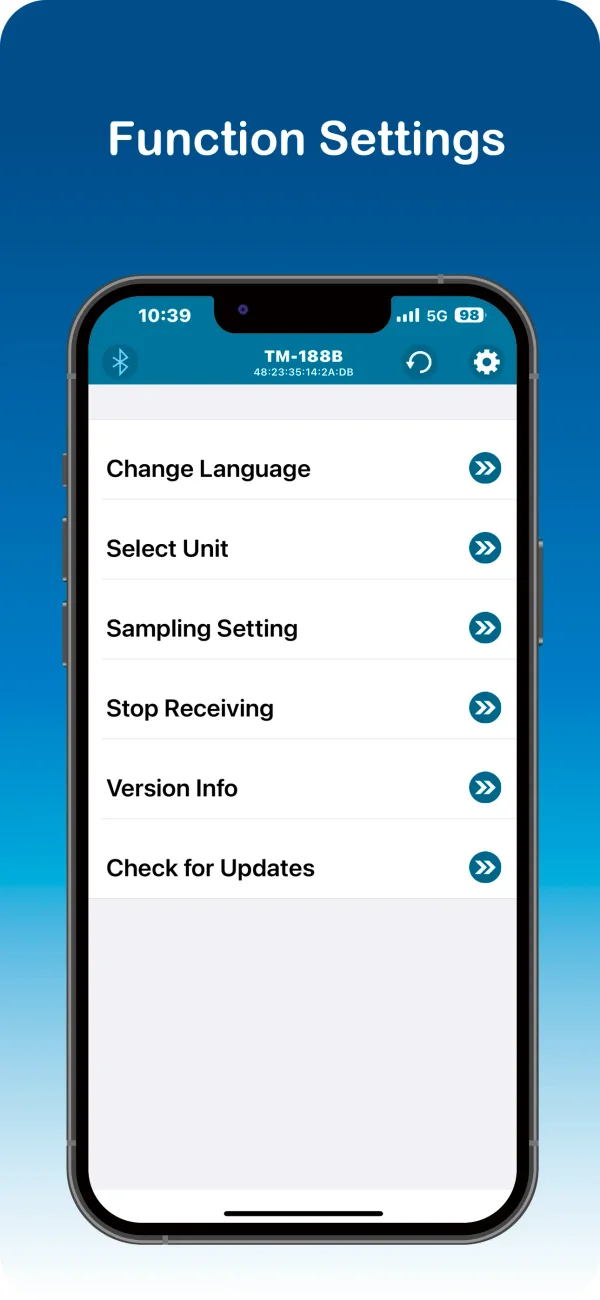
Set "Setting symbol in the upper right corner":
1. Change language: You can change other languages.
2. Select unit: You can change ℃ or ℉.
3. Sampling Setting: 5seconds/10seconds/30seconds/60seconds/
5minutes/10minutes/30minutes/60minutes.
4. Stop Receiving: Continue/stop.
5. Version information.
6. Check for updates: Update the latest programs.
What’s new
Version 1.3 · Feb 13, 2025
fixed bug
App privacy
What declares on the App Store about how this app handles data.
-
Data not collected
The developer does not collect any data from this app.
Privacy practices may vary, for example with the features you use or your age.
Information
- Seller
- james lin
- Category
- Productivity
- Version
- 1.3
- Updated
- Feb 13, 2025
- Released
- Jan 2, 2025
- Size
- 3.5 MB
- Requires
- iOS 16.0 or later
- Age rating
- 4+
- Languages
- English, Simplified Chinese, Traditional Chinese
- Copyright
- Copyright TENMARS世駿電子©2024All rights reserved.
You might also like
-
 Ailyssa GoAI Video Analytics Platform
-
 IHNotesProductivity
-
 Adaptive ePTWProductivity
-
 7STAProductivity
-
 WatchAI: PDF & Document ChatAI answers on your wrist
-
 Project Manager Track ActivityEfficient Task Time Organizer
-
 Kanban Board: Task & ProjectsScrum, Gantt & Work Planner
-
 KrooloProductivity
-
 Kanban: Organize anythingVisual Task & Project Manager