- Age rating17+
- CategoryBusiness
- DeveloperNikhil Anshuman
- LanguagesEnglish
- Size2.9 MB
Links to the official App Store page
Download.org hosts no file of Website to PDF Maker. The button opens its official App Store page, published by Nikhil Anshuman. Listing last checked on Nov 17, 2026.
Screenshots

About
With our app, you can effortlessly convert entire webpages into PDFs while retaining all images and links, ensuring a complete and interactive experience.
Key Features:
-- Preserve Images and Links: Your PDFs will look just like the original webpage, with all images and hyperlinks intact.
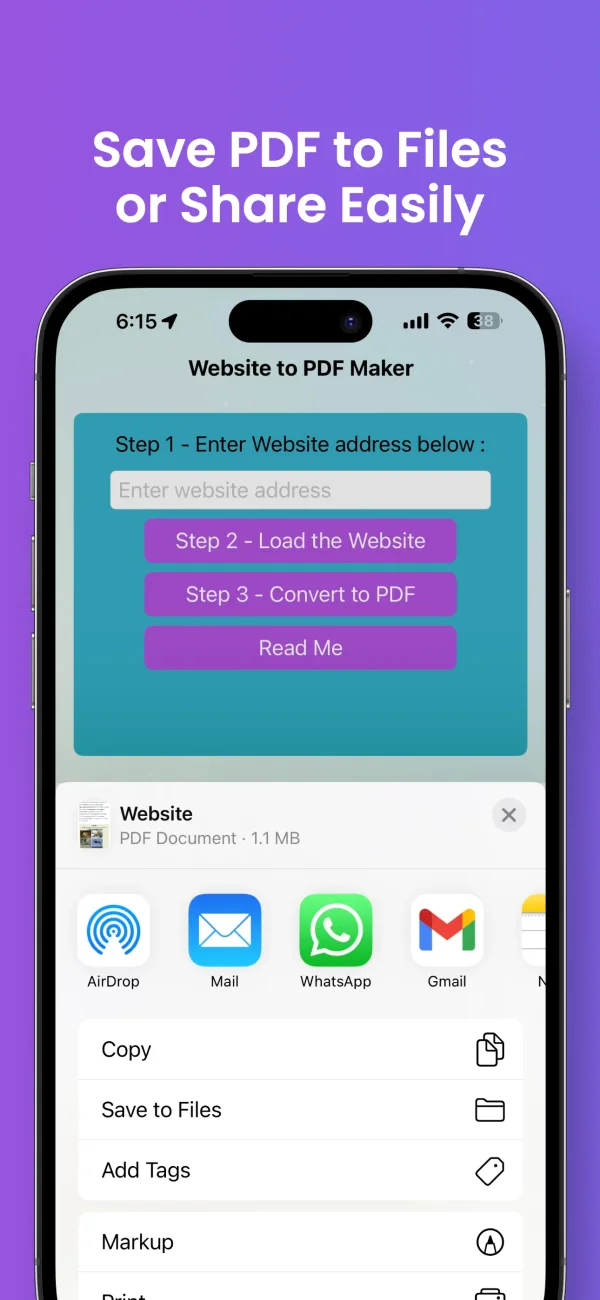
-- Save and Share: Once created, you can save your PDFs to your Files application or share them with any other application of your choice.
How It Works:
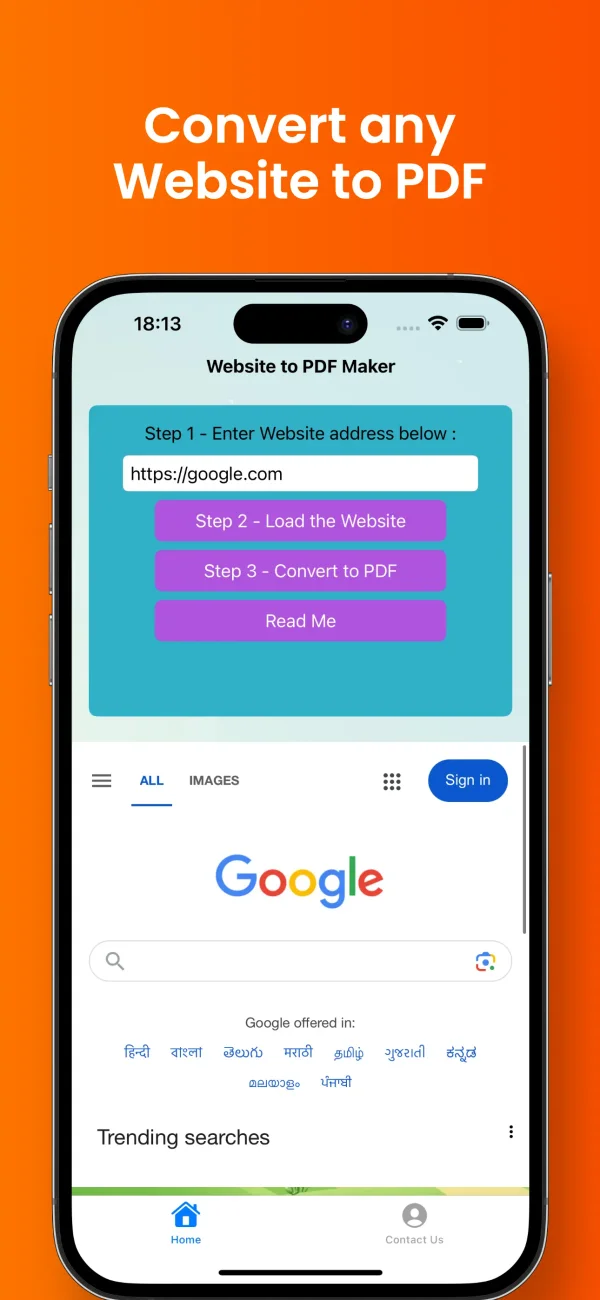
-- Enter the URL: Simply type in the web address you want to convert.
-- Load the Website: Click "Load the Website" and browse through it just like you would in a normal browser.
-- Convert to PDF: On the page you want to save, hit the "Convert to PDF" button, and the current webpage will be saved as a PDF.
Experience the convenience of having your favourite webpages at your fingertips, ready to be saved or shared whenever you need them. Download our app today and start converting with a single click!
App privacy
What Nikhil Anshuman declares on the App Store about how this app handles data.
-
Data not collected
The developer does not collect any data from this app.
Privacy practices may vary, for example with the features you use or your age.
Information
- Seller
- Nikhil Anshuman
- Category
- Business
- Version
- 1.0
- Updated
- Jun 19, 2024
- Released
- Jun 19, 2024
- Size
- 2.9 MB
- Requires
- iOS 16.0 or later
- Age rating
- 17+
- Price
- $3.99
- Languages
- English
- Copyright
- © Copyright by Sofonica
You might also like
-
 LineEmUpVisual Alignment App
-
 Tome Town: PDF & EPUB ReaderNo subscriptions, just reading
-
 MakePDF: Document MergerProductivity
-
 TTA ConnectBusiness
-
 Summary AI: Notes & SummarizeTranscribe, Study & Flashcards
-
 RunMySaleProductivity
-
 SCbioBusiness
-
 Central National Bank mRDCBusiness
-
 PDF Editor & Scanner: FolbrioScan, Sign, OCR & Photo to PDF
-
 Retirement EstimatorCalculate Personal Finances