- 対象年齢17+
- カテゴリビジネス
- 開発元Nikhil Anshuman
- 言語英語
- サイズ2.9 MB
App Storeの公式ページにリンクしています
Download.orgはWebsite to PDF Makerのファイルを一切ホストしていません。ボタンを押すと、Nikhil Anshumanが公開しているApp Storeのアプリページが開きます。ページの最終確認:2026/11/17。
スクリーンショット

概要
開発元はこのテキストをお使いの言語で提供していません。
With our app, you can effortlessly convert entire webpages into PDFs while retaining all images and links, ensuring a complete and interactive experience.
Key Features:
-- Preserve Images and Links: Your PDFs will look just like the original webpage, with all images and hyperlinks intact.
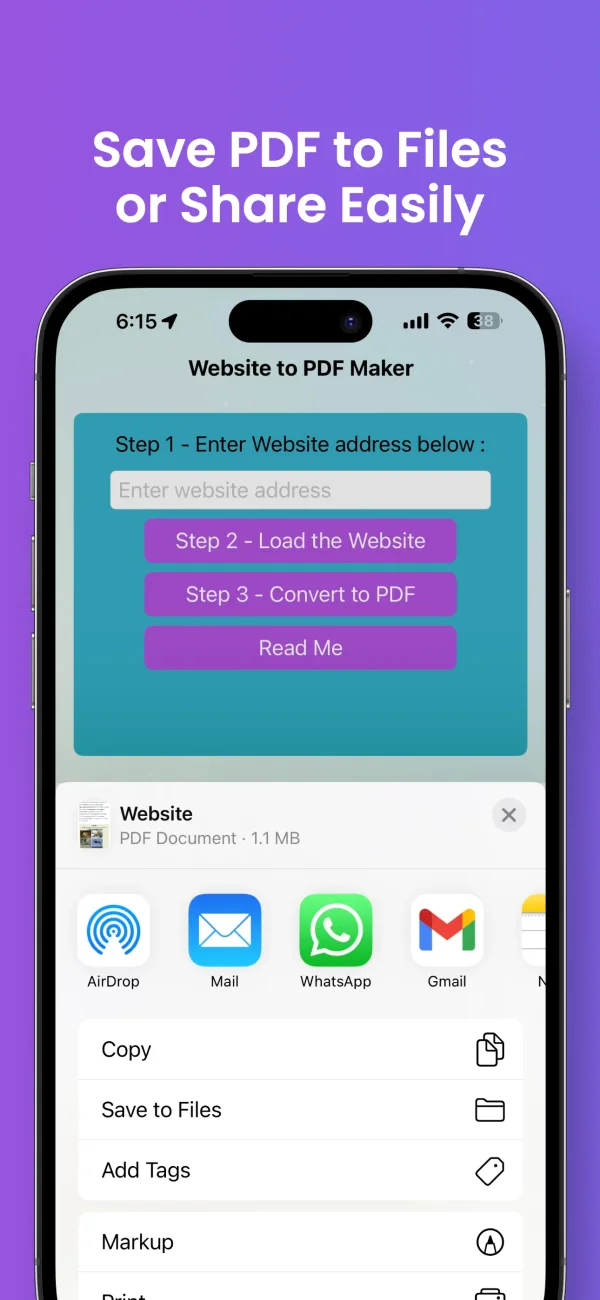
-- Save and Share: Once created, you can save your PDFs to your Files application or share them with any other application of your choice.
How It Works:
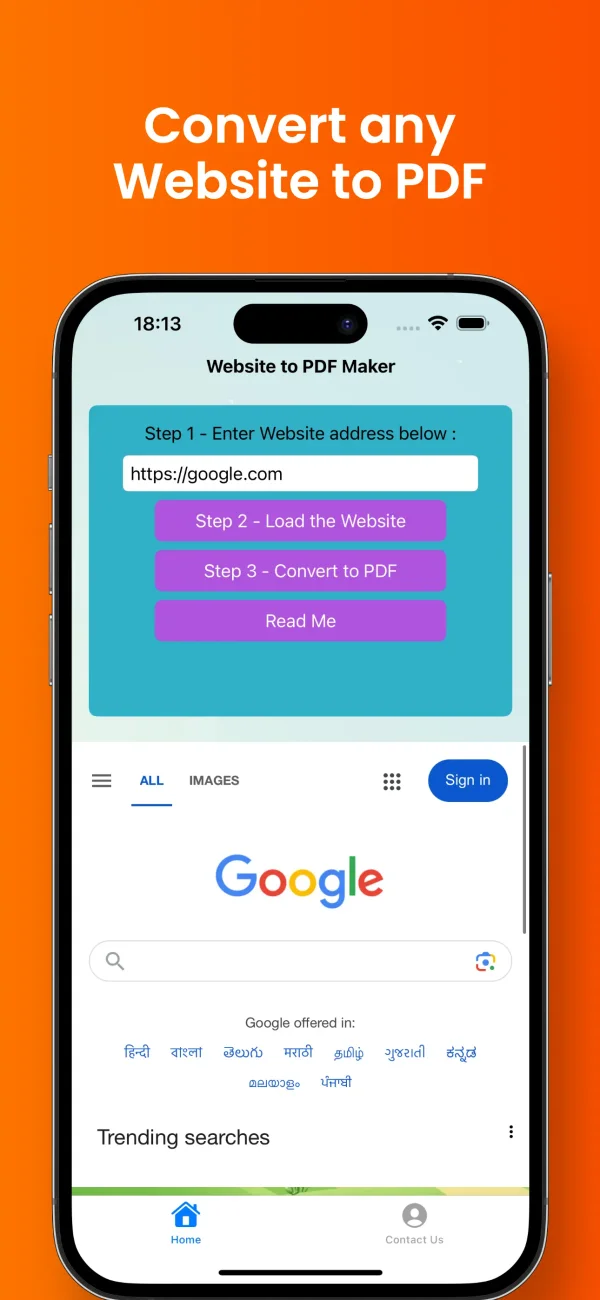
-- Enter the URL: Simply type in the web address you want to convert.
-- Load the Website: Click "Load the Website" and browse through it just like you would in a normal browser.
-- Convert to PDF: On the page you want to save, hit the "Convert to PDF" button, and the current webpage will be saved as a PDF.
Experience the convenience of having your favourite webpages at your fingertips, ready to be saved or shared whenever you need them. Download our app today and start converting with a single click!
アプリのプライバシー
このアプリのデータの取り扱いについて、Nikhil AnshumanがApp Storeで申告している内容です。
-
データの収集なし
開発元はこのアプリからデータを収集しません。
プライバシーの取り扱いは、ご利用の機能やお客様の年齢などに応じて異なる場合があります。
情報
- 販売元
- Nikhil Anshuman
- カテゴリ
- ビジネス
- バージョン
- 1.0
- 更新日
- 2024/6/19
- リリース
- 2024/6/19
- サイズ
- 2.9 MB
- 必要条件
- iOS 16.0以降
- 対象年齢
- 17+
- 価格
- ¥600
- 言語
- 英語
- 著作権
- © Copyright by Sofonica