WhenWas
Last Time & Maintenance Log
Designed for iPhone, iPad
Free · In-app purchases
- Age rating4+
- CategoryProductivity
- DeveloperDrew Cortright
- LanguagesEnglish+ 11 more
- Size7.0 MB
Links to the official App Store page
Download.org hosts no file of WhenWas. The button opens its official App Store page, published by Drew Cortright. Listing last checked on Nov 23, 2026.
Screenshots




About
Remember the last time. Know what comes next.
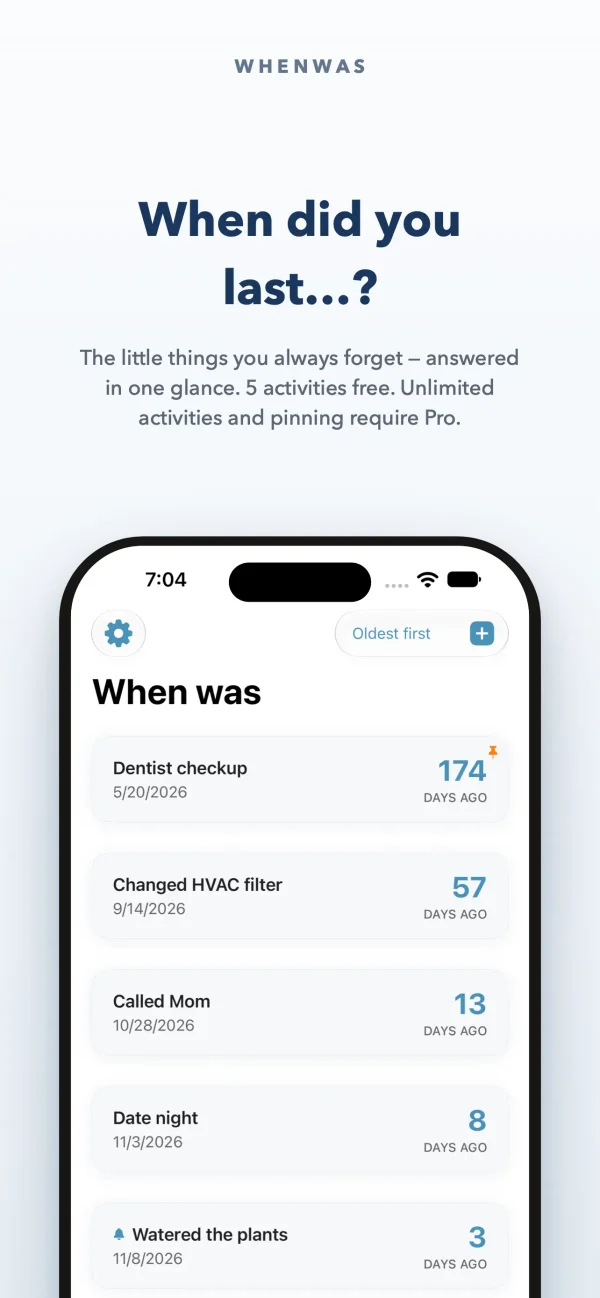
WhenWas is a straightforward last-time tracker and maintenance log for the small but important things that don’t belong on a fixed calendar. Watering plants, replacing filters, servicing a bike, grooming a pet, calling family—record a check-in and instantly see how long it has been.
No streaks to protect. No guilt. Just a clear history and the context you need for the next check-in.
TRACK TIME, USES, MILEAGE & HOURS
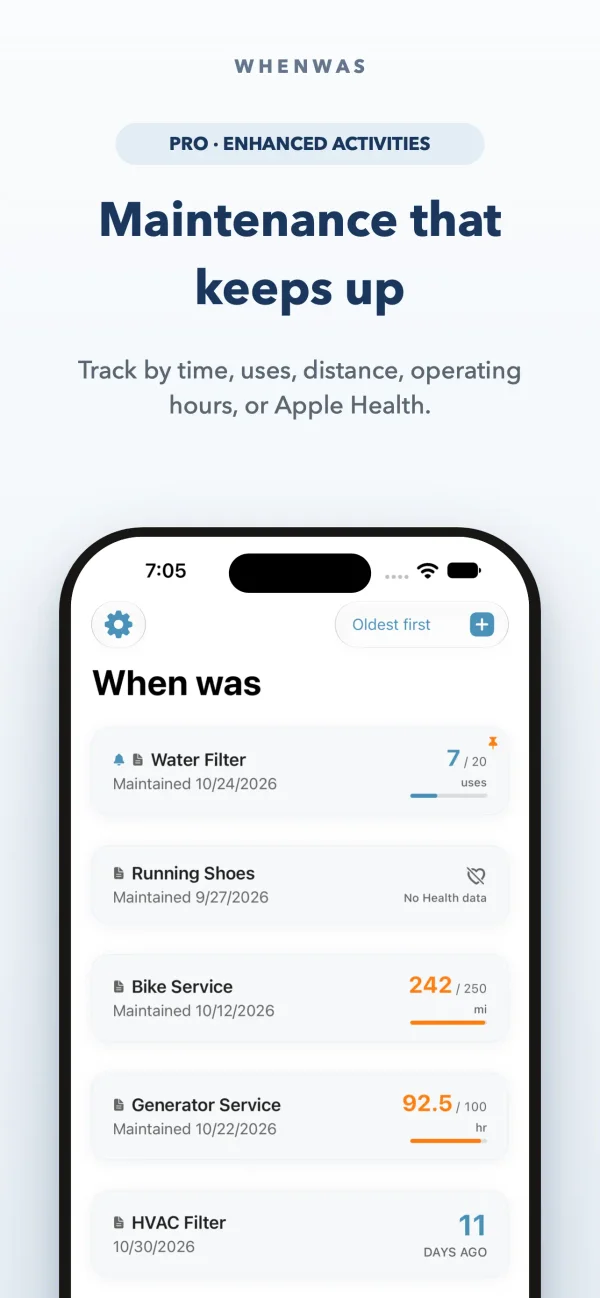
Enhanced Activities let you track maintenance by:
• Time since the last check-in
• Number of uses or cycles
• Mileage and meter readings
• Operating hours
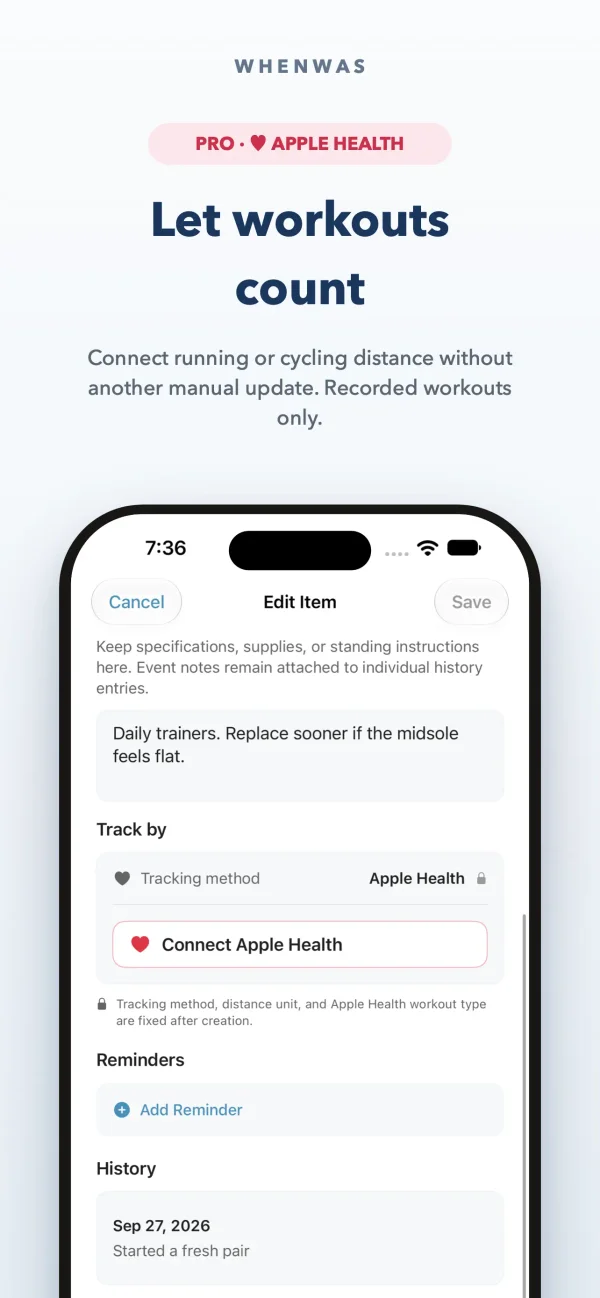
• Walking, running, or cycling distance from Apple Health
Set a maintenance goal, view progress at a glance, add a use, or update a meter directly from your activity list. When maintenance is complete, WhenWas saves the finished interval to your timeline.
Apple Health tracking uses recorded workouts only. Health-derived progress stays on this device, and Health-linked activities cannot be shared.
SAVE THE DETAILS YOU’LL NEED LATER
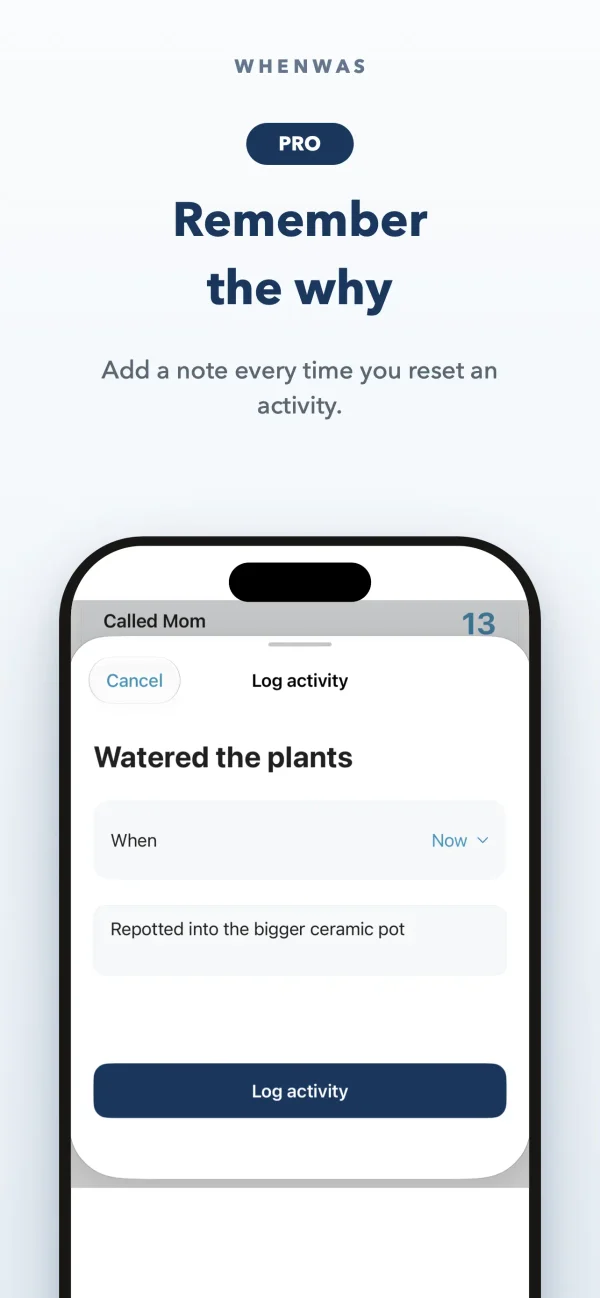
Keep model numbers, supplies, sizes, instructions, and other permanent notes with each activity. Add optional notes to individual check-ins so your history tells the full story.
SHARE WITH FAMILY & FRIENDS
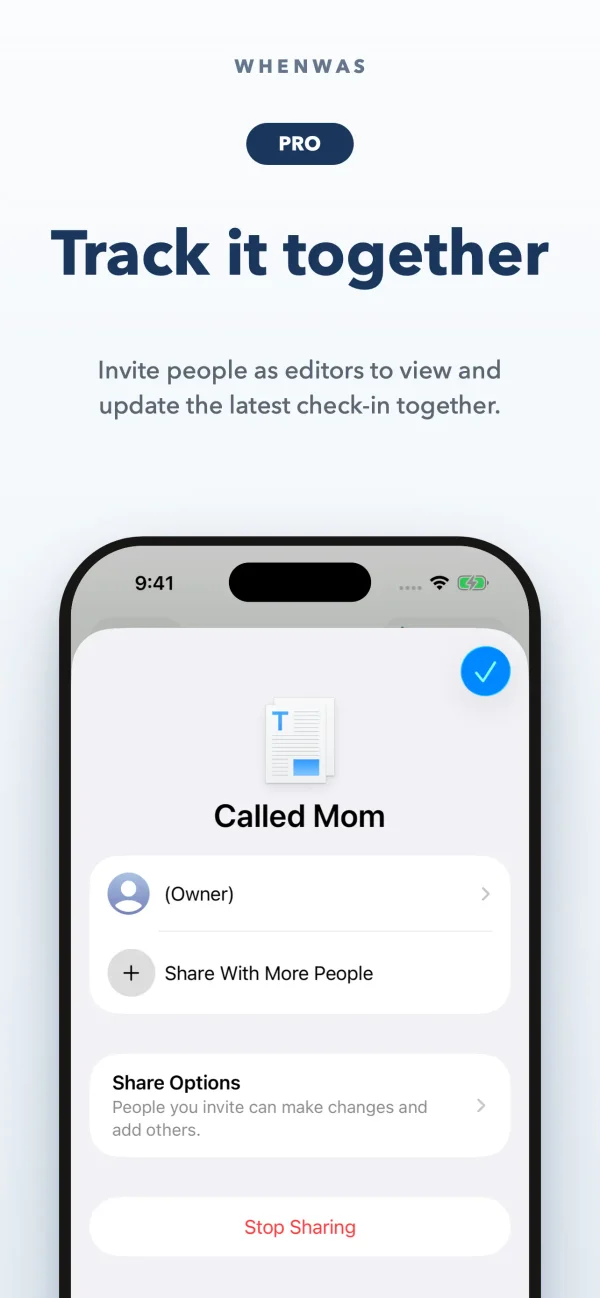
Invite people as editors to view and update the latest check-in together. It is ideal for household routines like feeding the dog, cleaning the litter box, changing sheets, or replacing a filter.
USE WHENWAS FOR
• Home maintenance, plants, filters, and cleaning
• Pet care, treatments, grooming, and vet visits
• Haircuts, dentist visits, contacts, and medication refills
• Family calls, date nights, and catching up with friends
• Oil changes, tire rotations, batteries, and bike service
• Generator hours, tool usage, and equipment maintenance
• Running shoes, bikes, and other fitness gear
BUILT FOR APPLE DEVICES
• Timeline history with optional notes
• Siri and Shortcuts
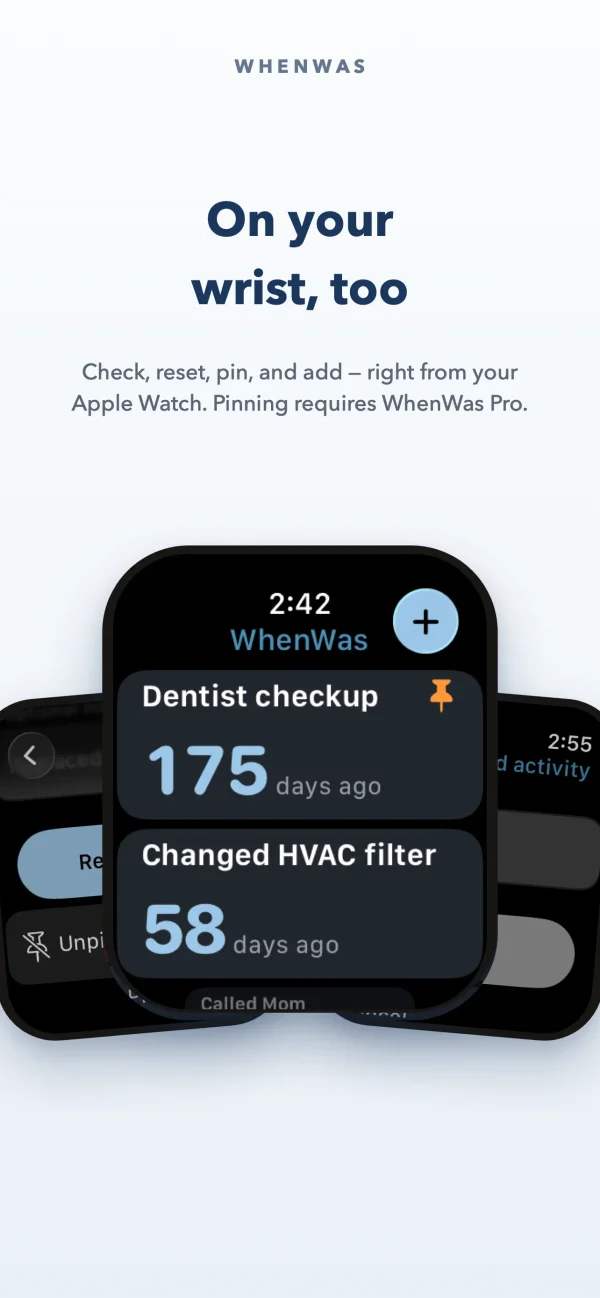
• Apple Watch app
• Home Screen widgets
• Custom reminders
• Search, filters, and pinned activities
• iCloud sync
• Dark Mode and accessible controls
PRIVATE BY DESIGN
Your data stays on your devices and in your personal iCloud. WhenWas does not store your activity data on its own servers.
FREE & PRO
Use WhenWas free with up to five activities, timeline history, Siri, Apple Watch, and basic widgets. WhenWas Pro unlocks unlimited activities, Enhanced Activities, Apple Health tracking, sharing, custom reminders, pinned activities, notes, iCloud sync, and logging directly from widgets.
Download WhenWas and stop wondering, “When did I last…?”
What’s new
Version 2.5 · Nov 18, 2026
This update makes everyday activity tracking smoother.
• Easier activity setup, with clearer optional settings and better numeric keyboard controls.
• Better note visibility while editing dates or using larger text.
• More reliable navigation after deleting an activity or leaving a shared activity.
• Fixes for duplicate check-ins and improvements to translations.
App privacy
What Drew Cortright declares on the App Store about how this app handles data.
-
Data not collected
The developer does not collect any data from this app.
Privacy practices may vary, for example with the features you use or your age.
Information
- Seller
- Drew Cortright
- Category
- Productivity
- Version
- 2.5
- Updated
- Nov 18, 2026
- Released
- Oct 1, 2025
- Size
- 7.0 MB
- Requires
- iOS 18.0 or later
- Age rating
- 4+
- Price
- Free
- In-app purchases
- Yes
- Languages
- English, French, German, Hindi, Italian, Japanese, Korean, Simplified Chinese, Spanish, Thai, Traditional Chinese, Vietnamese
- Copyright
- © 2026 Drew Cortright
You might also like
-
 RemListDBSimple, private reminder lists
-
 LastTime: Last Time TrackerWhen did I last – days since
-
 Purposely: Your Life PurposesLive your best life possible
-
 ScreenClip AI NotesAI screenshot notes & search
-
 Daylit - Daily PlannerTasks, schedules, your way
-
 Phrasedeck: Quick TemplatesSave & Reuse Messages Fast
-
 TapNote: Simple NotesQuick notes, simple taps
-
 turtle - For Your MandalartBe you with the Mandalart
-
 Time Since: Countdown TrackerDays, Streak Counter & Widget
-
 Daily - To‑Do List & PlannerNot more tasks. More clarity.