
- Age rating4+
- CategoryNavigation
- DeveloperMichael Geilich
- LanguagesEnglish
- Size548.5 MB
Links to the official App Store page
Download.org hosts no file of Wheresit. The button opens its official App Store page, published by Michael Geilich. Listing last checked on Nov 12, 2026.
Screenshots

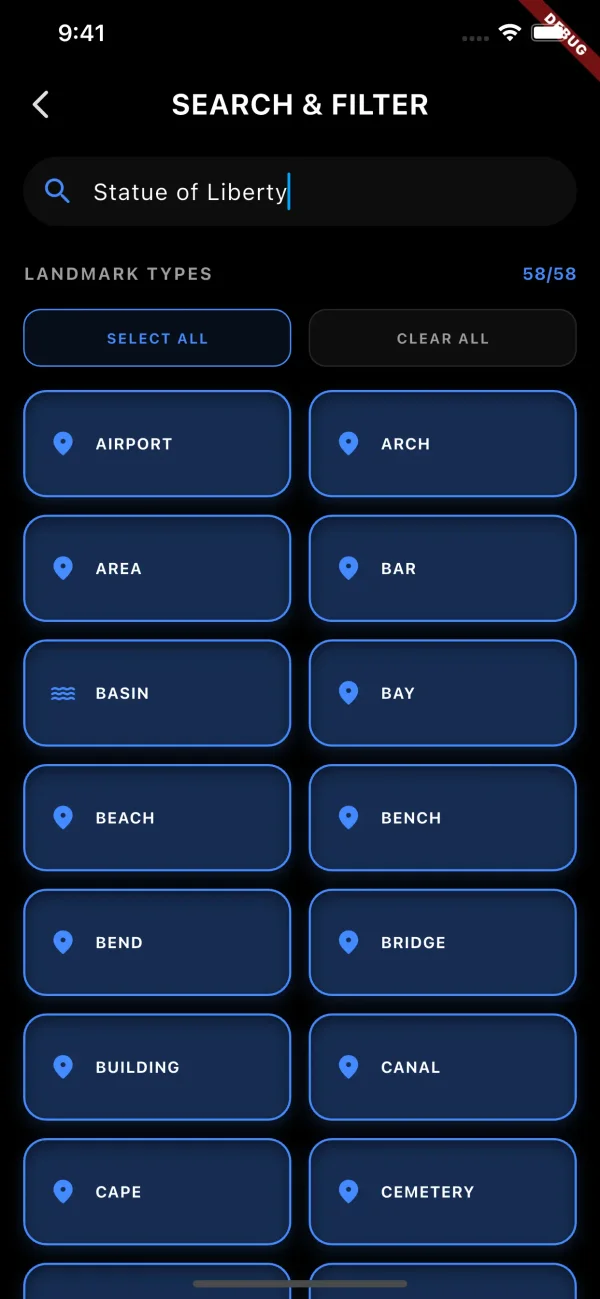
About
Dead-reckoning navigation — no Internet or data connection required.
Wheresit is the ultimate offline navigation tool for explorers, hikers, and treasure hunters. Whether you are marking a secluded campsite in the deep woods, finding your car in a parking lot, or hunting for geocaches in the wild, Wheresit guides you where you need to go using only your device's GPS and compass. Included is an internal database of over 3 million named locations in the United States that you can navigate to.
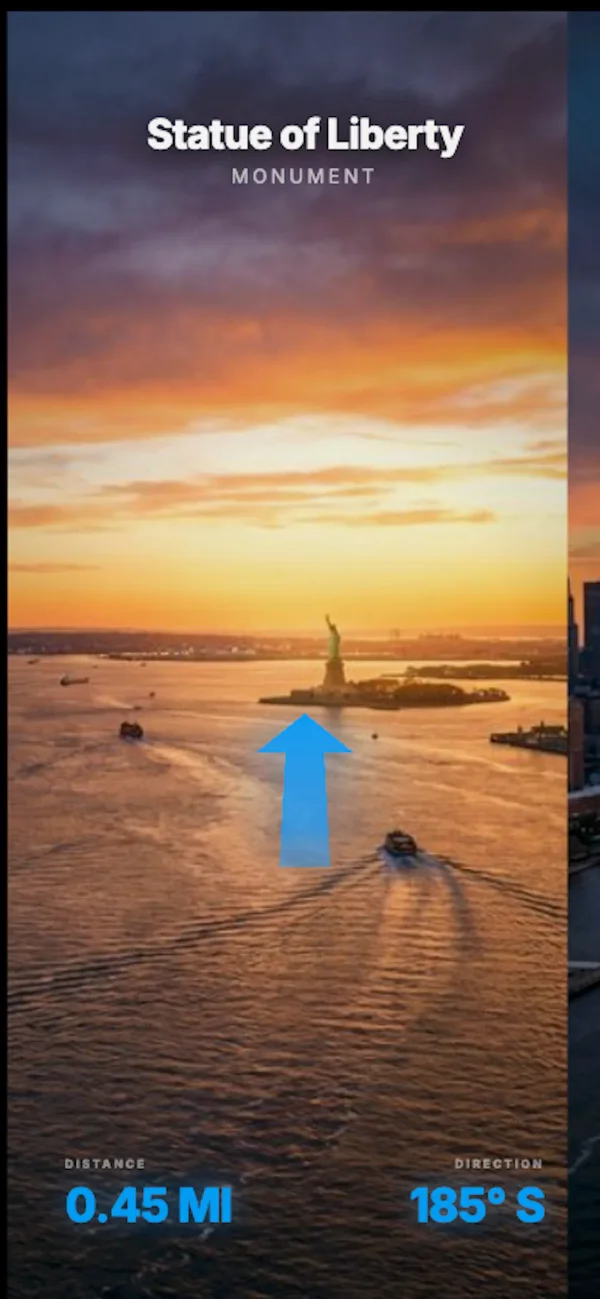
AUGMENTED REALITY (AR) MODE: View your target location as a digital overlay in the real world through your camera feed.
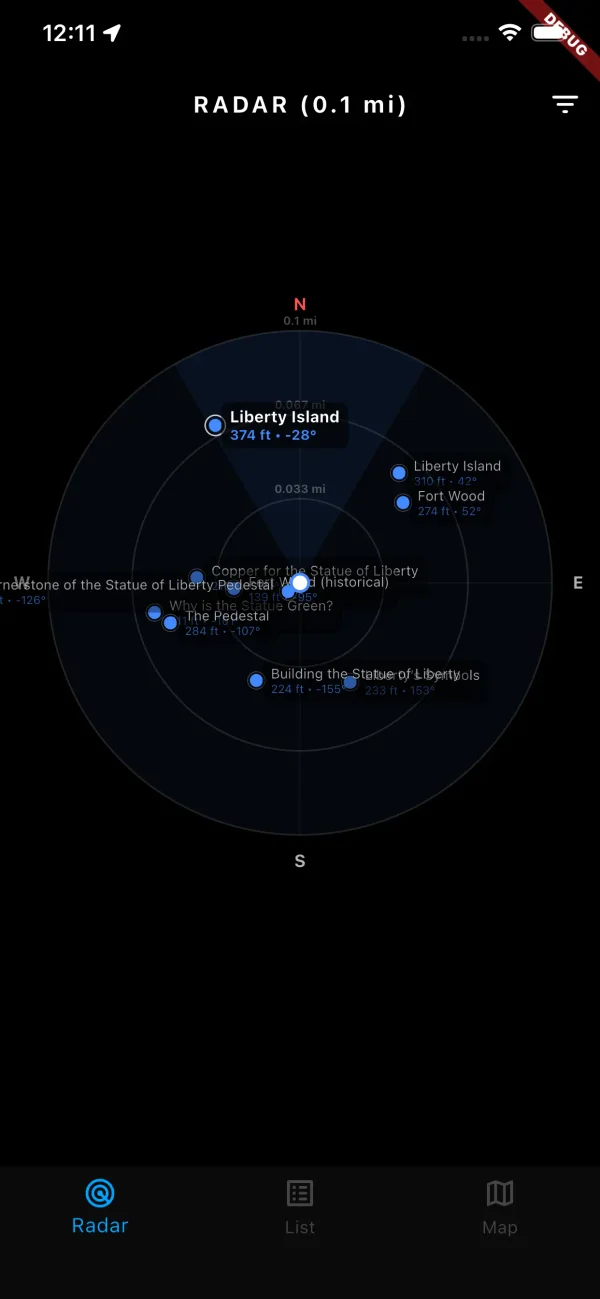
RADAR VIEW: See which locations are around you and pick one for compass and AR navigation.
MAP VIEW: When a data connection is available, view locations on a street map and save that map for offline use.
UPDATED LOCATIONS: Updated and refined database of over 3 million landmarks and historical markers in the United States and territories.
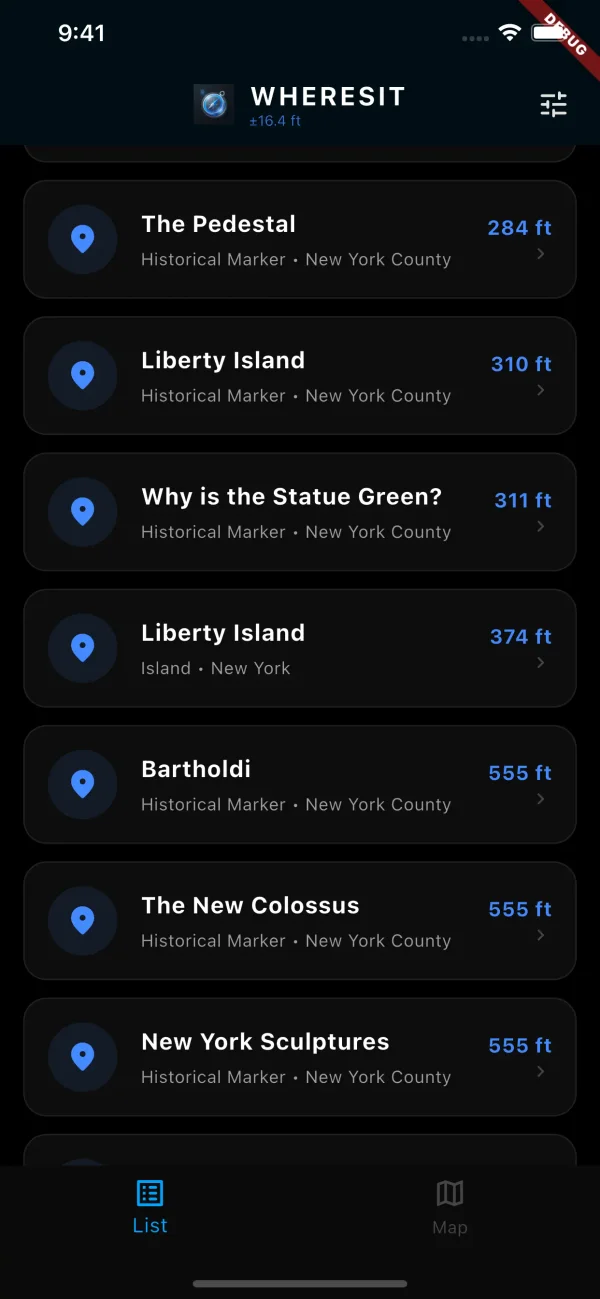
FILTER BY NAME OR TYPE: Choose which locations to view.
WHY CHOOSE WHERESIT?
NO INTERNET? NO PROBLEM: Wheresit is built to work in remote locations. All landmarks and search features are stored locally on your device. All you need is a GPS signal and compass.
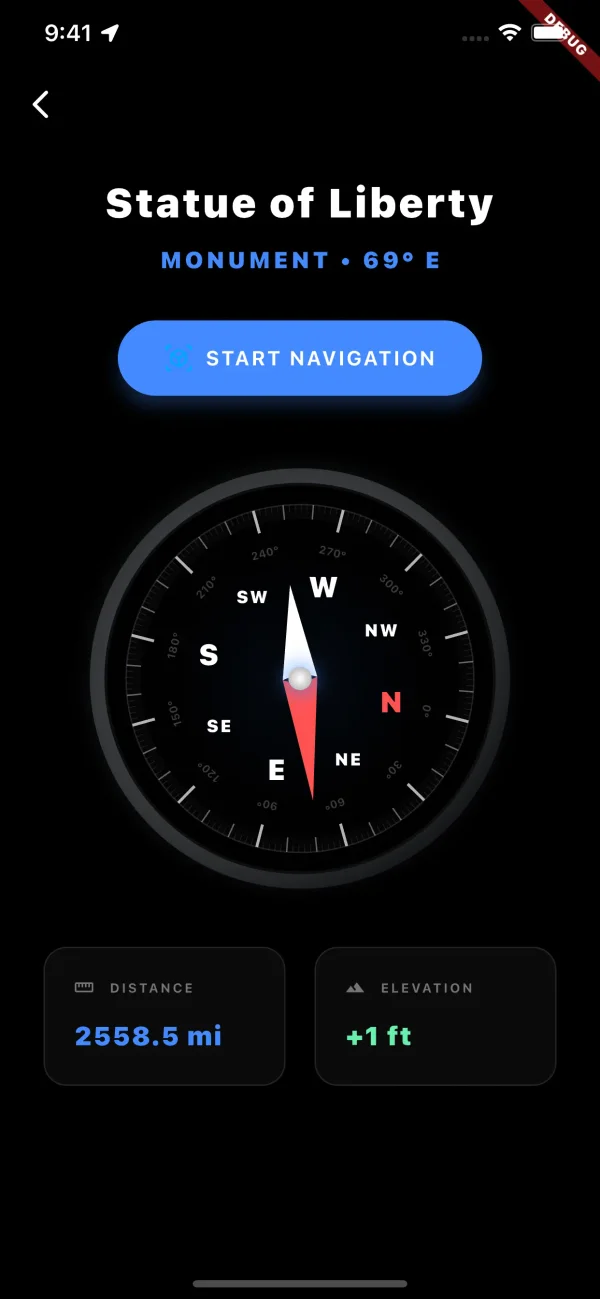
PRECISION NAVIGATION: Monitor distance, direction, and altitude in real-time on a 3D compass rose. Follow the needle to reach your destination.
CUSTOM DESTINATIONS: Save your favorite fishing spots, hidden hiking trails, or buried treasures. Tag them with custom icons and categories for easy retrieval.
SMART FILTERING: Instantly sort through millions of locations. Find exactly what you're looking for—from summits and ruins to reservoirs and hisorical markers—with just a few taps.
MULTIPLE USES
Outdoor Adventure: Navigate to summits, campsites, and water sources without a cellular signal.
Urban Navigation: Mark your parked car and never lose it again.
Geocaching: Enter precise coordinates and hunt for treasures with the AR radar.
Historical Exploration: Discover over 3 million historical markers and hidden landmarks across the US.
Wheresit remains committed to your privacy: No ads, zero tracking, and no in-app purchases required. Ever.
What’s new
Version 2026.4 · Nov 7, 2026
What’s New in 2026.4
Nearly 2 million new places
Wheresit now includes 3 million places across the US. New this version:
- Churches, schools, colleges, parks, cemeteries, dams, airports, bridges and hospitals
- Museums, libraries, monuments, lighthouses, zoos, aquariums, gardens, stadiums, campgrounds, golf courses, marinas and train stations
- Around 69,000 sites from the National Register of Historic Places
Made for iPhone Duo
Unfold your iPhone Duo to see the compass and the AR view side by side, both guiding you to the same place.
Faster and smaller
- The Radar, List and Map load faster.
- Wheresit now takes up less storage on your iPhone.
More accurate
- When a place’s elevation isn’t known, Wheresit now shows “—” and the AR arrow stays level.
- New filter categories, including Historical Marker, Arch, Crater, Lava.
- Various bugs were fixed.
App privacy
What Michael Geilich declares on the App Store about how this app handles data.
-
Data not collected
The developer does not collect any data from this app.
Privacy practices may vary, for example with the features you use or your age.
Information
- Seller
- Michael Geilich
- Category
- Navigation
- Version
- 2026.4
- Updated
- Nov 7, 2026
- Released
- Jan 11, 2010
- Size
- 548.5 MB
- Requires
- iOS 17.0 or later
- Age rating
- 4+
- Languages
- English
- Copyright
- © 2009-2026 Michael Geilich
You might also like
-
 Compass Waypoint: Track BackSave Places, Trace Paths
-
 Compass: Direction FinderGPS Altimeter & Hiking Radar
-
 Compass - SqzsoftSound, flashlight, vibrate
-
 CompassTip: AR Compass3D GPS Map Direction Camera
-
 Compass X: Precise PositioningAltimeter, Barometer & MGRS
-
 Sky Location: Star FinderSun, Moon & Planet Tracker
-
 MotoSpeedAppSpeedometer with retro display
-
 RallyCAPHeading for Rally Navigation
-
 Places by GyroscopeTimeline & map of your life
-
 ARway AppLocation-persistent AR