
WhichDrawer: Drawer Inventory
Find Parts, Tools & Supplies
Designed for iPhone, iPad, iPod touch
Free · In-app purchases
- Age rating4+
- CategoryProductivity
- DeveloperDarren Nickerson
- LanguagesEnglish
- Size42.4 MB
Links to the official App Store page
Download.org hosts no file of WhichDrawer: Drawer Inventory. The button opens its official App Store page, published by Darren Nickerson. Listing last checked on Nov 14, 2026.
Screenshots


About
The end of "I know it's here somewhere."
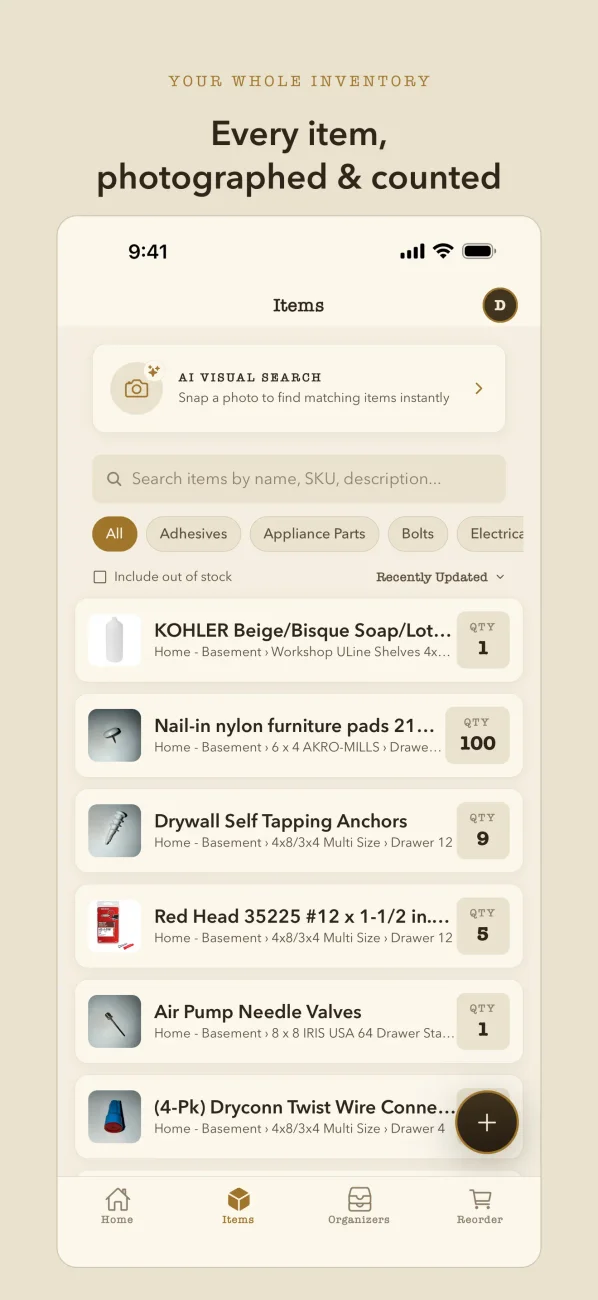
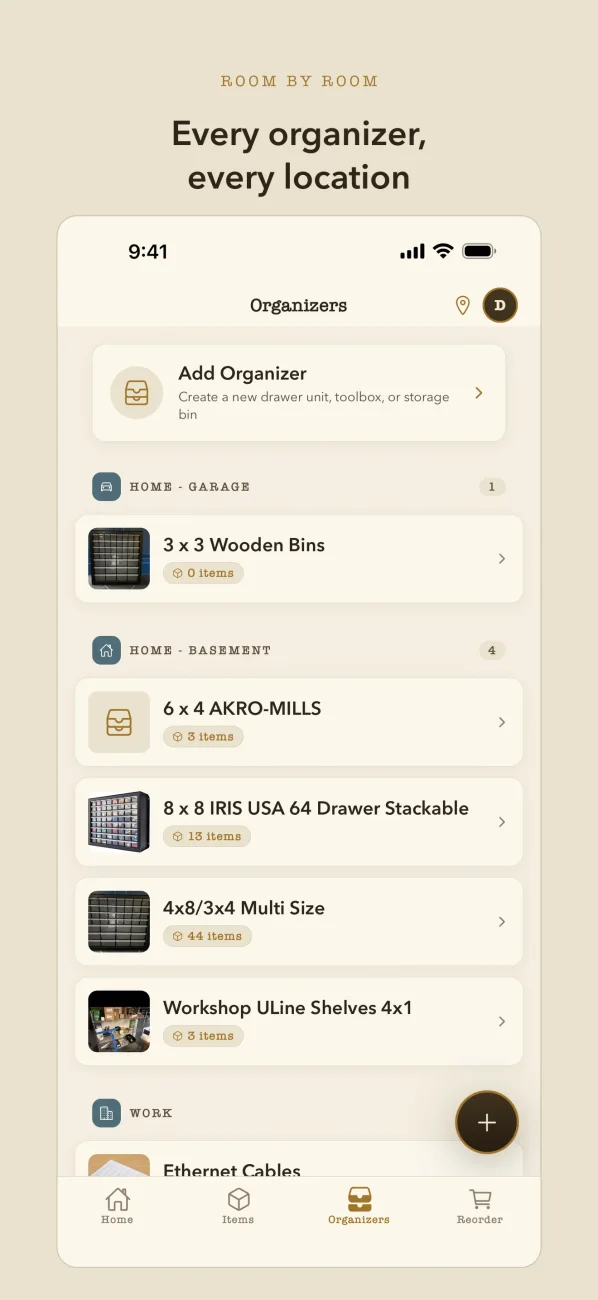
WhichDrawer is a visual inventory for your drawer organizers, parts cabinets, bins, and toolboxes. Photograph your storage, map its drawers, and catalog what lives inside — then find any of it in seconds, even the stuff you packed away years ago.
Storing things out of sight shouldn't mean losing touch with them. This is how you reconnect with your things.
FIND IT WITH A PHOTO
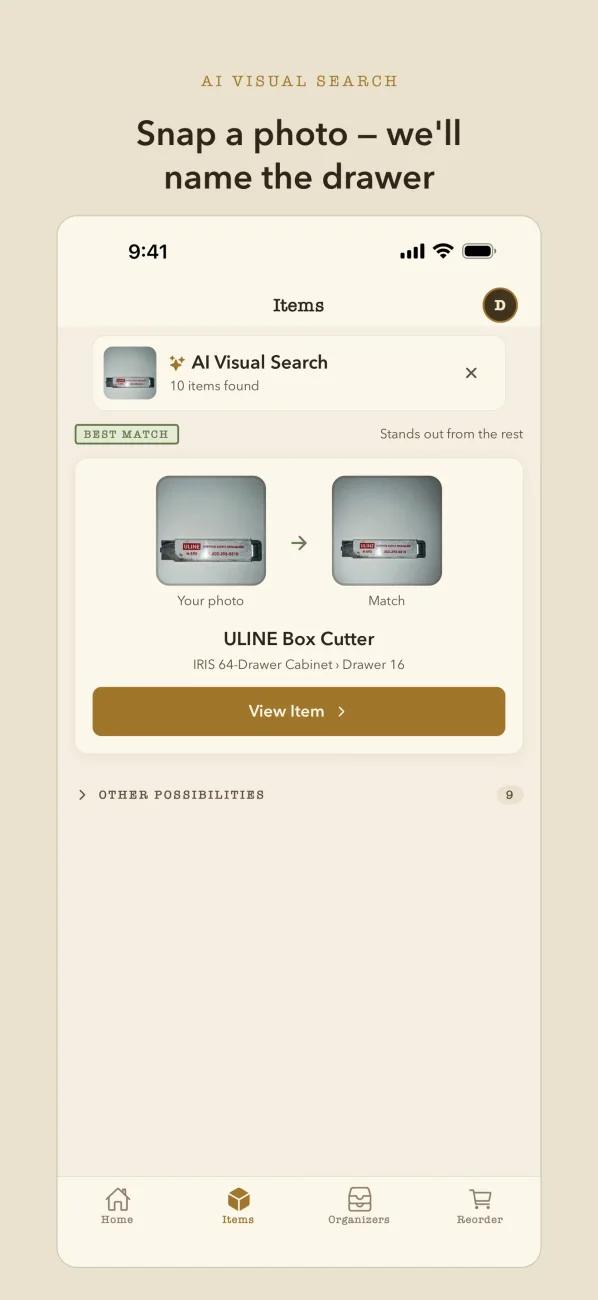
Can't remember what it's called — just what it looks like? Snap a photo (or pick one from your library) and AI image search matches it against your own item photos and answers with a drawer: 8 x 8 parts cabinet, Drawer 15.
MAP YOUR REAL DRAWERS
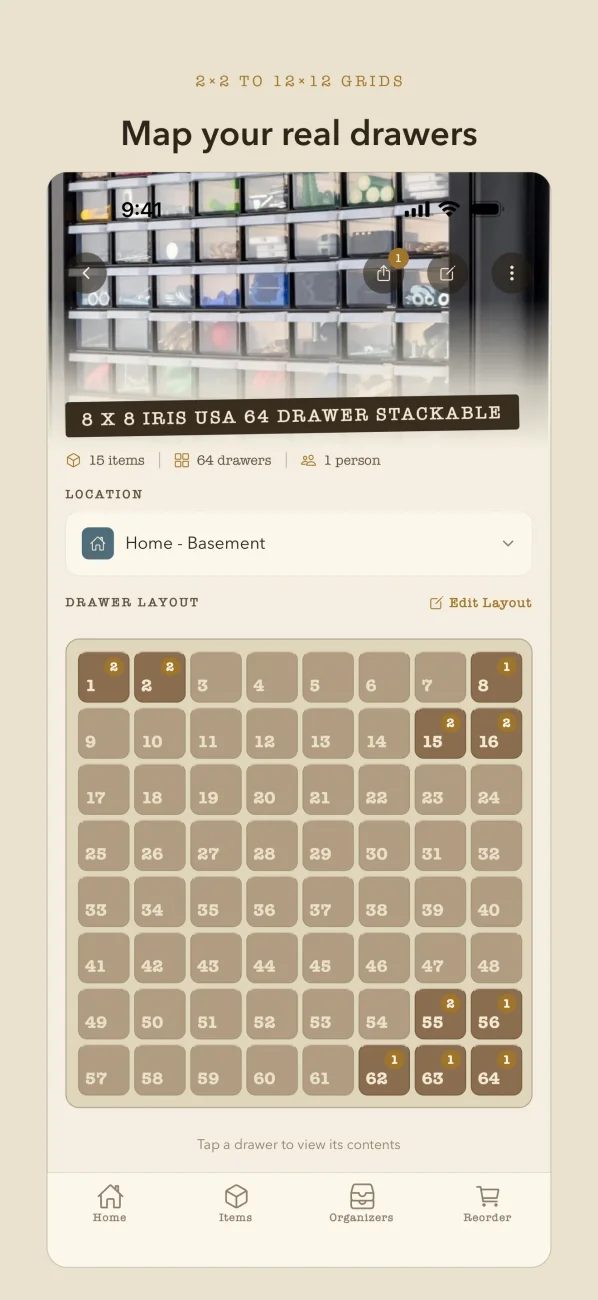
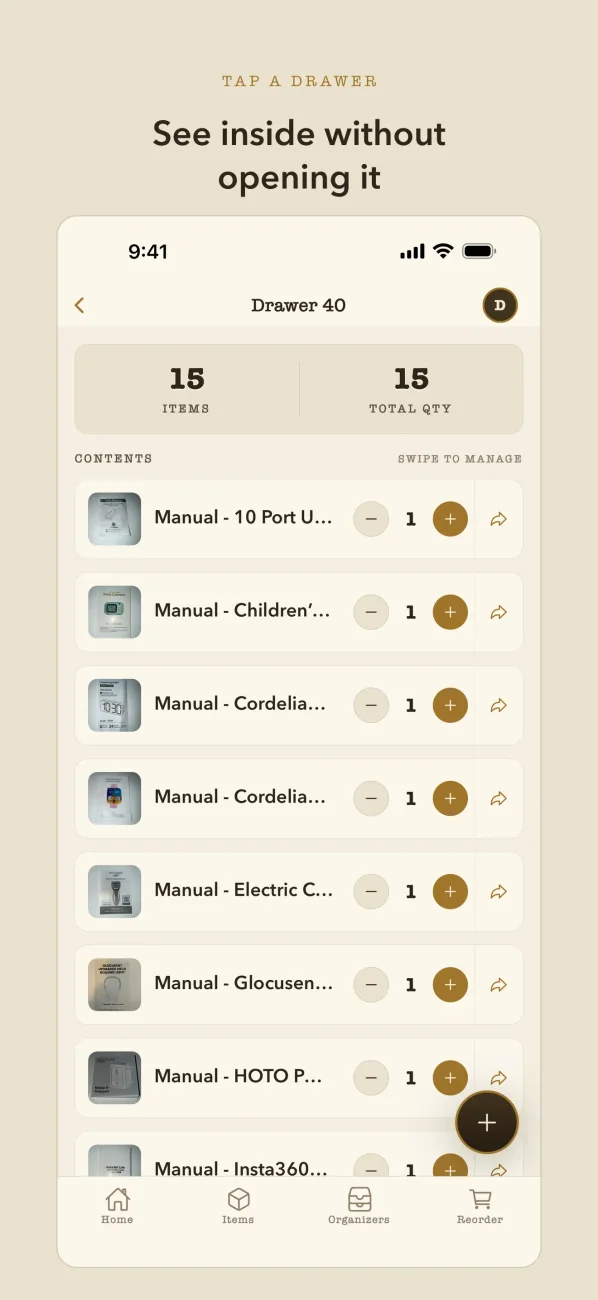
Recreate any organizer as a grid — from a 2x2 caddy to a 12x12 parts cabinet. Merge cells for wider drawers, color-code sections, and label everything. Tap a drawer to see exactly what's inside, with quantities.
SCAN BARCODES, SKIP THE TYPING
Point the camera at a UPC/EAN barcode — or scan one from an existing photo — and the details fill themselves in: name, brand, product image.
KNOW WHEN YOU'RE RUNNING LOW
Set minimum quantities and get a restock list before you run out. Track expiration dates for anything with a shelf life. One tap finds a replacement on Amazon.
ONE ITEM, MANY PLACES
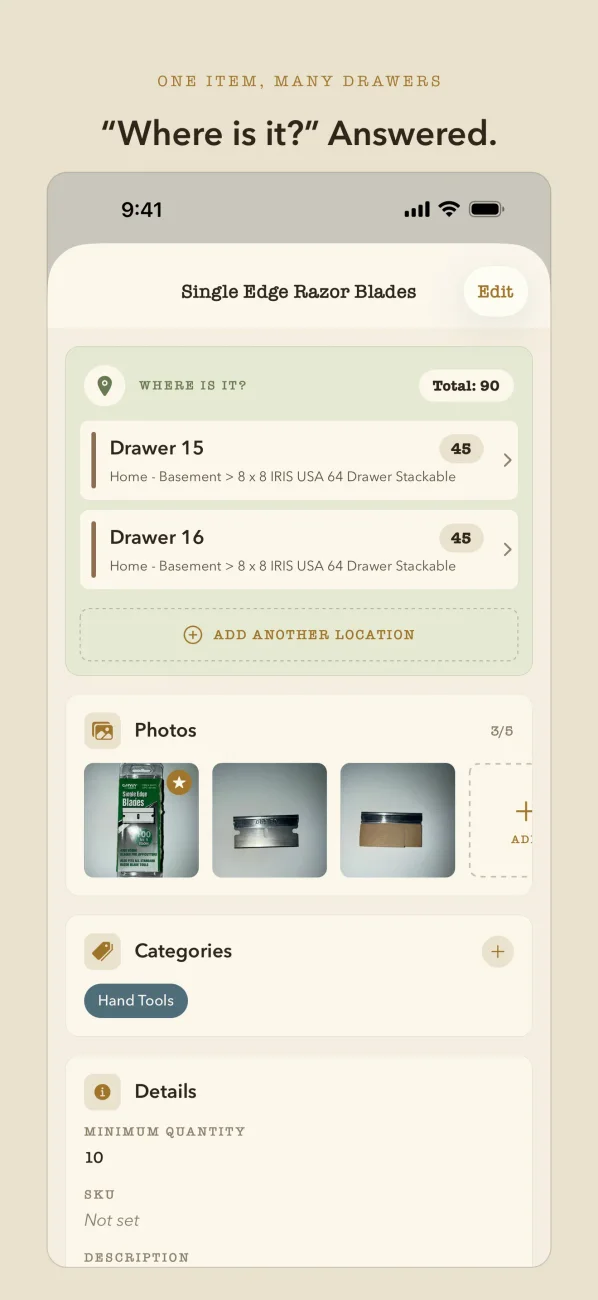
Keep the same part in three drawers? WhichDrawer tracks per-drawer quantities and totals them automatically, so "where is it?" always gets a complete answer.
SHARE WITH YOUR HOUSEHOLD
Bring family or housemates into a household and everyone can see each other's organizers, on any plan. You can also share a single organizer with anyone by email. Pro supports Apple Family Sharing: one subscription, up to five family members.
MADE TO FEEL LIKE A WORKSHOP
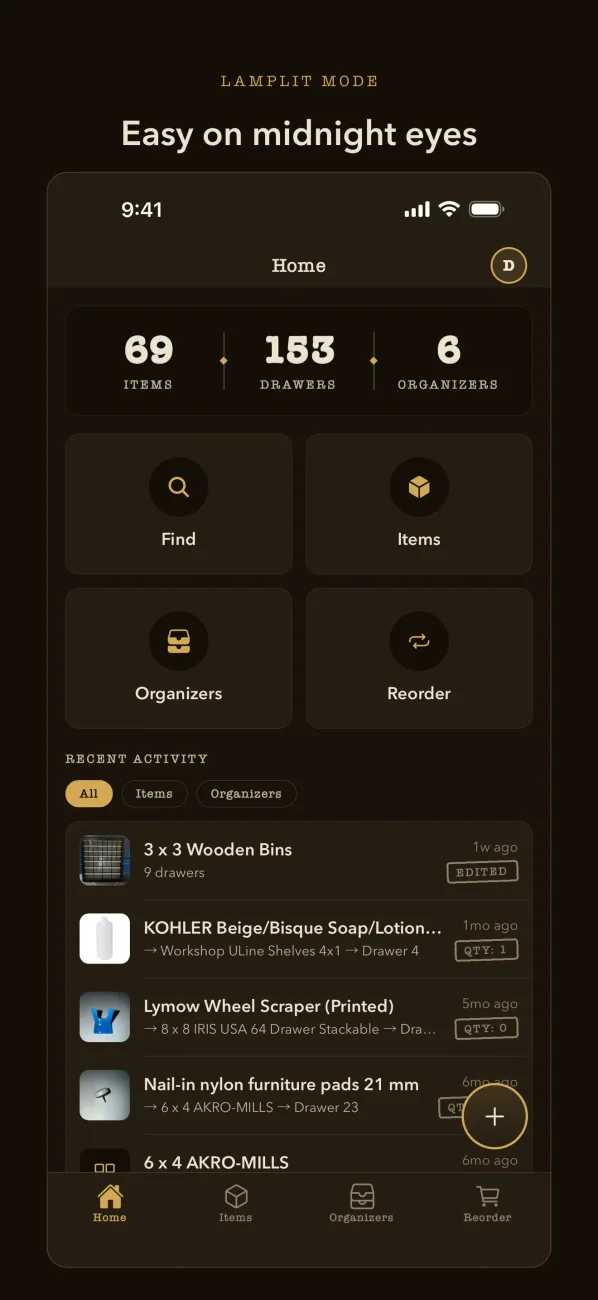
WhichDrawer is styled like the places your stuff actually lives: warm paper, brass and sage, typewriter labels, stamped badges — and a lamplit dark mode for the midnight where-are-the-fuses run.
PERFECT FOR:
• Workshop & garage — screws, bolts, connectors, spare hardware
• Craft room — beads, buttons, thread, brushes
• Kitchen & pantry — spices, baking supplies, batteries (we know)
• Electronics bench — resistors, capacitors, cables
• Collections — bricks, minifigs, cards, miniatures
• Anywhere else the "just in case" stuff accumulates
ALSO IN THE DRAWER:
• Up to 5 photos per item
• Ready-made layout templates, from a 2x2 caddy to a workshop cabinet
• Categories with colors and icons
• Low stock & expiration alerts
• CSV import, CSV/JSON export
• Browse, search, and add or edit items offline (Standard & Pro)
• Face ID / Touch ID app lock and two-factor authentication
• Lamplit dark mode
FREE TO START
Every plan includes unlimited items, barcode scanning, alerts, sharing and export. Free covers one organizer and 20 AI image searches a month, with no time limit. Standard ($0.99/month) covers 5 organizers and adds unlimited AI image search and offline access. Pro ($1.99/month) covers 25 organizers, unlimited AI image search, offline access, and Family Sharing. Annual plans save about 20%.
—
WhichDrawer began with a father's basement workshop: an 8 x 8 wall of little drawers whose peeling labels were more rumor than record. The real index lived in his head. This app is that tribal knowledge, written down — with a search engine attached.
Reconnect with your things.
Terms of Use: https://www.apple.com/legal/internet-services/itunes/dev/stdeula/
Privacy Policy: https://whichdrawer.app/privacy.html
What’s new
Version 1.3.1 · Oct 26, 2026
Print QR labels for your drawers, Gridfinity templates, and a say over AI photo search.
• Print QR labels for every drawer from an organizer's menu: Avery 5160, Brother DK-11201, A4 and Letter sheets, and Gridfinity label strips. Scan a label with the app to jump straight to that drawer
• Scan a drawer label while signed out and the app opens that drawer once you sign in
• Six Gridfinity baseplate templates on the 42 mm grid, and a Gridfinity filter in Templates
• WhichDrawer now asks before your photos go to the outside AI service behind photo search. Say no and everything else still works; change your answer any time in Account
• With app lock on, coming back to the app keeps your place and any item you were halfway through adding
• Resetting your password now works when two-factor authentication is on
• Opening the app with no connection after a long break shows your things instead of the sign-in screen (Standard and Pro)
• Offline edits sync more reliably after a dropped connection, a long spell in the background or a plan change, and the app syncs when you come back to it
• Fixes across sharing invites, templates, the layout editor, export, barcode lookups and alerts
App privacy
What Darren Nickerson declares on the App Store about how this app handles data.
-
Data linked to you
May be collected and linked to your identity.
- Purchases
- Contact info
- User content
- Identifiers
- Usage data
- Diagnostics
Privacy practices may vary, for example with the features you use or your age.
Information
- Seller
- Darren Nickerson
- Category
- Productivity
- Version
- 1.3.1
- Updated
- Oct 26, 2026
- Released
- Jan 13, 2026
- Size
- 42.4 MB
- Requires
- iOS 15.5 or later
- Age rating
- 4+
- Price
- Free
- In-app purchases
- Yes
- Languages
- English
- Copyright
- © 2026 Darren Nickerson
You might also like
-
 Giftfolio: Gift List PlannerChristmas Budget & Reminders
-
 Where Is My ThingSnap once, find anything.
-
 Recycle Ledger PSProductivity
-
 Box’d InventoryHome inventory & item tracker
-
 Momentum - Cookie Jar methodSelf-Reflection • Self-Help
-
 Index: Visual WorkspaceTurn inspiration into projects
-
 Crated: Home InventoryInventory your home by video
-
 ToteTracker: Home InventoryFind anything in seconds.
-
 ToteRack: Tote & Bin OrganizerScan a tote, see what's inside
-
 Nestled Home OrganizerNestled knows where it is.