
White Background Frame
Plan Your Grid, Frame Photos
Designed for iPhone, iPod touch
Free · In-app purchases
- Age rating4+
- CategoryPhoto & Video
- DeveloperT-Logic
- LanguagesEnglish+ 2 more
- Size12.2 MB
Links to the official App Store page
Download.org hosts no file of White Background Frame. The button opens its official App Store page, published by T-Logic. Listing last checked on Nov 17, 2026.
Screenshots
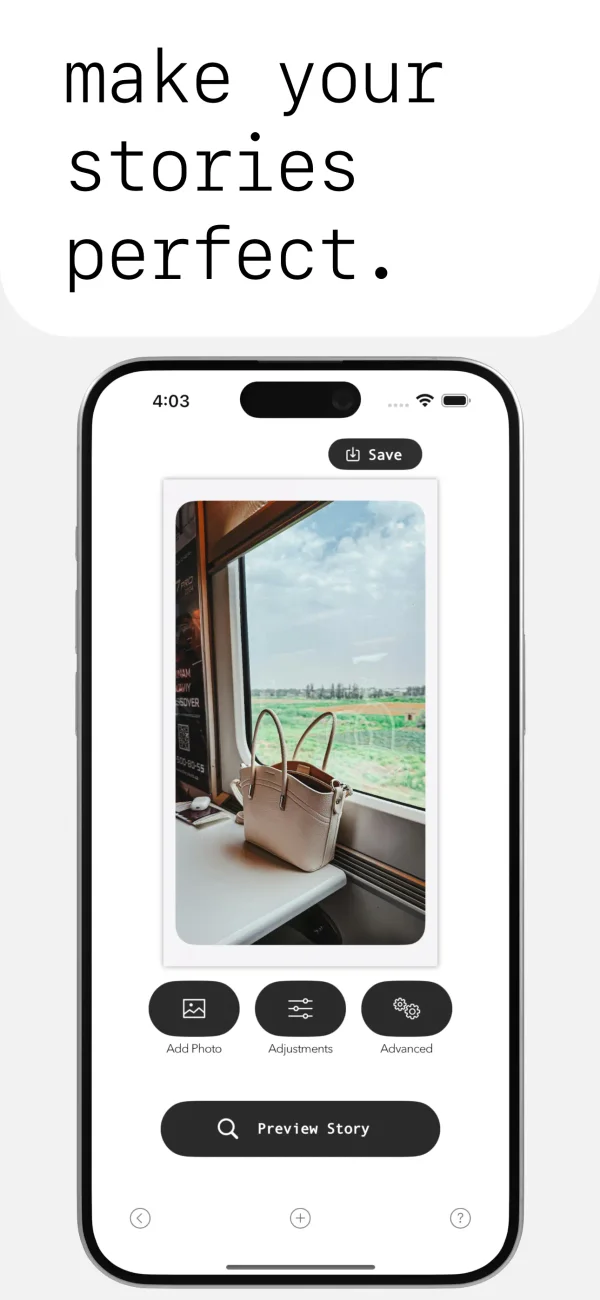

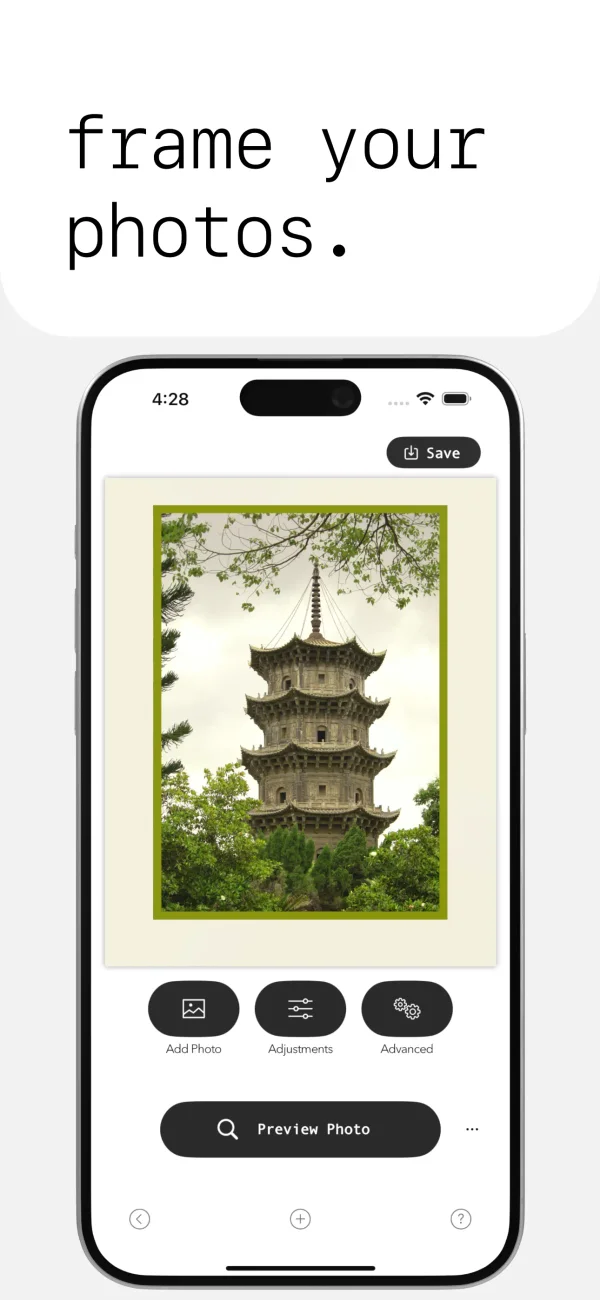
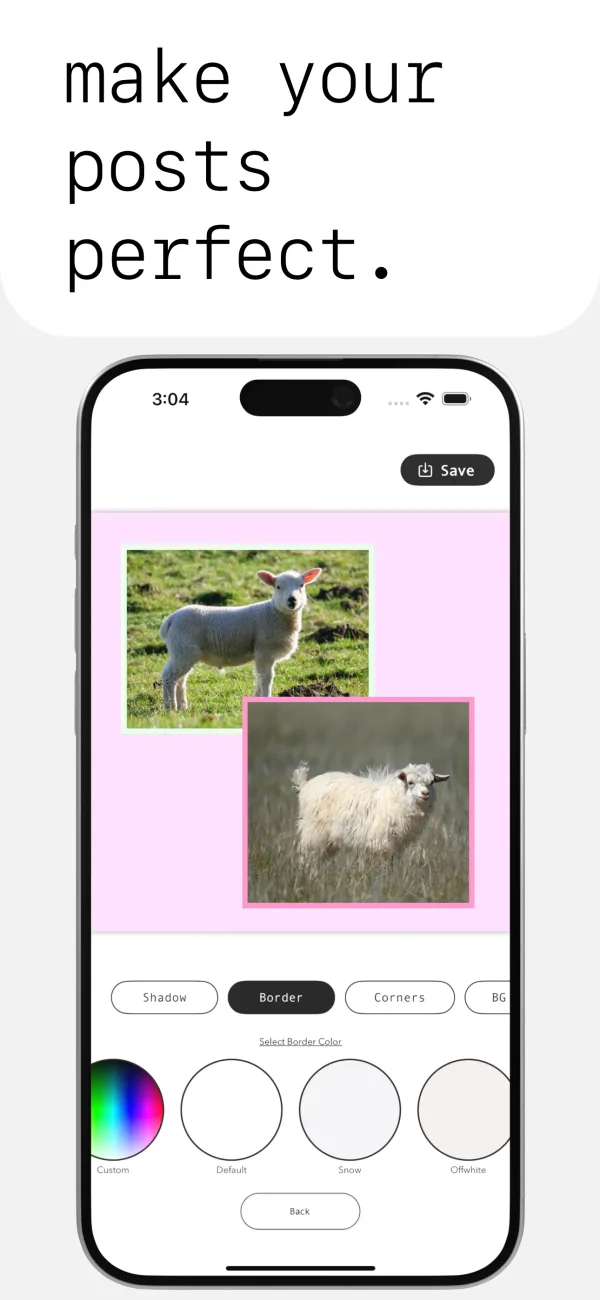

About
Easily frame your photos perfectly.
‣ Perfect for 3:4 portrait grid planning.
‣ First choose your size format: square, portrait or landscape.
‣ Tap the "Add Photo" button to choose a photo from your photo library.
‣ Rotate, resize and reposition your photo inside your selected frame.
‣ Tap the "Adjustments" button to precisely edit your photo.
‣ Tap "Preview Photo" to see your image in full detail.
‣ Tap "Save to Photo Library" to save your final creation into your photo library.
‣ Get White Background Frame + to unlock advanced editing options, unlimited photos saved to your photo library and more premium features as they become available.
Enjoy!
• Payment and Subscription Information:
Your subscription will be charged to your Apple ID Account at confirmation of purchase. Subscription will auto renew unless you cancel it within 24 hours prior to the end of the current period. Subscriptions can be managed by the user and auto renewal can be turned off by going to the iTunes Account Settings after purchase. Any unused portion of a free trial period will be forfeited when you purchase a subscription.
Visit our Privacy Policy at:
https://www.tlogicsofthouse.com/privacy
Visit our Terms of Service at:
https://www.tlogicsofthouse.com/terms
• Customer Support
You can reach us at contact@tlogicsofthouse.com and we will do our best to solve all of your problems and questions related to the app.
We would love to hear from you! Please let us know if you have any questions, concerns or suggestions by sending an email to: contact@tlogicsofthouse.com
What’s new
Version 1.0.9 · Oct 23, 2025
This update contains bugfixes and UI improvements;
•Added custom aspect ratio options
•Pick colors for photo border, shadows and background from your photos
•Your previous settings are now automatically saved
Thank you for using White Background Frame
App privacy
What T-Logic declares on the App Store about how this app handles data.
-
Data not collected
The developer does not collect any data from this app.
Privacy practices may vary, for example with the features you use or your age.
Information
- Seller
- Thomas Lojko
- Category
- Photo & Video
- Version
- 1.0.9
- Updated
- Oct 23, 2025
- Released
- Feb 11, 2020
- Size
- 12.2 MB
- Requires
- iOS 15.0 or later
- Age rating
- 4+
- Price
- Free
- In-app purchases
- Yes
- Languages
- English, Portuguese, Spanish
- Copyright
- © 2025 T-Logic Softhouse
You might also like
-
 White BorderPerfect Borders for Instagram
-
 No Crop - Simple BorderWhite background for Instagram
-
 SquareFit: No Crop Photo FitWhite Background & Borders
-
 white_borderAdd custom borders to photos
-
 Square No Crop - Fit Full SizePost border editor for profile
-
 Square Fit Photo: PicFitterNo Crop Photo Border Frame
-
 White Frame for Photos effectEdit pictures with background
-
 INSTFIT - Post Without CroppinSquare Fit / Size Pictures!
-
 No Crop - Square quick sizedPhoto & Video
-
 Square SizedCrop & export picture + videos