
WhitelistVideo: Parent Control
Safe Video & Channel Blocker
Designed for iPhone, iPad, iPod touch
Free · In-app purchases
- Age rating4+
- CategoryUtilities
- DeveloperArul Prakash
- LanguagesEnglish+ 8 more
- Size54.3 MB
Links to the official App Store page
Download.org hosts no file of WhitelistVideo: Parent Control. The button opens its official App Store page, published by Arul Prakash. Listing last checked on Nov 21, 2026.
Screenshots




About
The only parental control that blocks all video by default—only channels YOU approve can play.
Most parental controls try to filter out bad videos after they have already been recommended. When filters fail, inappropriate content slips through. WhitelistVideo takes the opposite approach: everything stays blocked until you say it is safe. Your children watch only the educational, wholesome channels you personally approve.
WORKS WITH APPLE SCREEN TIME
Apple Screen Time sets the timer. WhitelistVideo controls the content. Use both together for complete peace of mind.
WHY PARENTS CHOOSE WHITELISTVIDEO
• Zero Inappropriate Content: Because unapproved videos cannot play, inappropriate thumbnails, disturbing cartoons, and weird algorithms never reach your child.
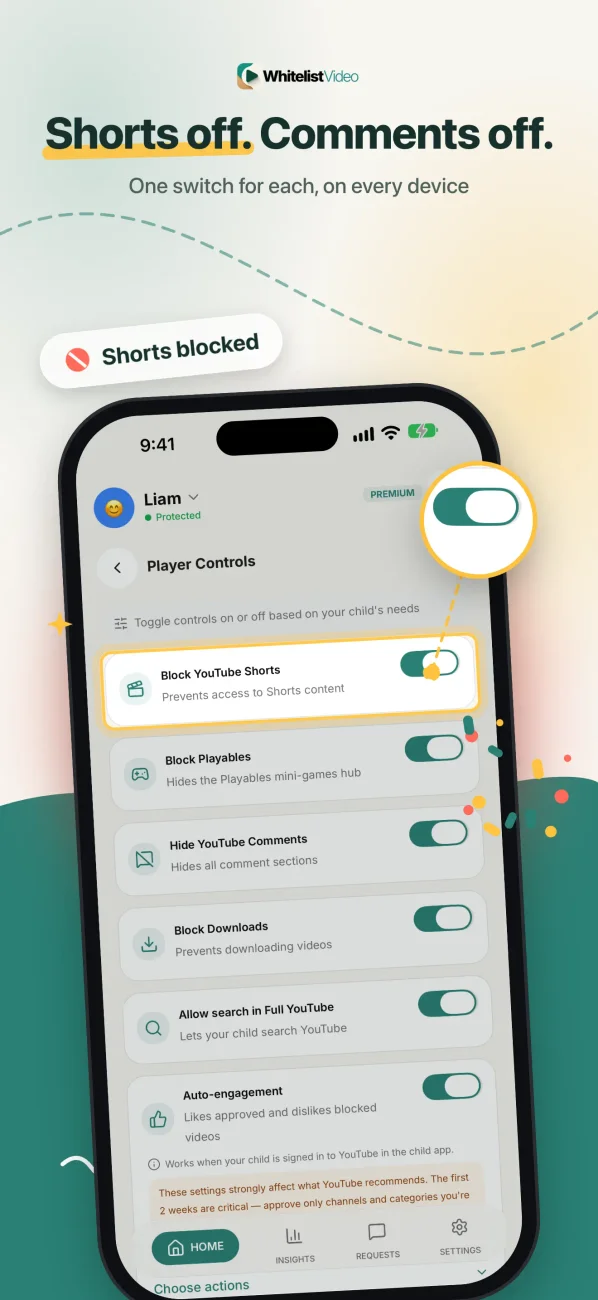
• Block Shorts in One Tap: Turn off Shorts (short vertical videos), comments, and recommendations across all your child devices with a single switch.
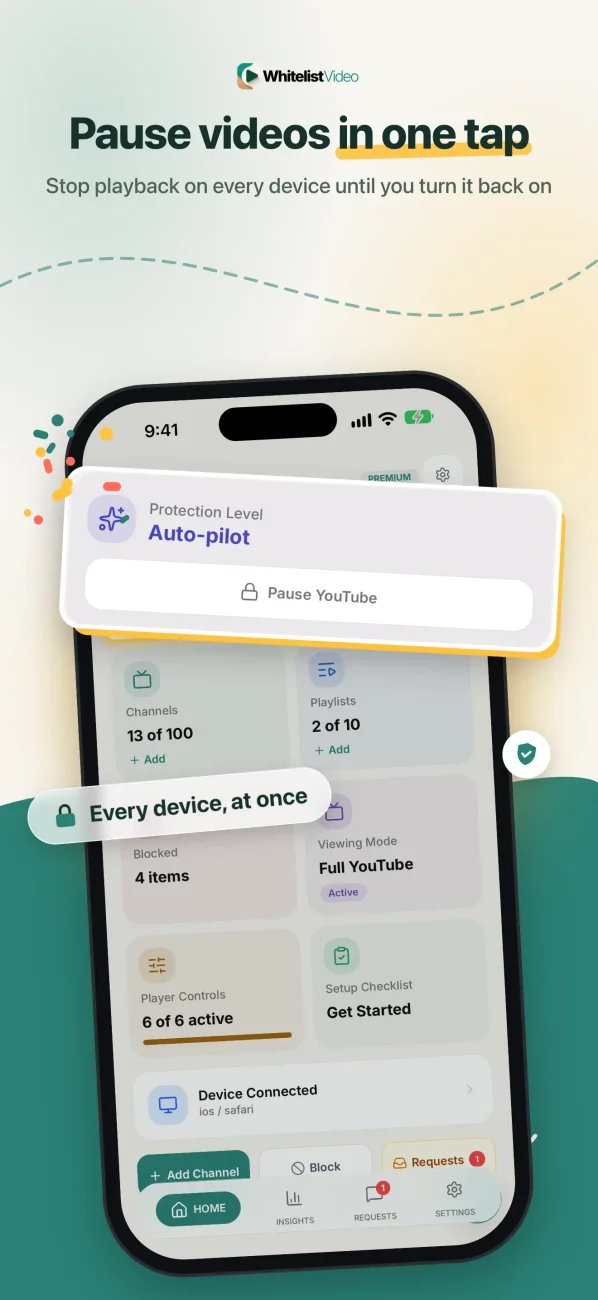
• Remote Pause: Time for dinner or bedtime? Pause video playback on every device instantly from your phone.
• Approve in Seconds: When your child finds a channel they want to watch, they send a request. You review and approve or decline in one tap.
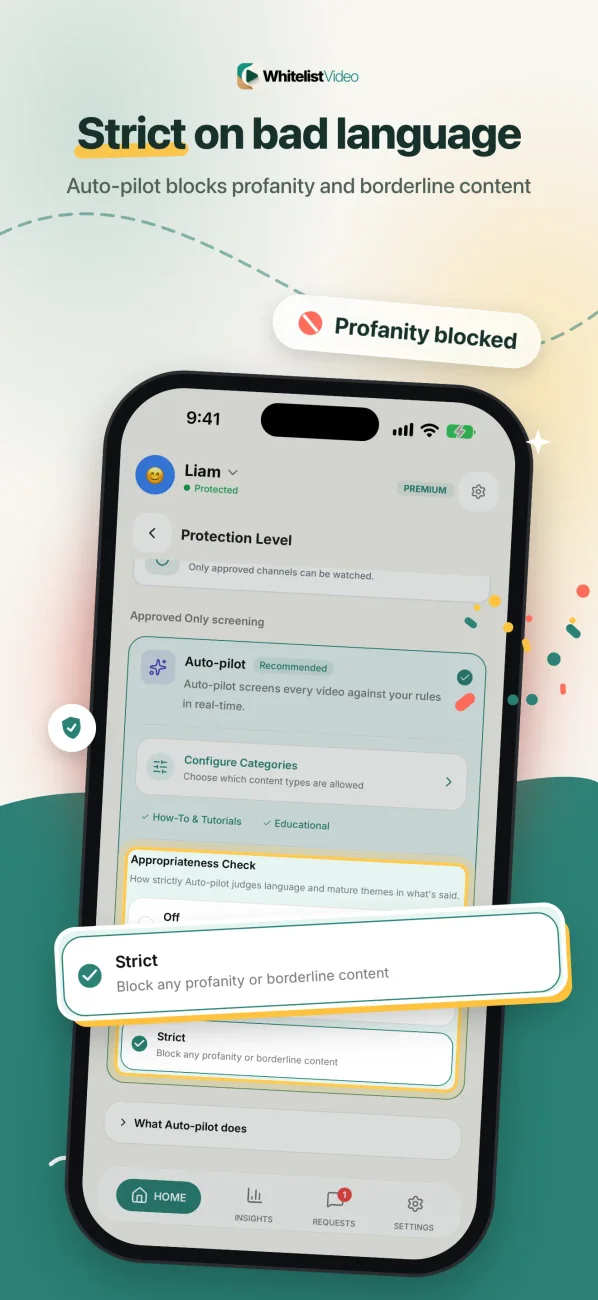
• Auto-pilot AI Protection (Premium): Want more flexibility? Auto-pilot automatically evaluates videos against categories you allow (like Learning, Science, or Faith & Values) and blocks profanity.
FROM YOUR PHONE
• Approve or decline channel requests in real time
• Set rules for multiple children individually
• View Insights: see what was watched and what was safely blocked
• Create approved playlist collections (Premium)
• Manage device access across iPhone, iPad, Mac, and smart TVs
COPPA COMPLIANT & PRIVACY-FIRST
We believe children digital safety requires real privacy:
• No child tracking or profiling
• Zero third-party behavioral ads
• Strict COPPA compliance
• Family controls run natively with Apple official Screen Time API
WORKS WHERE YOUR CHILD WATCHES
Install this parent app on your phone. Then install the WhitelistVideo child app on your child iPhone or iPad. Connect them in seconds with a 6-digit code. Also available for Google Chrome, Android, Android TV, and Apple TV.
FREQUENTLY ASKED QUESTIONS
How is this different from algorithmic kid apps?
Automated kid algorithms frequently leak inappropriate content and strange animations. Older kids also refuse to use babyish kid apps. WhitelistVideo lets children use their standard video player, but restricts playback strictly to your approved channels.
Can my child bypass WhitelistVideo?
No. On iOS, WhitelistVideo uses Apple official FamilyControls and ManagedSettings frameworks protected by your parent PIN and device passcode.
PLANS FOR EVERY FAMILY
• Free: 1 child profile, up to 2 approved channels
• Basic: Up to 30 channels per child, ad blocking, Shorts blocking
• Premium: Up to 100 channels and 10 playlists per child, Auto-pilot AI content analysis, category filters, and priority support
Supports Family Sharing: One subscription covers up to 6 family members.
Payment is charged to your Apple Account at confirmation of purchase. Subscriptions renew automatically unless cancelled at least 24 hours before the end of the current period. Manage or cancel anytime in your Apple Account Settings.
Privacy Policy: https://whitelist.video/privacy
Terms of Use: https://www.apple.com/legal/internet-services/itunes/dev/stdeula/
Support: https://whitelist.video/support
What’s new
Version 1.1.1 · Nov 20, 2026
New in this version:
• Get notified instantly when your child asks to watch something new
• Approve or deny requests right from the notification, without opening the app
• See every alert in one place with the new notifications inbox
• Share the job with a co-parent: invite your partner to help manage your family
• Know when playback is blocked on your child's device, with steps to fix it
• Smoother, faster and more reliable, plus bug fixes
App privacy
What Arul Prakash declares on the App Store about how this app handles data.
-
Data not collected
The developer does not collect any data from this app.
Privacy practices may vary, for example with the features you use or your age.
Information
- Seller
- Arul Prakash
- Category
- Utilities
- Version
- 1.1.1
- Updated
- Nov 20, 2026
- Released
- Jun 13, 2026
- Size
- 54.3 MB
- Requires
- iOS 15.1 or later
- Age rating
- 4+
- Price
- Free
- In-app purchases
- Yes
- Languages
- English, Arabic, French, German, Japanese, Korean, Portuguese, Simplified Chinese, Spanish
- Copyright
- © 2026 Stayboba
You might also like
-
 TrustField: Parental BrowserSafe Web Filter & Screen Time
-
 ReWeb - Allowlist BrowserOnly the web you allow
-
 Content CloakBrowse web on your own terms
-
 Anonymizer Ad BlockerUtilities
-
 DAHAIUtilities
-
 Time Jump - Date CalculatorWith side-by-side calendars!
-
 Speak CommentsUtilities
-
 BlePad: BLE RemoteWireless BLE UART Remote
-
 WebSafety ParentingUtilities
-
 DHSolarDHSolar