- Age rating4+
- CategoryProductivity
- DeveloperSeokHo Kim
- LanguagesKorean+ 1 more
- Size14.9 MB
Links to the official App Store page
Download.org hosts no file of WiCal - Widget Calendar. The button opens its official App Store page, published by SeokHo Kim. Listing last checked on Nov 12, 2026.
Screenshots


About
WiCal connects to your iPhone's system calendars to help you view and manage events.
Choose your view
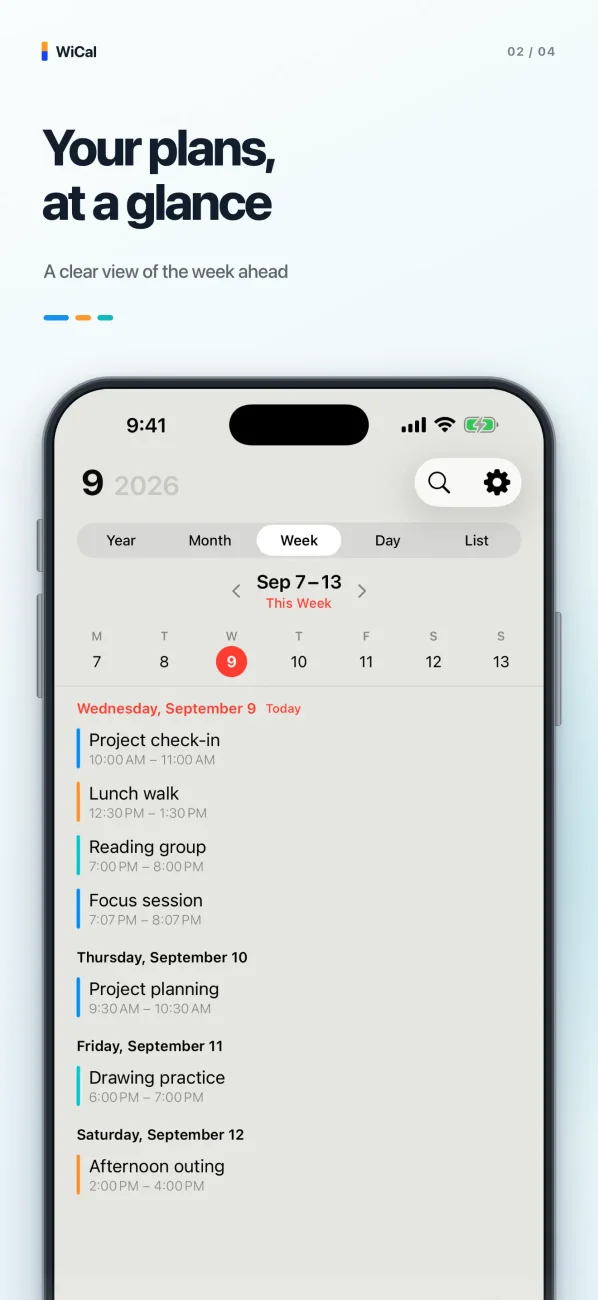
Browse your plans in year, month, week, day, or list view. Choose which calendars to display and set the first day of the week.
Create and find events
Add, edit, and delete events. Search by title, location, notes, or calendar name. Search covers one year before and one year after the current date.
Home Screen and Lock Screen widgets
Add month, week, today, or upcoming events widgets to your Home Screen. A calendar widget is also available for the Lock Screen.
Calendar wallpaper for the Lock Screen
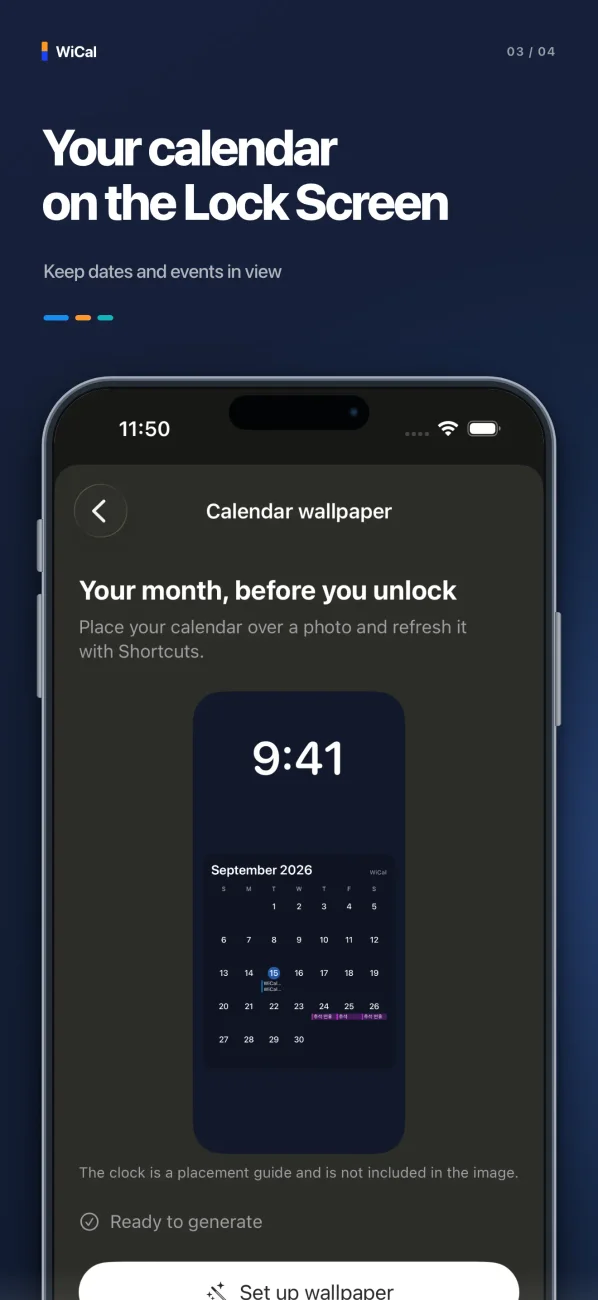
Choose a theme or your photo to create a wallpaper image with dates and selected events. Follow the in-app guide to refresh the image with Shortcuts; you complete Lock Screen setup and optional automation in iOS.
Live Activities for events
Start a Live Activity from an event's details to view it on the Lock Screen and Dynamic Island on supported devices. Live Activities must be enabled, and the event must not have ended.
Subscription tracking
Manually record service prices, billing cycles, and free trial end dates. View upcoming payments in calendars and widgets and set reminders. Actual payments and cancellations are managed by each service.
Full calendar access is required to view and manage events. Editing requires a writable calendar. Widgets are added manually, and their refresh timing is managed by the system. The app includes banner ads.
Personalize your Home Screen calendar widgets with your favorite photos. Save multiple photos and choose a different background for each monthly, weekly, today, or upcoming events widget. Photos stay on your device and can be deleted individually in the app.
What’s new
Version 1.1.3 · Sep 25, 2026
Add lunar or solar anniversaries, see them in your calendar and widgets, and optionally receive reminders.
Find widgets, calendar wallpapers, and subscription tools more easily through improved shortcuts.
We also refined the widget photo setup, improved reliability, and added a timely way to review WiCal on the App Store.
App privacy
What SeokHo Kim declares on the App Store about how this app handles data.
-
Data used to track you
May be used to track you across apps and websites owned by other companies.
- Location
- Identifiers
- Usage data
-
Data linked to you
May be collected and linked to your identity.
- Location
- Identifiers
- Usage data
- Diagnostics
-
Data not linked to you
May be collected but is not linked to your identity.
- Location
- Identifiers
- Usage data
- Diagnostics
Privacy practices may vary, for example with the features you use or your age.
Information
- Seller
- SeokHo Kim
- Category
- Productivity
- Version
- 1.1.3
- Updated
- Sep 25, 2026
- Released
- Sep 14, 2026
- Size
- 14.9 MB
- Requires
- iOS 17.6 or later
- Age rating
- 4+
- Languages
- Korean, English
- Copyright
- © 2025 SeokHo Kim
You might also like
-
 CalemonSchedule & Timetable Wallpaper
-
 King of MorningsADHD Morning Routine Alarm
-
 KKUK - Lock Screen HabitsStamp it, keep it
-
 Axis SpaceProductivity
-
 CXRosterYour flight roster, made clear
-
 Lock Screen Studio: CalendarPlanner Wallpaper & Widgets
-
 쓰던달력Productivity
-
 Daypaper AI Calendar WallpaperYour day on lockscreen