Widget Park-Transparent Widget
Clock,Countdown,Photo & Widget
Designed for iPhone, iPad, iPod touch
Free · In-app purchases
- Age rating4+
- CategoryGraphics & Design
- DeveloperManjun Tech
- LanguagesEnglish+ 2 more
- Size97.7 MB
Links to the official App Store page
Download.org hosts no file of Widget Park-Transparent Widget. The button opens its official App Store page, published by Manjun Tech. Listing last checked on Nov 23, 2026.
Screenshots


About
Make your iPhone home screen look the way you imagined. Widget Park turns your wallpaper into the star with transparent widgets that blend right in, then adds clocks, photos, countdowns, weather and more in styles you will actually want to keep.
TRANSPARENT WIDGETS
Clear, invisible-looking widgets that sit seamlessly on your wallpaper. A step-by-step guide walks you through lining up the background in minutes, so your home screen looks clean, minimal and aesthetic instead of boxed in.
CLOCK WIDGETS
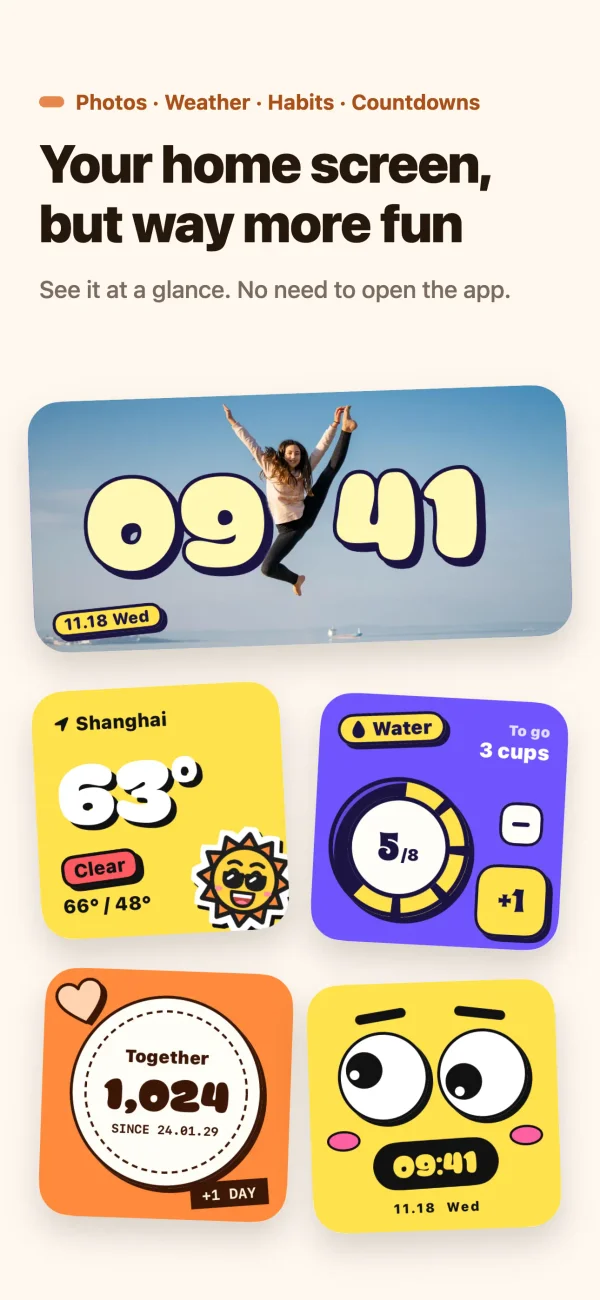
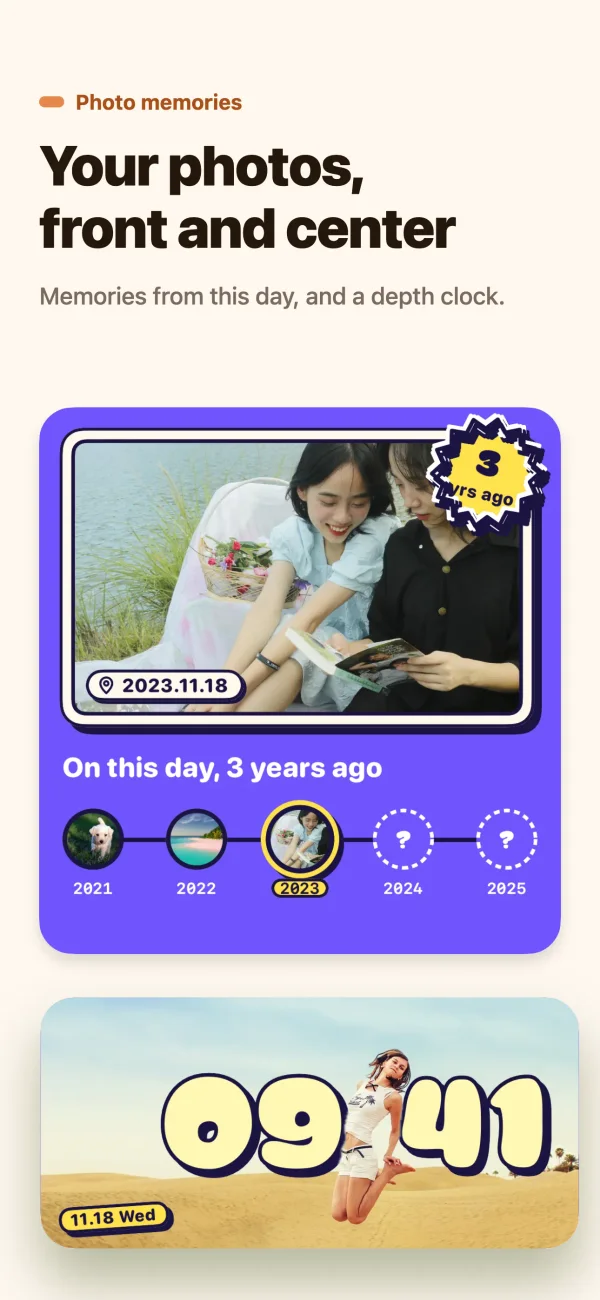
Analog and digital clocks in many styles and fonts. Pick a face, change the colors, and drop it onto your home screen. Photo clocks can even place the time behind the subject of your picture for a depth effect.
PHOTO WIDGETS
Turn your favorite pictures into widgets for your home screen. Crop them to fit, add frames, stickers and effects, or go for a transparent look. Great for memories, pets, travel and couple photos.
TIME & DATE WIDGETS
Time, date, week and month at a glance, with bold typography and soft layouts that suit any wallpaper.
COUNTDOWN & EVENT WIDGETS
Count down to a birthday, trip, exam or anniversary, or count up the days since something special. Add event reminders so the next important day is always in sight.
HABIT & MOOD WIDGETS
Check in on your habits and log your mood straight from the widget. A small daily win, right on your home screen.
WEATHER & LUNAR CALENDAR
Beautiful weather widgets that follow sunrise and sunset, plus a lunar calendar widget for traditional dates.
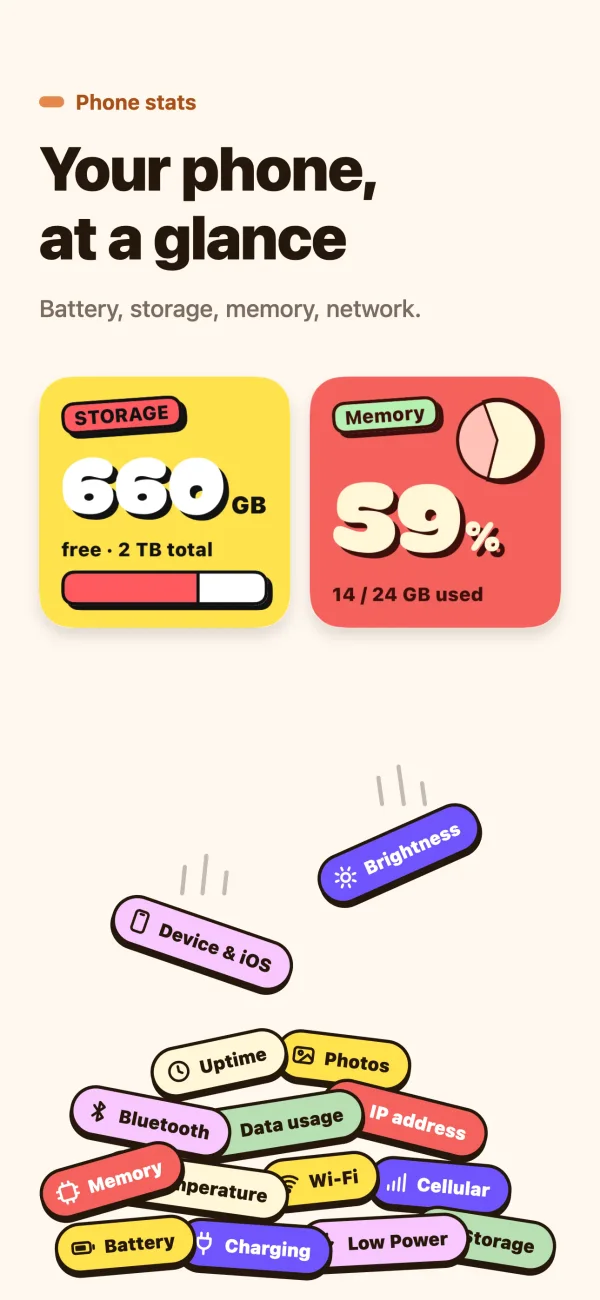
SYSTEM INFO WIDGETS
Keep an eye on battery, memory, storage, Wi-Fi and cellular status with clean, cute battery widgets that fit your theme.
LOCK SCREEN WIDGETS
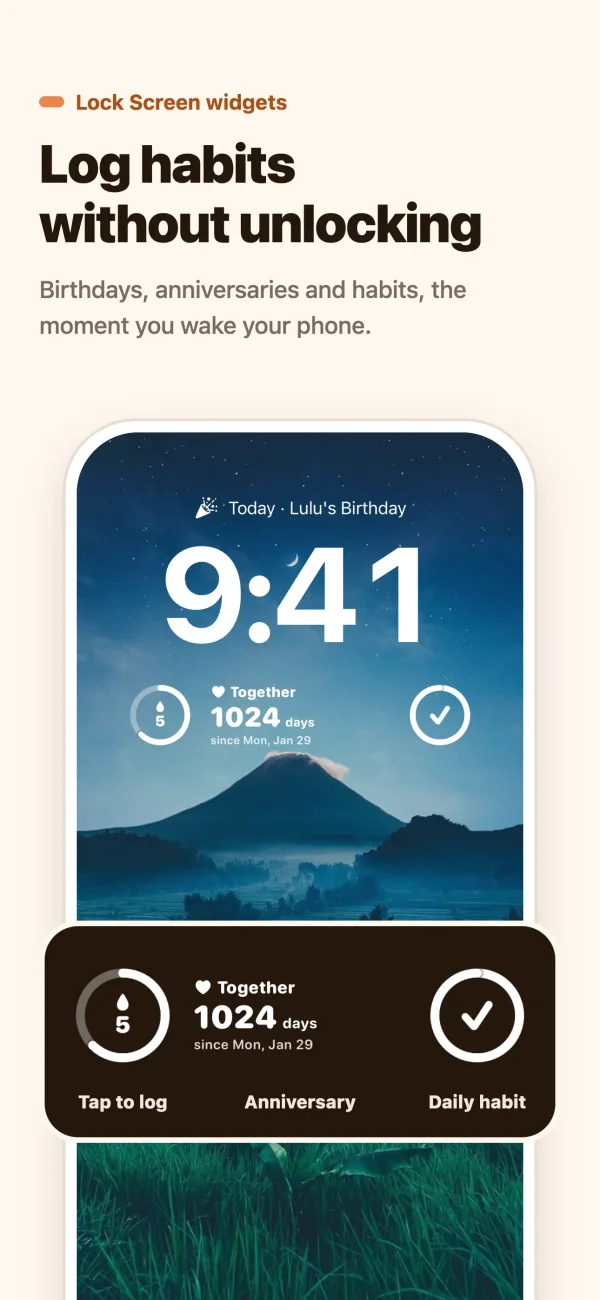
Weather, lunar date, countdown and habit check-in for your lock screen, so the information you care about is there the moment you wake your iPhone.
WHY WIDGET PARK
• Small, medium and large widgets in many styles for every category
• Edit colors, fonts, photos and backgrounds with a simple, friendly editor
• Light and dark mode support
• Works in English, Simplified Chinese, Traditional Chinese and Hindi
• New widgets and styles added regularly, so your home screen never goes stale
HOW IT WORKS
1. Choose a widget and style, then customize it in the app.
2. Save it.
3. Touch and hold your home screen, tap +, search for Widget Park, and add the widget you made.
WIDGET PARK PRO
Many styles are free to use. Widget Park Pro unlocks every premium style and all future ones. Subscription renews automatically unless canceled at least 24 hours before the end of the current period. Manage or cancel any time in your Apple ID account settings.
Privacy Policy: https://manjun.tech/doc/en/privacy-policy.html
User Agreement: https://manjun.tech/doc/en/user-agreement.html
Questions or feedback? hlai.manjun@gmail.com
What’s new
Version 3.0.0 · Nov 21, 2026
Widget Park 3.0 is our biggest update yet, and it now supports iPhone Duo and iPad.
ALL-NEW DESIGN STYLE
Bold, colorful, toy-like widgets with 16 full color palettes. Dozens of new designs for time & date, countdowns, photos, clocks, system info and event reminders.
NEW WIDGET TYPES
• Weather: follows sunrise and sunset, choose any city, and set your own comfort preferences for cold, heat and umbrella tips
• Habit check-in and mood: custom goals, check-in days and step goals, right on your home screen
• Lunar calendar and almanac
• Calendar events: pick which calendars to show
• World clock, quick launch for your favorite apps, and daily progress
LOCK SCREEN WIDGETS
Countdown, lunar date, habit check-in and weather, now on your lock screen.
TRANSPARENT WIDGETS, REBUILT
A redesigned setup with a clear 5-step guide. Updated for iOS 26, iPhone Air and the latest iPhones, with grid layout, light and dark screenshots and fixes for large icon mode.
PHOTO WIDGETS
• New Depth Clock: the time sits behind the subject of your photo
• Take a photo straight from the picker
• New photo editor with live widget preview, a film strip and drag-to-reorder
A FRESH LOOK
New welcome guide, redesigned home, My Widgets and Settings, a Classic category for the original styles, and dark mode. Traditional Chinese is now available.
IMPROVEMENTS AND FIXES
• Saving a widget now asks before you leave with unsaved changes
• All widgets follow the 12 or 24-hour setting of the app
• Temperature units follow your system setting
• System info widgets refresh more efficiently
• Premium status updates correctly after renewals and refunds
• Fixed launch and photo picker issues on the newest iOS
• Fixed crashes, layout glitches and text truncation on several devices
App privacy
What Manjun Tech declares on the App Store about how this app handles data.
-
Data not linked to you
May be collected but is not linked to your identity.
- Identifiers
- Usage data
- Diagnostics
Privacy practices may vary, for example with the features you use or your age.
Information
- Seller
- Guangzhou Manjun Technology Co., Ltd.
- Category
- Graphics & Design
- Version
- 3.0.0
- Updated
- Nov 21, 2026
- Released
- Jun 5, 2024
- Size
- 97.7 MB
- Requires
- iOS 15.0 or later
- Age rating
- 4+
- Price
- Free
- In-app purchases
- Yes
- Languages
- English, Simplified Chinese, Traditional Chinese
- Copyright
- © Guangzhou Manjun Technology Co., Ltd.
You might also like
-
 Skin - Widgets, Icons, ThemesCustomize Home and Lock Screen
-
 WiGet - Cool Widgets & ThemesBattery, Clock, Quote, Steps
-
 iWidget - Widgets & WallpapersWidget, Standby, Wallpaper
-
 GoWidget| Photo Widgets &ThemeWidget Custom HomesScreen
-
 Color Widgets Kit - iWidgetsCustom Widgets & Color Widgets
-
 Iconic Themes & WallpaperElevate Your Device’s Style!
-
 Velora:AI Wallpapers & ThemesWallpapers & Widgets & icons
-
 WidgetPaperTransparent widgets + actions
-
 Blank Widget Transparent SpaceTransparent & Clear Widgets
-
 MuseScreen Widgets & WallpaperPhotos, Clocks & Special Days