
Widgethood: API into Widgets
Any API on your home screen
Designed for iPhone, iPad
Free
- Age rating4+
- CategoryProductivity
- DeveloperDaulet Issatayev
- LanguagesEnglish
- Size5.2 MB
Links to the official App Store page
Download.org hosts no file of Widgethood: API into Widgets. The button opens its official App Store page, published by Daulet Issatayev. Listing last checked on Nov 15, 2026.
Screenshots

About
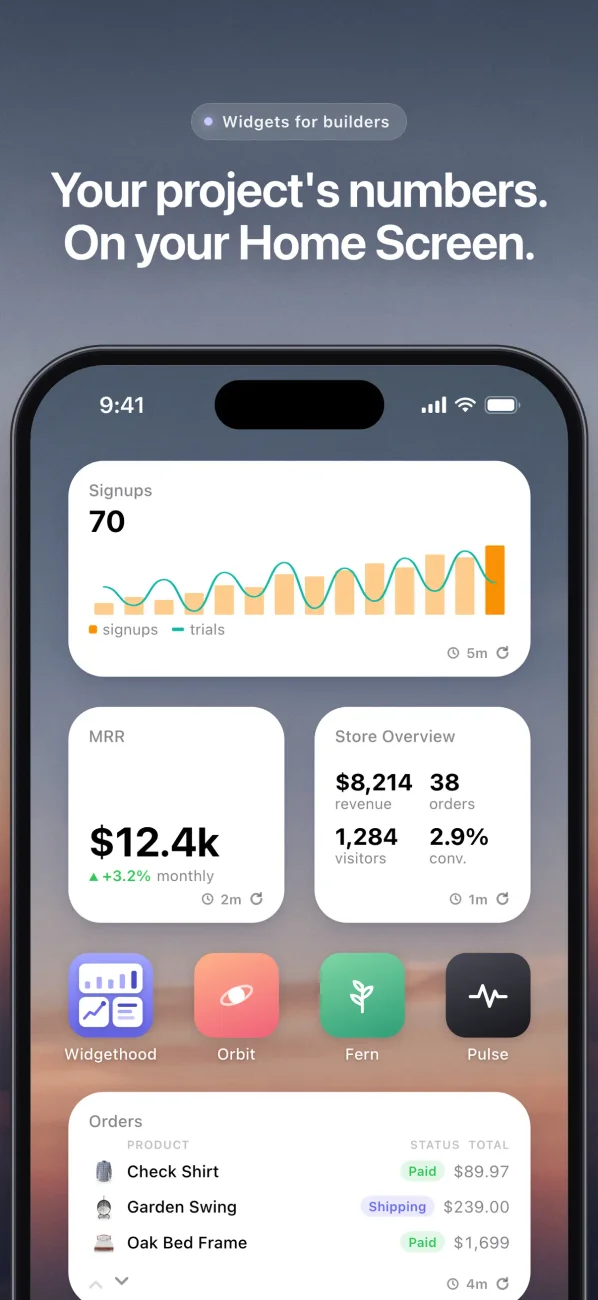
Widgethood puts your own numbers on your iPhone Home Screen.
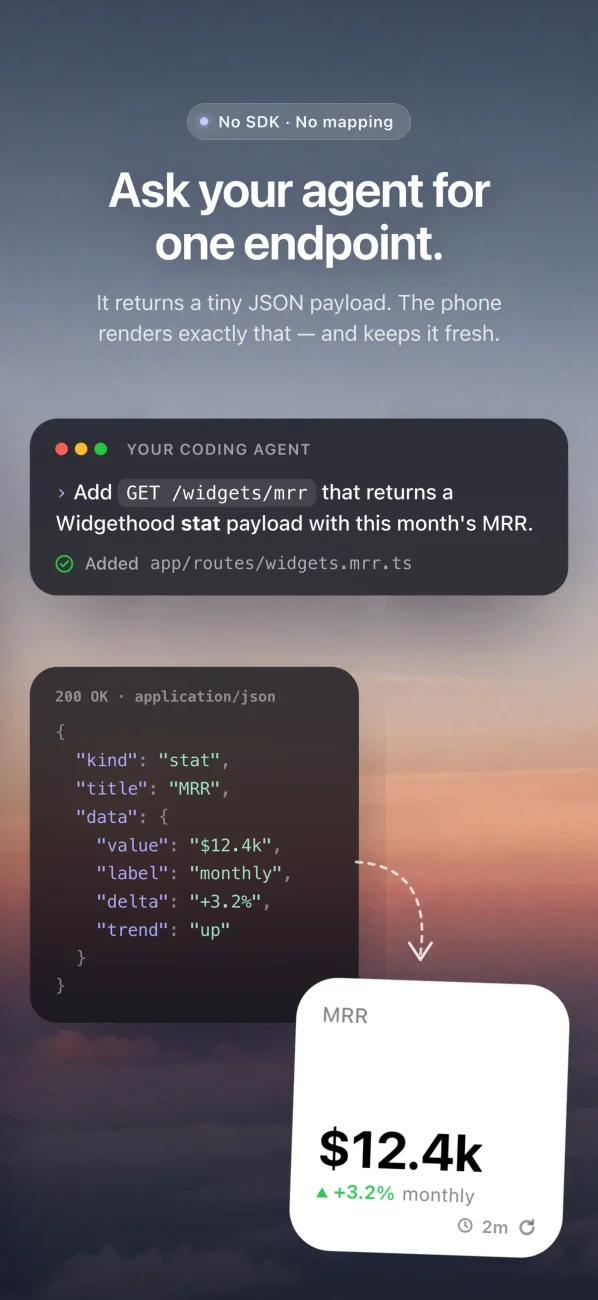
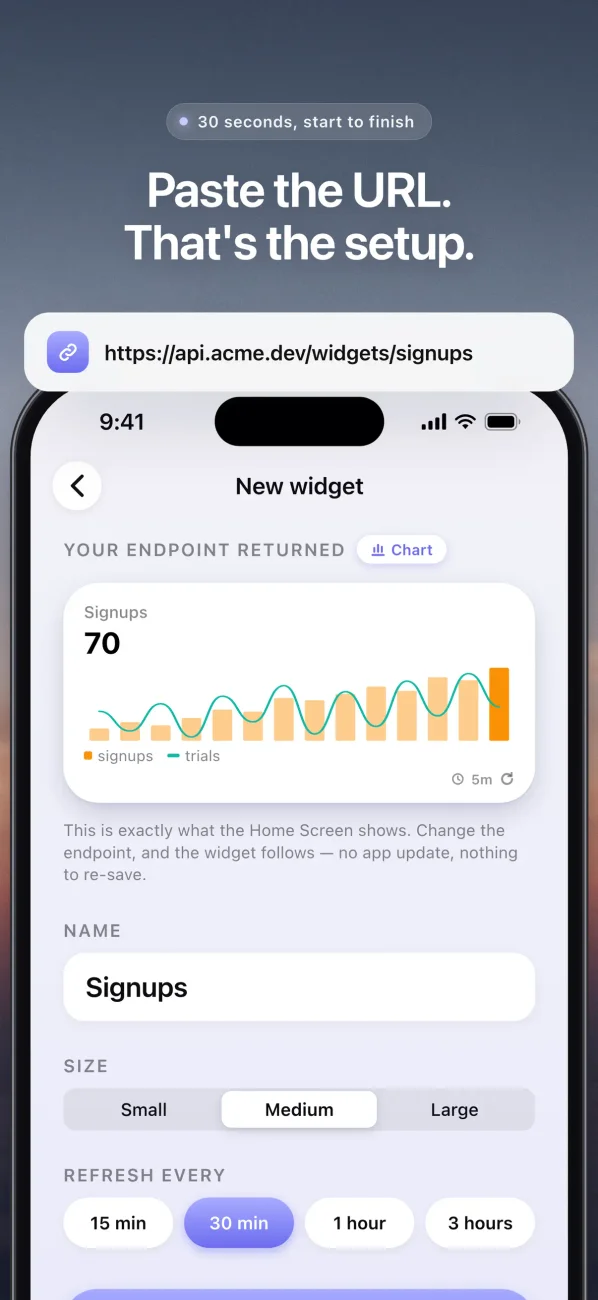
Add one endpoint to your project that returns a small JSON payload. Paste its URL into Widgethood. Your phone fetches it and renders exactly what came back — then keeps it fresh, forever.
THE ENDPOINT OWNS THE SHAPE
There is no mapping step and no AI in between. Your endpoint says which kind of widget it is and what it shows; the app draws it. Change what the endpoint returns — even the kind — and the widget follows on the next refresh. No app update, nothing to re-save.
ONE PROMPT TO ADD ONE
Widgethood hands you a prompt to paste into the coding agent already working in your project, and it writes the endpoint for you. Prefer to do it by hand? The payload is a few lines of JSON, and the app shows you the smallest possible example.
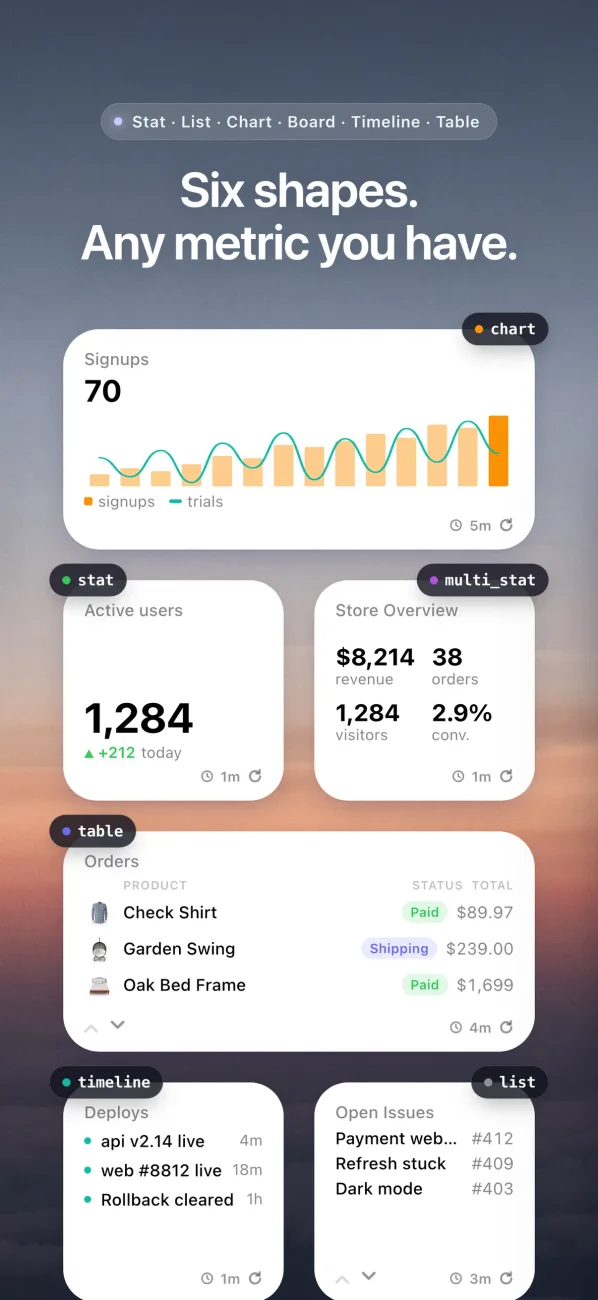
SIX WIDGET SHAPES
- Stat — one headline number
- Board — two to four numbers together
- Chart — bars and lines, together
- List — top rows at a glance
- Table — rows with columns and thumbnails
- Timeline — a live activity feed
Small, medium, and large sizes. List, table, and timeline widgets page through extra rows right on the Home Screen, without opening the app, and a row can open a link when you tap it.
END-TO-END ENCRYPTED
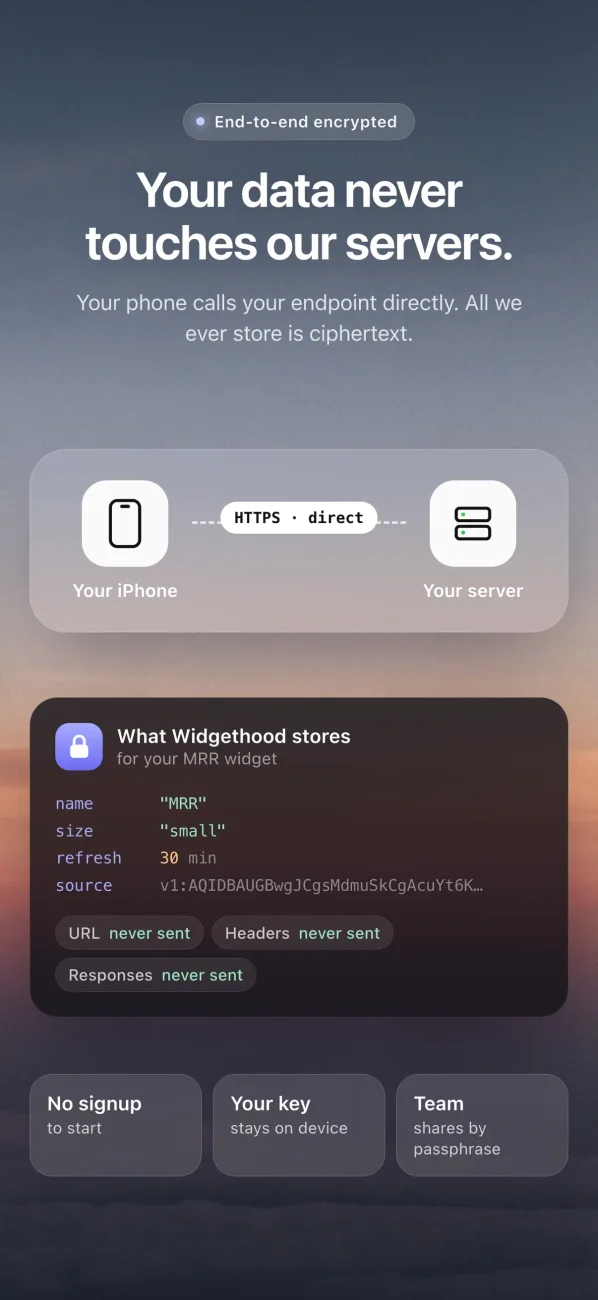
Your endpoint's URL and any auth header are encrypted on your phone before they are stored, under a key our servers never hold. Widgethood never calls your endpoint and never sees what it returns. Your data goes from your server to your phone and nowhere else.
NO ACCOUNT NEEDED
The app works anonymously from first launch. Sign in only when you want to share widgets with teammates or carry them to another device.
BUILT FOR TEAMS
Widgets live in workspaces, one per project. Invite teammates and every widget shows up in their app, ready to place on their own Home Screen and refreshing on their phones. They never see the URL.
What’s new
Version 1.0.2 · Oct 28, 2026
New: a short video shows exactly how to put a widget on your Home Screen, step by step.
- Redesigned “How it works”, with a simple path for teammates you invite.
- Charts can label each bar with its value and show dates along the bottom.
- Tables can show a summary strip (Today · Yesterday · …) and a second line per row for details like route, courier or delivery option.
- Page arrows respond instantly, and the widget footer is easier to tap.
- A fresh new app icon.
App privacy
What Daulet Issatayev declares on the App Store about how this app handles data.
-
Data linked to you
May be collected and linked to your identity.
- Contact info
- Identifiers
Privacy practices may vary, for example with the features you use or your age.
Information
- Seller
- Daulet Issatayev
- Category
- Productivity
- Version
- 1.0.2
- Updated
- Oct 28, 2026
- Released
- Oct 8, 2026
- Size
- 5.2 MB
- Requires
- iOS 18.2 or later
- Age rating
- 4+
- Price
- Free
- Languages
- English
- Copyright
- © 2026 Widgethood
You might also like
-
 Daily Habits Tracker & PlannerHabits & Goals & Challenges
-
 Orgo - Logistics CalendarFor sports parents & athletes
-
 Pocketify – Save & Read LaterBookmarks, highlights, RSS
-
 Ask Watch AIAI chat & voice assistant
-
 Script Buddy: Actor RehearsalLearn Lines With Scene Partner
-
 Vibe OneCompanion App for Vibe Board
-
 Paseo - Remote Coding AgentsCodex, OpenCode, Pi, Claude
-
 Ermine - Calendar & WidgetsProductivity
-
 HEY CalendarMake your day
-
 Audio Converter: convert mp3Convert video, mp4, wav, etc.