WidgetWord: Learn Every Day
A New Word Every Hour
Designed for iPhone, iPad, Mac
Free · In-app purchases
- Age rating17+
- CategoryEducation
- DeveloperHave Fun LLC
- LanguagesEnglish+ 2 more
- Size30.5 MB
Links to the official App Store page
Download.org hosts no file of WidgetWord: Learn Every Day. The button opens its official App Store page, published by Have Fun LLC. Listing last checked on Nov 27, 2026.
Screenshots

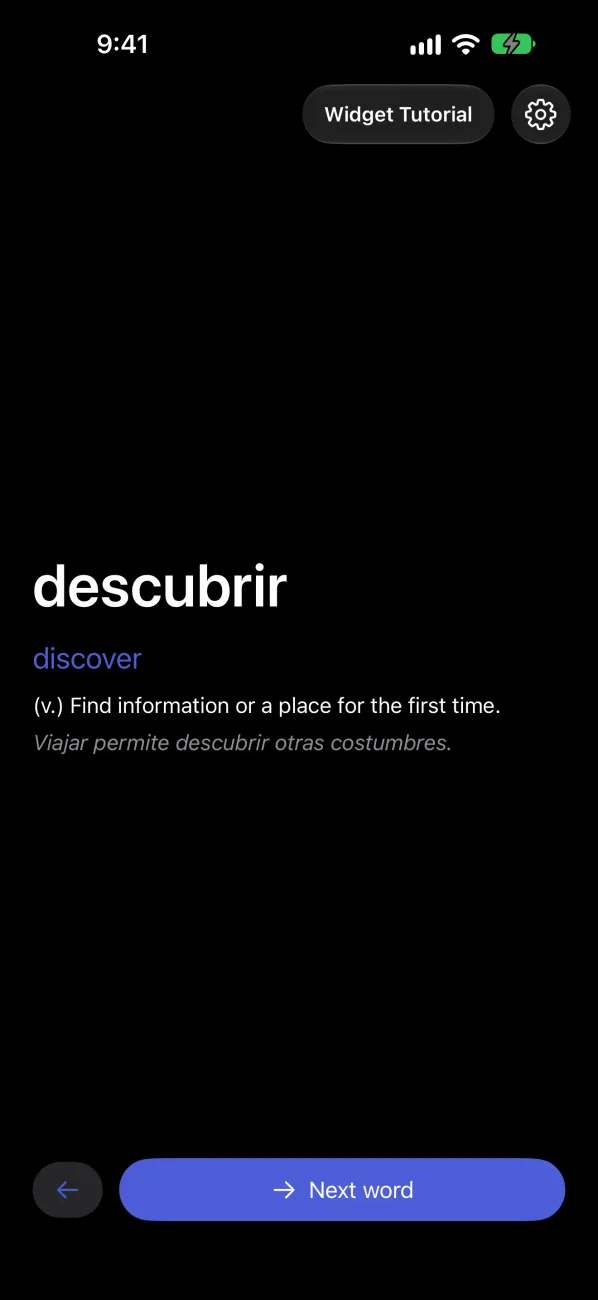
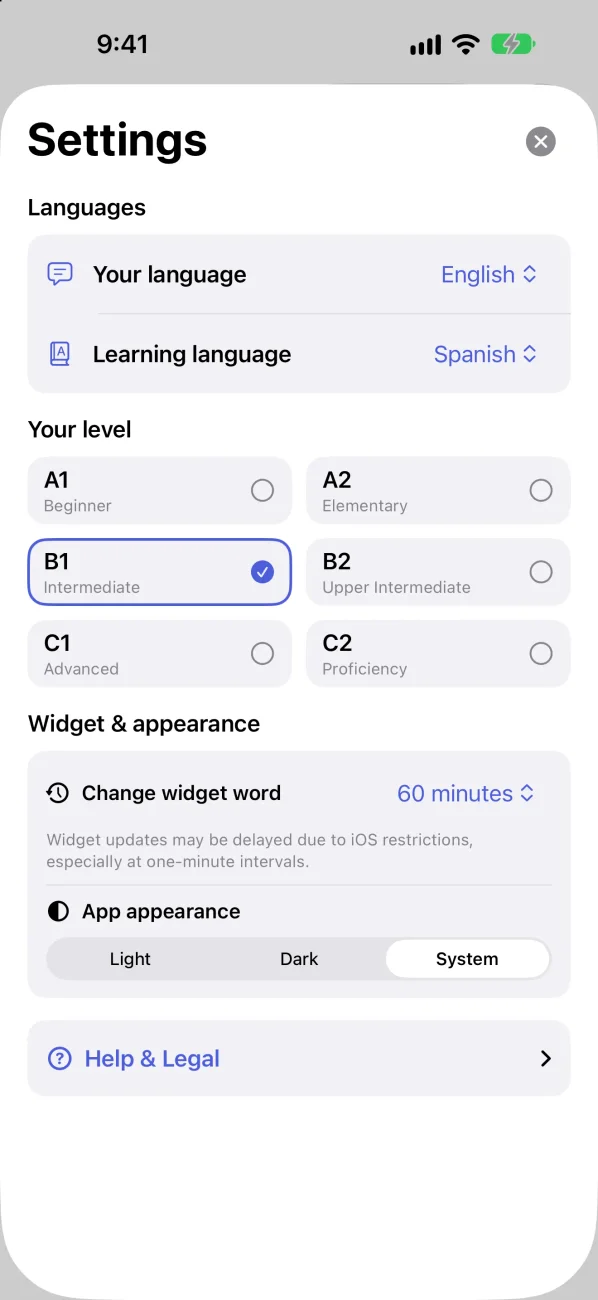
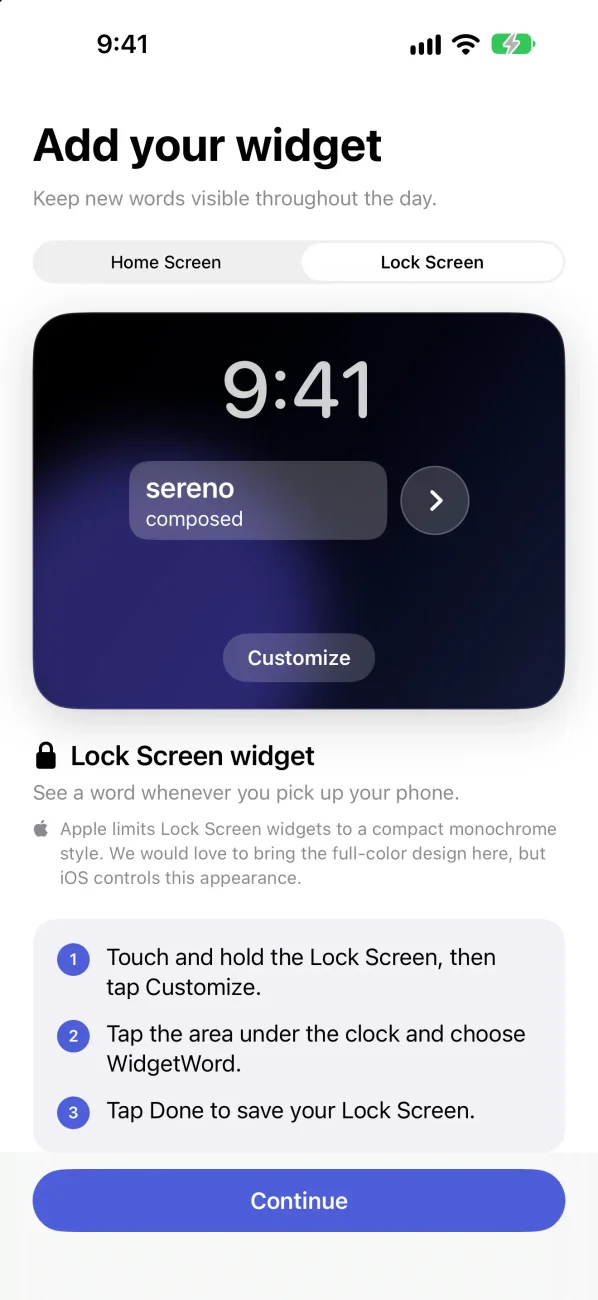
About
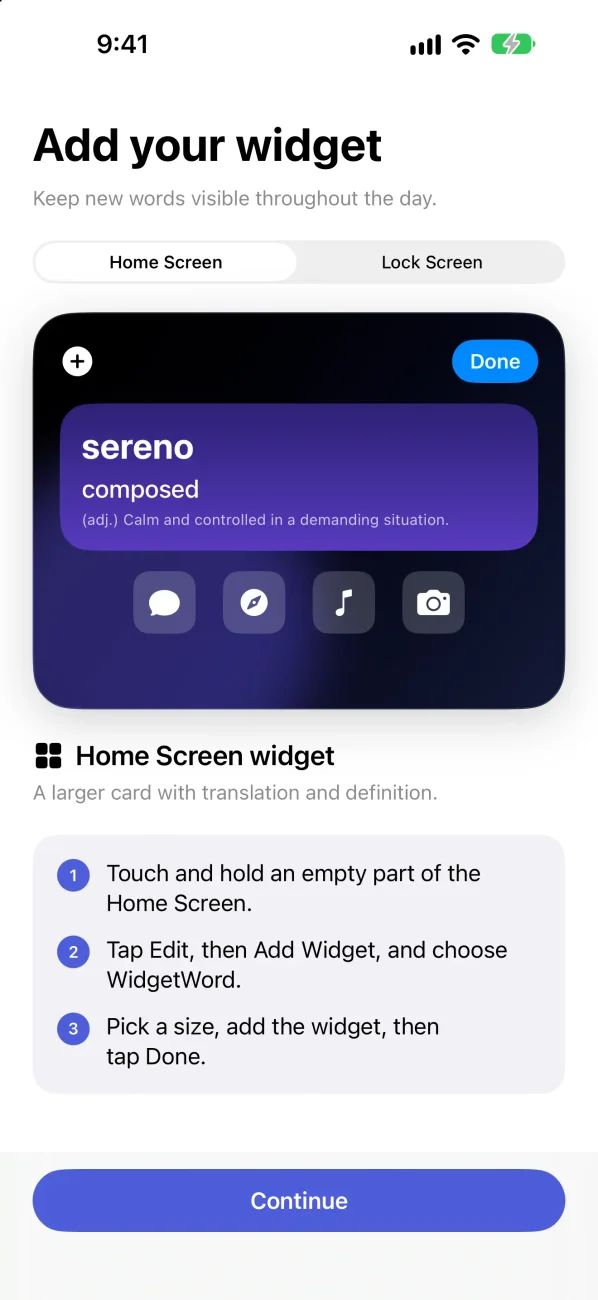
Learn a word in the moments you already look at your screen. WidgetWord shows vocabulary with translations, pronunciation, explanations, and examples. Widgets put words on supported screens; their availability and presentation vary by platform.
Learn English, Spanish, or Russian from either of the other two languages. All six learning and translation directions are supported. Choose a CEFR level from A1 through C2. On platforms with widgets, you can choose a preferred update interval; the system controls the exact refresh time.
Every word, level, and regular widget is free. English learners also get irregular verbs (go – went – gone) with pronunciation, translations, and examples; the most common ones are free. Premium is an optional paid add-on: 500+ of the most common idioms in each language, with meanings and examples, plus the full list of 180+ English irregular verbs. Equivalent idioms and literal readings are included where available. Choose a monthly subscription with a free first week for eligible new subscribers, a three-month subscription without a trial, or a one-time lifetime unlock. All three support Family Sharing. Restore purchases from Settings or the Premium offer screen.
No account, advertising, or cross-app tracking. Your language and level preferences can sync through your Apple Account when iCloud is available. Optional usage statistics are available only on iPhone and iPad: off by default and enabled only for adults after consent. Other platforms and widgets do not collect these statistics. See our Privacy Policy for details about purchases, iCloud, statistics, the website, and support email.
Subscriptions renew automatically unless cancelled in Apple Account settings at least 24 hours before the end of the current period. The lifetime unlock is a one-time purchase and does not renew.
Terms of Use: https://havefunllc.org/terms/
Privacy Policy: https://havefunllc.org/privacy/
Apple Standard EULA: https://www.apple.com/legal/internet-services/itunes/dev/stdeula/
Available on iPhone, iPad, Mac, Apple Watch, Apple TV, and Apple Vision Pro. Apple Watch purchases are managed on iPhone.
What’s new
Version 1.2.1 · Nov 26, 2026
• Irregular verbs for English learners: go – went – gone, with pronunciation, translations, and examples
• The most common irregular verbs are free; Premium adds the full list of 180+
• Idioms and all irregular verbs now come together in Premium: monthly, three months, or lifetime, with Family Sharing
• Report a wrong translation right from the app
• Word and idiom list improvements
App privacy
What Have Fun LLC declares on the App Store about how this app handles data.
-
Data linked to you
May be collected and linked to your identity.
- Purchases
- Location
- Identifiers
- Usage data
-
Data not linked to you
May be collected but is not linked to your identity.
- Diagnostics
Privacy practices may vary, for example with the features you use or your age.
Information
- Seller
- Have Fun LLC
- Category
- Education
- Version
- 1.2.1
- Updated
- Nov 26, 2026
- Released
- Oct 3, 2026
- Size
- 30.5 MB
- Requires
- iOS 17.0 or later
- Age rating
- 17+
- Price
- Free
- In-app purchases
- Yes
- Languages
- English, Russian, Spanish
- Copyright
- © 2026 Have Fun LLC
You might also like
-
 Englint: Learn on Lock ScreenEnglish words every glance
-
 VocabPin: Vocabulary Widget17 Languages, Native Voices
-
 SwotWords — Vocabulary BuilderFlashcards that come to you
-
 Daily English: WidgetEnglish word of the day widget
-
 WordHourEducation
-
 Wordbee: A Word a DayEnglish words in your language
-
 LockWords: Lock Screen WidgetsWord of the Day & Bible Verse
-
 WordCue: Vocabulary & SlangWord of the Day on Lock Screen
-
 Wrd – Word of the Day WidgetLearn Words on Lock Screen
-
 Glance Widget: Easy VocabularyDaily Words & Vocab Builder