
- Age rating4+
- CategoryUtilities
- DeveloperRam Steenhaut
- LanguagesEnglish
- Size8.5 MB
Links to the official App Store page
Download.org hosts no file of WiFizer. The button opens its official App Store page, published by Ram Steenhaut. Listing last checked on Nov 15, 2026.
Screenshots

About
WiFizer is your complete Wi-Fi and network toolbox: see your real connection quality, map your coverage room by room, discover every device around you, and diagnose problems with pro-grade tools — no account, no ads, no tracking.
SEE YOUR SIGNAL — FOR REAL
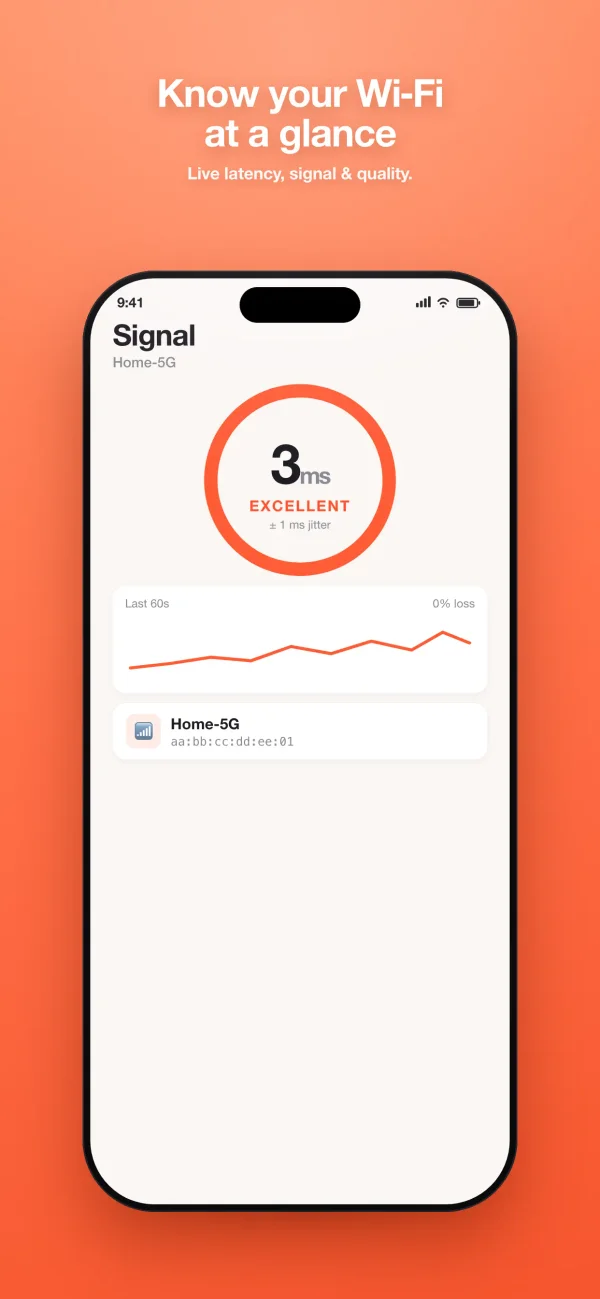
• Live quality ring driven by real measurements: latency, jitter and packet loss, with a rolling 60-second chart.
• Go Live for true Wi-Fi numbers — RSSI in dBm, channel, band, link rates — using an Apple-Shortcuts companion built on Apple's own actions.
• Mesh-friendly: see every access point you roam between, name your nodes, and track the best signal each one ever gave you.
• On cellular too: no Wi-Fi? WiFizer shows your live connection quality, network type (5G/LTE) and provider.
WI-FI HEATMAP
• Walk your home and watch a live coverage map paint itself onto the floor through your camera.
• On LiDAR iPhones, scan the room and see your signal on a real 2D floor plan and a rotatable 3D model.
PERSONAL HOTSPOT INSIGHTS
• Hosting? See every connected device — name, IP, live latency on an animated meter, updating as devices join and leave.
• On someone's hotspot? See the provider and your latency to the host and to the internet, so you know which hop is slow.
KNOW YOUR NETWORK
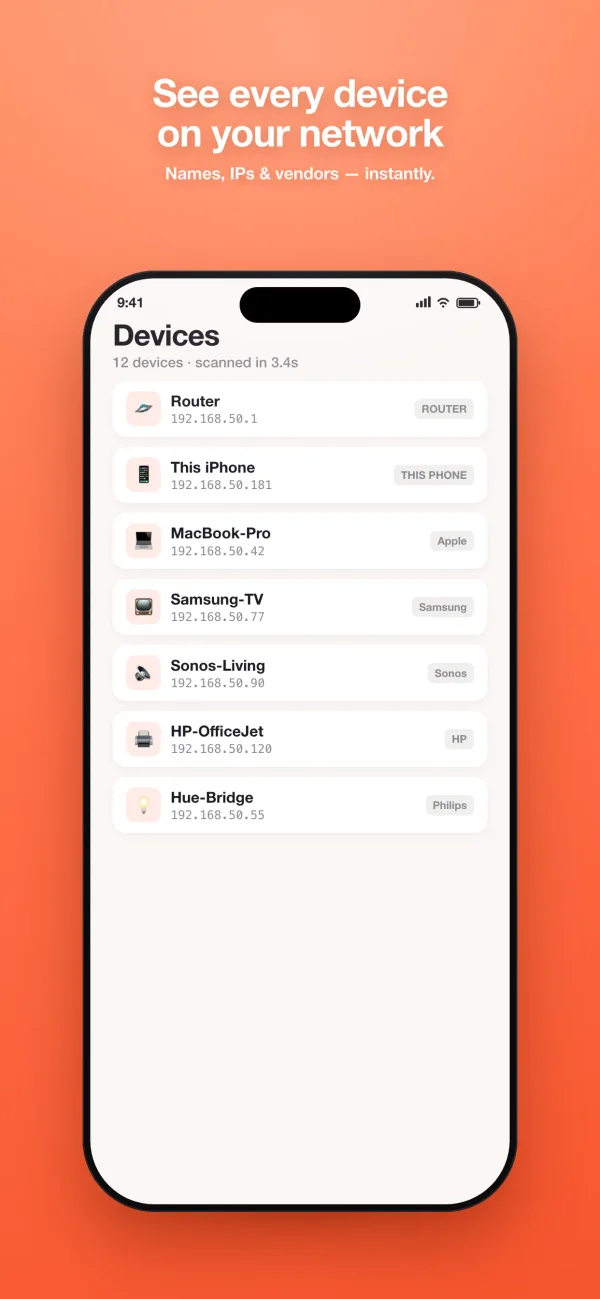
• Device scanner: find everything on your network, with names, vendors and a detail page per device — live ping, advertised services, port check.
• Bonjour browser: what every device announces — AirPlay, Chromecast, printers, shares, smart-home gear.
• Bluetooth scanner with distance estimates.
• A private, Face ID-protected vault for your Wi-Fi passwords, with QR sharing.
SPEED TEST
• Multi-stream download and upload with live gauges — no extra server needed.
• Full history with charts, CSV export, and an optional daily background health check that warns you when your connection degrades.
A REAL TOOLKIT
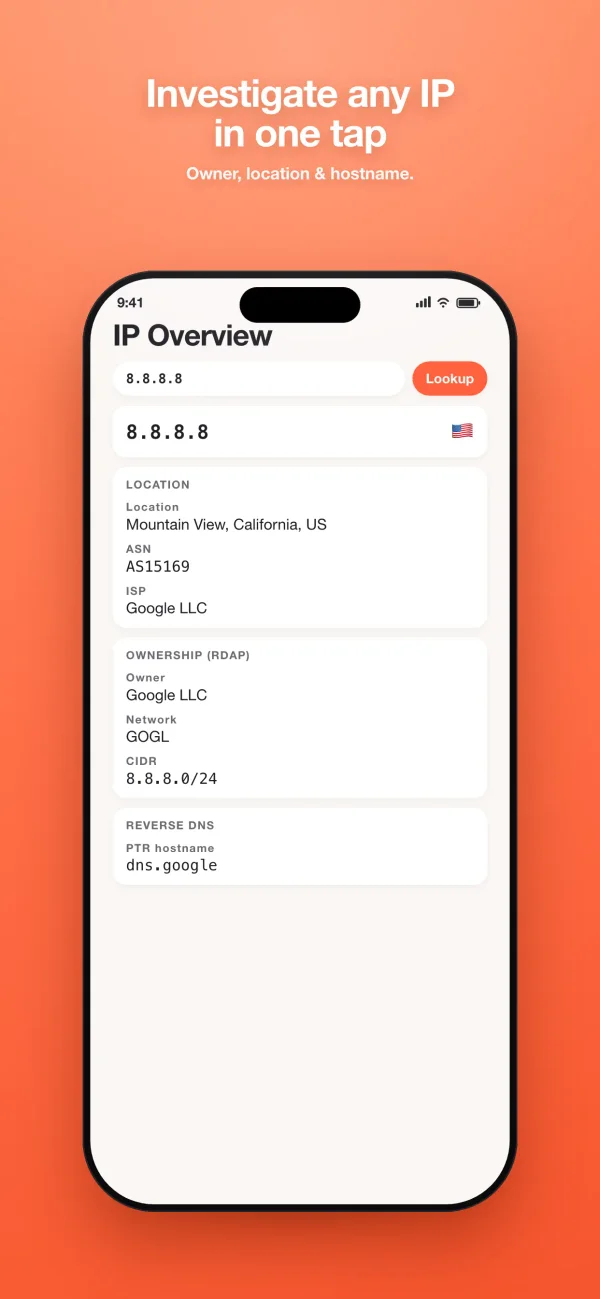
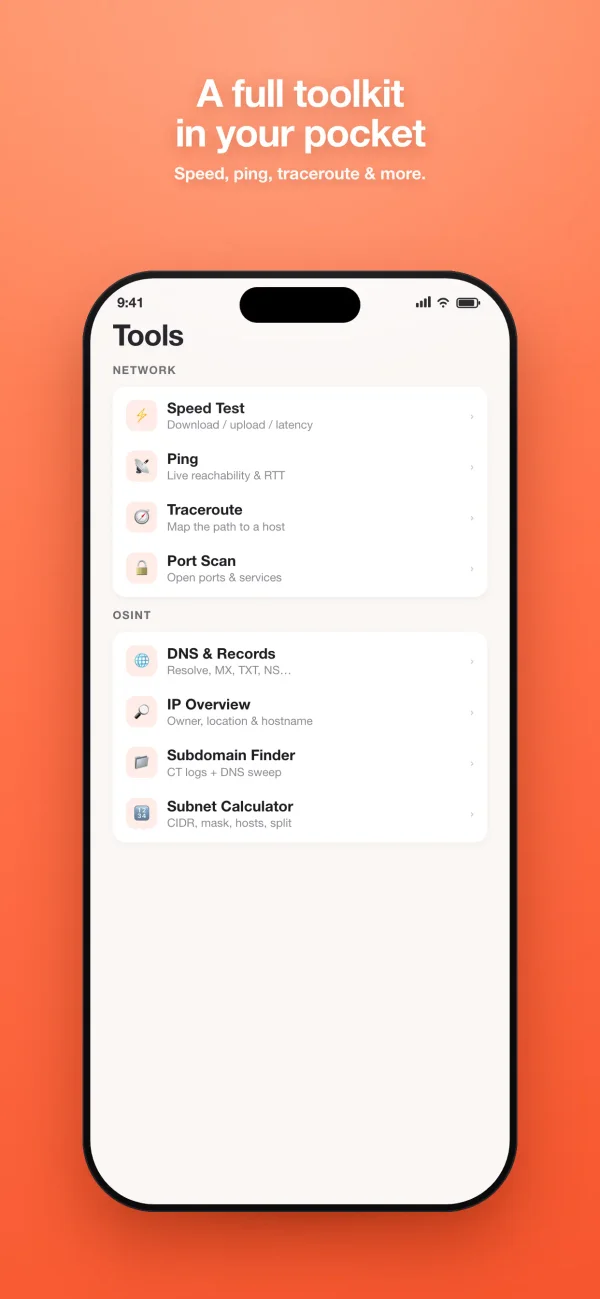
Ping, traceroute, DNS lookup, port scan, subnet tools — plus an OSINT set: WHOIS/RDAP, DNS records, email security grades (SPF/DKIM/DMARC), TLS certificate inspector, HTTP security headers, IP geolocation, subdomain finder and more.
ON YOUR WRIST AND HOME SCREEN
• Apple Watch app: live signal strength and latency while you walk.
• Home and Lock Screen widgets: your network, provider, public IP and last speed test at a glance.
FOUR LOOKS
Choose your vibe: Soft, Mono, Glass or full-on Terminal.
HONEST BY DESIGN
iOS keeps some Wi-Fi details private, and unlike some apps, WiFizer never invents numbers to fill the gap. When something can't be measured, we tell you why — and give you the closest real measurement instead.
FREE + PRO
Almost everything in WiFizer is free. The live signal tools (Go Live, Heatmap, Watch view) are part of WiFizer Pro — one single purchase, yours forever, with a full 14-day free trial. No subscriptions, ever.
PRIVACY
No account. No ads. No tracking. Nothing leaves your device except the lookups you explicitly run.
What’s new
Version 3.2 · Aug 11, 2026
Find your Bluetooth things.
• Bluetooth hunt — pick any nearby Bluetooth device and walk toward it. A live signal fan and distance readout update as you move, so you can sweep a room for misplaced headphones, a speaker, a keyboard or a tracker.
• Steady readings — Bluetooth signal strength jumps around constantly, even when nothing moves. WiFizer now filters it, so the numbers hold still enough to act on and the list stops reshuffling itself.
• Proximity at a glance — every device sits on a five-step scale from "very far, or shielded" through to "arm's reach", using the same red-to-green colours as the Wi-Fi heatmap.
• Hide unknown devices — one tap clears the anonymous beacons out of the list, and it always tells you how many it hid.
• Forget a network — swipe to remove Wi-Fi networks you no longer visit from My Networks.
App privacy
What Ram Steenhaut declares on the App Store about how this app handles data.
-
Data not collected
The developer does not collect any data from this app.
Privacy practices may vary, for example with the features you use or your age.
Information
- Seller
- Ram Steenhaut
- Category
- Utilities
- Version
- 3.2
- Updated
- Aug 11, 2026
- Released
- Jul 8, 2026
- Size
- 8.5 MB
- Requires
- iOS 26.0 or later
- Age rating
- 4+
- Price
- Free
- In-app purchases
- Yes
- Languages
- English
- Copyright
- © Ram Steenhaut
You might also like
-
 MyfantuPrivacy Tools & Security Suite
-
 Sentinel – Field IntelligenceField Intelligence Platform
-
 dig.servicesPeople search & caller ID
-
 Ferret OSINTMobile OSINT for investigators
-
 Phantom Finder Username SearchReverse username search
-
 TraceSeekUsername search, 3000+ sites
-
 OSINT ResearcherExplore GitHub orgs & repos
-
 Hackerman: Find SocialsFind socials by username
-
 NetSpot WiFi AnalyzerWiFi Heat Map & Speed Test
-
 Ubiquiti WiFimanUtilities