
Willing Webcam
webcam software
Designed for iPhone, iPad, iPod touch
$0.99 · In-app purchases
- Age rating4+
- CategoryPhoto & Video
- DeveloperOleg Drobyshev
- LanguagesEnglish+ 4 more
- Size41.9 MB
Links to the official App Store page
Download.org hosts no file of Willing Webcam. The button opens its official App Store page, published by Oleg Drobyshev. Listing last checked on Nov 20, 2026.
Screenshots


About
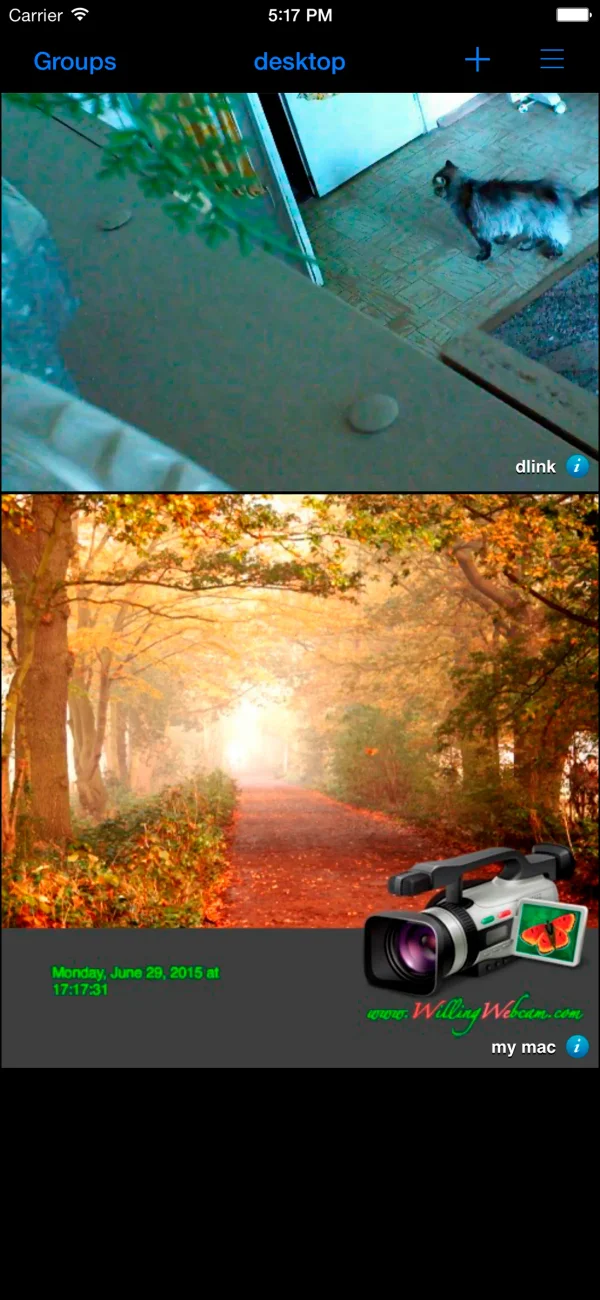
Willing Webcam is a software solution designed to capture video from built-in cameras and approximately 400 IP network cameras. For Mac users, Willing Webcam also captures video from compatible Apple devices, available for download in the App Store: https://apps.apple.com/us/app/willing-webcam-pro/id918928099
Key Features:
- Image Capture: Instantly save webcam images to your program albums or at scheduled intervals. Look for the "f" icon on the camera in the main interface.
- FTP and SFTP Upload: Quickly upload webcam images to your website either instantly or at set intervals. You can delete FTP images using their copies in the Album window, indicated by the "f" icon on the camera in the main interface.
- Time Lapse: Save webcam videos to your albums immediately or at predetermined intervals. The "f" icon on the camera will guide you.
- RTSP Server: Enjoy live video streaming with a minimal delay of just one second, as indicated by the "f" icon on the camera.
- V380 Server: Enjoy live video streaming, as indicated by the "f" icon on the camera.
- Watch Compatibility: View live webcam images on a paired watch (note that the Watch app updates approximately once per second). Check for the "f" icon on the camera in the main interface.
- Albums: Access saved images by opening Groups on the left panel and then the Album window. Tap on an image to view it in a dedicated Image or Video window.
Getting Started:
1. Create a group in the Groups section.
2. Tap the + icon to add a built-in, IP, or Wi-Fi V380 camera to your group.
For built-in cameras:
- Simply tap the Add button.
For IP cameras:
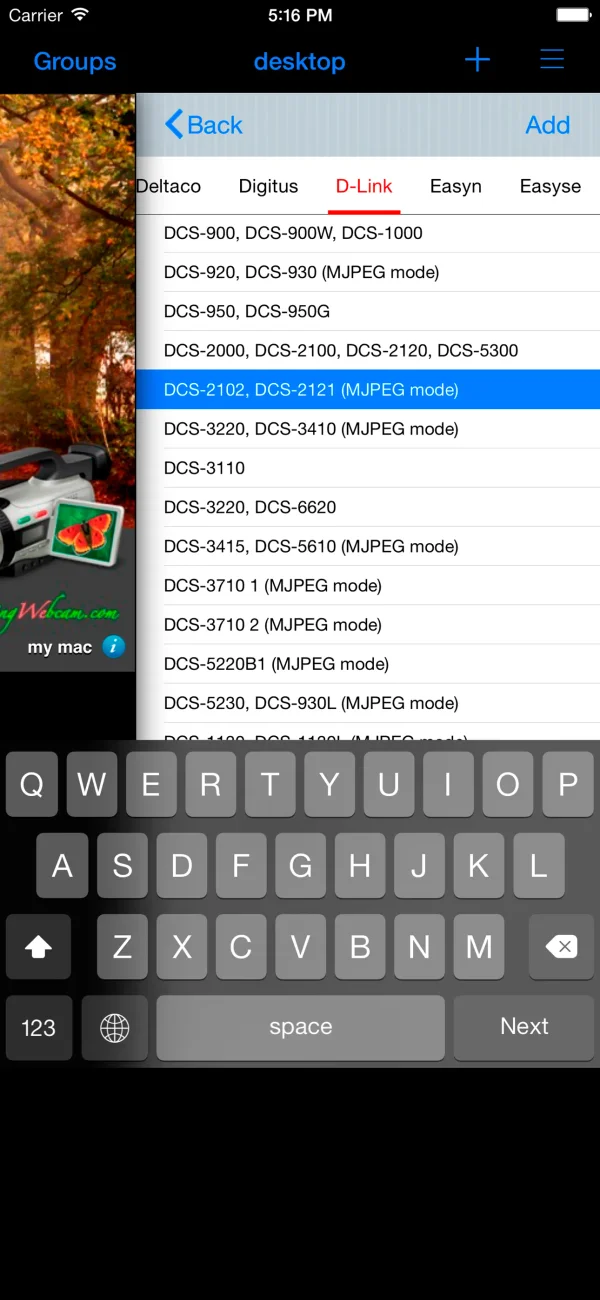
- Choose a manufacturer from the top horizontal list.
- Select your camera model from the table below.
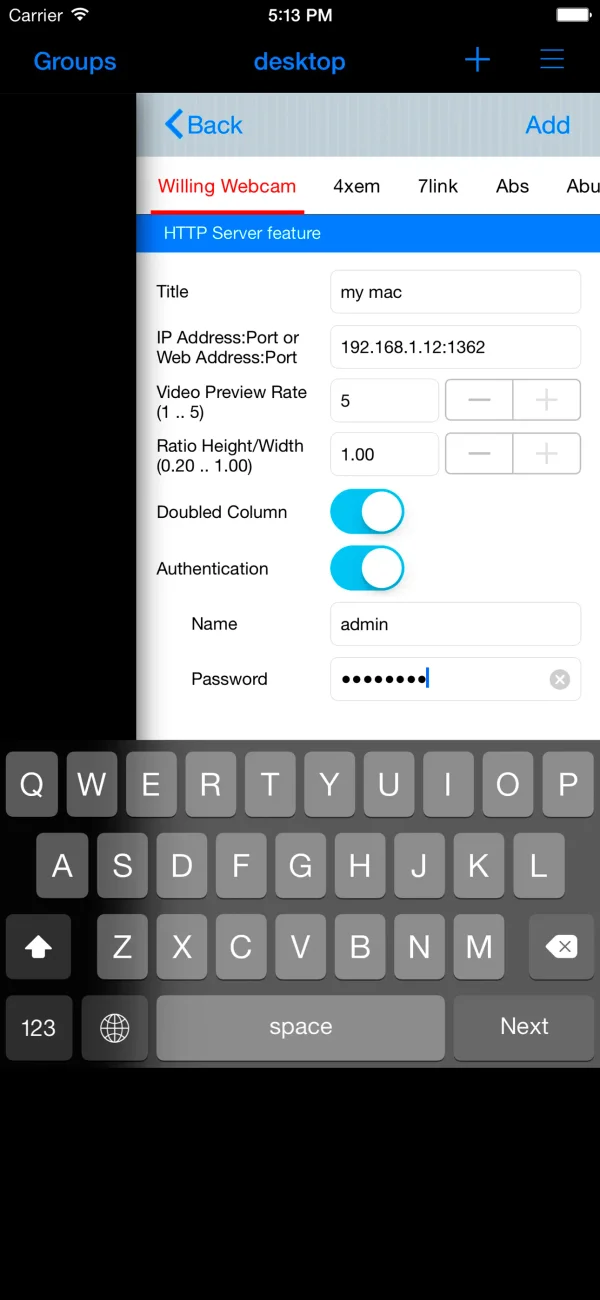
- Enter the IP address of your network camera. If the port is not 80, use the format: IP address:port. Otherwise, just use the IP address.
- If your camera requires protection, fill in the Authentication options.
- Tap the Add button.
- If you don’t see an image, access your IP camera’s web settings and switch the video format from MPEG-4 to JPEG or MJPEG. Experiment with all options for your model.
You can save images and video frames instantly for all camera features in the main window, ensuring that the involved features have their Enable switch set to true. Just tap on the camera. You can disable all features without editing them using the upper-right corner of the camera in the main window.
The program directly supports various network cameras. For more details, visit: https://csmapping.com/ww/index.html
What’s new
Version 1.12.0 · Oct 6, 2024
This app has been updated by Apple to prepare for watchOS 27 compatibility. No new features are included.
Localizations
App privacy
What Oleg Drobyshev declares on the App Store about how this app handles data.
-
Data not collected
The developer does not collect any data from this app.
Privacy practices may vary, for example with the features you use or your age.
Information
- Seller
- Oleg Drobyshev
- Category
- Photo & Video
- Version
- 1.12.0
- Updated
- Oct 6, 2024
- Released
- Jul 7, 2015
- Size
- 41.9 MB
- Requires
- iOS 13.0 or later
- Age rating
- 4+
- Price
- $0.99
- In-app purchases
- Yes
- Languages
- English, German, Portuguese, Russian, Spanish
- Copyright
- Copyright © 2015 - 2024 Willing Software
You might also like
-
 Photo Playground NotAGameBeautiful Moving Photo Effects
-
 Photo Animation Studio AnimateAnime drawing, loop creator,..
-
 Comicscope: Comic Book CameraPhoto Filters & Collage Editor
-
 background img remove INGOAMPTbackground eraser, photo edit
-
 Magic WebcamVideo Streaming in your Wifi
-
 OxcamLightweight Camera Viewer
-
 Retro Camera 1999 - FiltersFilters Pictures Retro Camera
-
 Vlog_CamSave directly to external cam
-
 CameraFTP Time LapseCreate time lapse video
-
 XALBUMS Secret CollectionPrivate Photo Vault