
Windfall - Expense Tracker
Log spending, bills, budgets
Designed for iPhone, iPad
Free · In-app purchases
- Age rating4+
- CategoryFinance
- DeveloperSwapnanil Dhol
- LanguagesEnglish+ 5 more
- Size62.8 MB
Links to the official App Store page
Download.org hosts no file of Windfall - Expense Tracker. The button opens its official App Store page, published by Swapnanil Dhol. Listing last checked on Nov 20, 2026.
Screenshots

About
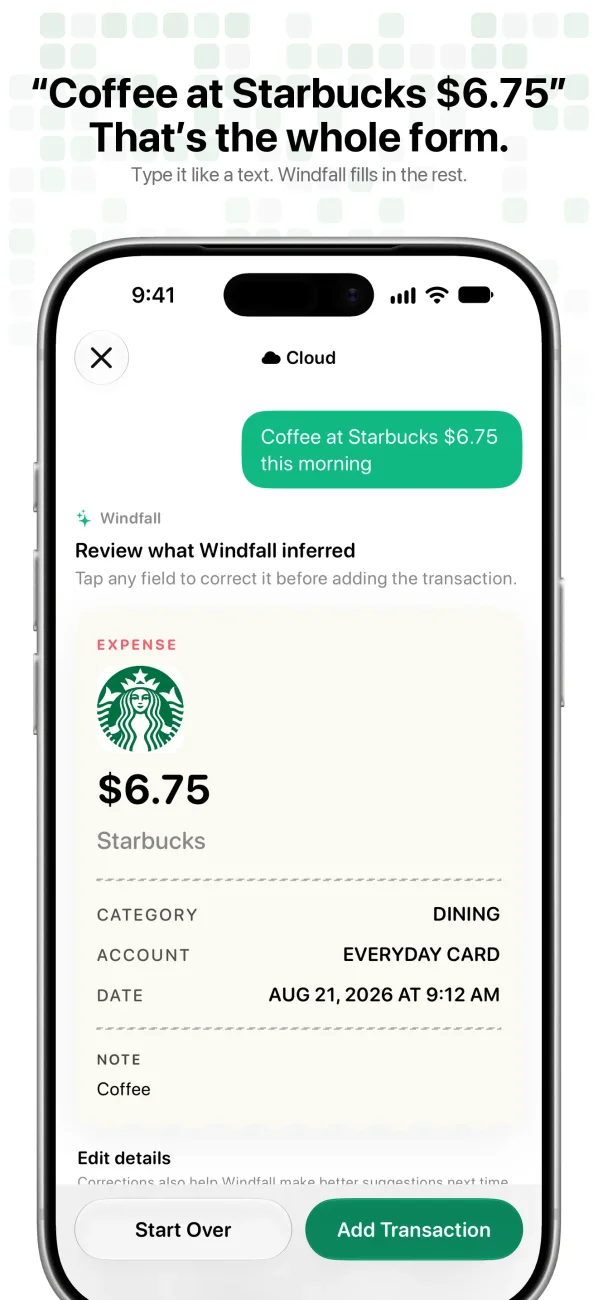
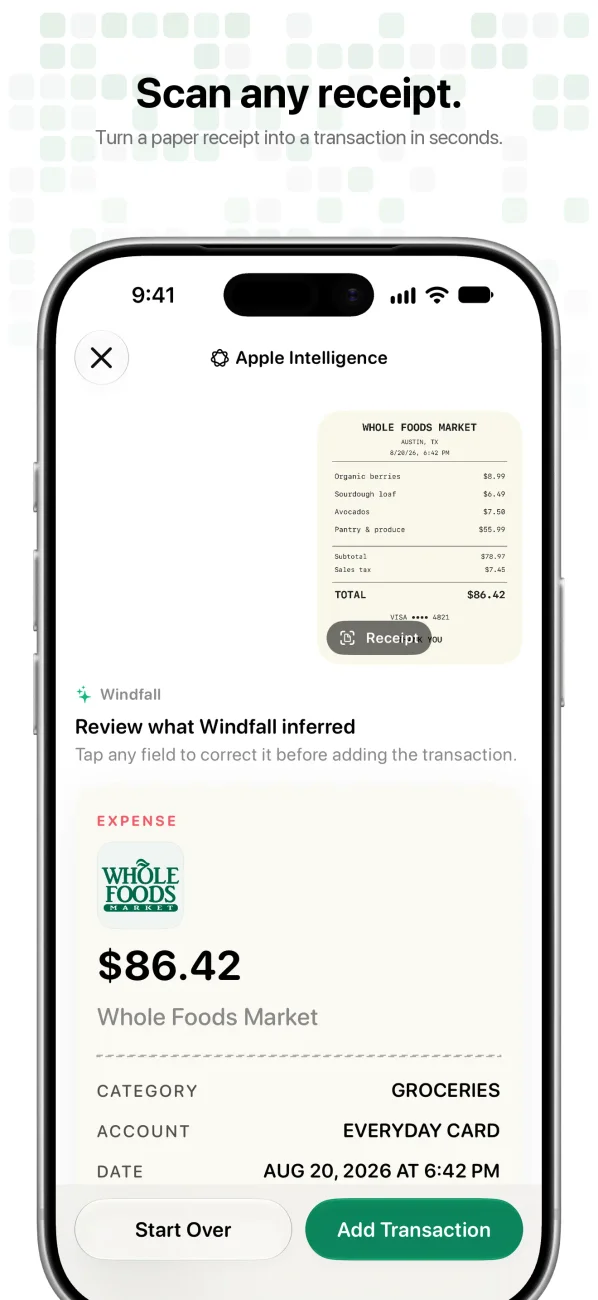
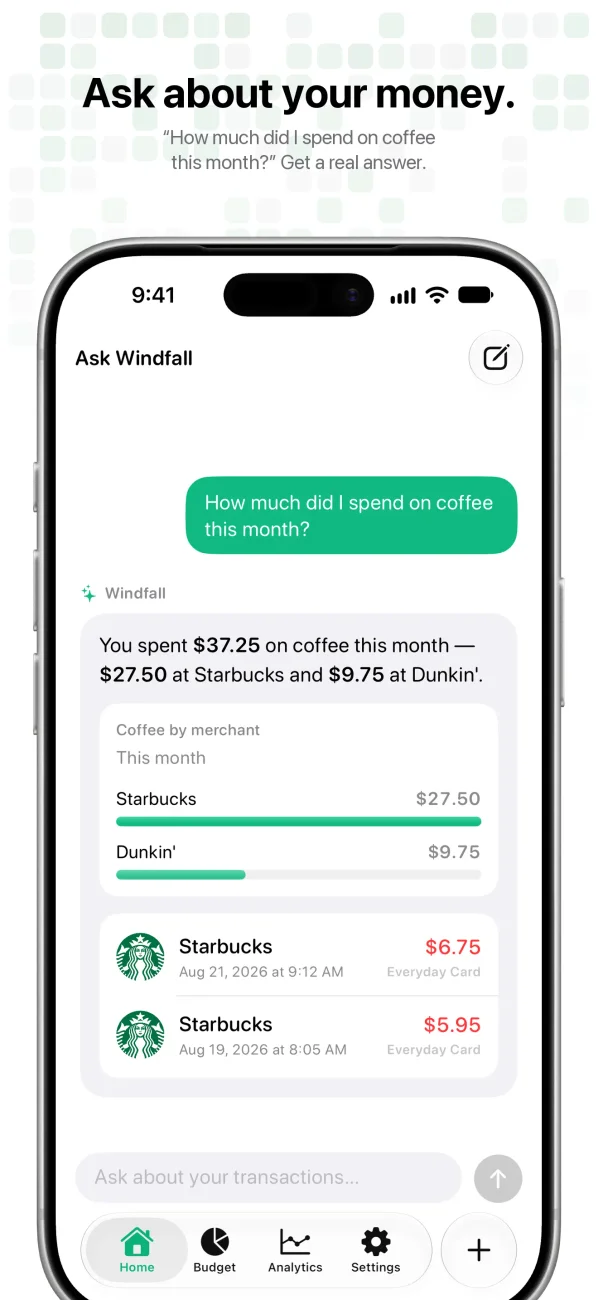
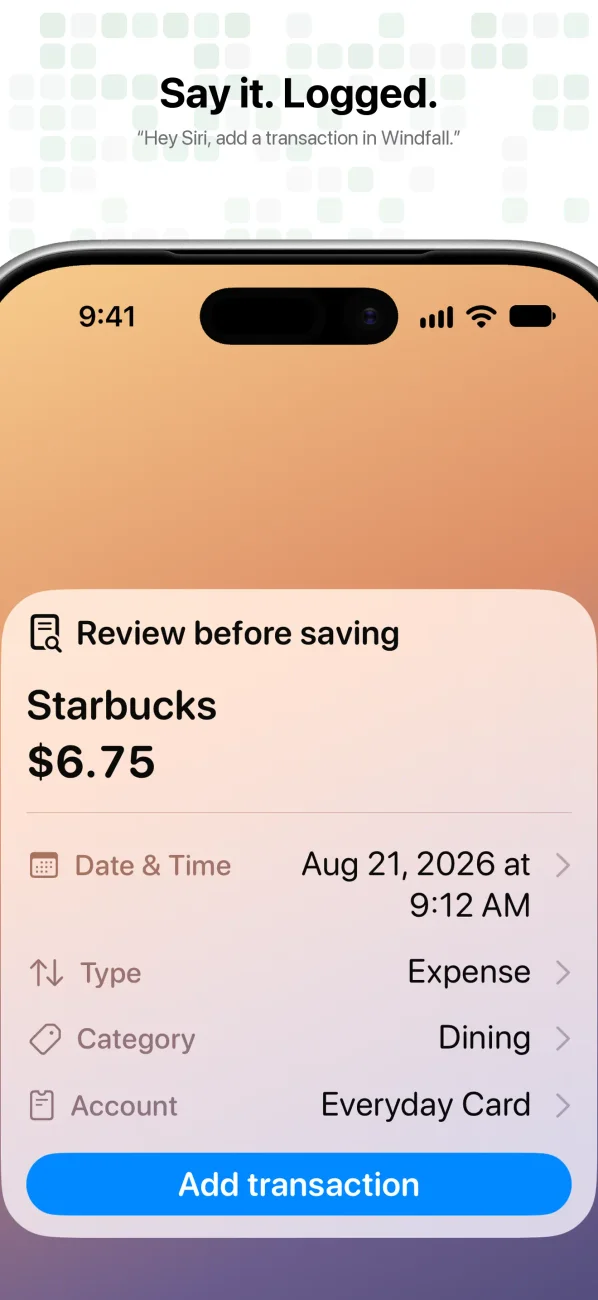
Turn a sentence into a transaction you can review. Type ‘Lunch at Starbucks $12’, ask Siri, or scan a receipt—Windfall prepares the merchant, amount, category, account, and date before you save.
LOG SPENDING YOUR WAY
• Describe expenses and income in natural language
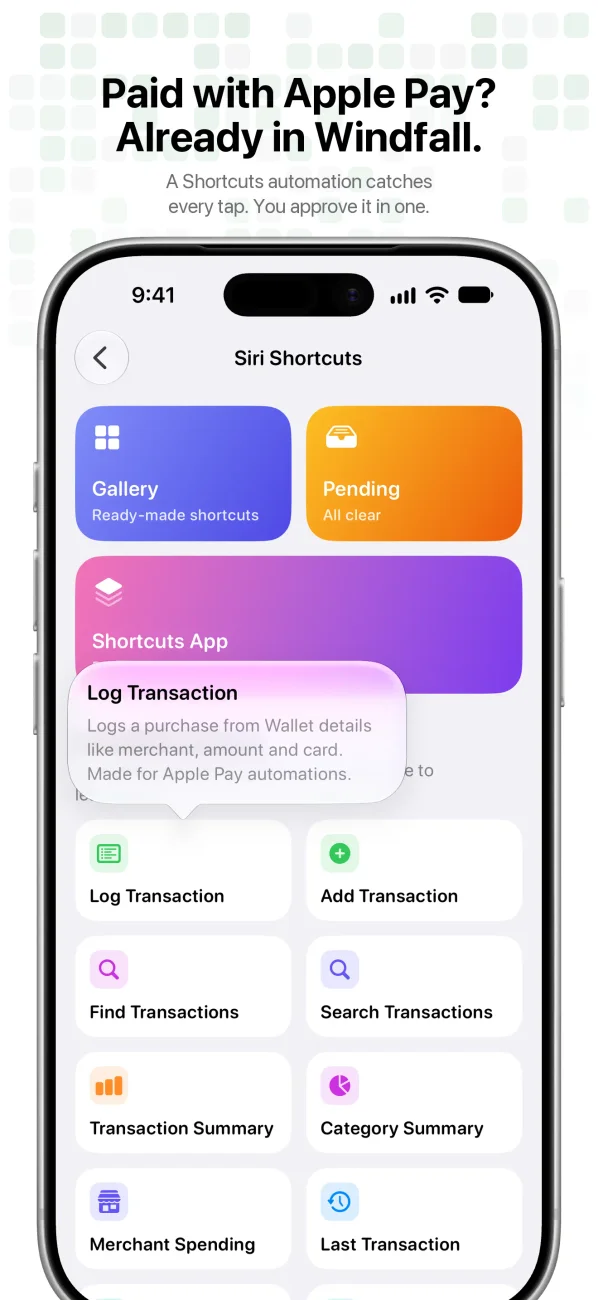
• Ask Siri, use Shortcuts, or run a personal automation
• Review every prepared transaction before saving
• Scan receipts or import multiple transactions
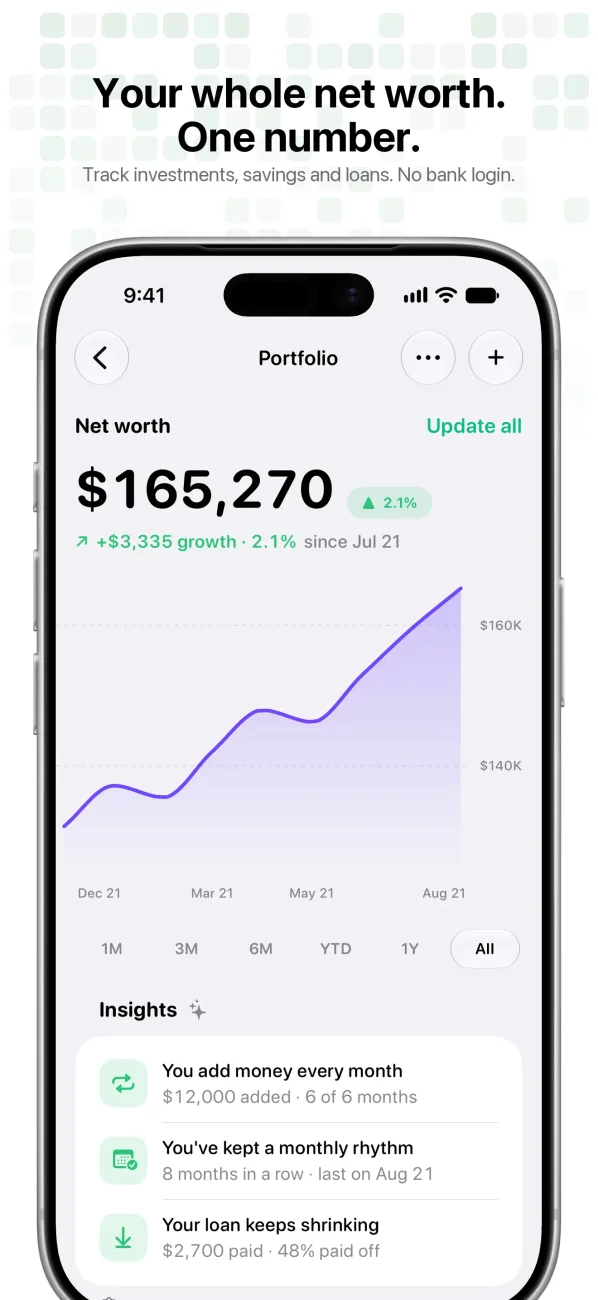
TRACK YOUR NET WORTH (NEW)
• Add what you own and what you owe: funds, stocks, retirement, gold, cash, loans, and credit cards
• You enter the values yourself, so there is nothing to connect and no bank login
• See your net worth over time, with the money you added kept apart from growth
• Update All walks you through every value in about a minute, with a reminder when it's been a while
• Get insights about your saving habits, written on your device with Apple Intelligence on supported iPhones
• Add a Net Worth widget to your Home Screen (Pro)
• Two assets and two liabilities are free; Pro tracks as many as you like
RIGHT ON YOUR WRIST
• Log an expense or income on Apple Watch in a few taps: amount, category, done
• Your most recently used categories come first, and you can dictate a merchant name
• Keep logging when your iPhone is out of reach; entries sync as soon as it's near
• See today's spend on the Home screen and your latest entries under Recent
• Put Today's Spend on a watch face or in the Smart Stack, and tap it to open the keypad
• Say it (Pro): dictate the whole thing, like ‘Uber to the airport $24’, and review the entry before it's saved
• Watch entries count toward the same budgets and insights, and teach Windfall your merchants
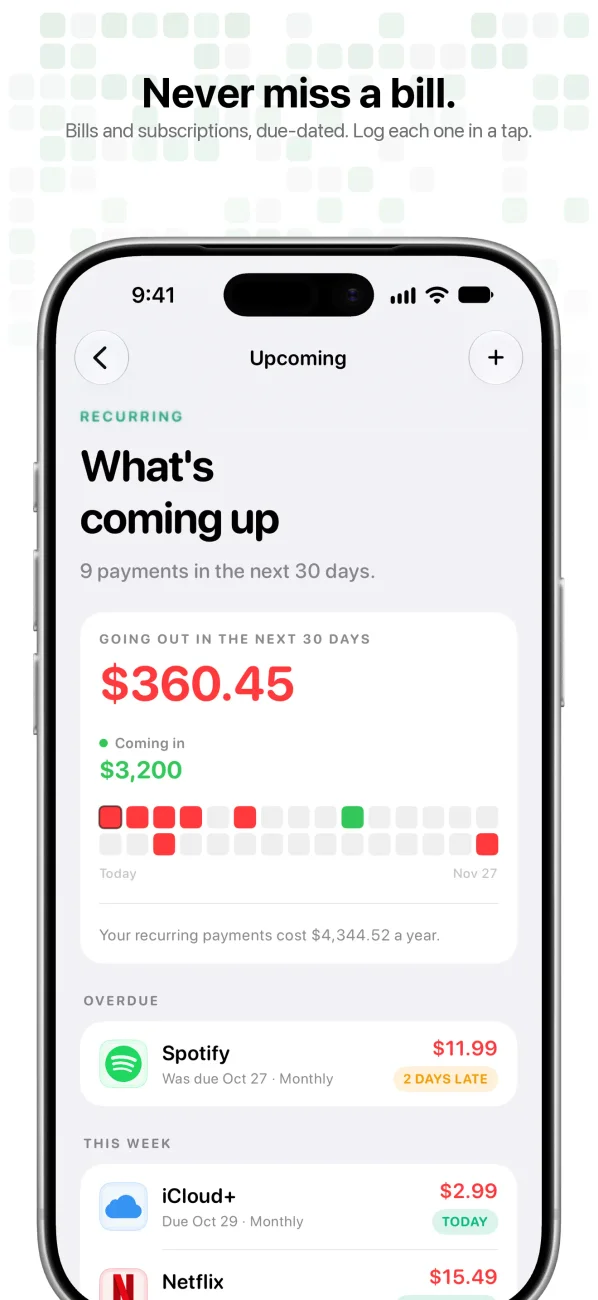
NEVER MISS A BILL (PRO)
• See upcoming bills and income on an Upcoming screen and on Home
• Put your next bills on your Home Screen with the Upcoming Payments widget
• Log recurring payments automatically, or have Windfall ask first
• Get reminders, price-change alerts, and a duplicate warning
• Find recurring payments hiding in your history
• Budgets set money aside for bills that are coming up
• Check and log payments with Siri, Shortcuts, and Spotlight
ACCOUNTS THAT LOOK LIKE CARDS
• Pick a card design and a network such as Visa, Mastercard, American Express, or Discover
• Tap a card to flip it, or drag to tilt it
• Account pickers suggest the account you usually use at a merchant, and tell you why
YOUR YEAR IN REVIEW
• From December 1, relive your year as a story: totals, your biggest month, top categories, and the places you visit most
• See your longest logging streak and what recurring payments cost you over a year (Pro)
• Share a story or square card, with amounts hidden unless you choose to show them
KEEP YOUR MONEY CLEAR
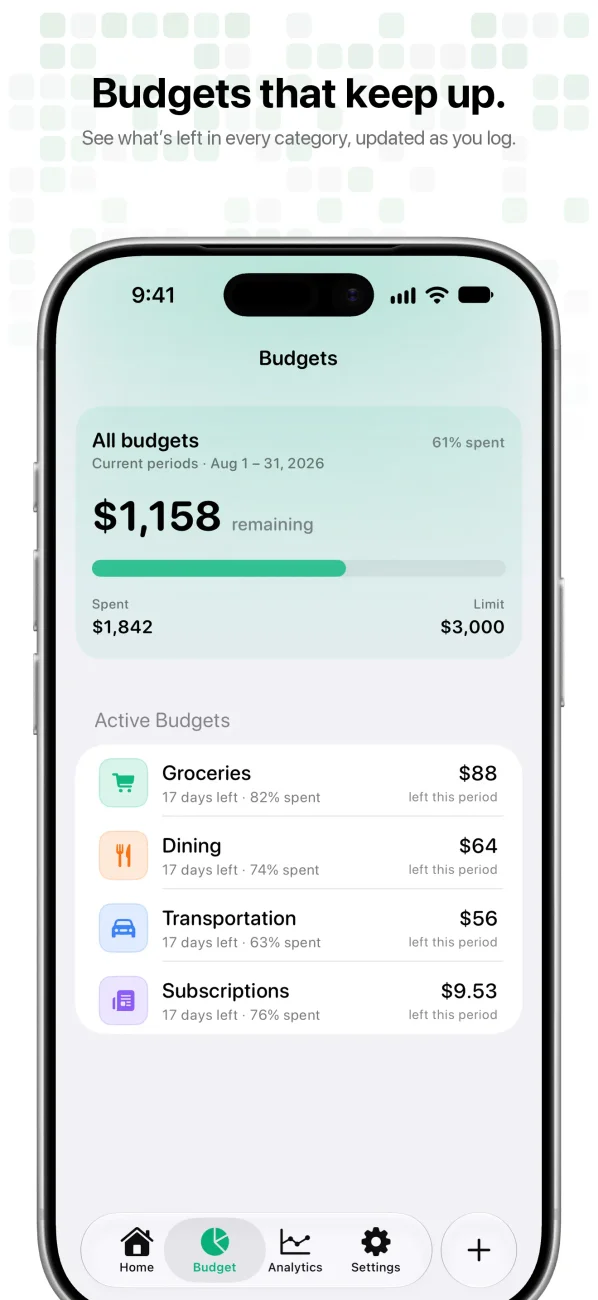
• See weekly, monthly, and yearly budget progress
• Follow trends, categories, forecasts, and activity heat maps
• Use merchant logos, calendar browsing, search, and CSV export
• Track multiple currencies with exchange-rate conversion
NO BANK LOGIN REQUIRED
Windfall never asks for banking credentials or connects to your bank. Saved financial records stay on your device, and entries you log on Apple Watch go straight to your iPhone. Smart Entry can run on device; when Cloud parsing, receipt scanning, or Say it on Apple Watch uses a service provider, only the text, receipt image, and relevant context needed to return the parsed result are sent. Choose your parsing mode in Settings.
A focused ledger, ready for your approval, with native iPhone and Apple Watch tools that fit your routine.
EULA: https://www.apple.com/legal/internet-services/itunes/dev/stdeula/
Privacy Policy: https://trywindfall.app/privacy
What’s new
Version 2.8.1 · Nov 18, 2026
A widget for your next bills, and a sharper year recap.
• New Upcoming Payments widget (Pro): your next payments on the Home Screen, with how many days are left
• Your year in review, ready December 1, now compares with the same days last year and shows the dates it covers when you share it
App privacy
What Swapnanil Dhol declares on the App Store about how this app handles data.
-
Data not linked to you
May be collected but is not linked to your identity.
- Purchases
- Location
- Identifiers
- Diagnostics
Privacy practices may vary, for example with the features you use or your age.
Information
- Seller
- Swapnanil Dhol
- Category
- Finance
- Version
- 2.8.1
- Updated
- Nov 18, 2026
- Released
- Mar 19, 2024
- Size
- 62.8 MB
- Requires
- iOS 26.0 or later
- Age rating
- 4+
- Price
- Free
- In-app purchases
- Yes
- Languages
- English, German, Japanese, Simplified Chinese, Spanish, Traditional Chinese
- Copyright
- © 2026 Swapnanil Dhol
You might also like
-
 ccrewardMaximize Credit Card Rewards
-
 Finma - AI Finance TrackerBudget & Subscription Manager
-
 ConstCash: Money SynergyMoney counter & income manager
-
 Expense Tracker - DollarBookBudget & Expense Tracker
-
 Klarr: Expense TrackerBudget & Finance Management
-
 Spending Tracker - YouSpendBudget Planner & Money Manager
-
 Expeny: Budget & ExpenseBill Tracker & Money Manager
-
 Expenzio - Expense TrackerA Minmal Expense Tracker App
-
 Expense Tracker: ExpenlyBudget Planner & Spending Log