Windshield HUD: Speed & Nav
Head-Up Display & GPS Maps
Designed for iPhone
Free · In-app purchases
- Age rating4+
- CategoryNavigation
- DeveloperReynol Martinez de Lara
- LanguagesEnglish+ 8 more
- Size3.1 MB
Links to the official App Store page
Download.org hosts no file of Windshield HUD: Speed & Nav. The button opens its official App Store page, published by Reynol Martinez de Lara. Listing last checked on Nov 26, 2026.
Screenshots
About
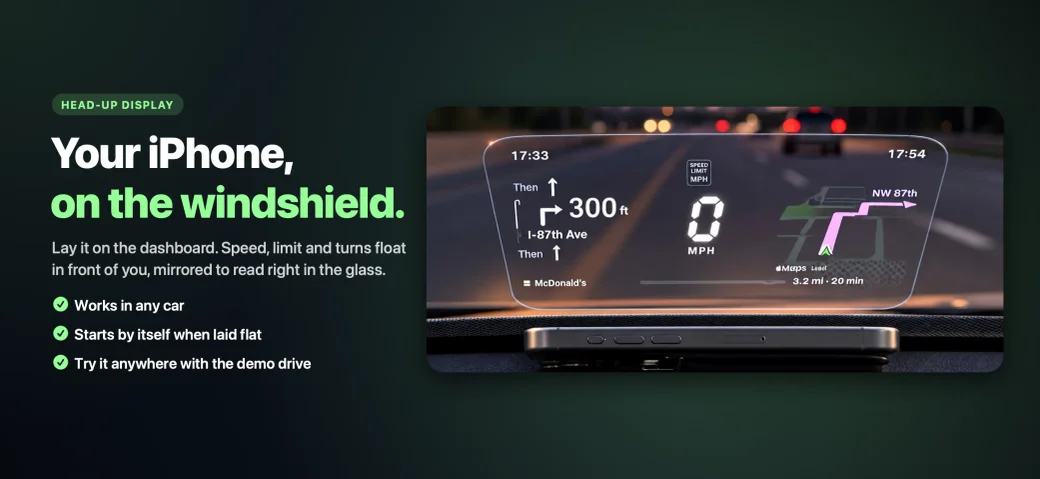
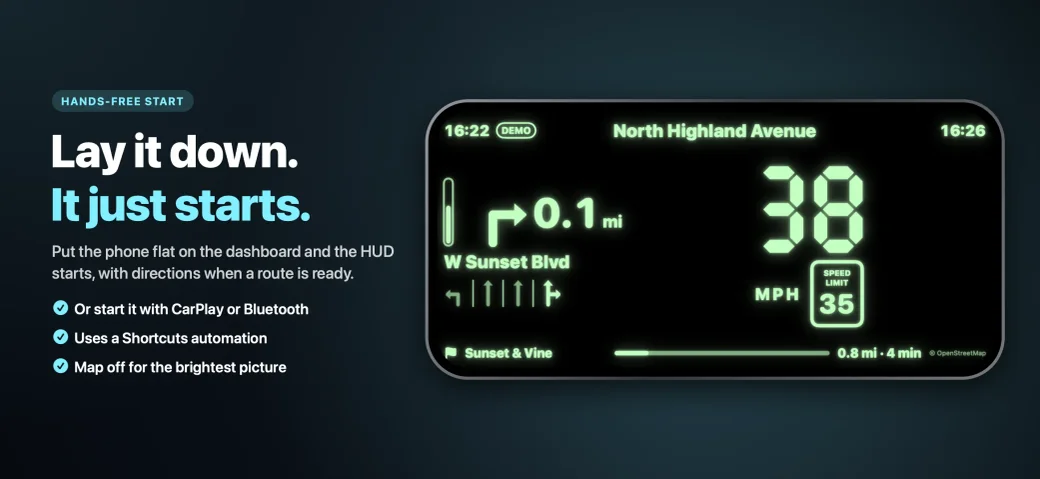
Windshield HUD turns your iPhone into a head-up display. Lay it flat on the dashboard and the app draws everything mirrored, so its reflection in the windshield reads the right way round: your speed, the speed limit, the next turn and the lane to be in, floating in front of you while your eyes stay on the road.
NAVIGATION
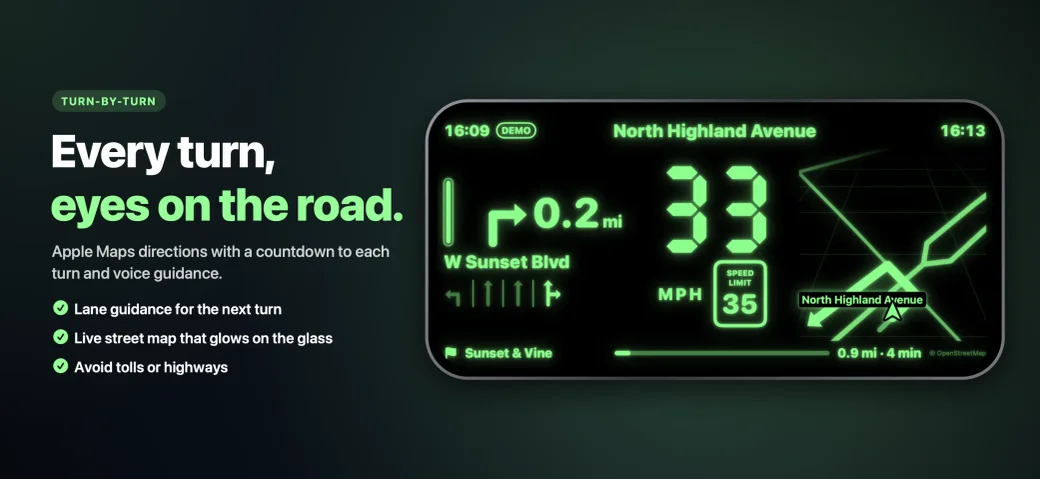
• Turn-by-turn directions by Apple Maps, with alternate route choices, distance countdown and natural voice guidance in 9 languages
• Send destinations straight from Google Maps or Apple Maps using the iOS Share sheet
• One-tap Home, Work and Favorite places, plus hands-free voice destination search
• Avoid tolls or highways
• Lane guidance for the next turn, where OpenStreetMap has lane data
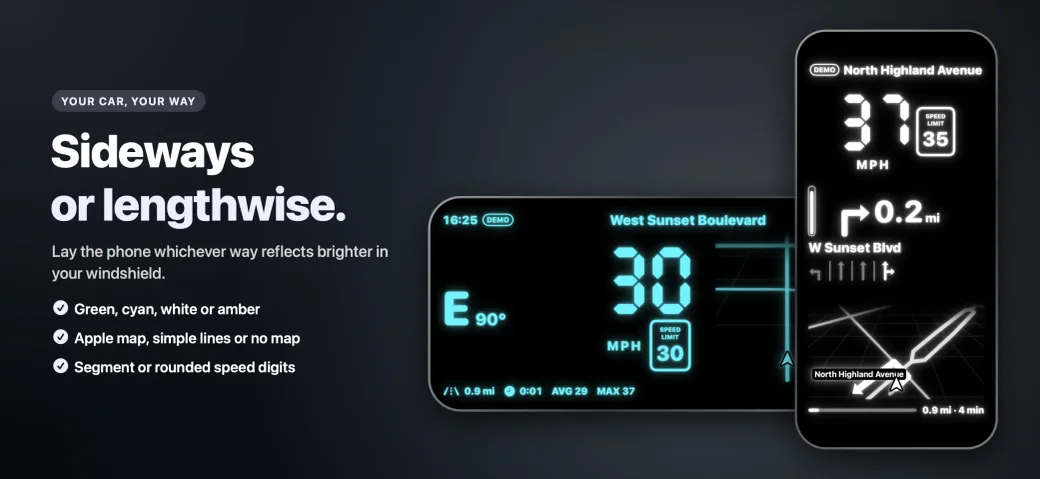
• A live 3D map of streets and buildings in high-contrast single color or Multi-color mode, or no map at all for the brightest, simplest display
• Background audio and location continuity so a brief call never drops your route
SPEED, ALERTS & OBD-II
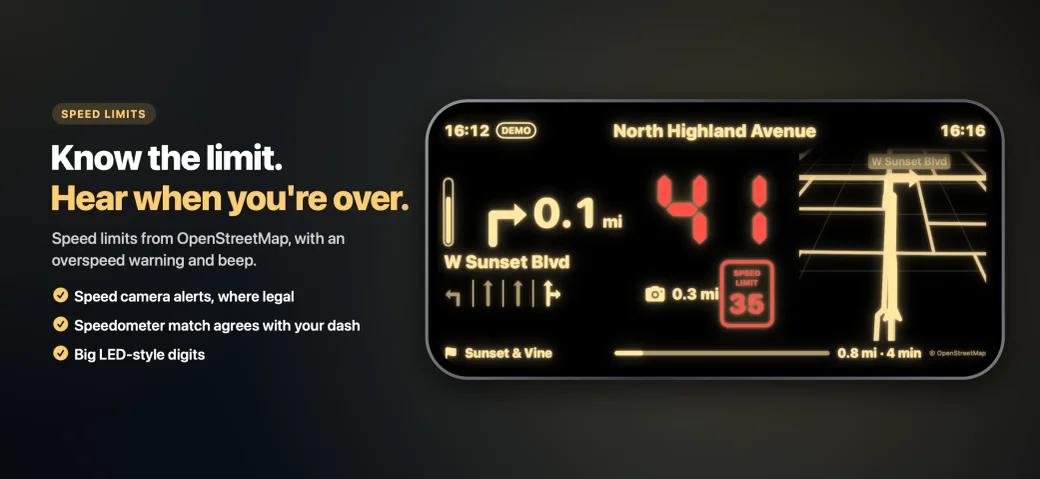
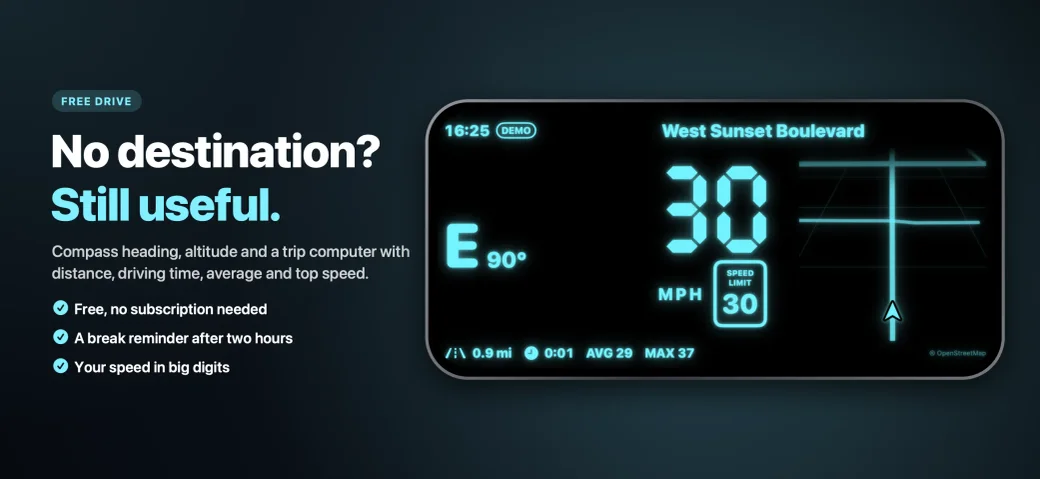
• Big LED-style speed digits in 14 automotive HUD colors plus a full Custom color picker
• Speedometer match, so the HUD agrees with your car's dashboard
• Speed limits from OpenStreetMap, with an overspeed warning and beep
• Speed camera alerts where cameras are mapped and the alerts are legal
• Bluetooth OBD-II (ELM327 BLE) support for live RPM shift bar, coolant temperature, battery voltage and optional tunnel-proof ECU speed
FREE DRIVE & TRIPS
• No destination needed: compass heading, altitude and a live trip computer with distance, driving time, average and top speed
• Private on-device trip history with CSV mileage export
• A break reminder after two hours at the wheel
MADE FOR THE WINDSHIELD
• Lay the phone flat on the dashboard and the HUD starts by itself
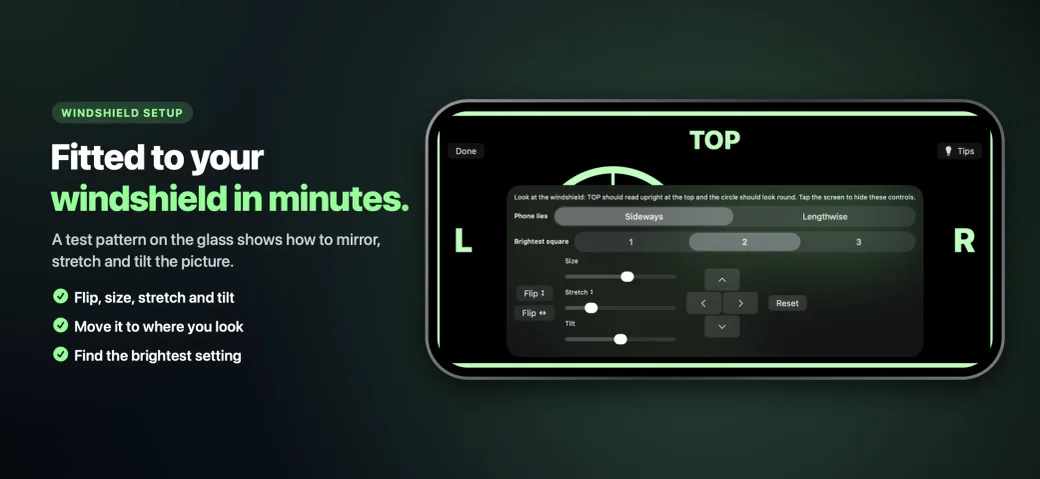
• Mirrored, stretched and tilted to match your windshield, fitted in minutes with a test pattern shown on the glass
• Save separate calibration profiles for multiple cars
• Runs at full brightness with HDR boost and phosphor glow, plus automatic thermal protection and OLED pixel shift on sunny dashboards
• Works sideways, lengthwise, or on iPhone Duo
• Opens automatically via CarPlay or Bluetooth Shortcuts ("Start HUD", "Drive Home", "Drive to Work")
• Try it anywhere with the built-in demo drive
FOR THE BRIGHTEST PICTURE: A HUD REFLECTIVE FILM
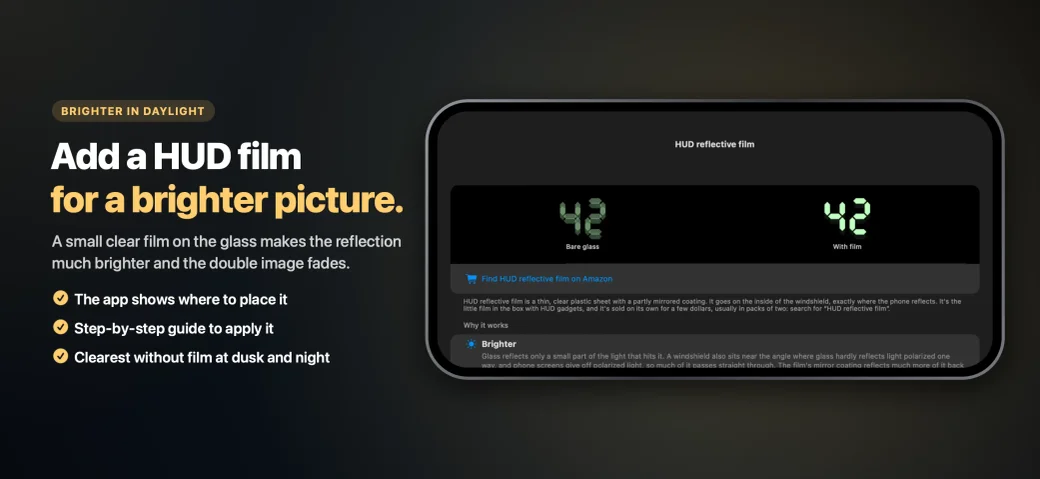
Plain windshield glass reflects only a small part of a phone's light, and its inner and outer surfaces each create a reflection (a double image). A clear HUD reflective film stuck inside the windshield makes the picture much brighter and removes the double image. Search "HUD reflective film" (15 x 13 cm / 5.9 x 5.1 in) on Amazon or any car accessory store. The app guides placement and application. Without a film, the HUD is clearest at dusk, at night, and on cloudy days.
HUD PRO
The speedometer, compass, trip computer, windshield setup and demo drive are free. HUD Pro unlocks turn-by-turn navigation on the HUD, speed limits, speed camera alerts, Bluetooth OBD-II gauges, multi-car profiles and CSV trip export: monthly or yearly subscription (yearly starts with a free week), or a one-time lifetime purchase. Subscriptions renew automatically unless canceled at least 24 hours before renewal; manage them in Apple Account settings.
GOOD TO KNOW
• Keep the phone and the film low, out of your view of the road, and use a non-slip dash mat so the phone stays put.
• Laws on windshield stickers and phones on the dashboard differ by country and state. Check yours.
• Polarized sunglasses can make windshield reflections disappear.
• Map data can be missing or out of date. Always obey posted signs.
Routing and search by Apple Maps. Speed limits, speed cameras and lanes © OpenStreetMap contributors. Street map by OpenFreeMap, © OpenMapTiles © OpenStreetMap contributors.
Terms of Use: https://www.apple.com/legal/internet-services/itunes/dev/stdeula/
Privacy Policy: https://reyml.github.io/windshield-hud/privacy.html
What’s new
Version 1.1.0 · Nov 26, 2026
• 14 HUD colors (Green, Mint, Lime, Cyan, Blue, White, Yellow, Amber, Orange, Coral, Red, Pink, Magenta, Purple) plus a full Custom color picker and live in-HUD palette switcher
• New Multi-color map mode alongside high-contrast single color, plus sharper, smoother 60 fps vector route rendering
• Bluetooth OBD-II (ELM327 BLE) support: live RPM shift bar, coolant temperature, battery voltage and tunnel-proof ECU speed (HUD Pro)
• Share destinations straight from Google Maps or Apple Maps into Windshield HUD via the iOS Share sheet
• Dedicated adaptive layout for iPhone Duo and refined Dynamic Island safe-area alignment
• One-tap Home, Work & Favorite destinations, plus Siri/CarPlay Shortcuts ("Drive Home" and "Drive to Work")
• Hands-free voice destination search, alternate route choices and a quick map recenter button
• Multi-car calibration profiles and private on-device Trip History with CSV export (HUD Pro)
• Full native localization & voice guidance in 9 languages, faster cached speed-limit tiles, thermal protection, OLED pixel shift and background navigation continuity during calls
App privacy
What Reynol Martinez de Lara declares on the App Store about how this app handles data.
-
Data not collected
The developer does not collect any data from this app.
Privacy practices may vary, for example with the features you use or your age.
Information
- Seller
- Reynol Martinez de Lara
- Category
- Navigation
- Version
- 1.1.0
- Updated
- Nov 26, 2026
- Released
- Nov 10, 2026
- Size
- 3.1 MB
- Requires
- iOS 17.0 or later
- Age rating
- 4+
- Price
- Free
- In-app purchases
- Yes
- Languages
- English, Dutch, French, German, Italian, Japanese, Korean, Portuguese, Spanish
- Copyright
- © 2026 Reynol Martinez de Lara
You might also like
-
 iMDrive: Car Dashboard & OBD2Speedometer, HUD & Diagnostics
-
 MiniMap HUDThe world as a HUD
-
 DriveHUD NavigatorNavigation
-
 Pro GPS: Speedometer & HUDSpeedometer & Trip Logger
-
 DashOS: Car Dashboard & MapNavigation, Dashcam & Music
-
 Car HUD: Speed & NavigationHeads-up display for driving
-
 Jetbee DriverJetbee Driver App
-
 Head-Up Display - SpeedometerGPS Speed, Odometer & HUD
-
 Widgio: Car Widgets DashboardConnect & Control Car Widget
-
 CarDash: Car Dashboard & HUDGPS Digital Speedometer & Maps