
- Age rating4+
- CategoryUtilities
- DeveloperMarco Janssen
- LanguagesEnglish
- Size19.4 MB
Links to the official App Store page
Download.org hosts no file of WispPGP. The button opens its official App Store page, published by Marco Janssen. Listing last checked on Nov 22, 2026.
Screenshots


About
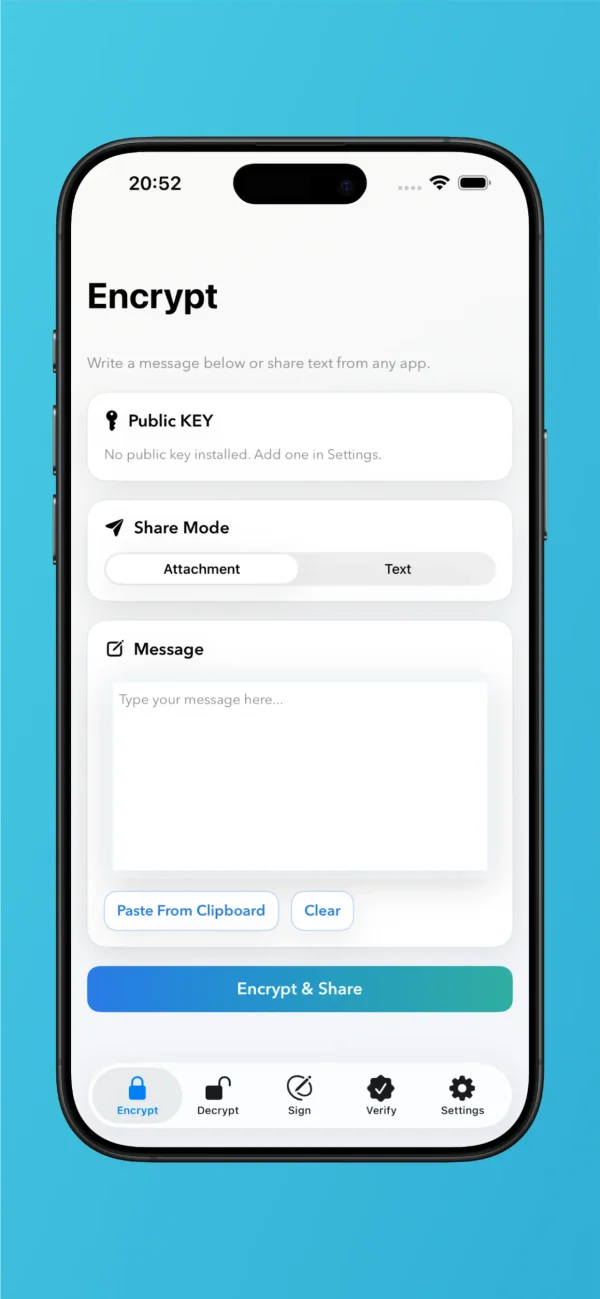
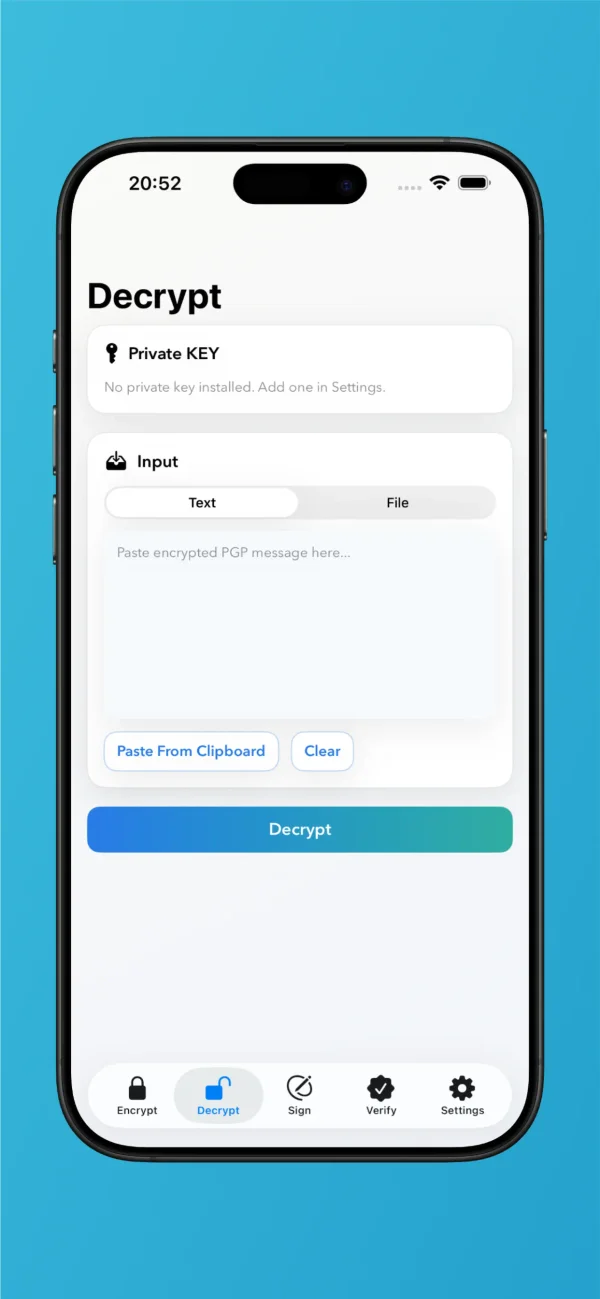
WispPGP is a focused OpenPGP toolkit for iPhone. Encrypt, decrypt, sign, and verify text in seconds, or use the Share Extension to protect content from any app and send it as ASCII‑armored .asc. Manage multiple keys, set an active key, and keep your workflow fast and predictable.
Built for iOS 17+, WispPGP keeps cryptography practical: generate key pairs, label keys clearly, and choose whether to share encrypted output as a file attachment or as plain text. The experience is intentionally clean so you can work quickly without losing control of important details. Powered by GoOpenPGP (MIT) for broad OpenPGP compatibility.
Armored exports include clear headers: Version: WispPGP, Comment: https://micro.mjanssen.nl/wisppgp
Highlights
• Encrypt and decrypt messages with OpenPGP.
• Sign and verify messages to confirm authenticity.
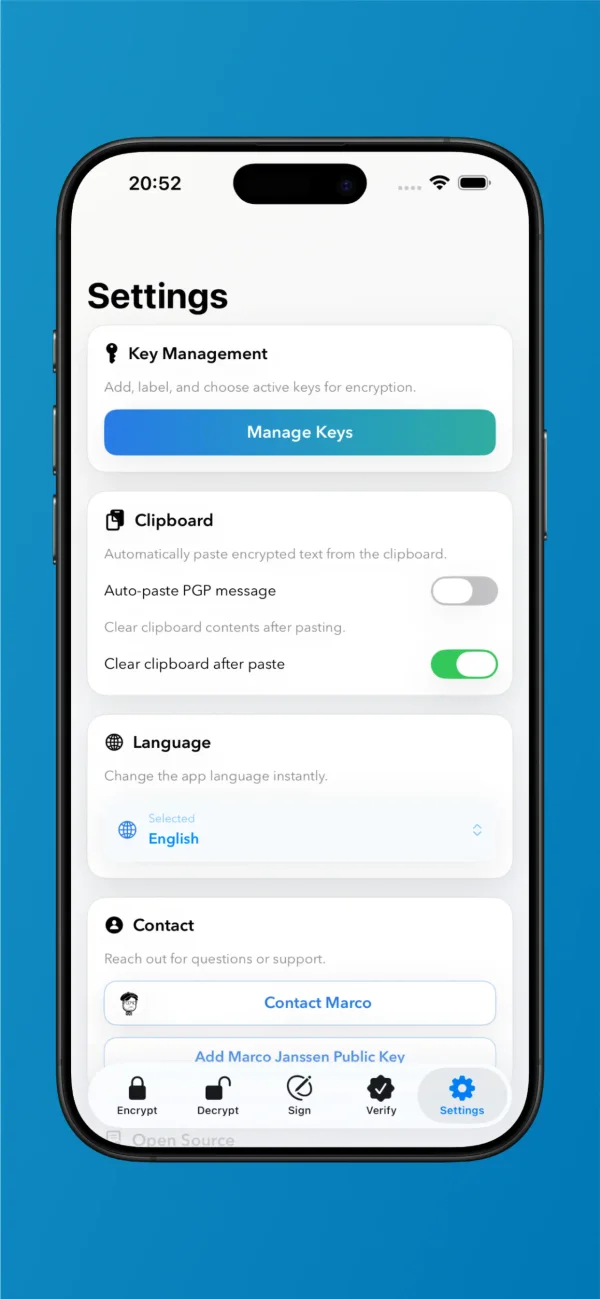
• Generate and manage multiple key pairs with name, email, and comment.
• Set an active key to speed up repeated actions.
• Share encrypted output as ASCII‑armored text or .asc files.
• Use the Share Extension to protect text from any app.
Security & Privacy
• Biometric access is required for private keys and stored passphrases.
• Private keys are stored in iOS Keychain with device-only access.
• No plaintext key files are written to disk.
• Sensitive passphrases are cleared when the app goes to background.
• Optional clipboard auto-clear after pasting.
• The source code is open source, so anyone can review what happens with their private keys.
Security Test Checklist
• Key Manager access prompts Face ID; cancel keeps the screen locked.
• Private key actions (Decrypt/Sign/Export) always prompt biometrics.
• Lockout behavior: repeated failures show the biometry lock message.
• No biometric enrolled: shows a clear not enrolled/not available message.
• Passcode disabled: shows a clear passcode-required message.
• App backgrounding locks Key Manager again on return.
• Share Extension prompts biometrics for private-key operations.
What’s new
Version 1.7 · Nov 20, 2026
What’s New in 1.7
• Stronger encrypted vault backups: PBKDF2-HMAC-SHA256 (600,000 iterations) with AES-256-GCM
• Envelox-compatible version-2 backup format (version-1 backups still open; export again for the new protection)
• Safer handling of malformed PGP keys to prevent a parser crash
• Extra regression checks across supported key types
App privacy
What Marco Janssen declares on the App Store about how this app handles data.
-
Data not collected
The developer does not collect any data from this app.
Privacy practices may vary, for example with the features you use or your age.
Information
- Seller
- Marco Janssen
- Category
- Utilities
- Version
- 1.7
- Updated
- Nov 20, 2026
- Released
- Jan 22, 2026
- Size
- 19.4 MB
- Requires
- iOS 16.0 or later
- Age rating
- 4+
- Languages
- English
- Copyright
- © 2026 (c) Marco Janssen
You might also like
-
 Nigh: Christmas CountdownEvent Widget, Days Until Trip
-
 TapTik: Silent Haptic FidgetTactile Vibration Clicker Pad
-
 Totient: Fraction CalculatorFlooring, tile & deck math
-
 Uruky - Private Ad-Free SearchSearch privately, without ads
-
 Wavelet Voice SonogramUtilities
-
 Keywave - PGP EncryptionOffline Keys. No Servers.
-
 Wave - MaritimeUtilities
-
 Pocket-pgpOffline OpenPGP Encryption
-
 Dynamic DNSDynamic DNS
-
 KeyoxideDecentralized online identity