
- Age rating4+
- CategoryUtilities
- DeveloperTOON,LLC
- LanguagesEnglish
- Size466.0 KB
Links to the official App Store page
Download.org hosts no file of Wavelet Voice Sonogram. The button opens its official App Store page, published by TOON,LLC. Listing last checked on Nov 12, 2026.
Screenshots



About
"Wavelet Voice Sonogram" is a sound spectrogram app that performs time-frequency analysis of acoustic signals.
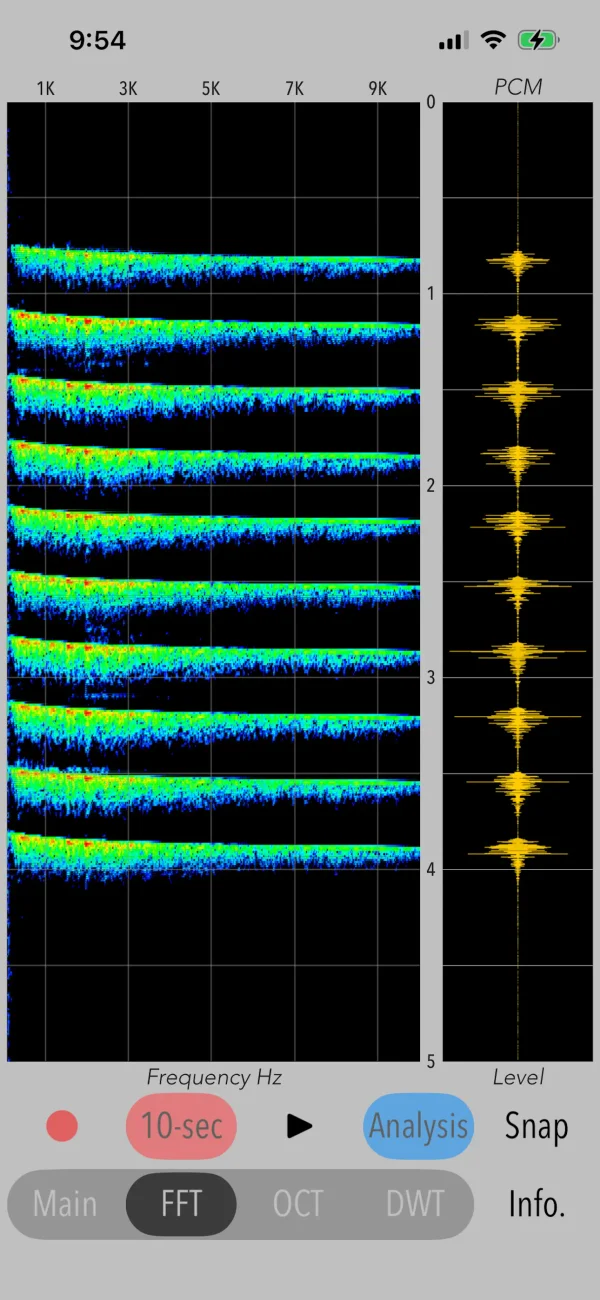
A spectrogram is a graph displaying the results of a sound frequency spectrum analysis, with time on the horizontal axis, frequency on the vertical axis, and signal strength represented by colors.
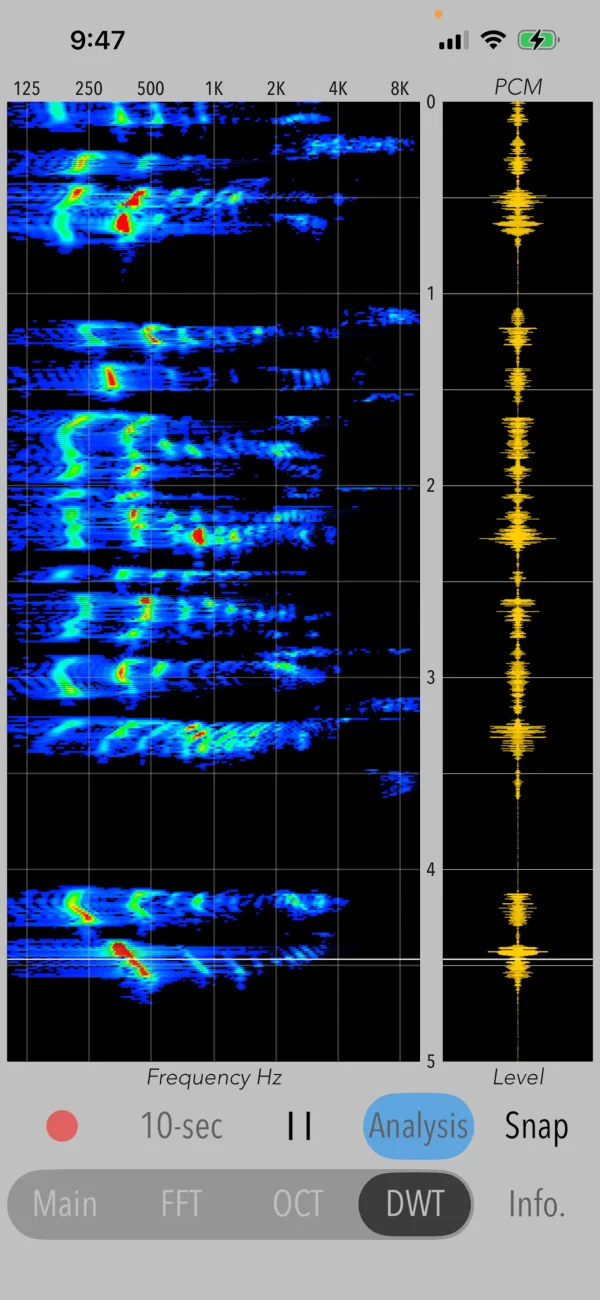
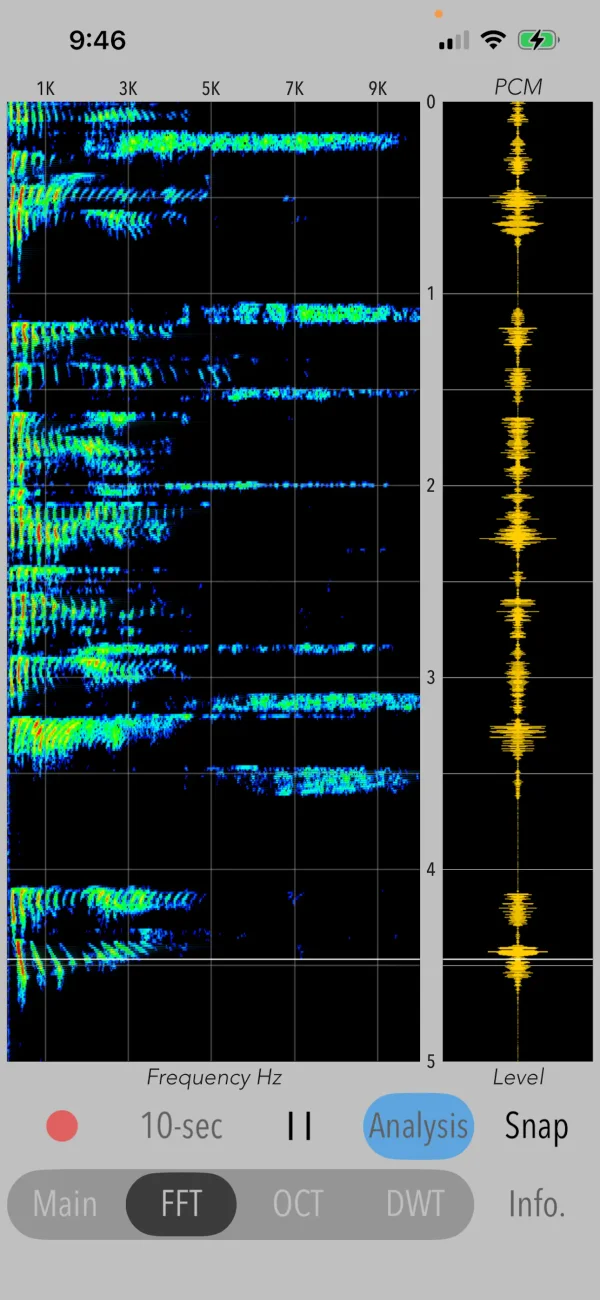
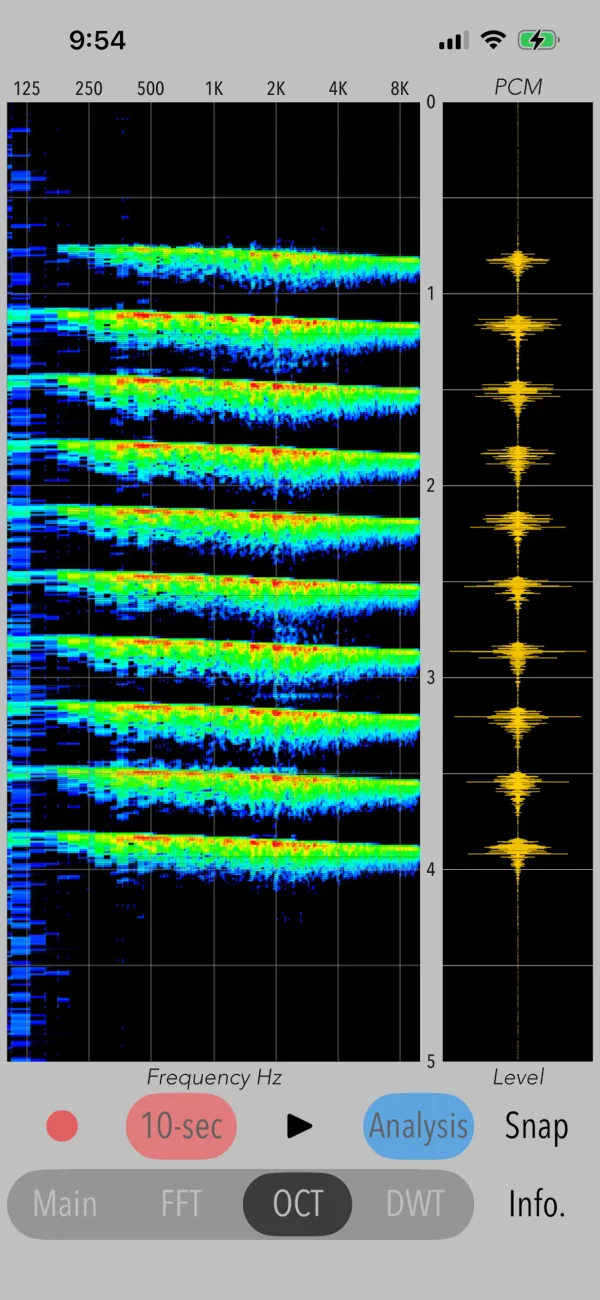
This app can perform acoustic analysis and display the spectrograms by using three time-frequency analysis methods, Wavelet analysis, Octave Band analysis, and FFT analysis.
It can also record sounds from iPhone's built-in microphone. While playing back a recording, you can search for the desired sound and analyze it.
"Wavelet Voice Sonogram" makes it easy to analyze the acoustics of speech, instrumental sounds, noise, and more. It can also be used to learn the basics of speech analysis.
Features:
- Acoustic analysis can be performed using PCM data recorded with the iPhone's built-in microphone. It is possible to analyze 5 seconds of sound data backward from a user-specified point in time.
- Three types of acoustic analysis, FFT analysis, octave band analysis and wavelet analysis, can be performed simultaneously.
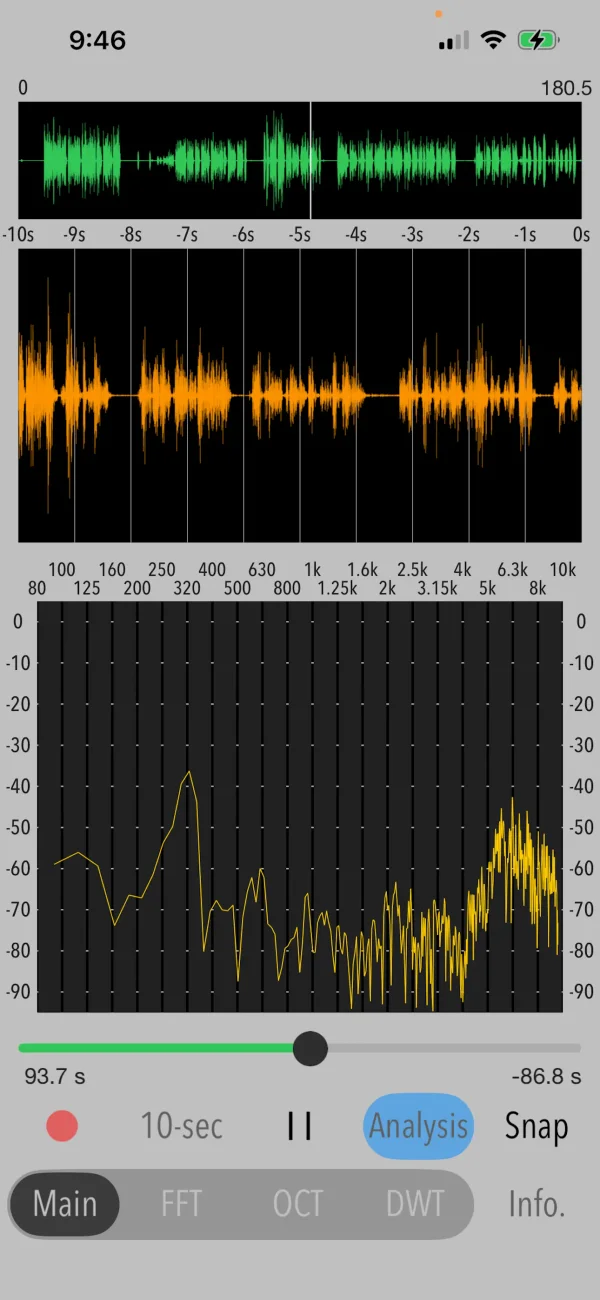
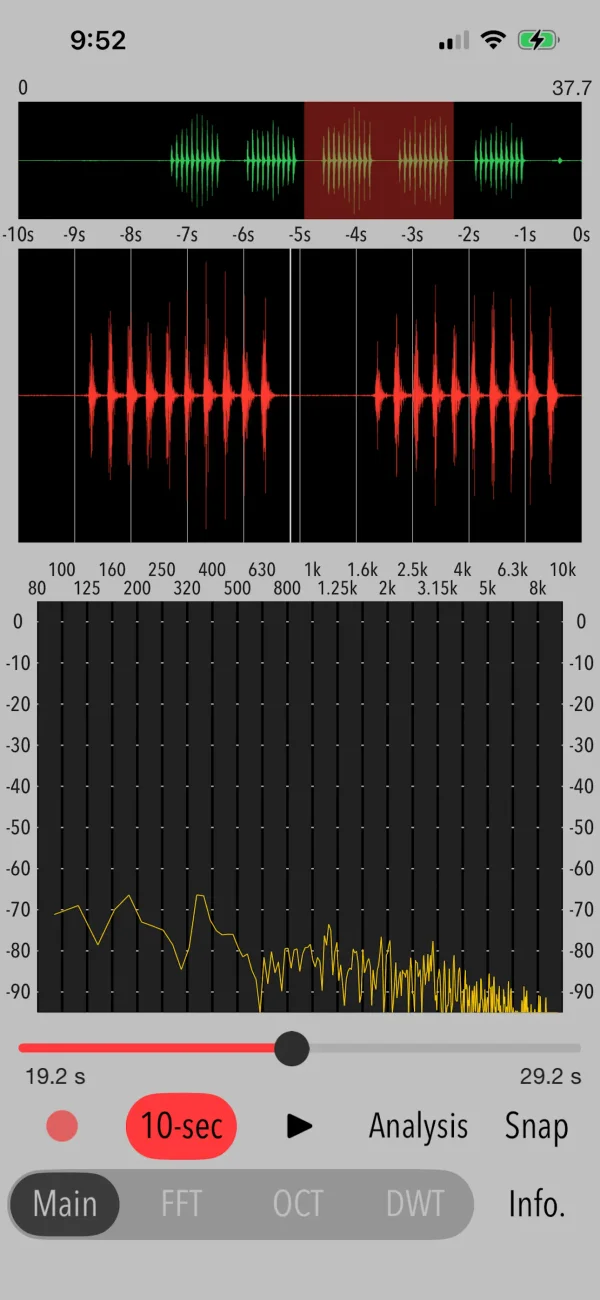
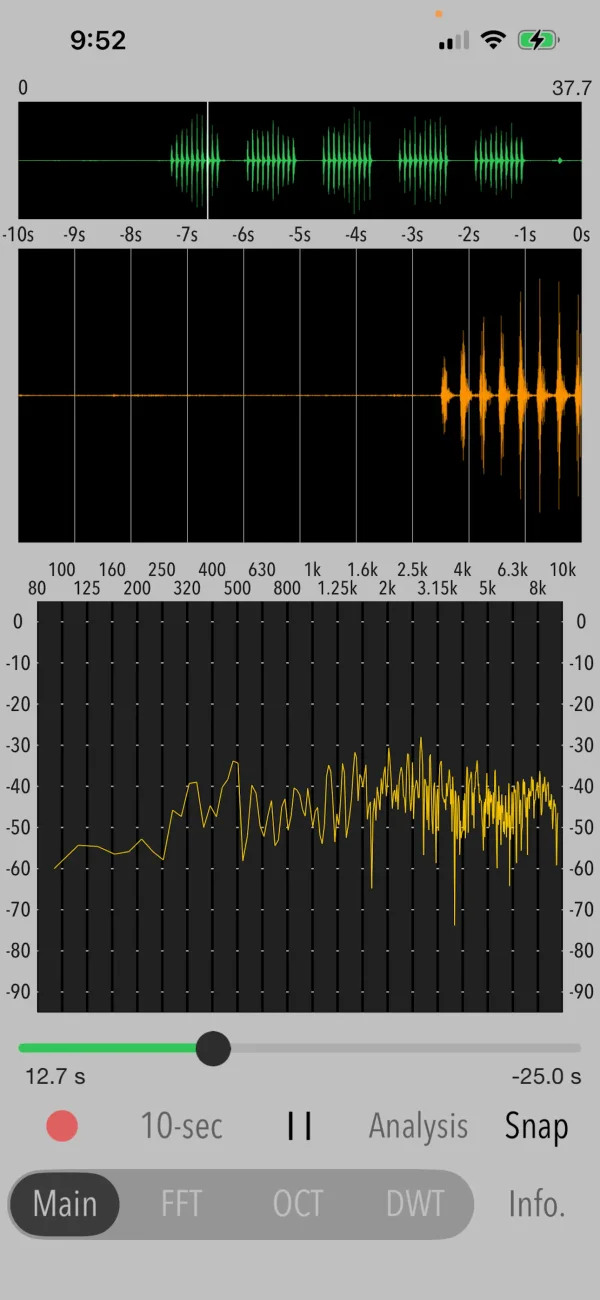
- PCM sound recording and playback is possible up to about 180 seconds, and the audio waveform graph and FFT analysis graph are displayed. While playing back sound, you can search for sound at any point in time.
- Zoom in on a specific 10 seconds of PCM data and play back the sound. Used to find a specific sound at the point in time you want to analyze.
- The spectrogram analysis result and time axis waveform can be contrasted and played back.
Specifications:
- Sampling frequency: 48 kHz
- PCM recording time: approx. 180 seconds max.
- Sound zoom function (10-Sec): Zooms in on any 10 seconds of PCM data and plays back the sound.
- 3 types of acoustic analysis function (Analysis): About 5 seconds (Analysis points can be specified using the Time position slider.)
-- FFT analysis (FFT): FFT 2048 points
-- Octave band analysis (OCT): 1/48 octave band
-- Wavelet analysis (DWT): Gabor Wavelet
- Sound recording and playback, sound waveform and FFT graph display (Main): PCM graph, 10sec zoom graph, FFT graph.
- Time position slider: Points to the cursor position on PCM graph.
- Spectrogram display (FFT / OCT / DWT): 5 sec PCM graph and spectrogram analysis graph (vertical axis - time [0 - 5.0 sec], horizontal axis - frequency [100Hz - 8kHz])
- Snapshot (Snap): Save the analysis image in "Photos".
Notes:
- The acoustic analysis time varies significantly depending on the performance of your iPhone (product generation). It may take about 5 to 20 seconds.
- Wireless (Bluetooth) headphones and headsets are not supported.
- The first time the app accesses the built-in microphone and Photos after installation, the iOS system will ask you for permission to access them. If you have not enabled this setting, the application will not be able to access them due to iOS system privacy restrictions. Please enable the access permission in the iOS setting "Settings > Privacy & Security > Photos or Microphone".
Please visit our iOS app support page for more information on this app.
What’s new
Version 6.1 · Aug 29, 2026
- Improved internal processing and performance.
App privacy
What TOON,LLC declares on the App Store about how this app handles data.
-
Data not collected
The developer does not collect any data from this app.
Privacy practices may vary, for example with the features you use or your age.
Information
- Seller
- TOON,LLC
- Category
- Utilities
- Version
- 6.1
- Updated
- Aug 29, 2026
- Released
- Jul 26, 2021
- Size
- 466.0 KB
- Requires
- iOS 26.2 or later
- Age rating
- 4+
- Languages
- English
- Copyright
- © TOON,LLC
You might also like
-
 Phakchi - Thai Keyboard -Easy Thai keyboard for iPhone
-
 FFT AnalyzerProfessional FFT Analysis
-
 Audio SAspectrum analyzer
-
 EyeSound VocalSEE what is said
-
 Halcyon CalcUtilities
-
 TimerIntervals & voice alerts
-
 DriveRadarStorage Analyzer & Cleaner
-
 Sound Meter: dB & Noise LevelDecibel Monitor & Oscilloscope
-
 NetTools ProPro Network Toolkit