
Woodworking Designs
3D plans, cut and buy lists
Designed for iPhone, iPad, iPod touch
Free · In-app purchases
- Age rating4+
- CategoryGraphics & Design
- DeveloperJair Martinez
- LanguagesEnglish+ 2 more
- Size48.3 MB
Links to the official App Store page
Download.org hosts no file of Woodworking Designs. The button opens its official App Store page, published by Jair Martinez. Listing last checked on Nov 17, 2026.
Screenshots
About
Woodworking Designs turns an idea into a plan you can take to the workshop.
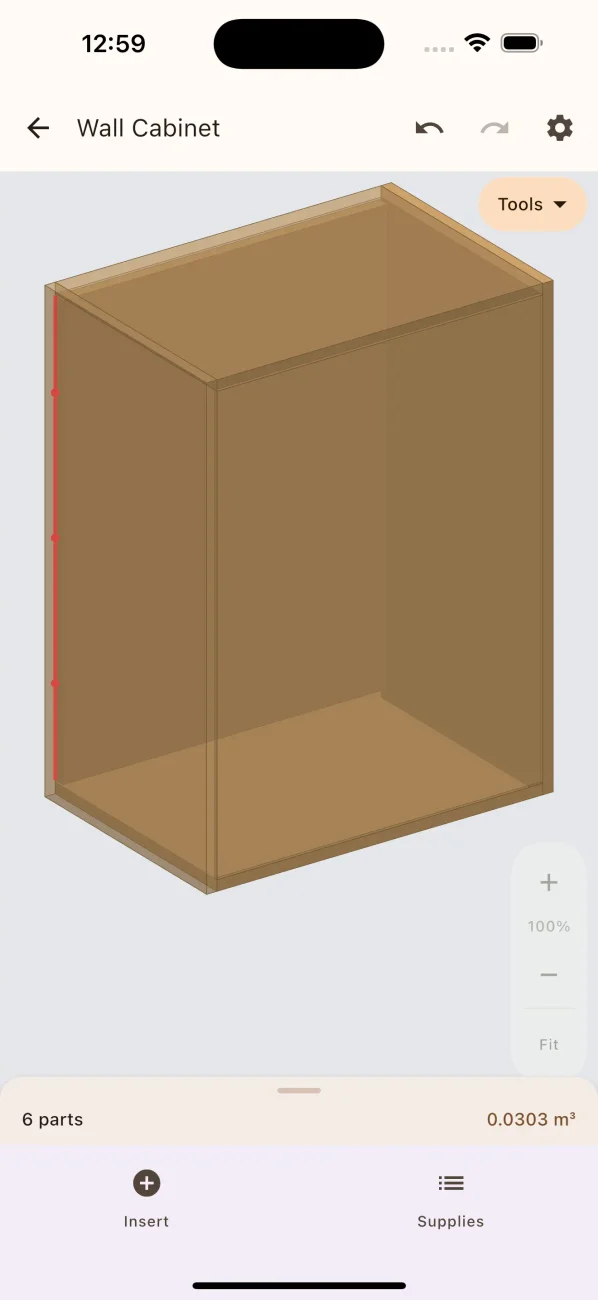
Lay parts out in a real 3D scene. Drag them together and they snap flush, so a carcass goes together the way it will on the bench. Attach hinges, play the swing, and see whether a door actually clears its frame before you cut anything.
WHAT YOU GET
• A 3D design canvas: add parts, size them to the millimetre, rotate, align and join them
• Working hinges: attach a door to a frame, pick the side, and watch it swing
• Furniture templates: table, chair, door, cabinet and hinged cabinet
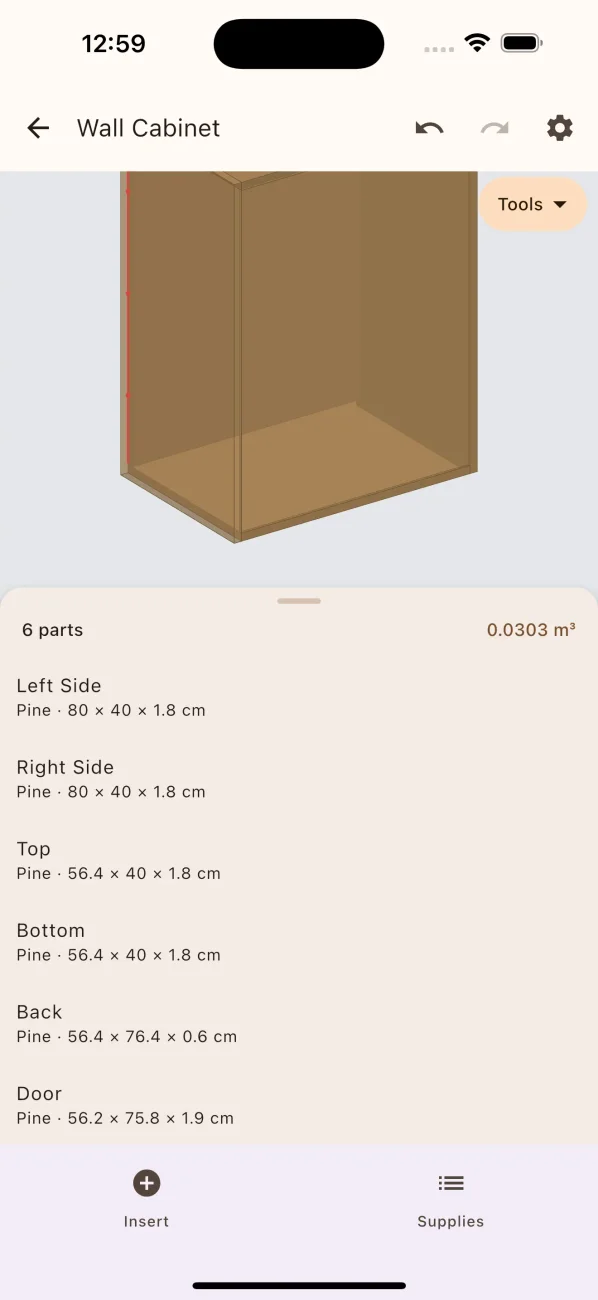
• Build from sizes: pick a cabinet or table, enter its width, depth and height, and every part is laid out for you
• A cut list that follows every edit, in metric or imperial
• Supplies: real materials, lumber profiles and hardware for your parts
• Plans saved on your device, in the same format as the desktop app
PRO. One purchase, not a subscription
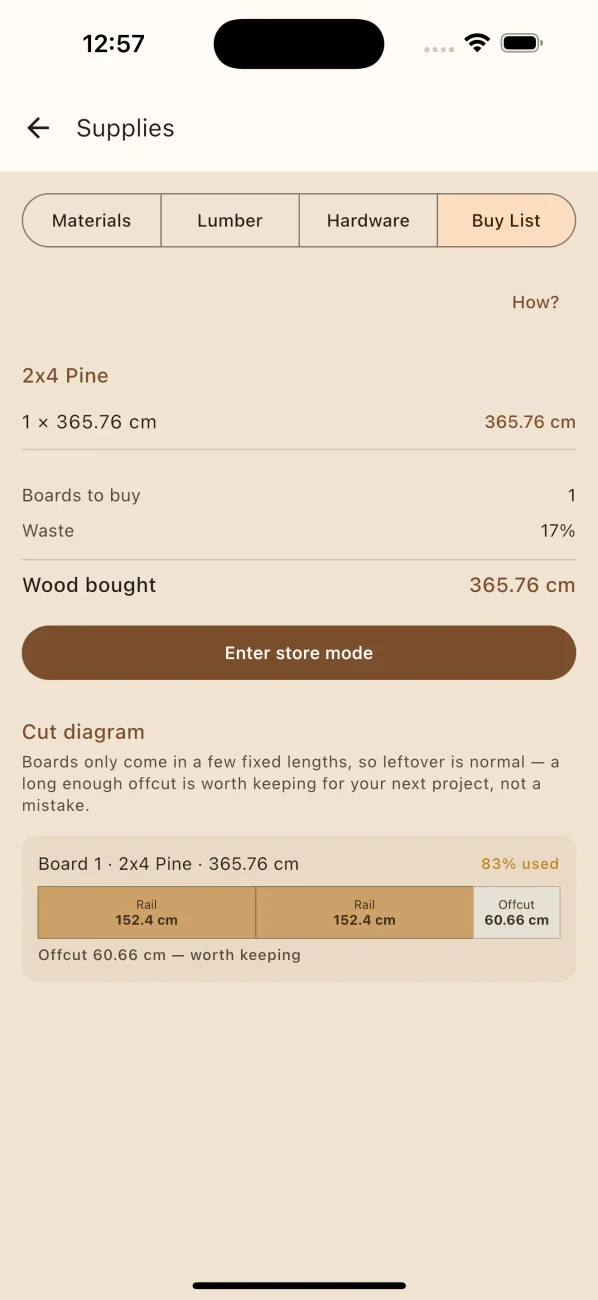
• Buy list: how many boards to buy, in the stock lengths your yard sells, worked out to waste the least timber
• Cutting diagrams: where every part comes out of every board
• Store mode: the list in a form you can read one-handed in the aisle
• Export: share a plan as PNG or PDF
Everything else is free. No ads, no account, and your designs stay on your device unless you export them yourself.
What’s new
Version 1.1 · Oct 29, 2026
New in 1.1
Now in Dutch and Spanish
The app follows your phone's language. You can switch language any time in Settings.
Build from sizes
Pick a cabinet or a table, set its width, depth and height, and the app builds every part for you. Cabinets can have shelves and a hinged door. You see a front view and a side view, plus the full parts list, before you add it to your plan. Sizes use the unit you already chose.
Easier number entry
Size fields now open the number pad, and they no longer jump back while you type.
More reliable restoring of purchases.
App privacy
What Jair Martinez declares on the App Store about how this app handles data.
-
Data not linked to you
May be collected but is not linked to your identity.
- Purchases
Privacy practices may vary, for example with the features you use or your age.
Information
- Seller
- Jair Martinez
- Category
- Graphics & Design
- Version
- 1.1
- Updated
- Oct 29, 2026
- Released
- Sep 12, 2026
- Size
- 48.3 MB
- Requires
- iOS 15.0 or later
- Age rating
- 4+
- Price
- Free
- In-app purchases
- Yes
- Languages
- English, Dutch, Spanish
- Copyright
- © 2026 JCubed Lab
You might also like
-
 Blueprint: Cabinet DesignCabinet design with cut lists
-
 DIY Crafter - 3D woodworkingDesign as your build
-
 WS Closet Designer3D Closet Design & Cut Plans
-
 Cogwright: 2D & 3D Design CADParametric Drafting & Modeling
-
 Space – Precision DrawingSketch to scale, no CAD needed
-
 Cabinet Studio: 3D Design & ARCloset, Cabinet & Cut List
-
 ArkreaAI Architectural Sketching
-
 TimberLab: Woodworking ModelerPhoto to 3D & Auto Cut Lists
-
 CNC Wood Designer ProWood CNC CAD CAM Design
-
 Rigster: 2D Skeletal AnimationCharacter Rig & Sprite Sheet