
Word Document: PDF Converter
Docx Editor & Document Reader
Designed for iPhone
Free · In-app purchases
- Age rating4+
- CategoryProductivity
- Developer峰 蔺
- LanguagesEnglish+ 2 more
- Size14.2 MB
Links to the official App Store page
Download.org hosts no file of Word Document: PDF Converter. The button opens its official App Store page, published by 峰 蔺. Listing last checked on Nov 17, 2026.
Screenshots

About
About "Wor" Documents
"Wor" Documents is a professional mobile office tool designed to help you handle various types of work documents efficiently—anytime, anywhere. Whether you need to edit Word files, view PDFs, create PowerPoint presentations, or work with Excel spreadsheets, you can do it all within a single app.
Key Features
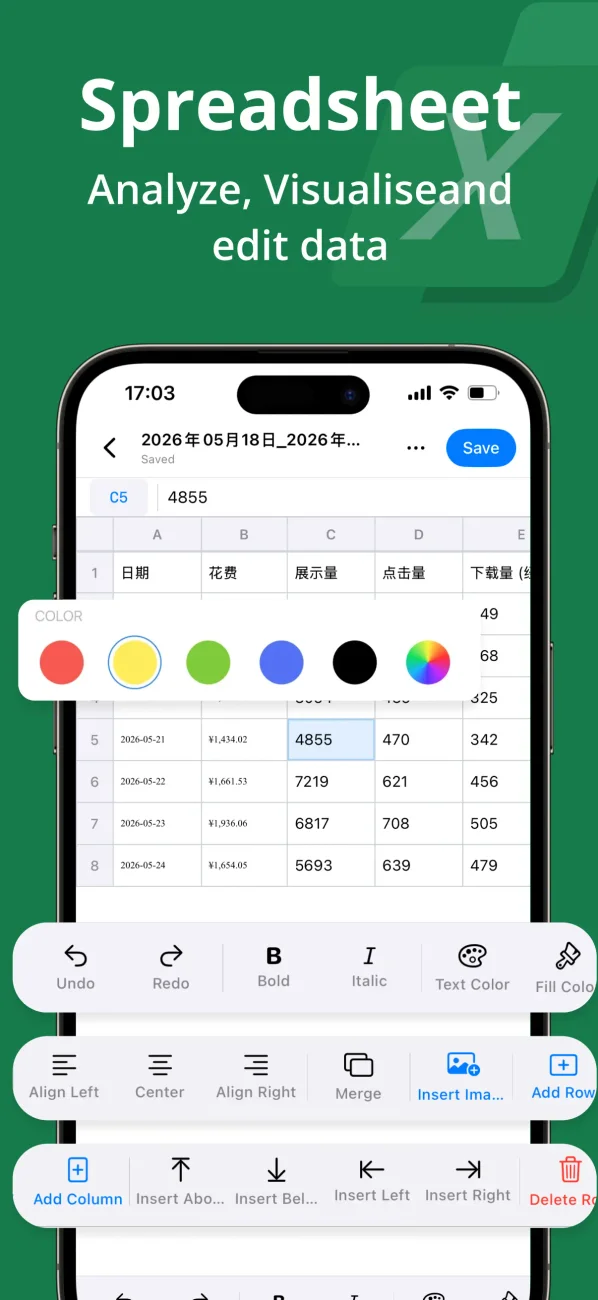
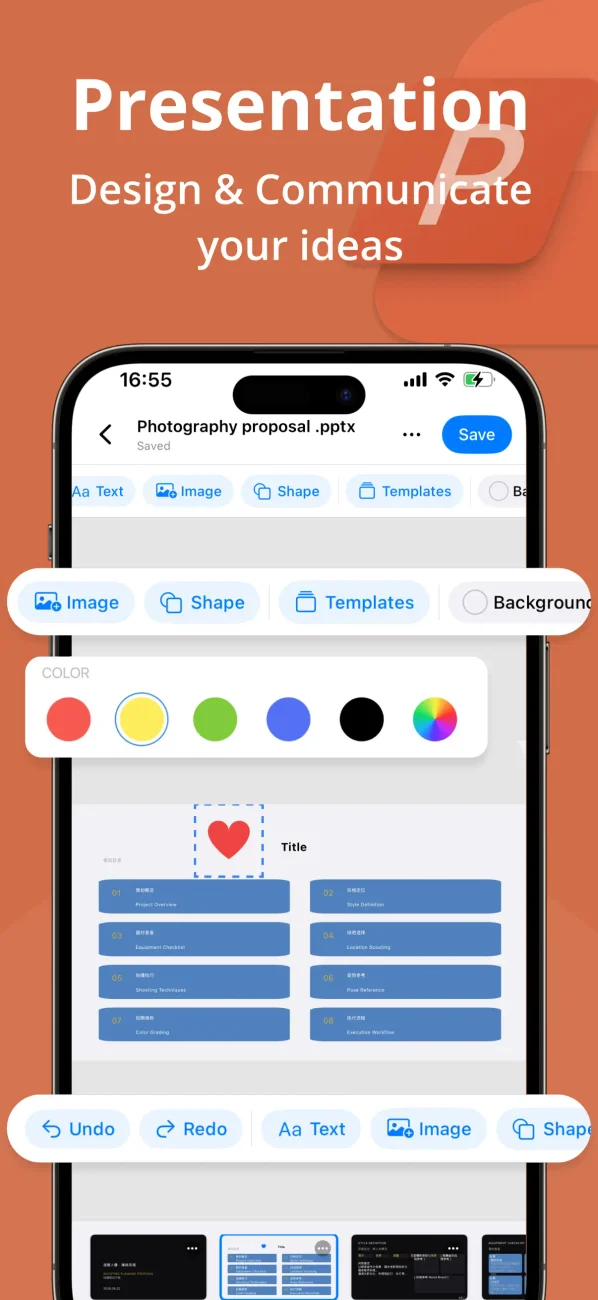
Document Editing: Create and edit mainstream file formats, including Word, PDF, Excel, and PPT, with easy formatting options right on your phone.
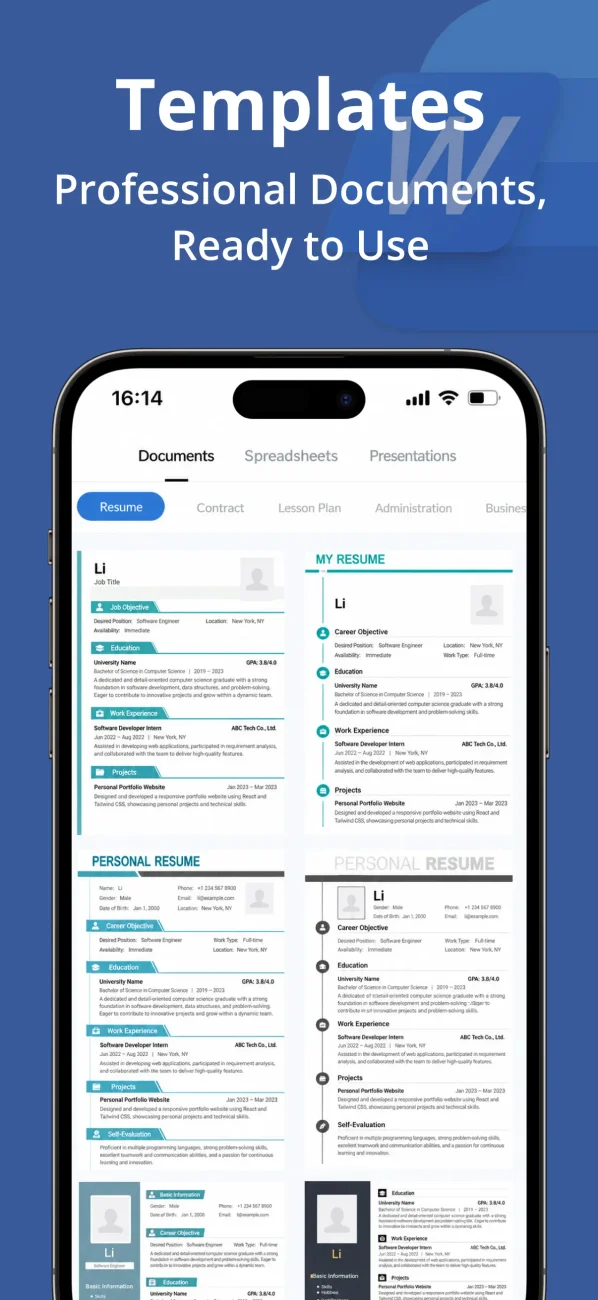
Professional Templates: Access a wide range of polished templates—such as resumes, contracts, meeting minutes, work reports, and annual plans—that can be applied instantly to generate professional documents.
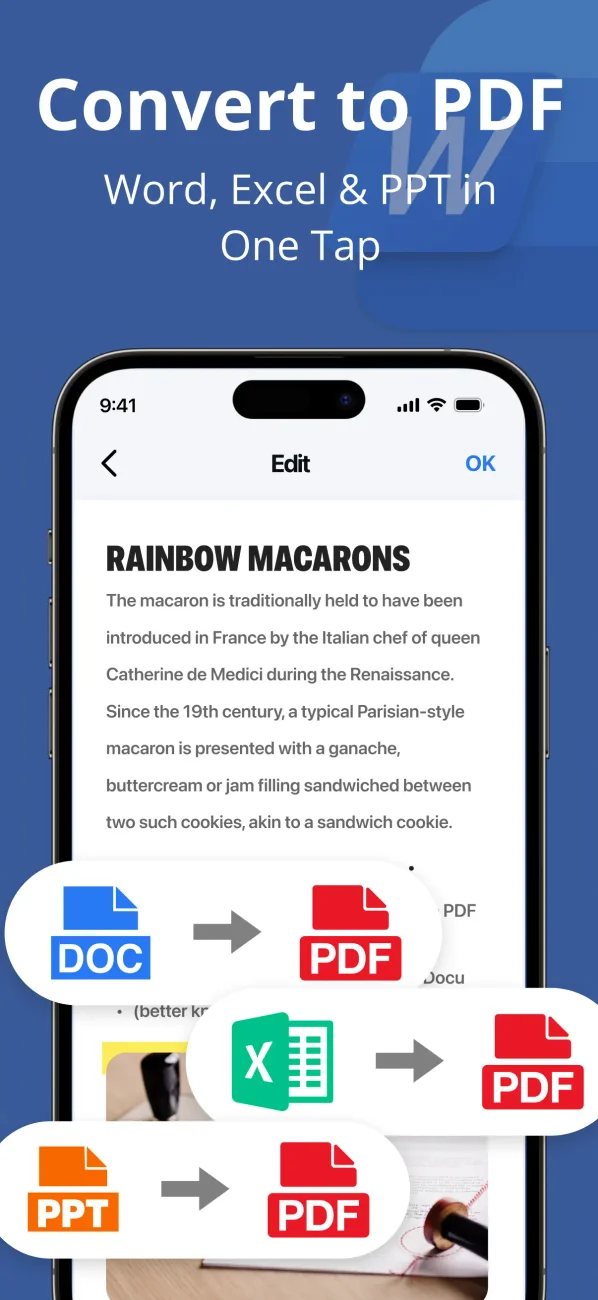
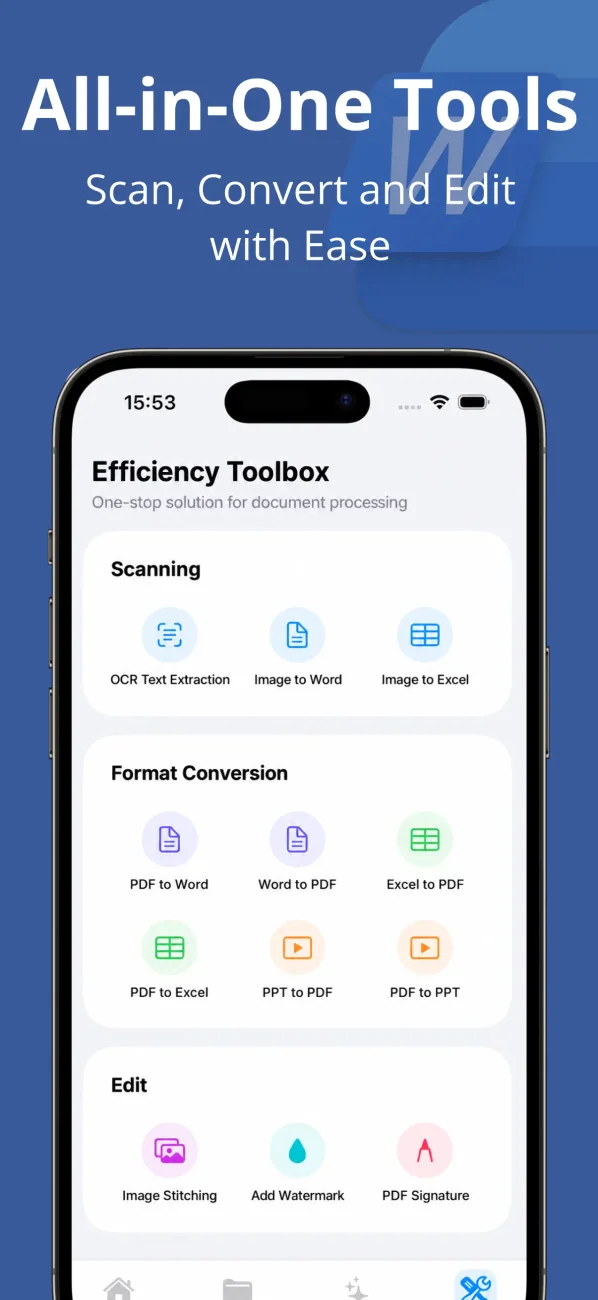
Format Conversion: Easily convert between various file formats, including PDF to Word, Word to PDF, PDF to Excel, Excel to PDF, PPT to PDF, and PDF to PPT.
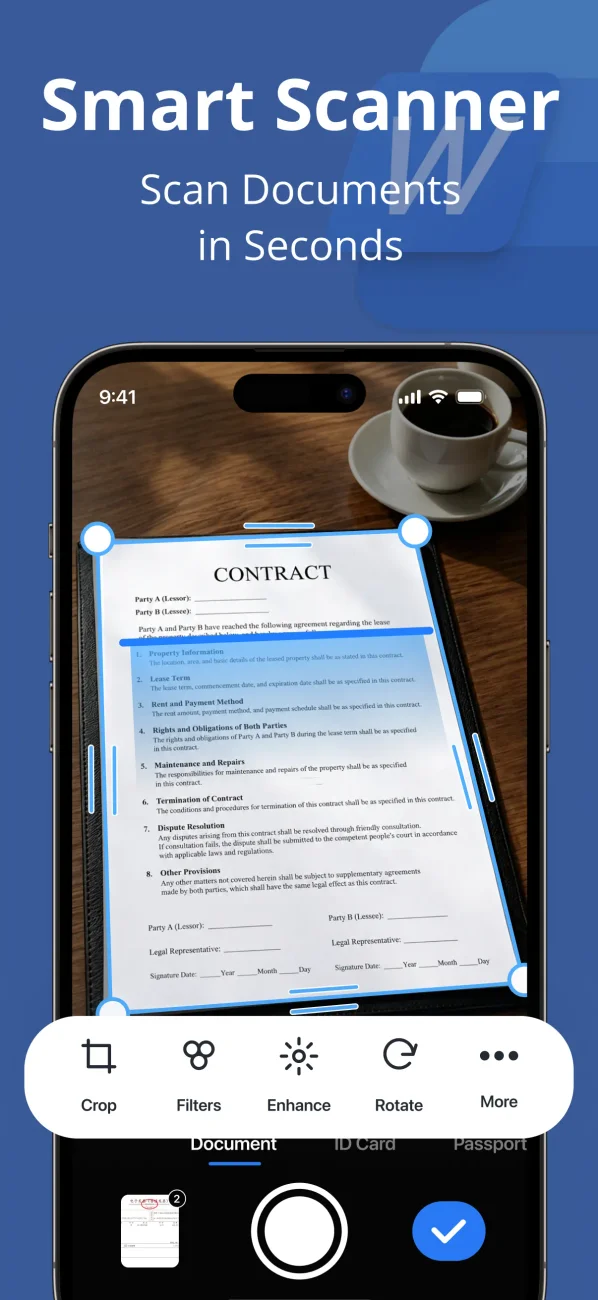
OCR (Optical Character Recognition): Capture text from photos taken with your camera or images from your gallery, and convert them directly into Word documents or Excel spreadsheets.
AI Assistant: Utilize an integrated AI chat feature to analyze uploaded documents, refine content, generate summaries, or continue writing text.
Practical Tools: Enhance your workflow with useful utilities like long-image stitching, adding watermarks to documents, and applying digital signatures to PDFs.
File Management: Manage your documents with ease—import files from your device’s local storage, other apps, or via a WiFi connection from your computer.
WiFi Transfer: Connect your phone and computer to the same WiFi network to transfer files seamlessly through your web browser.
Subscription Details
"Wor" Documents offers the following auto-renewing subscription plans to unlock all premium features:
Weekly Subscription: ¥3 for the first week (promotional price) or ¥8 for the first week (promotional price), with a 3-day free trial; subsequent renewals are ¥28 per week. Annual Subscription: ¥128 per year.
Subscription benefits include: High-speed, lossless conversion between PDF, Word, and PPT formats; access to all professional-grade office templates; document printing; rapid OCR image-to-text recognition; and tools for adding watermarks, signing PDFs, and stitching images together. Subscription Information:
Upon confirmation of purchase, the cost will be charged to your Apple ID account.
Subscriptions will automatically renew within 24 hours prior to the expiration date, at which point the fee for the next billing cycle will be charged to your account.
You can manage or cancel your subscription at any time by going to "Settings" on your iPhone, tapping your name, and selecting "Subscriptions."
Canceling during a free trial period will not incur any charges.
Any unused portion of a free trial period will be forfeited upon the purchase of a subscription.
Contact Us
If you encounter any issues, have suggestions for new features, or require assistance, please reach out to us via the following channel:
Technical Support Email: linfeng202208@163.com
We will respond to your email within 1–2 business days. Thank you for choosing Wor Documents.
App Privacy Policy: https://www.notion.so/Privacy-Policy-3412fb4239928116b803ea7dbf85fc75?source=copy_link
App User Agreement: https://www.notion.so/Term-of-Use-3412fb423992814d9f71d5c709b19834?source=copy_link
What’s new
Version 1.5 · Oct 27, 2026
This update mainly optimizes the subscription service, the AI laboratory and the onboarding page experience, and fixes issues related to listing and stability.
Subscribe
Add privacy usage instructions and fix the verification failure caused by the lack of permission text.
AI Laboratory
Fix intermittent 401 (Access token is invalid) errors caused by continuous conversations, which result in failed sending
Optimize question prompts with documents: Preferentially use the local document body to avoid misreading attachments or fabricating other document contents
When asking about "document content / original text", prefer to directly return the document body, reducing excessive elaboration
Introduction Page
Adapt to some devices, fix the issue where bottom buttons are not fully displayed
App privacy
What 峰 蔺 declares on the App Store about how this app handles data.
-
Data not collected
The developer does not collect any data from this app.
Privacy practices may vary, for example with the features you use or your age.
Information
- Seller
- 峰 蔺
- Category
- Productivity
- Version
- 1.5
- Updated
- Oct 27, 2026
- Released
- Apr 15, 2026
- Size
- 14.2 MB
- Requires
- iOS 17.0 or later
- Age rating
- 4+
- Price
- Free
- In-app purchases
- Yes
- Languages
- English, Simplified Chinese, Traditional Chinese
- Copyright
- © 2026
You might also like
-
 文档手机版-手机办公软件Productivity
-
 文档手机版-word文档编辑,手机office办公软件Productivity
-
 Document Editor—Docs,SheetsEdit word,excel,pdf,slides
-
 XLSX Spreadsheet-Sheets EditorEdit Docs & Make Sheets
-
 小律课程表 - 大学生极简课表Productivity
-
 iWrite : AI Content WriterBest AI Writer for Academics
-
 手机文档 - 全能Word表格编辑办公软件Productivity
-
 Document Manager:Docs,SheetsEdit documents,spreadsheets
-
 Office手机版-word文档编辑&办公软件wordoffice编辑文档转换在线制作
-
 word文档手机版~在线文档编辑制作Productivity