Work Report: Invoice, Estimate
Small Business Job Tracker App
Designed for iPhone
In-app purchases
- Age rating4+
- CategoryBusiness
- DeveloperAnton Kryuchykau
- LanguagesGerman+ 24 more
- Size13.6 MB
Links to the official App Store page
Download.org hosts no file of Work Report: Invoice, Estimate. The button opens its official App Store page, published by Anton Kryuchykau. Listing last checked on Nov 23, 2026.
Screenshots
About
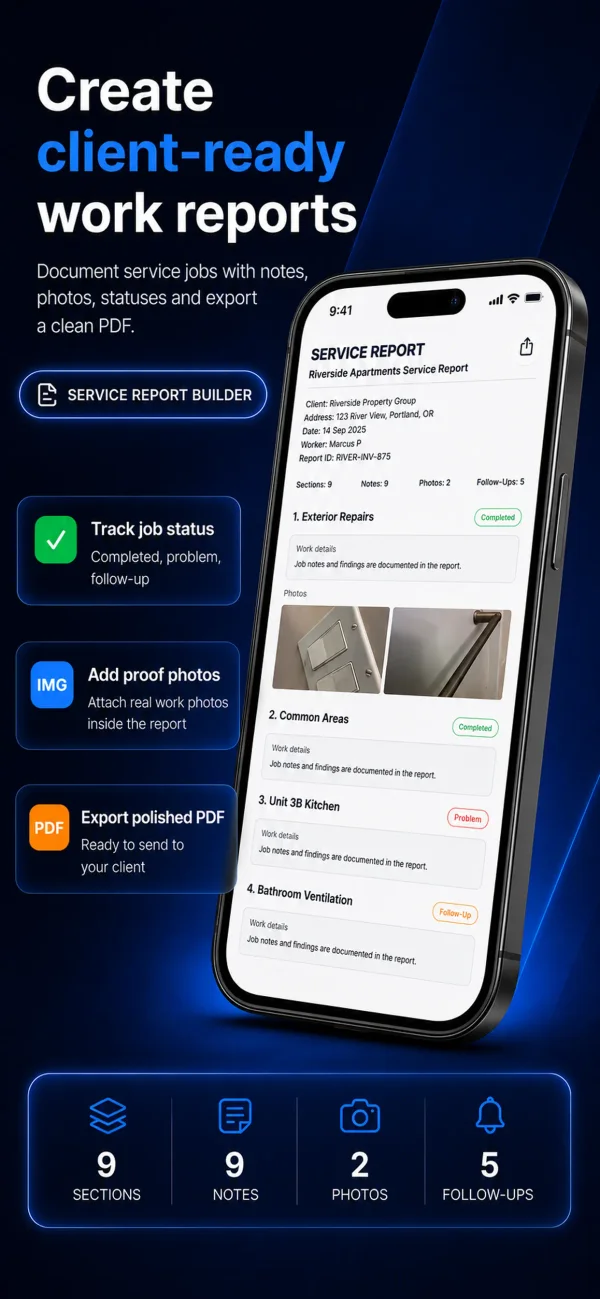
Work Report helps tradespeople, contractors, cleaners and field service teams write up every job on site. Record the work with photos, notes and materials, attach a quote or invoice, and send your client a professional PDF before you leave.
Forget paper job sheets, photos scattered across your camera roll and invoicing in the evening. Open the app, choose the client, fill in the job and share the PDF by email, message or AirDrop.
SITE DIARY AND JOB REPORTS
• Create a report for every client and property
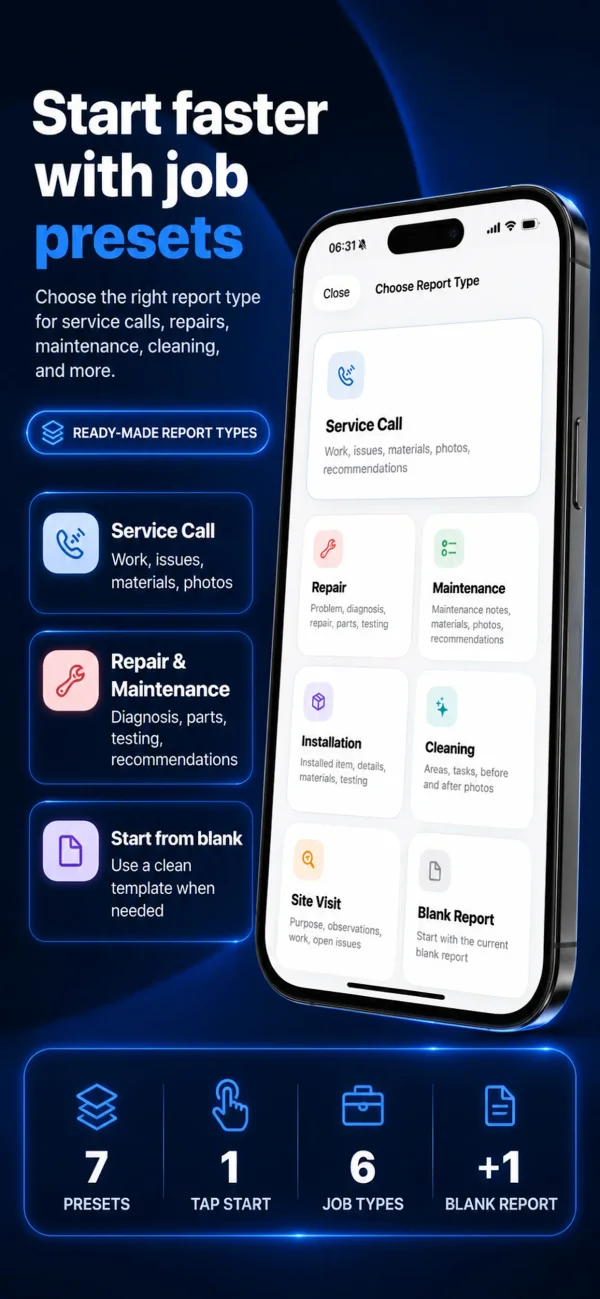
• Split the job into sections: survey, repair, installation, snagging, clean-up and more
• Set a status for each section and keep track of follow-ups
• Add notes and the materials you used
• Start faster with ready-made job presets
• Duplicate a past report for repeat work
PHOTOS AS PROOF OF WORK
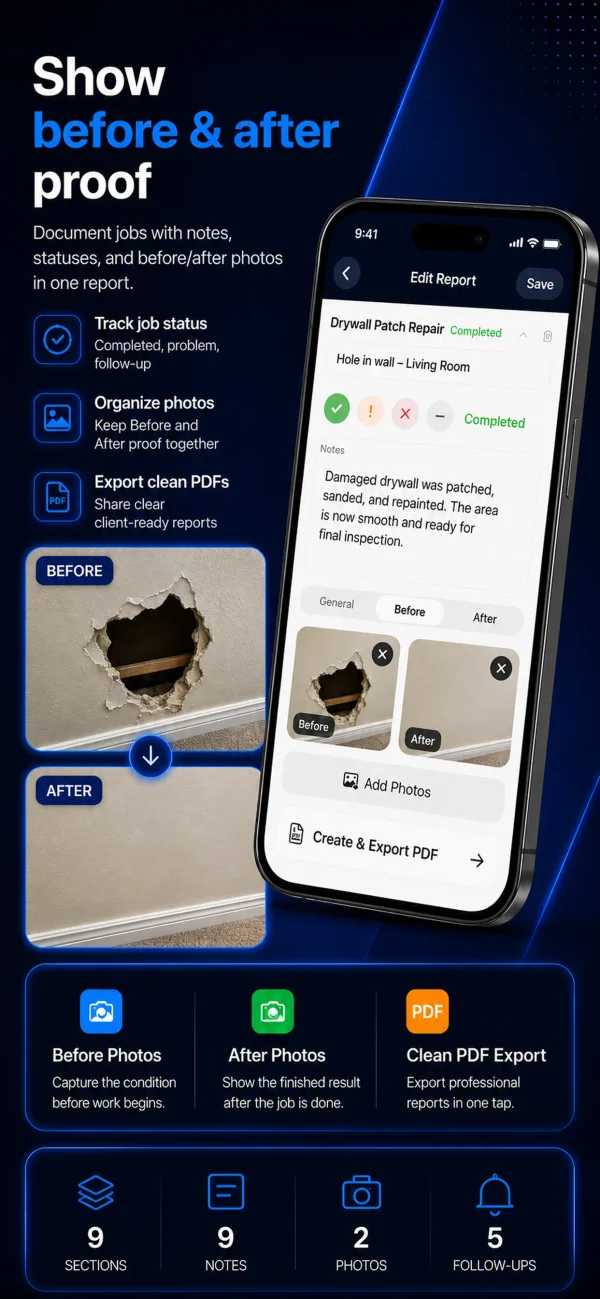
• Add general, before and after photos to each section
• Photos sit neatly in the PDF next to the work they show
• Show clients exactly what was done and protect yourself in disputes
QUOTES AND INVOICES
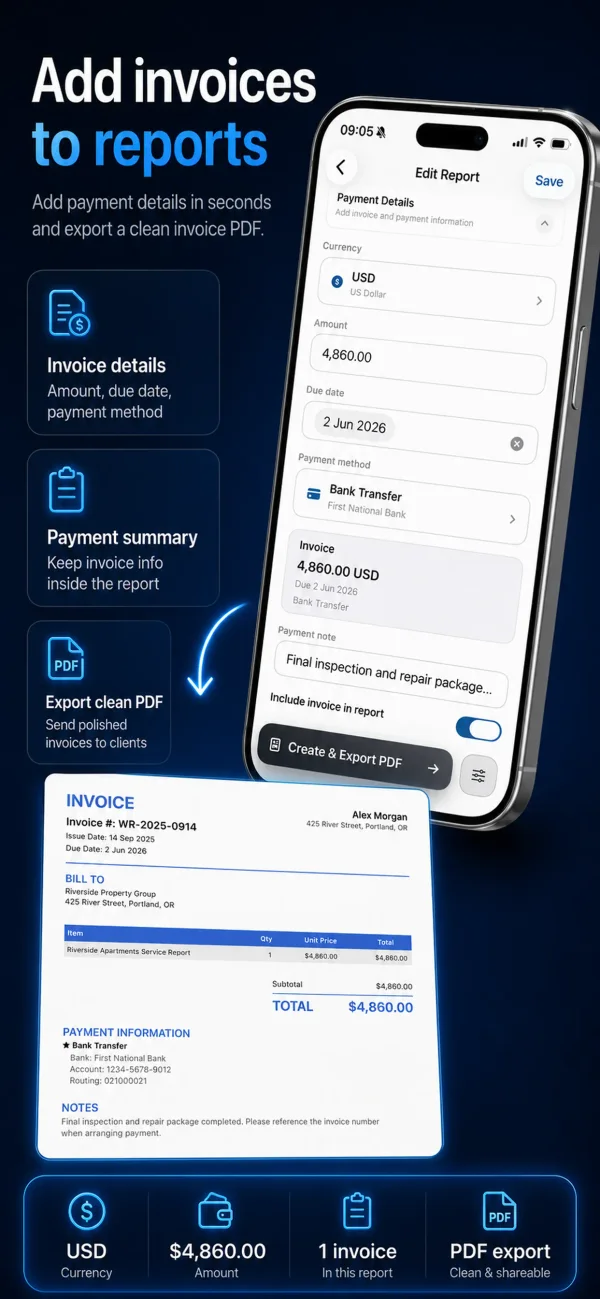
• Attach a quote or an invoice to any report
• Add line items, quantities and prices
• Add VAT or any other tax: several tax lines, each calculated on the pre-tax amount
• Add your VAT number, company number and bank details
• The quote or invoice is exported in the same PDF as the job report
YOUR BRAND ON EVERY PDF
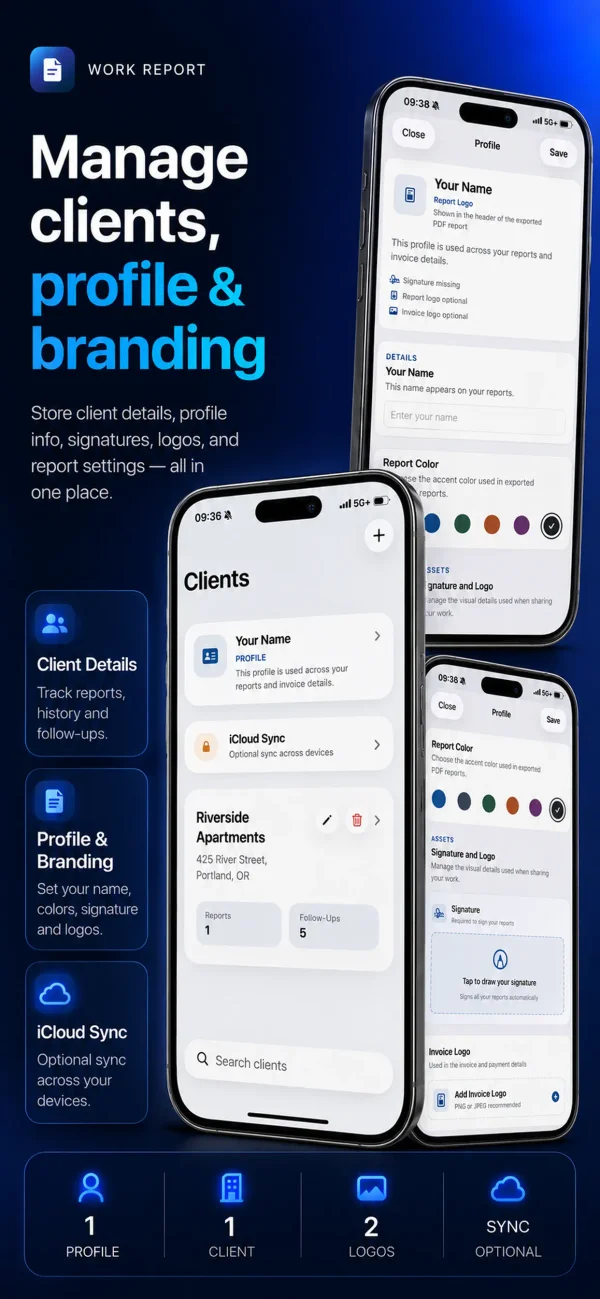
• Add your business name, logo and signature
• Use separate logos for the report and the invoice
• Choose the report colour and PDF style
• A4 PDFs ready to print or email
CLIENTS AND SYNC
• Save clients and properties and reuse their details
• Reports sorted by most recent changes
• iCloud sync keeps your reports backed up
WHO IT'S FOR
Electricians, plumbers, builders, joiners, handymen, heating engineers, cleaners, decorators, gardeners and landscapers, pest control, property maintenance, inspectors and any small business that needs to show the work and get paid.
Work Report keeps it simple: no complicated project management, just quick job reports, clear proof photos and clean PDFs your clients will trust.
Terms of Use (EULA): https://www.apple.com/legal/internet-services/itunes/dev/stdeula/
What’s new
Version 1.6 · Nov 20, 2026
• Voice input: dictate section notes right on site (iOS 26 or later).
• Tidy up: Apple Intelligence turns rough notes into clean report text, right on your iPhone (supported models).
• Try more for free: add your own client and export 2 PDFs before upgrading.
• Faster editor and bug fixes.
App privacy
What Anton Kryuchykau declares on the App Store about how this app handles data.
-
Data not linked to you
May be collected but is not linked to your identity.
- Usage data
- Diagnostics
Privacy practices may vary, for example with the features you use or your age.
Information
- Seller
- Anton Kryuchykau
- Category
- Business
- Version
- 1.6
- Updated
- Nov 20, 2026
- Released
- Apr 24, 2026
- Size
- 13.6 MB
- Requires
- iOS 17.6 or later
- Age rating
- 4+
- In-app purchases
- Yes
- Languages
- German, Arabic, Danish, English, Finnish, French, Greek, Italian, Japanese, Korean, Croatian, Dutch + 13 more
- Copyright
- © 2026 Work Report App
You might also like
-
 WorkProofCam: Photo ReportTimestamp Job Site Photos
-
 Repolog: Photo Site ReportsJobsite photos to clean PDFs
-
 Site Report & Snagging ListDaily Log, Job Sheet & Photos
-
 Handover: Job Report & PDFInspection checklist & photos
-
 PDF Work ReportDocument your work in pdf file
-
 WorkProof: Job Photo ReportsProof of work, signed on site
-
 Photo Report Maker – WorkCreekJob Photo Reports in Seconds
-
 FieldProof: Site ReportsPunch List & Photo Markup
-
 Nototone - Daily Work ReportsField reports, photos to PDF
-
 Site Reporter: PDF ReportsField PDF reports from photos