
Workspace for WordPress
AI chat that can run your site
Designed for iPhone, iPad
Free
- Age rating4+
- CategoryProductivity
- DeveloperMeow Arts KK
- LanguagesEnglish
- Size30.1 MB
Links to the official App Store page
Download.org hosts no file of Workspace for WordPress. The button opens its official App Store page, published by Meow Arts KK. Listing last checked on Nov 17, 2026.
Screenshots

About
Your own AI, on your own server. Or right on your iPhone.
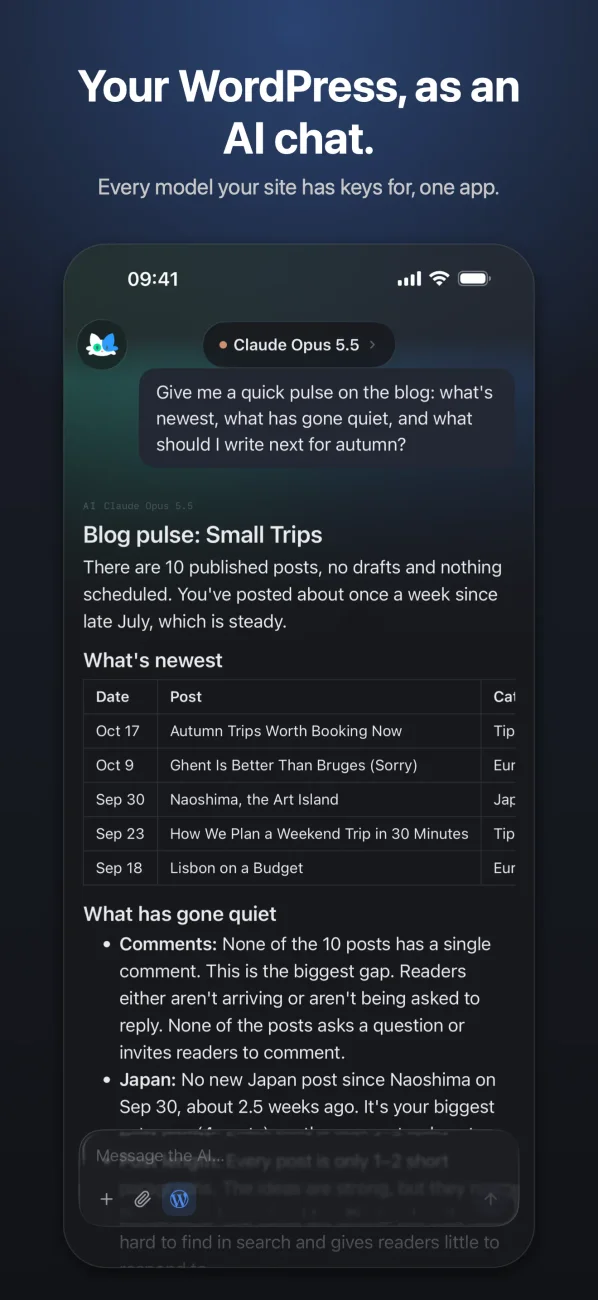
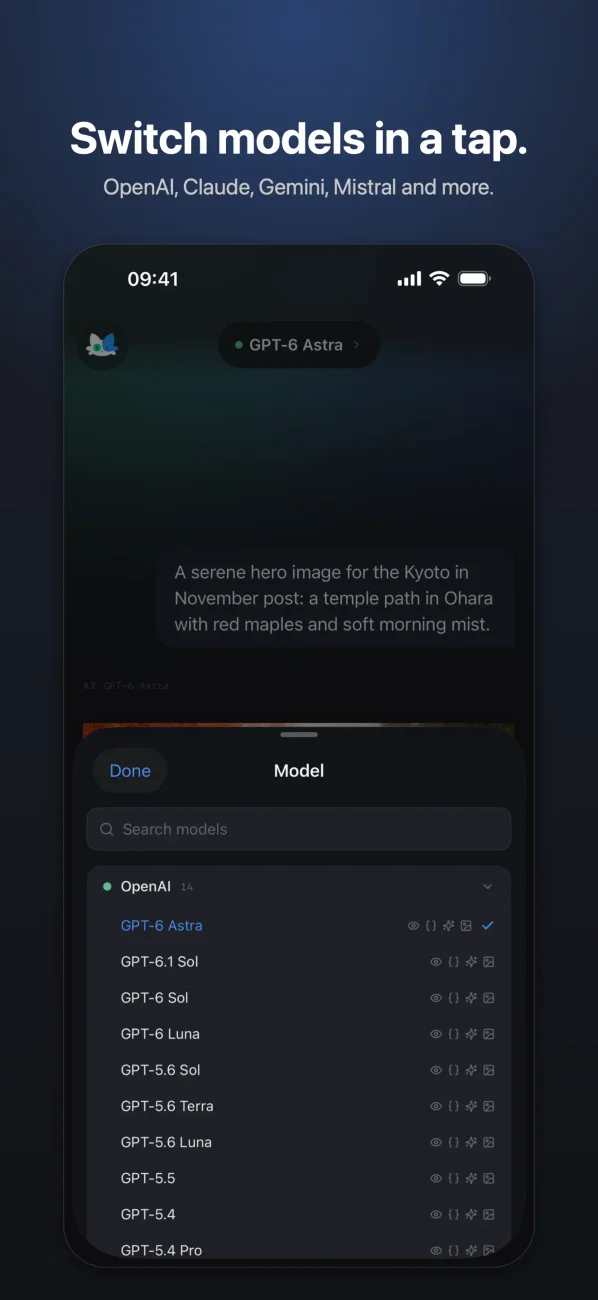
Workspace connects to a WordPress site you already run, and turns it into a private AI app. Every model your site has keys for (OpenAI, Anthropic, Google, Mistral, OpenRouter and more), billed to you, called by your server. Scan a QR code and you're in.
AN AI CHAT APP THAT HAPPENS TO BE PRIVATE
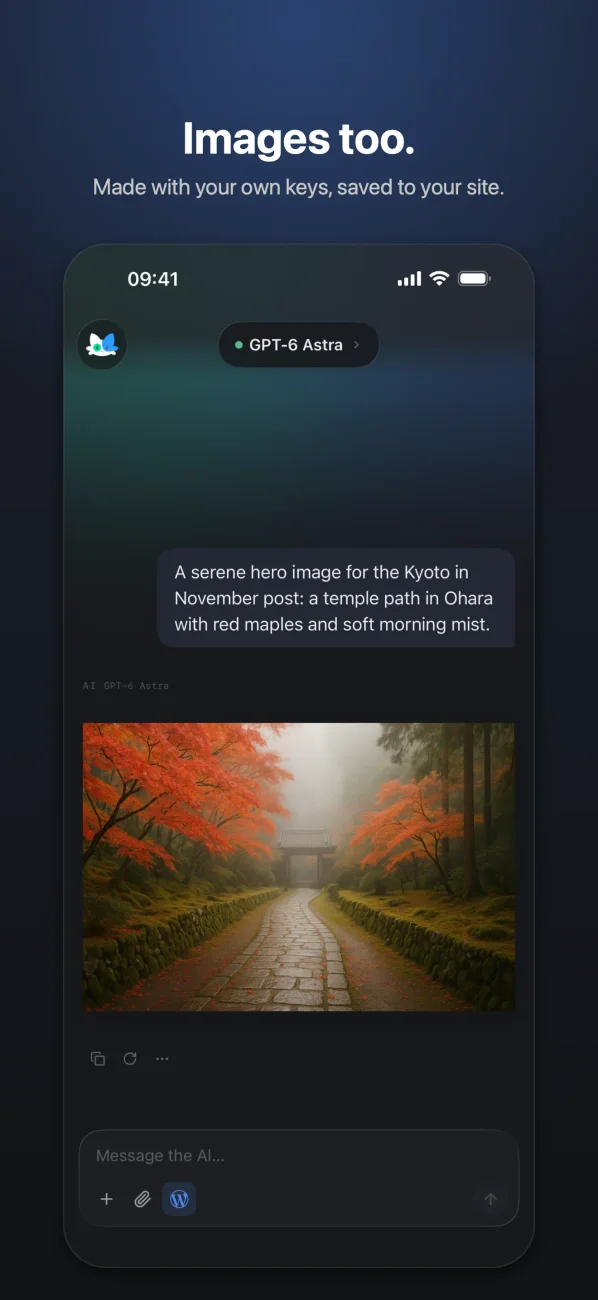
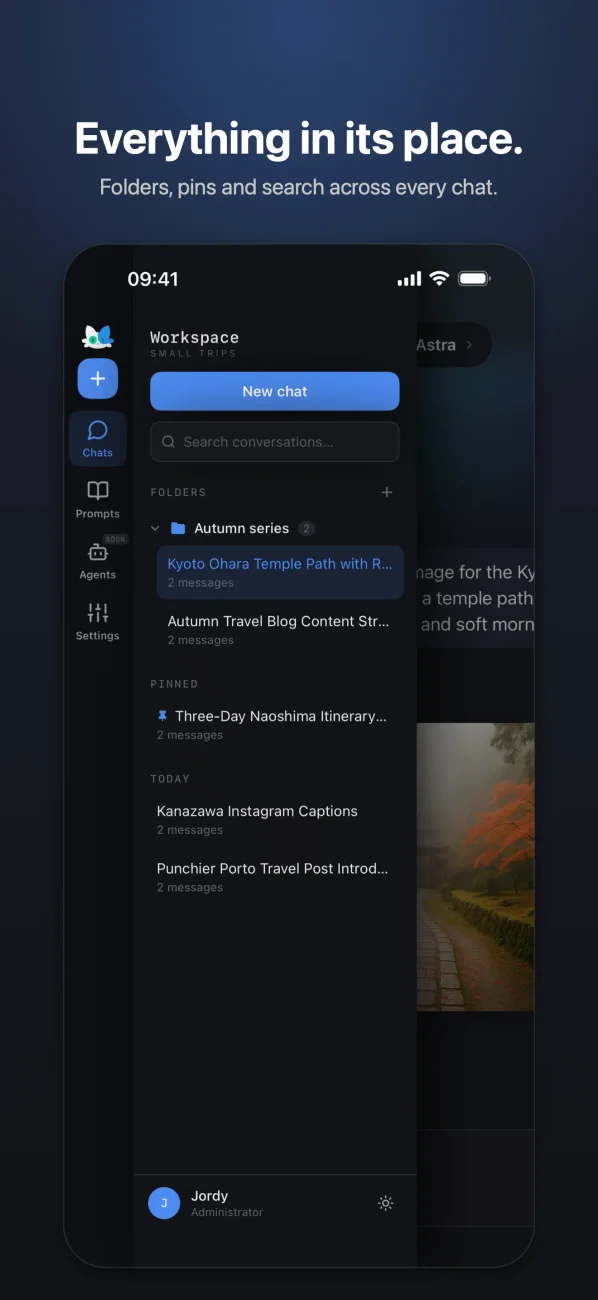
Use it the way you already use one: ask anything, switch model mid-conversation, generate images, keep everything in folders with search across the lot. Nothing passes through us, because there is no "us" in the request path.
A WORDPRESS THAT ANSWERS BACK
Turn on WordPress Tools and it works the site itself: draft and publish posts, analyse SEO, pull your traffic. Anything that would change something stops and shows you the exact tool and its arguments first.
NO WORDPRESS? TRY IT ON YOUR DEVICE
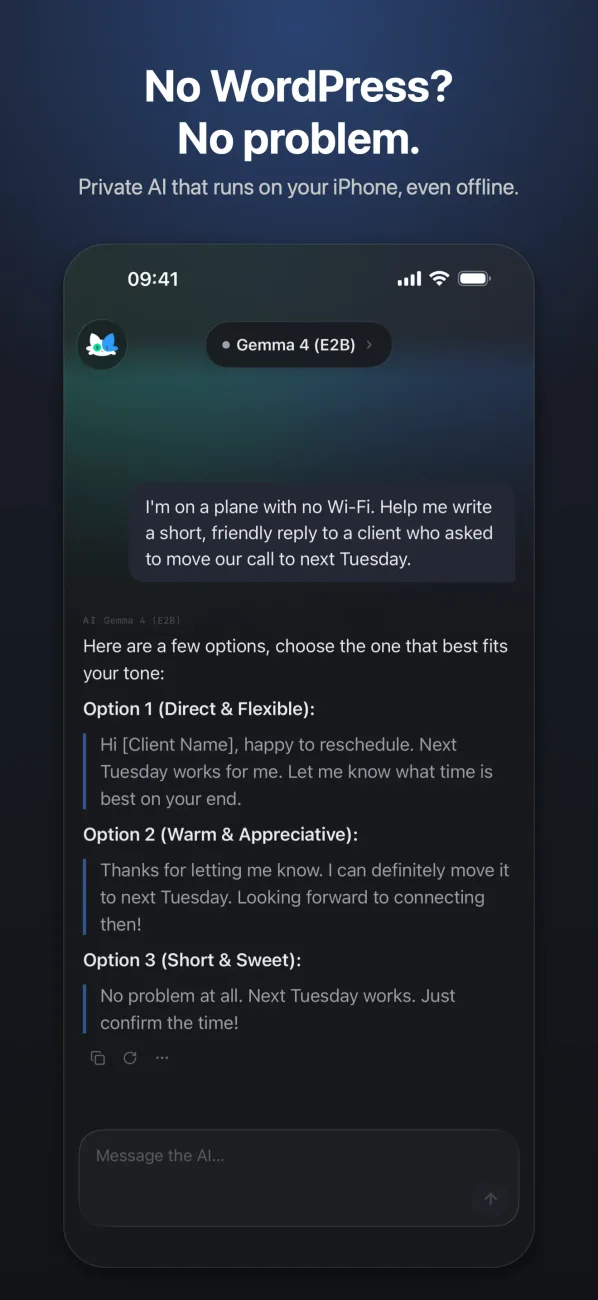
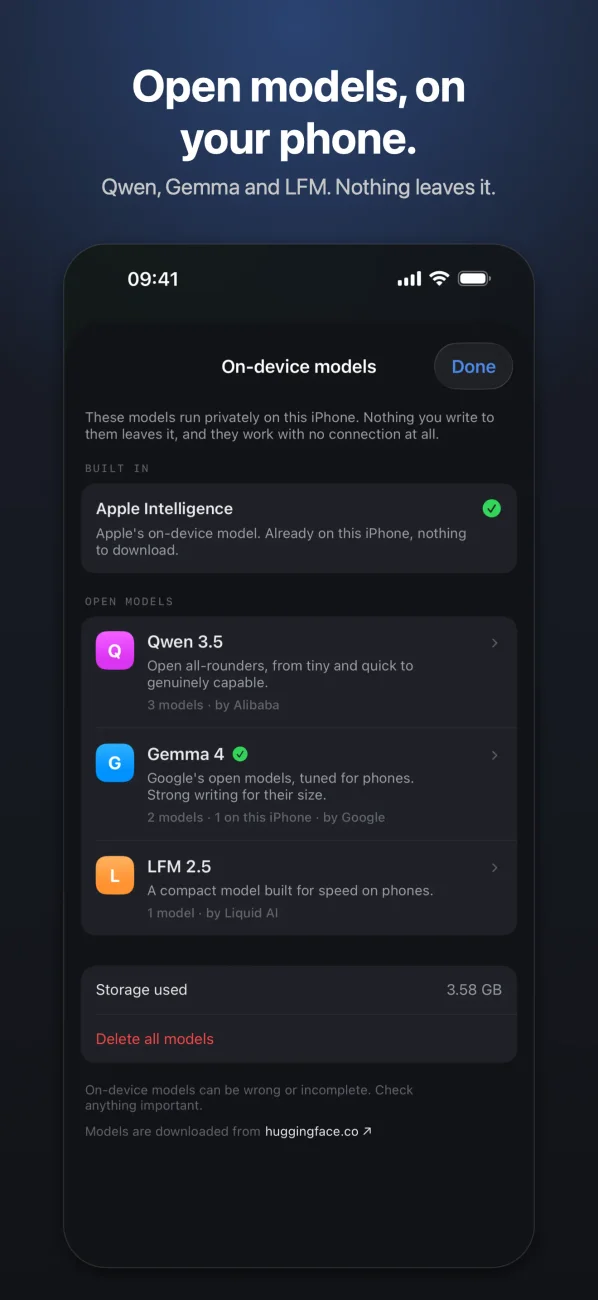
Download an open model (Qwen, Gemma or LFM) and chat privately, with no site and no connection. Everything stays on your iPhone or iPad: nothing you write to these models leaves the device. On a connected site, they appear under Offline, for the plane or the train.
THEN GO FURTHER
Knowledge bases, MCP servers and your own functions, connected in a tap.
ALSO
Dark and light with five accents, stored per WordPress user so they follow you. Stop, edit, regenerate or branch any message. Each conversation remembers its model. Export any conversation as Markdown. Multiple sites. iPhone and iPad.
The full experience requires a self-hosted WordPress 6.0 or later site with the AI Engine plugin, and an administrator account on it. On-device models need no site, and work best on recent iPhones and iPads.
Workspace for WordPress is made by Meow Apps and is not affiliated with, endorsed by, or sponsored by the WordPress Foundation or Automattic.
What’s new
Version 1.15 · Nov 15, 2026
Made for iPad: everything now sits in a centered, readable column instead of stretching across the screen, starting with the connect screen.
Hide the sidebar with the new button at the top left (or Control Command S) for a clean, full-screen chat. New chat is right there too, and Command N starts one from anywhere.
Replies from on-device models now show the model's real name.
App privacy
What Meow Arts KK declares on the App Store about how this app handles data.
-
Data not collected
The developer does not collect any data from this app.
Privacy practices may vary, for example with the features you use or your age.
Information
- Seller
- Meow Arts KK
- Category
- Productivity
- Version
- 1.15
- Updated
- Nov 15, 2026
- Released
- Jul 30, 2026
- Size
- 30.1 MB
- Requires
- iOS 17.0 or later
- Age rating
- 4+
- Price
- Free
- Languages
- English
- Copyright
- © 2026 Meow Arts KK
You might also like
-
 EventPost for WordPressEvent Manager for WordPress
-
 WordPress – Website BuilderDesign a site, build a blog
-
 Jetpack for WordPressSupercharge your WordPress
-
 Universe Website BuilderCustom store and website maker
-
 Lovable: Build Apps With AIBuild Websites & Tools Fast
-
 Locally AI by LM StudioLocal & Private AI Assistant
-
 Claude Duet by AnthropicYour proactive work agent
-
 Google AI Edge GalleryPrivate, Fast, Offline AI
-
 Proton Calendar: Secure EventsKeep your schedule private
-
 IFTTT.ai: Automation made easyConnect 1000+ apps in minutes