
WorldCopy
3D Capture & AI Creation
Designed for iPhone, iPad, Mac
In-app purchases
- Age rating4+
- CategoryProductivity
- Developer凯 孙
- LanguagesEnglish+ 1 more
- Size150.2 MB
Links to the official App Store page
Download.org hosts no file of WorldCopy. The button opens its official App Store page, published by 凯 孙. Listing last checked on Nov 6, 2026.
Screenshots


About
Capture reality. Shape imagination.
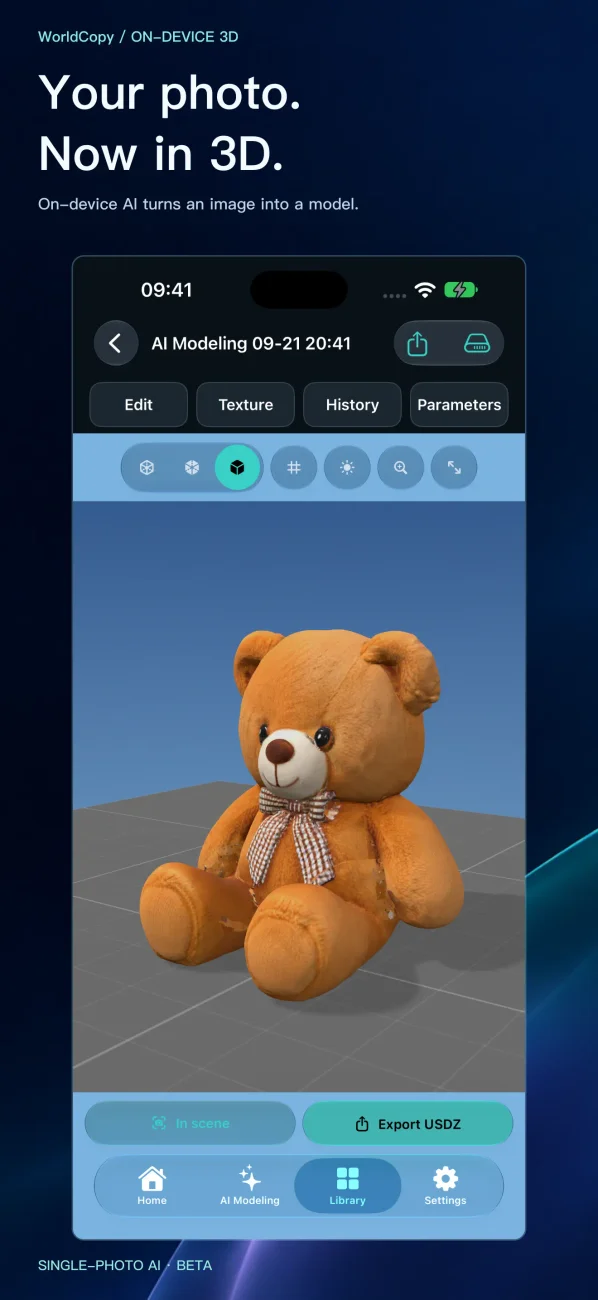
WorldCopy brings guided object scanning and single-photo AI modeling to your iPhone.
SCAN MODELING
Follow Apple Object Capture guidance to photograph a real object and reconstruct it on a supported iPhone. Keep the result in your local model library.
AI MODELING
Choose a photo or take one with the modeling camera. Check the prepared subject preview, then create a 3D model on-device. The model is saved first; add optional PBR textures when you choose. Canceling or failing a texture step keeps the completed model.
Need an image idea? The optional prompt builder helps you compose and copy a prompt for a third-party image app. Save that app's image and bring it back through the photo picker.
DOWNLOAD WHAT YOU NEED
Single-photo modeling and optional PBR texturing use two separate Apple-hosted resources. The app shows download information before installation. Modeling runs locally once the required resource is available.
CREATE A PICTURE TO SHARE
Choose a saved model and blend it into your own real-world photo, or place it in an AR camera scene and take a picture on a supported device. Save the finished picture to Photos or hand it off to a social app to share yourself.
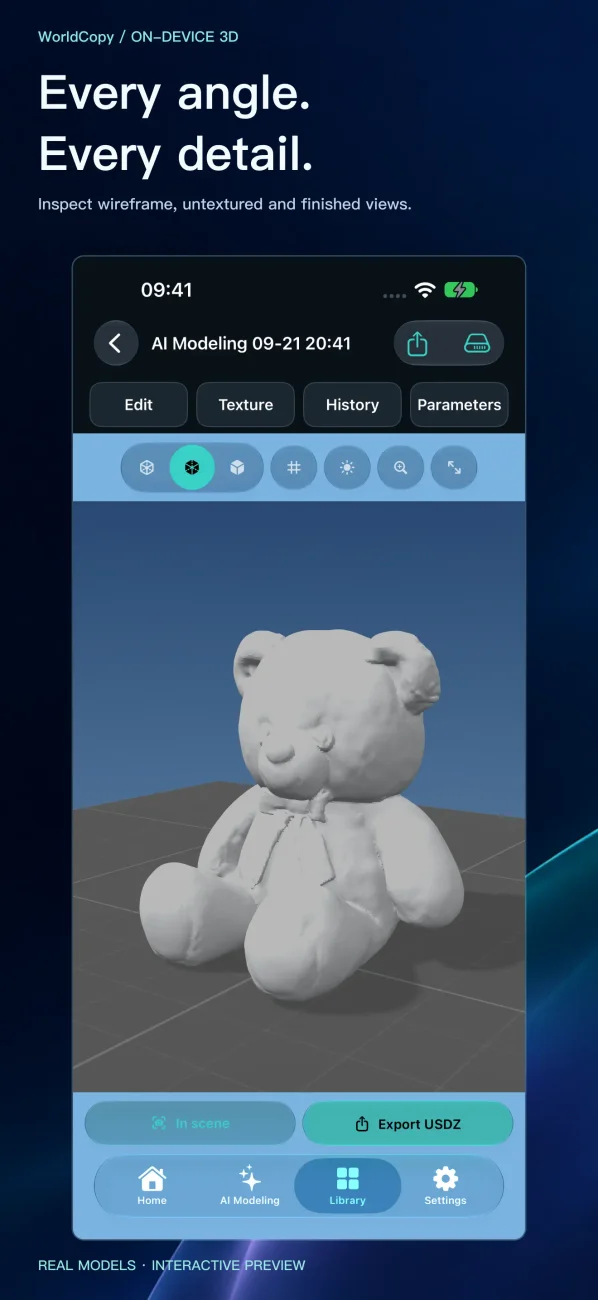
Revisit your work in Modeling History and inspect models with adjustable lighting. Model-file export is also available in supported formats including USDZ, GLB, OBJ, and Reality; formats depend on the model.
WORLDCOPY PRO
Open the WorldCopy Pro section at the top of Settings to unlock or restore purchases, without creating a model or installing an engine first. Purchased access shows as Pro Unlocked.
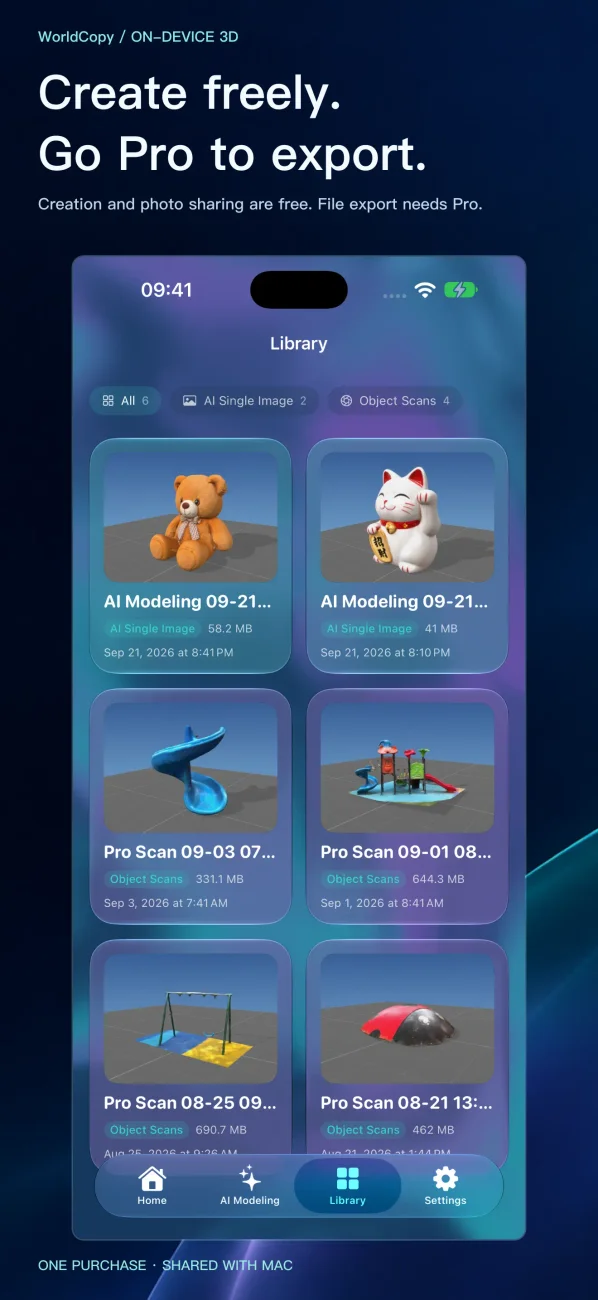
Creating, saving, previewing, editing, and sharing photos on iPhone and iPad remain free. A one-time WorldCopy Pro in-app purchase unlocks professional model-file export, .wc3d project import/export/sharing, and Mac AI engine download, import, and use. Restore purchases using the purchasing App Store account. No subscription.
PRIVATE BY DESIGN
No account, advertising, analytics, or tracking. WorldCopy does not upload captures, selected photos, prompts, or generated models to a developer-operated server. Copying, exporting, and sharing are your choice.
DEVICE REQUIREMENTS AND RECOMMENDATIONS
Requires iOS / iPadOS 26 or later. On-device AI modeling and AI texturing require at least 8 GB of RAM. 8 GB is the minimum admission requirement, not the recommended configuration, and does not guarantee completion for every input, texture task, or repeated workload. Devices with 4 GB or 6 GB RAM cannot run on-device AI. Pro does not override hardware requirements.
For more memory headroom, we recommend an iPhone with 12 GB RAM or more, or an Apple M-series iPad with 16 GB RAM or more. These recommendations are not per-device performance guarantees. Completion and speed depend on available memory, temperature, free storage, input content, and installed model resources. An internet connection is needed to download the Apple-hosted engines before first use; inference then runs on device. Allow the storage shown on the download screen plus additional space for projects and temporary files.
Scanning uses Apple Object Capture and has separate device and OS capability requirements. Single-photo AI modeling and PBR texturing remain Beta features.
Supports English and Simplified Chinese.
Download model engines in parallel, or choose Download All to get supported engines that are not already installed or downloading. Each engine has its own progress and error status and can be retried independently.
STORAGE: Before downloading and running AI engines, keep at least 10 GB of free storage. If the download screen requires more space, use that higher requirement and allow extra space for projects, caches and temporary working files. Pro does not override memory or storage requirements.
What’s new
Version 1.49.1 · Oct 26, 2026
Reduced storage used by single-photo AI modeling. After the installed model passes verification, the app removes its redundant download copy and retries interrupted cleanup later. Installed models remain available offline and after restarting the app.
App privacy
What 凯 孙 declares on the App Store about how this app handles data.
-
Data not collected
The developer does not collect any data from this app.
Privacy practices may vary, for example with the features you use or your age.
Information
- Seller
- 凯 孙
- Category
- Productivity
- Version
- 1.49.1
- Updated
- Oct 26, 2026
- Released
- Oct 26, 2026
- Size
- 150.2 MB
- Requires
- iOS 26.0 or later
- Age rating
- 4+
- In-app purchases
- Yes
- Languages
- English, Simplified Chinese
- Copyright
- © 2026 孙凯 (Kai Sun)
You might also like
-
 SimSim - Expiry Date TrackerInventory & Expiry Alerts
-
 PixAd - Image to 3D ModelImage to 3d Model, 3D Videos
-
 McTime Time TrackingAutomatic GPS time tracking
-
 Noema: Local AI & Offline LLMPrivate AI Chat with Files
-
 AIFastPPT - Slides MakerAI presentation pitch creator
-
 My Font - Font InstallerEasily install fonts on device
-
 LANDropCross-Platform File Transfer
-
 AI Grammar Checker for EnglishCheck grammar, spell, sentence
-
 朝暮计划-自律打卡学习计划清单提醒管家帮助你高效的学习和生活
-
 Logi Options+ Mobilefor Logi mobile accessories