
WristBuddy
Your phone status at a glance
Designed for iPhone, iPad
Free · In-app purchases
- Age rating4+
- CategoryUtilities
- DeveloperMario Longhi
- LanguagesEnglish+ 6 more
- Size3.4 MB
Links to the official App Store page
Download.org hosts no file of WristBuddy. The button opens its official App Store page, published by Mario Longhi. Listing last checked on Nov 15, 2026.
Screenshots

About
Know how your phone is doing — without picking it up.
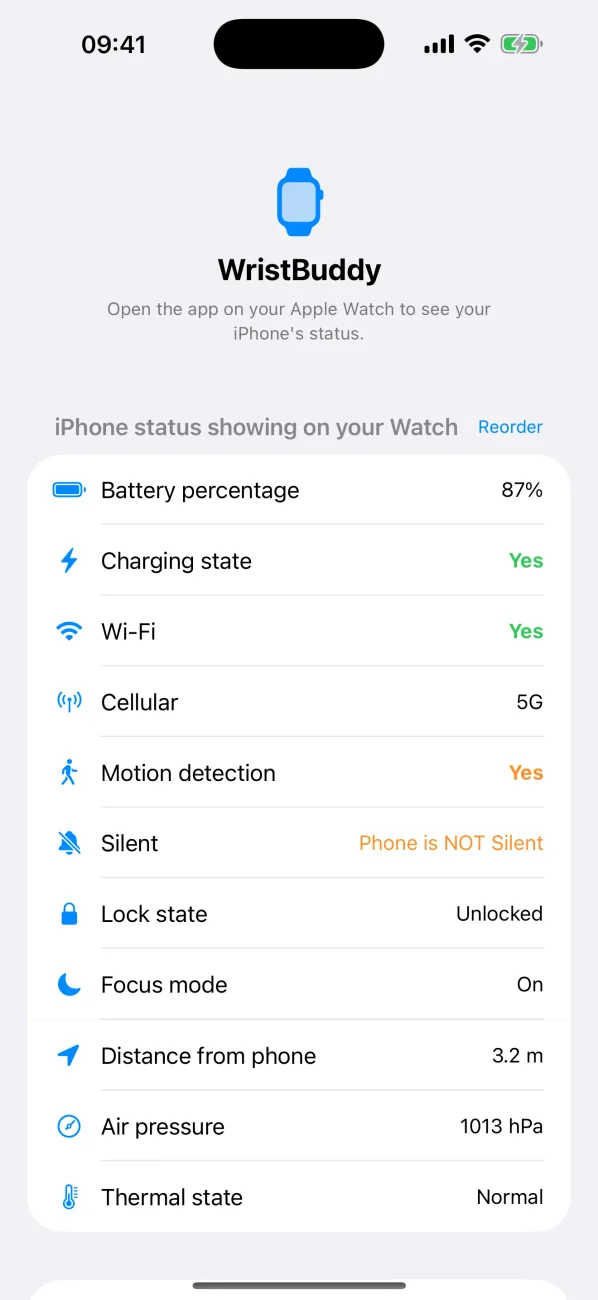
WristBuddy lives on your Apple Watch and shows what your iPhone is doing right now: battery, charging, Wi-Fi and cellular, motion, silent mode, Focus, lock state, air pressure, and thermal state — all glanceable from your wrist.
SOUND FAMILIAR?
• Phone charging in another room? Glance at your wrist and unplug it when it's ready.
• About to walk into a meeting? Know it's really on silent without pulling it out under the table.
• Charging it inside a bag, or tethering a hotspot? Keep an eye on its temperature and catch it running hot.
• Left your phone away on purpose? Stay aware of anything urgent without breaking the moment.
WHAT'S FREE
• Battery range (Below 20% / 20-50% / 50-90% / Above 90%)
• Watch dashboard with stale-snapshot indicator
• "Hey Siri, ring my iPhone with WristBuddy" (beta)
• Adjustable text size on the Watch — four steps on top of your Watch's own Text Size and Bold Text. Change it on the Watch or from the iPhone; both stay in sync
• Watch face complication — open WristBuddy with one tap
UNLOCK PRO (pay once, yours forever)
• Exact battery percentage and charging state
• Wi-Fi and Cellular connectivity (separate rows), with network generation (5G / LTE)
• Motion detection — is the iPhone being touched right now?
• Silent and Focus mode
• Lock state — is the iPhone locked right now?
• Distance from your iPhone (UWB; iPhone 11+ paired with Apple Watch S6+)
• Air pressure — barometric pressure (hPa) from your iPhone's barometer
• Thermal state — is your iPhone running hot while it charges or works? (Normal / Fair / Serious / Critical)
• Find My Watch (beta) — buzz your Apple Watch from your iPhone
• Apple Watch screen on iPhone — see your Watch's battery from your iPhone
• Reorderable status rows — drag to reorder which features show on your Watch
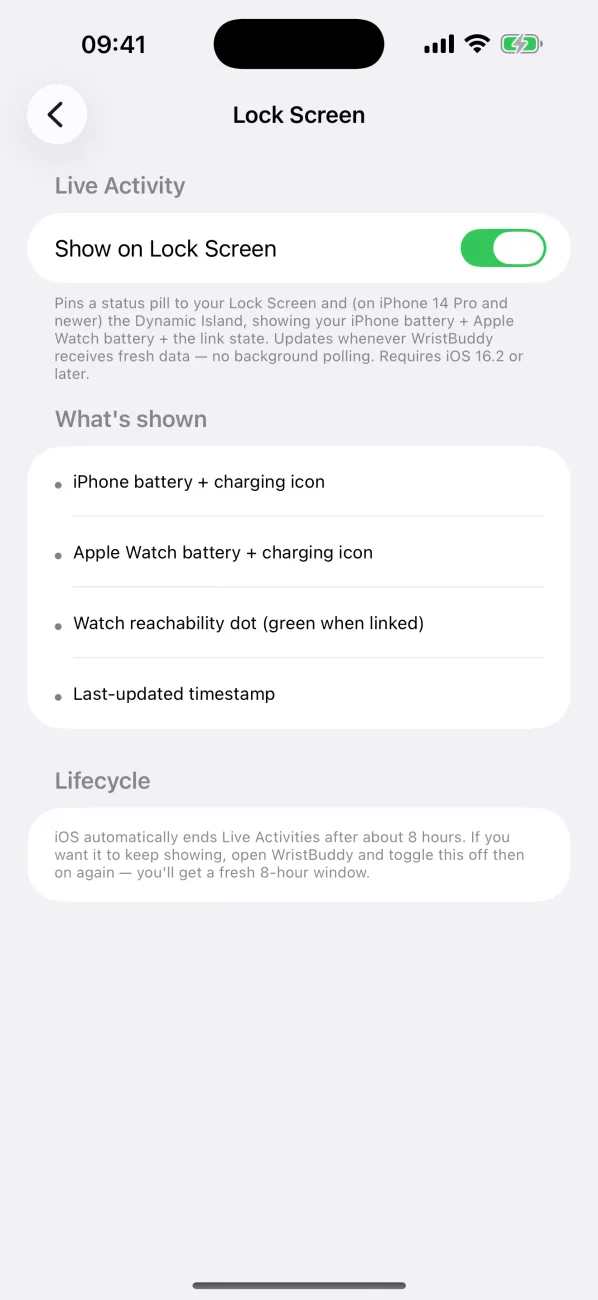
• Lock Screen Live Activity — both batteries and link state pinned to your iPhone Lock Screen and Dynamic Island, with Wi-Fi, Cellular and thermal icons, plus a Smart Stack tile on Apple Watch (iOS 18+, watchOS 11+)
• Get iPhone Status shortcut for Shortcuts automations
WHY WRISTBUDDY
• Pay once. Never a subscription. Never ads.
• No account. No sign-up.
• No cloud. No analytics. No tracking. No third-party SDKs.
• Everything stays on your iPhone and Apple Watch.
• Privacy nutrition label: Data Not Collected — every category unchecked.
PRIVACY BY DESIGN
WristBuddy uses Apple's built-in WatchConnectivity framework, so your iPhone and Apple Watch talk directly to each other over Bluetooth or local Wi-Fi. No data ever leaves your devices. There is no WristBuddy server, because there isn't one.
REQUIREMENTS
• iPhone running iOS 16 or later (iOS 16.1+ for the Lock Screen Live Activity)
• Apple Watch running watchOS 9 or later
• UWB distance feature requires iPhone 11+ and Apple Watch Series 6+
• Dynamic Island layout requires iPhone 14 Pro or newer
• On iPhone Duo, the iPhone app uses a two-column layout when unfolded
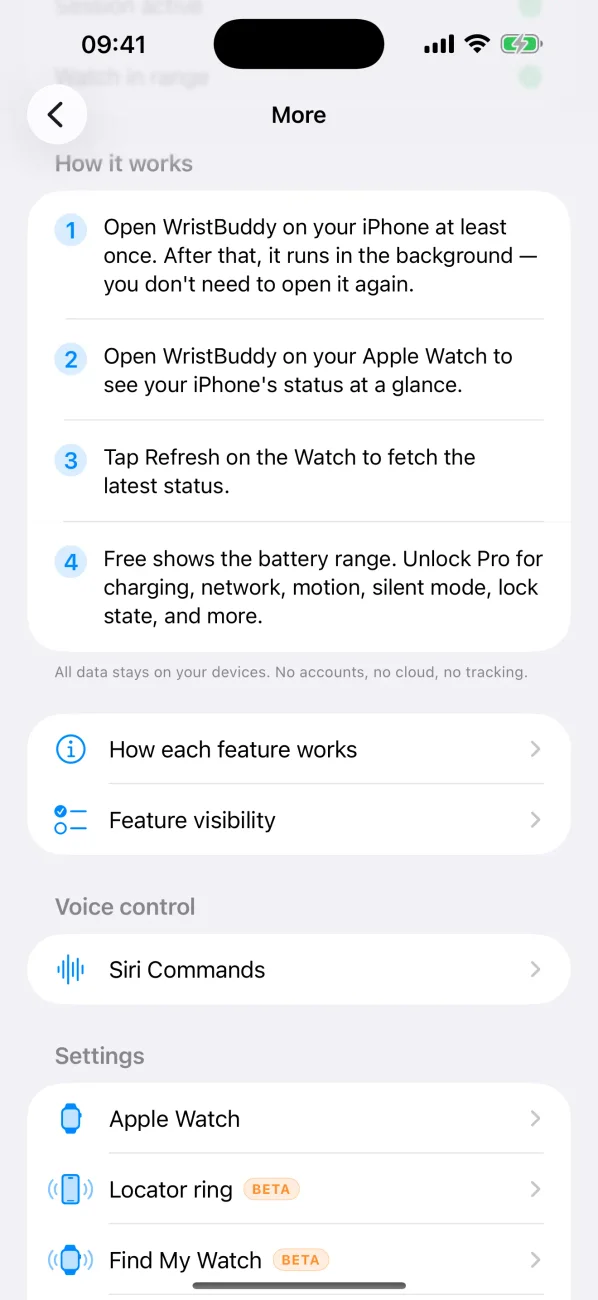
Open the iPhone app once, then forget about it — the iPhone responds in the background. Open the Watch app to see everything at a glance.
What’s new
Version 1.1.0 · Nov 13, 2026
1.1.0 - November 2026
- New: adjustable text size on the watch (4 steps, free for everyone). Change it on the watch or in the iPhone app, and the two stay in sync
- Support for the iPhone Duo, with a two-column layout when unfolded
- Updated for iOS 27 and watchOS 27
- More reliable watch refresh, distance, Locator Ring and Live Activity
- Pro stays unlocked when you're offline
- Many stability fixes
App privacy
What Mario Longhi declares on the App Store about how this app handles data.
-
Data not collected
The developer does not collect any data from this app.
Privacy practices may vary, for example with the features you use or your age.
Information
- Seller
- Mario Longhi
- Category
- Utilities
- Version
- 1.1.0
- Updated
- Nov 13, 2026
- Released
- Jun 7, 2026
- Size
- 3.4 MB
- Requires
- iOS 16.0 or later
- Age rating
- 4+
- Price
- Free
- In-app purchases
- Yes
- Languages
- English, French, German, Japanese, Portuguese, Spanish, Swedish
- Copyright
- © Mario Longhi
You might also like
-
 MensajeYaUtilities
-
 LeashyDon't leave your phone behind
-
 MuteCuePhone silence / DND reminder
-
 Swift PasteKeyboard & Clipboard Manager
-
 EV Charge LogTrack every EV charge
-
 Charge GlanceBattery levels at a glance
-
 EuroWheelz Battery ManagementAll your battery information
-
 Leash ByEase: Phone ReminderLeft behind? Your Watch alerts
-
 Clock Buddy - ComplicationsWorld times on your watch
-
 RayStatus | Phone DiagnosticsBattery, Network & Hardware