Write on PDF: Edit & Annotate
Fill, Sign, Draw & Annotate
Designed for iPhone, iPad
Free · In-app purchases
- Age rating4+
- CategoryUtilities
- DeveloperFenuku Kekeli
- LanguagesEnglish
- Size21.8 MB
Links to the official App Store page
Download.org hosts no file of Write on PDF: Edit & Annotate. The button opens its official App Store page, published by Fenuku Kekeli. Listing last checked on Nov 12, 2026.
Screenshots


About
# Write on PDF
Write, type, draw, highlight, sign, and add notes directly to your PDF documents.
Write on PDF gives you the tools you need to quickly mark up PDFs without complicated editing software. Open your document, make your changes, and save your updated PDF.
## WRITE & ADD TEXT
Add text anywhere on your PDF. Perfect for filling documents, adding answers, making corrections, or adding extra information.
## DRAW & ANNOTATE
Use drawing and annotation tools to mark up documents naturally. Circle important information, add handwritten notes, or draw directly on the page.
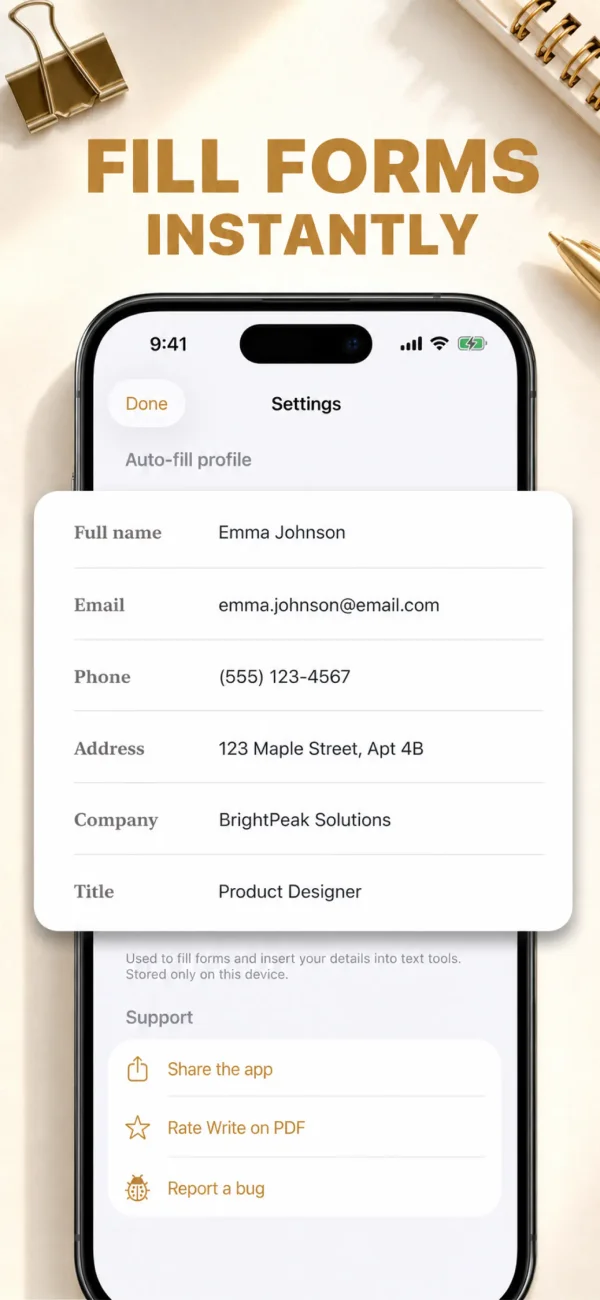
## FILL PDF FORMS
Complete PDF documents and forms from your iPhone or iPad. Add the information you need without printing the document first.
## SIGN DOCUMENTS
Add your signature directly to PDF documents for a fast and convenient way to complete forms and paperwork.
## HIGHLIGHT IMPORTANT TEXT
Highlight important sections of your documents so you can quickly find the information that matters.
## ADD NOTES
Add notes and annotations while reading, reviewing, or studying PDF documents.
## MADE FOR EVERYDAY PDF EDITING
Write on PDF is useful for:
* Filling PDF forms
* Signing documents
* Adding text to PDFs
* Annotating documents
* Highlighting important information
* Writing notes
* Drawing on PDFs
* Reviewing documents
* Completing worksheets
* Marking up study materials
Whether you're working with forms, notes, school documents, business files, or personal PDFs, Write on PDF makes it easy to make changes directly from your device.
Open your PDF and start writing.
Subscription Details:
• Title: Savory All Access
• Length: 1 year
• Price: $39.99 per year and $7.99 per month (auto-renews)
• Terms of Use: https://www.apple.com/legal/internet-services/itunes/dev/stdeula/
• Privacy Policy: https://docs.google.com/document/d/1b2FQZ_HK2I_6ZBJhiaJw_Vii5aKW9D4dYjGfP9C8efU/edit?usp=sharing
App privacy
What Fenuku Kekeli declares on the App Store about how this app handles data.
-
Data not collected
The developer does not collect any data from this app.
Privacy practices may vary, for example with the features you use or your age.
Information
- Seller
- Fenuku Kekeli
- Category
- Utilities
- Version
- 1.0
- Updated
- Sep 10, 2026
- Released
- Sep 10, 2026
- Size
- 21.8 MB
- Requires
- iOS 17.0 or later
- Age rating
- 4+
- Price
- Free
- In-app purchases
- Yes
- Languages
- English
- Copyright
- © 2026 KEKELI
You might also like
-
 VM DistributionUtilities
-
 HoutzagerssingelUtilities
-
 Halo — Verify It's Really ThemStop voice-clone scam calls
-
 AlkawtharAl-Kawthar Foundation
-
 قول وسجّل - حاسبة بلوتUtilities
-
 Write on PDF: Print to PDFPDF Filler - PDF Maker&Editor
-
 PDFlick: PDF Editor & ScannerPDF to Word, Excel & PPT
-
 PDF Viewer : Read & EditRead, manage or edit PDF files
-
 WPoolUtilities
-
 Play Later: Background PlayerListen to videos while locked