
WriteOff Snap: Receipt Scanner
Expense Tracker & OCR Log
Designed for iPhone
Free · In-app purchases
- Age rating4+
- CategoryFinance
- DeveloperKenichi Saito
- LanguagesEnglish
- Size4.1 MB
Links to the official App Store page
Download.org hosts no file of WriteOff Snap: Receipt Scanner. The button opens its official App Store page, published by Kenichi Saito. Listing last checked on Nov 18, 2026.
Screenshots
About
WriteOff Snap is the ultra-fast, 1-Bit retro expense tracker engineered for zero friction. Built around a "Zero UI" workflow, it allows you to log receipts instantly without ever opening the app.
◆ WHAT IS ZERO UI?
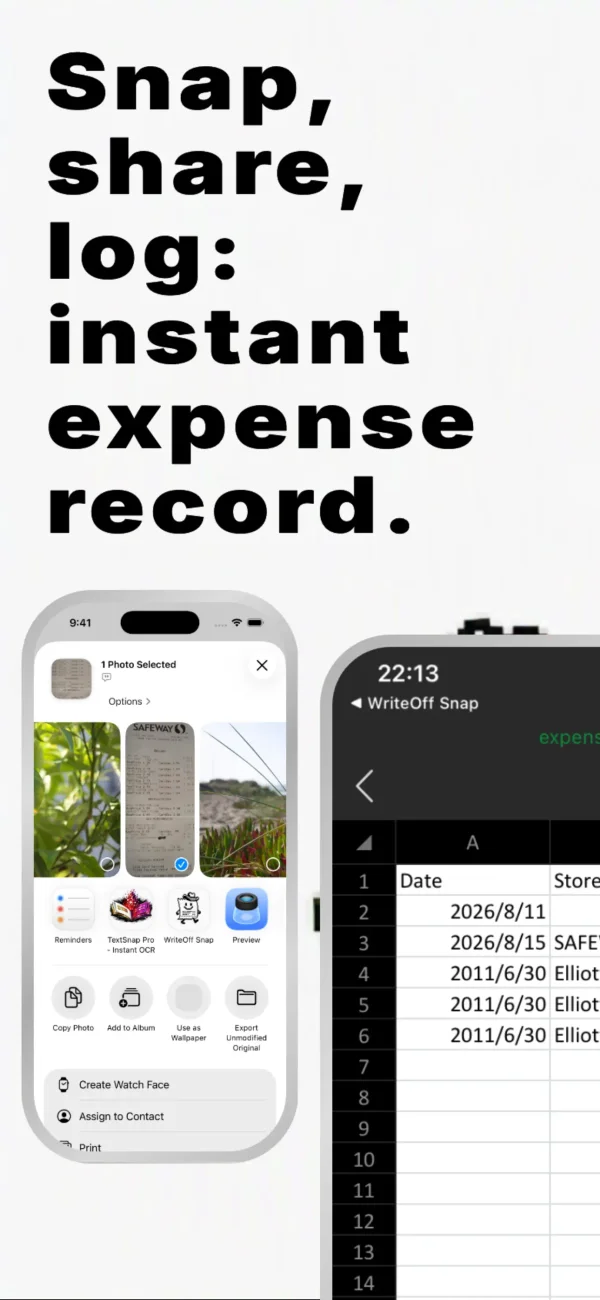
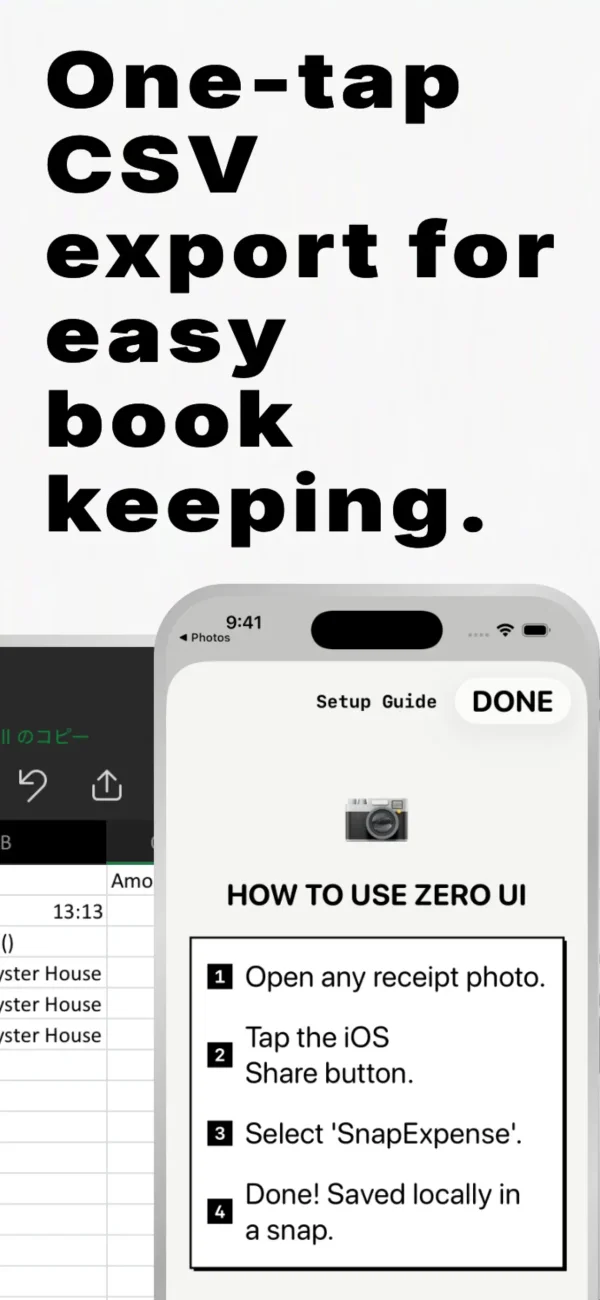
Traditional expense tracking takes too many taps. WriteOff Snap streamlines bookkeeping into a single native iOS action:
1. Take a photo of your receipt (or screenshot an invoice).
2. Tap the iOS "Share" button in your Photos app.
3. Select "WriteOff Snap".
The receipt is processed instantly on-device using local Vision OCR. Your store name and total amount are extracted, categorized, added to your local ledger, and confirmed via notification in under two seconds.
◆ 100% PRIVATE & ON-DEVICE
Your financial data belongs exclusively to you:
• No Account Required: Start tracking immediately without signups or emails.
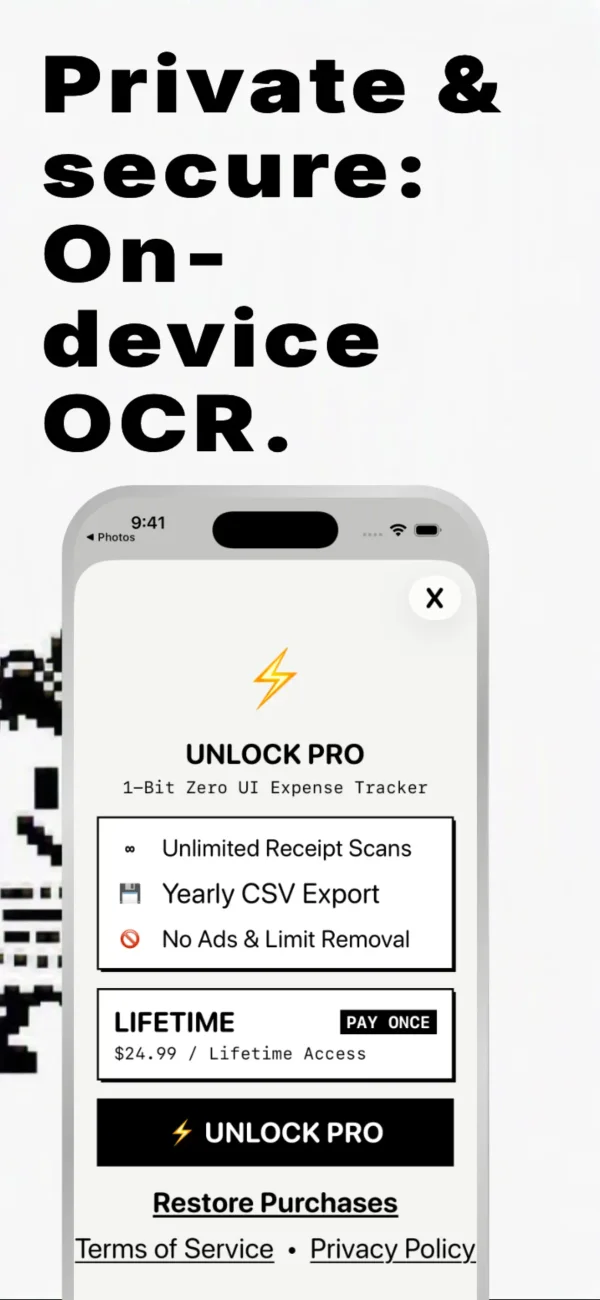
• Local OCR Processing: All optical character recognition runs completely offline on your device.
• Zero Cloud Storage: Receipts and financial entries are never uploaded to any remote server.
• Portable CSV Ledger: Your data stays in standard CSV format inside your device storage.
◆ KEY FEATURES
• Instant Share Sheet Parsing: Log physical and digital receipts directly from iOS Photos, Files, or Safari.
• Retro 1-Bit Design: High-contrast, iconic monochrome aesthetic inspired by classic desktop operating systems.
• Smart Monthly Overview: Clean dashboard tracking total monthly spend, receipt count, and hours saved.
• One-Tap CSV Export: Seamlessly export yearly ledgers or full financial archives for tax season, Excel, or Numbers.
• Manual Corrections: Edit store names, dates, or amounts at any time with a clean retro sheet.
◆ PRICING & TIERS
• Free Plan: 5 receipt scans per calendar month with full dashboard access.
• Pro Lifetime (One-Time Purchase): Unlock unlimited receipt scans, complete yearly CSV exports, and ad-free usage forever with no recurring subscriptions.
---
Terms of Service (EULA):
https://www.apple.com/legal/internet-services/itunes/dev/stdeula/
Privacy Policy:
https://ionian-schooner-c64.notion.site/SnapExpense-Privacy-Policy-Support-3bd95c2fe5fd80cc9111d4e0fe1ee033?source=copy_link
App privacy
What Kenichi Saito declares on the App Store about how this app handles data.
-
Data not collected
The developer does not collect any data from this app.
Privacy practices may vary, for example with the features you use or your age.
Information
- Seller
- Kenichi Saito
- Category
- Finance
- Version
- 1.0
- Updated
- Sep 8, 2026
- Released
- Sep 8, 2026
- Size
- 4.1 MB
- Requires
- iOS 18.6 or later
- Age rating
- 4+
- Price
- Free
- In-app purchases
- Yes
- Languages
- English
- Copyright
- © 2026 KentralPark
You might also like
-
 Tally: Private Receipt ScannerWarranty & Expense Tracker
-
 Expense MinionAI Receipt Scanner — Offline
-
 Kirim UangFinance
-
 Receipt Scanner - ReceiptoExpense Tracker & Organizer
-
 TradeGPT by TradeAlgoFinance
-
 Patelco Mobile BankingFinance
-
 Finku: Budget & Money ManagerExpense Tracker & AI Assistant
-
 Unusual WhalesUnusual Options & Market Data
-
 POSB digibankFinance
-
 WorldRemit: Money Transfer AppSend Transfers & Remittance