
Writer-Handwritten notes & OCR
Drawing Board&memos,diary
Designed for iPhone, iPad, iPod touch
Free · In-app purchases
- Age rating4+
- CategoryReference
- Developer广州盈锋智能软件技术有限公司
- LanguagesEnglish+ 15 more
- Size192.9 MB
Links to the official App Store page
Download.org hosts no file of Writer-Handwritten notes & OCR. The button opens its official App Store page, published by 广州盈锋智能软件技术有限公司. Listing last checked on Nov 25, 2026.
Screenshots


About
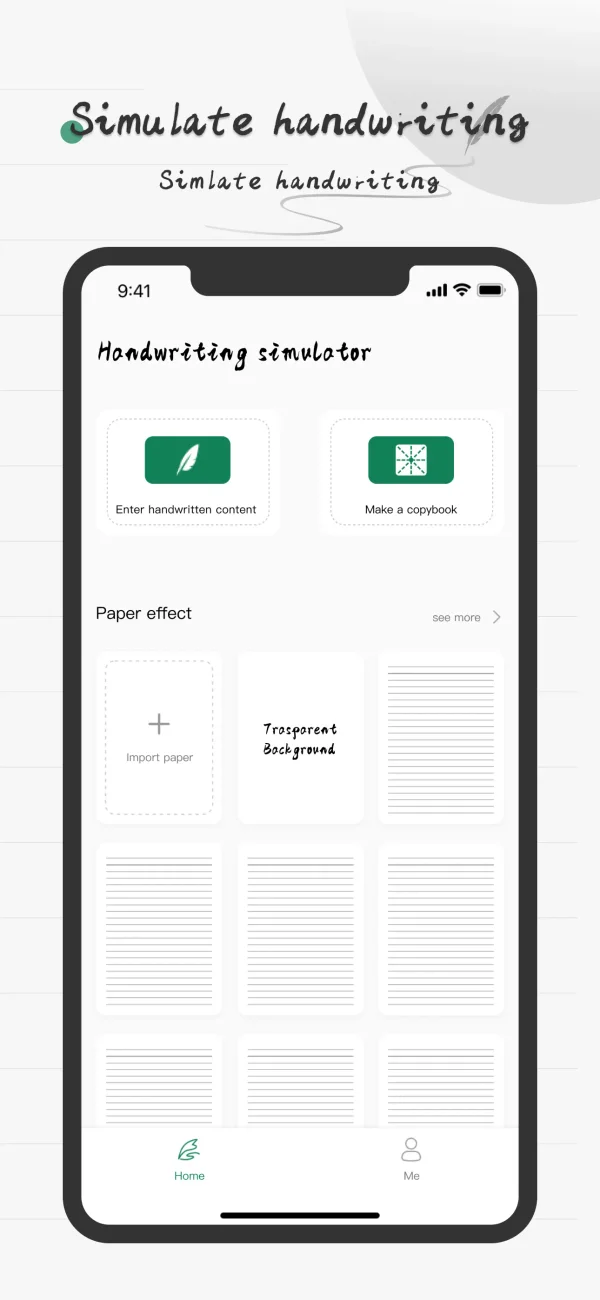
Generate lifelike hand‑written documents in one tap. Handwriting Simulator reproduces real‑world handwriting styles without manual copying or printing.
Built‑in signature maker, document import and OCR text recognition. Finish your handwritten files in seconds for study and office work.
Tweak handwriting parameters,pick various paper styles,simulate camera‑shot effect,save & share as PDF,PNG,JPG files.
Handwriting Simulator is designed for users who frequently need hand‑style output. Generate authentic handwritten documents instantly and save your copying time.
【One‑Tap Handwriting Generation】
Turn typed text into realistic hand‑style output. Ideal for note transcription,text excerpt,assignment draft and other personal‑use scenarios.
【Fine‑tune Handwriting Details】
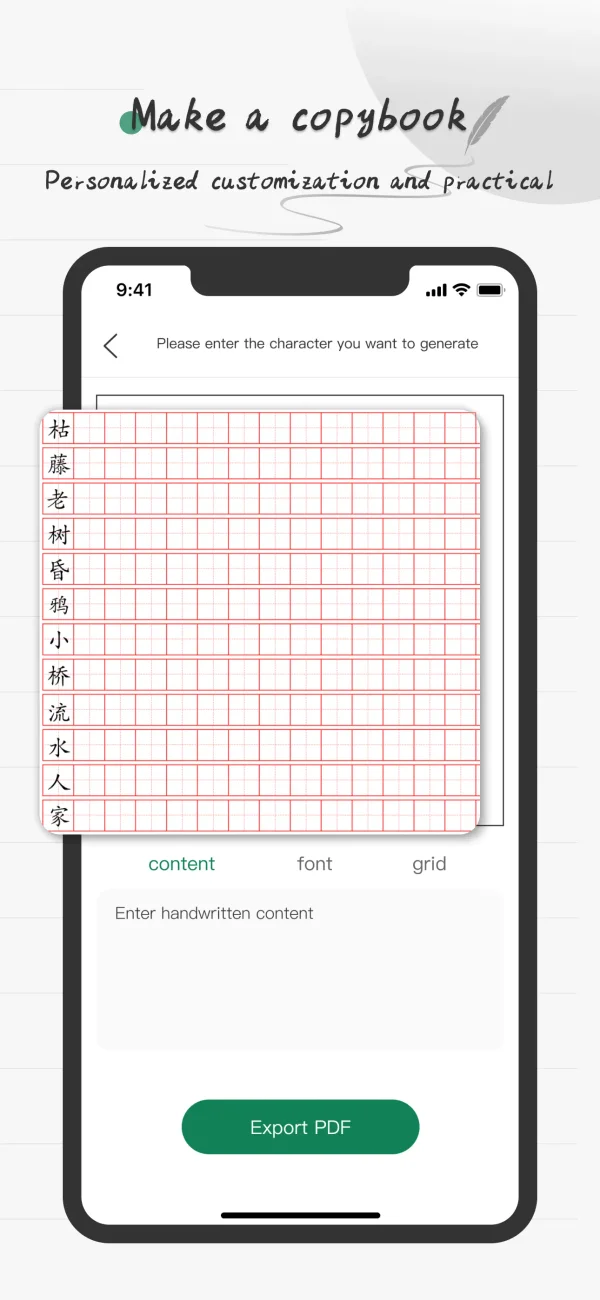
Adjust fonts,stroke thickness,stroke jitter,line spacing and more parameters.Customize your unique handwriting look for natural results.
【Multiple Paper Templates】
Various paper backgrounds including white,yellow,grey,blue and more,for notes,letters,homework and different document styles.
【Real‑Shot Simulation】
Enable real‑shot simulation mode to add camera‑captured paper texture.Make your output look like genuine hand‑written photos.
【Hand‑Signature Mode】
Dedicated signature canvas for drawing personal handwritten signatures.Crop and export signature images for forms and document signing.
【Document Import & OCR Recognition】
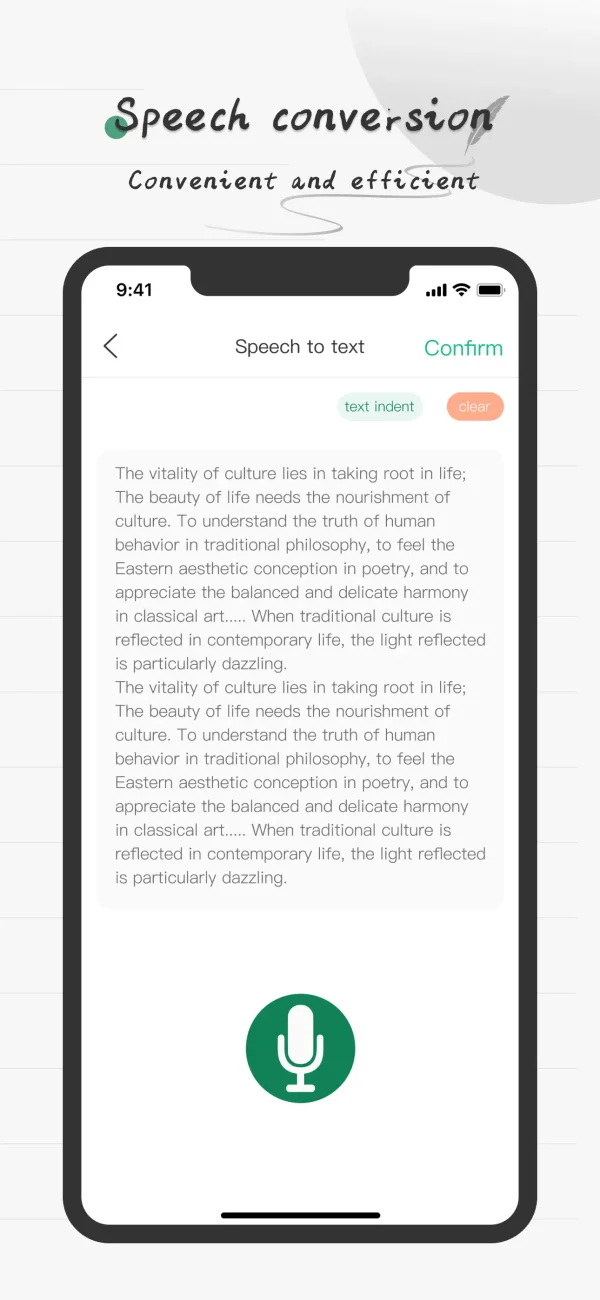
Import local files and extract text with OCR technology.Recognized text can be converted directly to hand‑writing style for full workflow.
【Export & Share in Multiple Formats】
Export work as PDF,PNG,JPG.Save files locally or share with others easily.
If you encounter any problems,please feel free to contact our support team.
‑ Support Email: yfkeji0203@163.com
‑ Terms of Service:[https://www.freeprivacypolicy.com/live/1105d57d](https://www.freeprivacypolicy.com/live/1105d57d)‑bb9c‑4bf6‑9221‑30341ef8cf98
‑ Privacy Policy:[https://www.freeprivacypolicy.com/live/9ba1a290](https://www.freeprivacypolicy.com/live/9ba1a290)‑e2a2‑47c1‑9259‑19854a246bfd
If you enjoy Handwriting Simulator,please leave us your valuable review and star rating.
This app is for personal study & office use only,please comply with local usage rules.
What’s new
Version 2.1.8 · Nov 23, 2026
Optimize the application user experience
App privacy
What 广州盈锋智能软件技术有限公司 declares on the App Store about how this app handles data.
-
Data used to track you
May be used to track you across apps and websites owned by other companies.
- Usage data
-
Data linked to you
May be collected and linked to your identity.
- User content
-
Data not linked to you
May be collected but is not linked to your identity.
- Usage data
- Diagnostics
Privacy practices may vary, for example with the features you use or your age.
Information
- Seller
- Infinite Intelligent Softtech Co., Ltd.
- Category
- Reference
- Version
- 2.1.8
- Updated
- Nov 23, 2026
- Released
- Jul 12, 2023
- Size
- 192.9 MB
- Requires
- iOS 15.6 or later
- Age rating
- 4+
- Price
- Free
- In-app purchases
- Yes
- Languages
- English, Arabic, French, German, Hungarian, Italian, Japanese, Korean, Malay, Portuguese, Russian, Simplified Chinese + 4 more
- Copyright
- © Infinite Intelligent Softtech Co., Ltd.
You might also like
-
 Text to Handwriting ConverterTurn Text to Handwritten notes
-
 Text To HandwritingScan Text to Handwritten Notes
-
 Handwriting to Text ConverterOCR & Scan Handwritten Notes
-
 AALocker - App LockerParents' screen control helper
-
 研途考研-考研备考一站式Education
-
 考途Education
-
 欧拉AI学Education
-
 University Notes: Study NotesNew College Notes for Studying
-
 NB实验室-最强大脑Dr.魏推荐Education
-
 书法碑帖大全-练字必备的书法字帖AppEducation