- Age rating4+
- CategoryWeather
- DeveloperScott Langer
- LanguagesEnglish+ 2 more
- Size16.6 MB
Links to the official App Store page
Download.org hosts no file of Wx Advanced. The button opens its official App Store page, published by Scott Langer. Listing last checked on Nov 7, 2026.
Screenshots


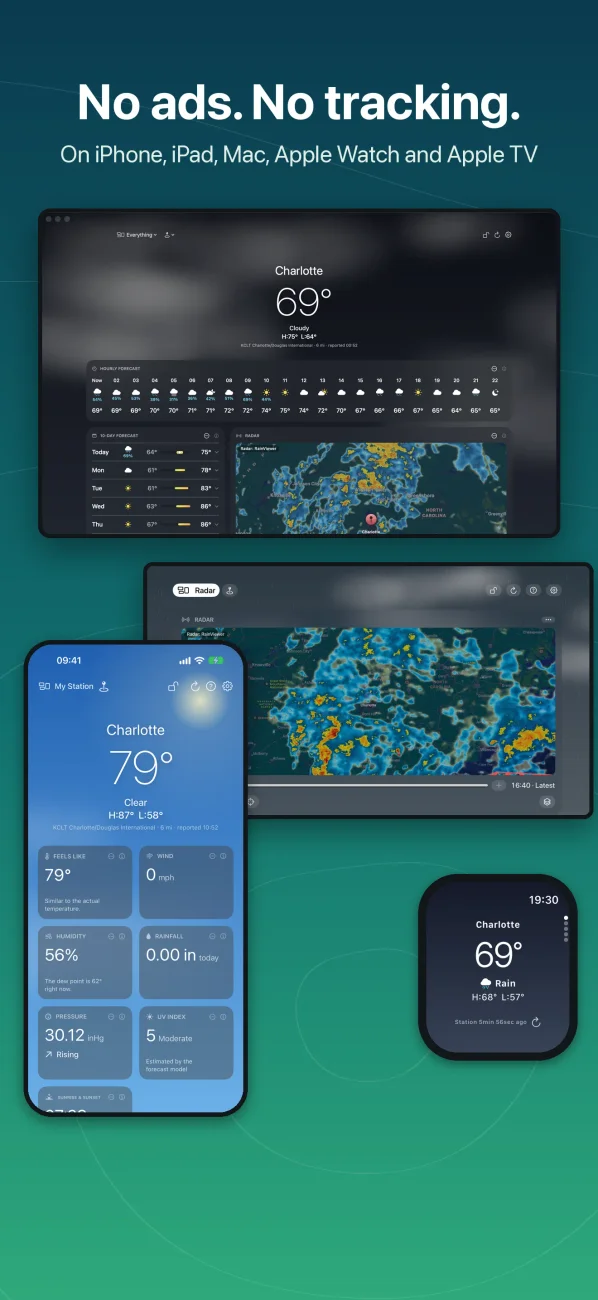
About
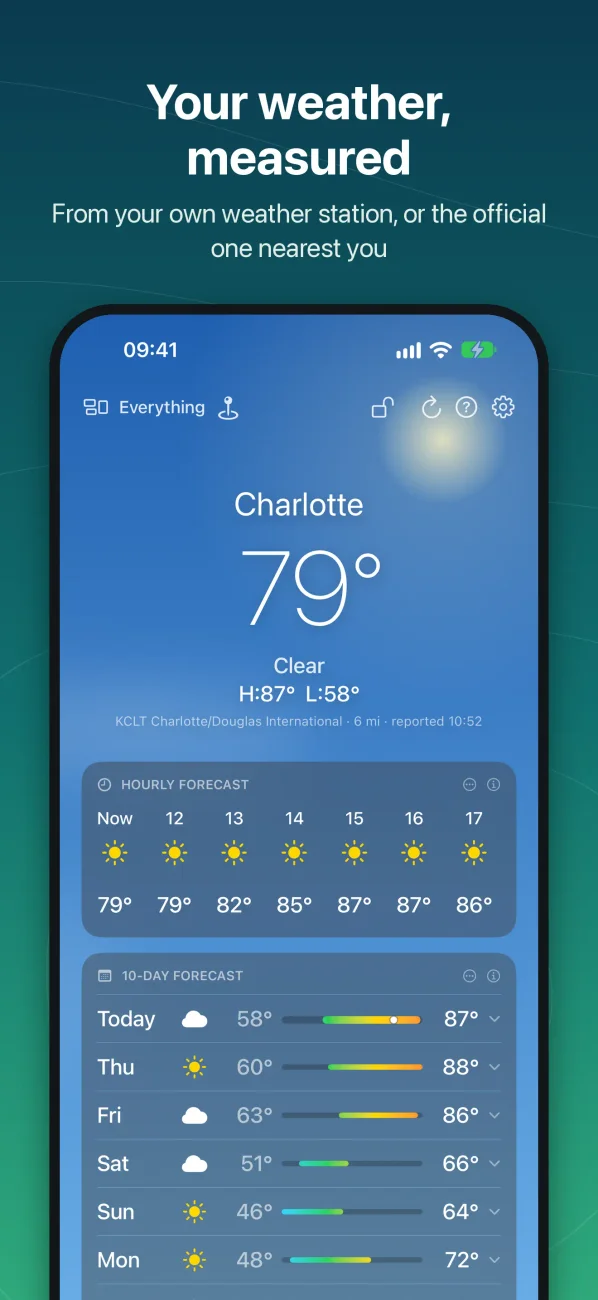
Wx Advanced shows the weather where you actually are, in as much detail as you want.
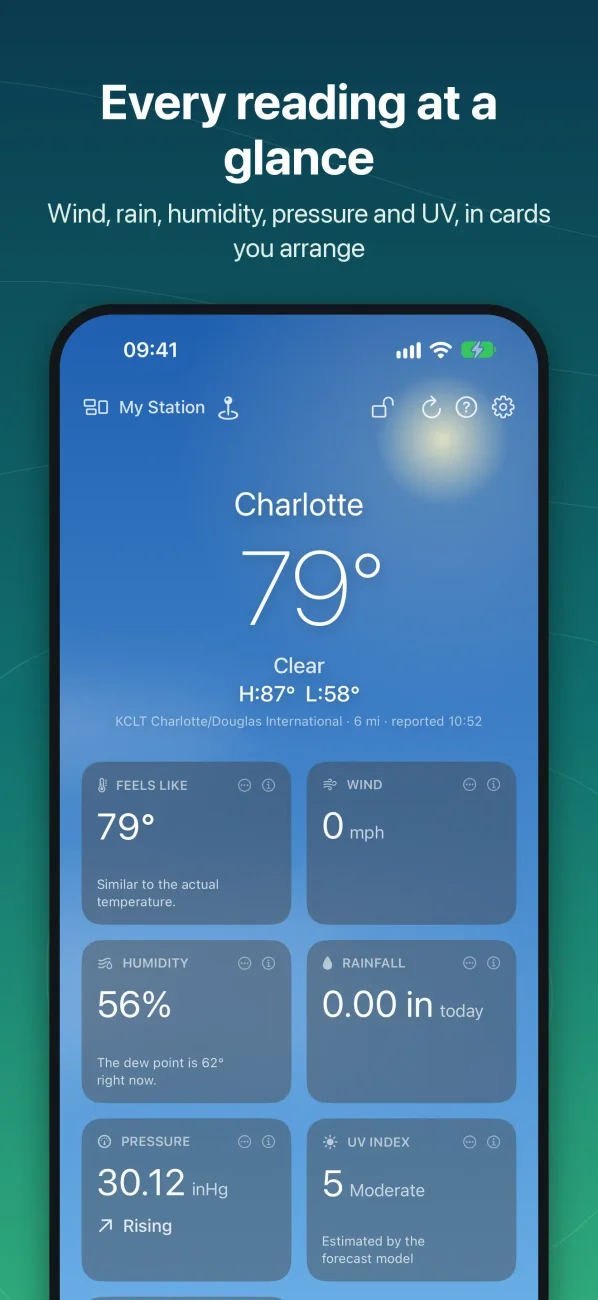
If you have a home weather station, it shows your own readings, minute by minute: temperature, feels-like, wind and gusts, humidity, dew point, rain, pressure, UV and more, with charts of everything your station has recorded.
If you do not have a station, you do not need one. Choose your location or any town and the app shows the latest readings from the nearest official weather station, and tells you which station it is and how far away.
Either way you also get:
• Hourly and daily forecasts, with each day's hours one step away
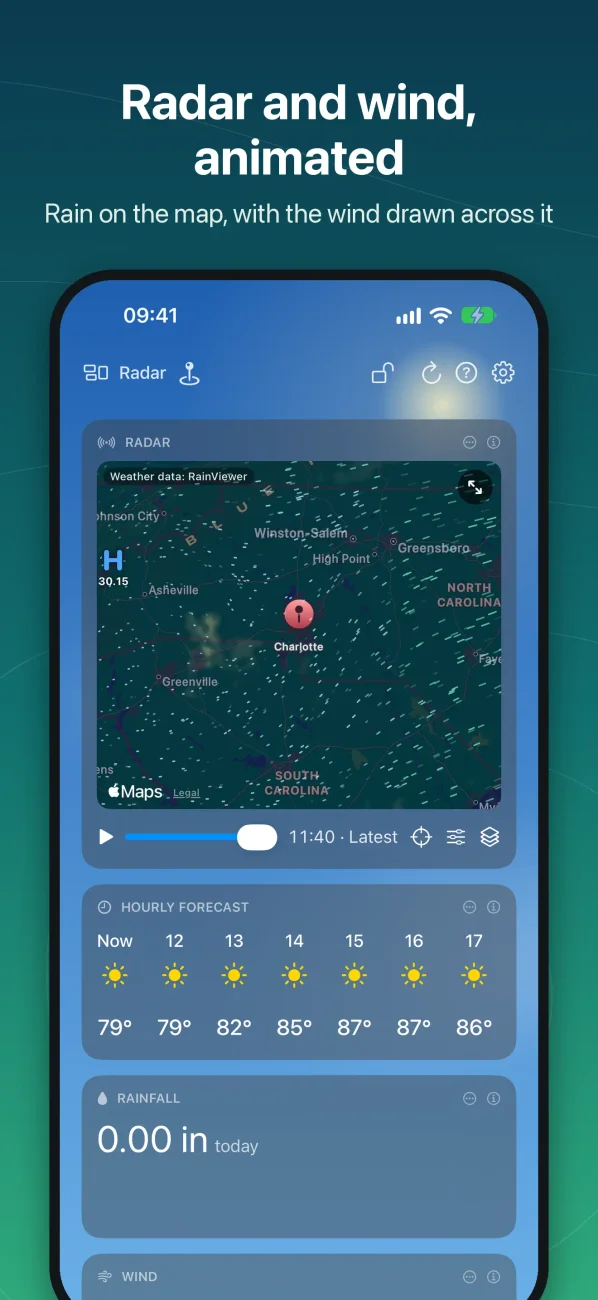
• An animated radar map with wind currents, fronts, highs and lows, and pressure lines
• Official weather alerts (United States), and your own alerts for wind, rain, heat and cold
• Today's highs and lows and which way temperature and pressure are heading
• A sky that matches the real one, by day and by night
MAKE IT YOURS
Every part of the screen is a card. Move the cards, resize them, hide the ones you do not care about, and save different arrangements as views: one for the forecast, one for your station, one for the radar. Choose your units, your clock, how often things refresh and how nearly everything looks.
Every card and every setting explains itself: each card has an (i) button, and there is a full Help section.
ON ALL YOUR DEVICES
One app for iPhone, iPad, Mac, Apple Watch and Apple TV.
• Widgets for the home screen, the lock screen and the Mac desktop
• An Apple Watch app with complications for the temperature and for any single measurement, and its own options for pages and order
• A Mac menu bar readout
• An Apple TV app you work from the sofa with the remote
YOUR OWN WEATHER STATION
Wx Advanced reads your station through Home Assistant, the free home automation system, so it works with any station Home Assistant can read. Ecowitt, Ambient Weather, Tempest and Davis stations are recognised automatically; for other makes you pick which sensor supplies each measurement. The app only ever reads from your Home Assistant. It cannot change anything there, and your station's readings go nowhere else.
No station? Use your location or a town, or look around with the built-in sample station.
PRIVATE BY DESIGN
No account. No ads. No tracking. No analytics. Your settings stay on your devices. Your location is optional, and it is rounded to about half a mile before any weather service is asked about it.
WHERE THE DATA COMES FROM
Forecasts by Open-Meteo. Radar by RainViewer. Official station reports from the U.S. Aviation Weather Center, which publishes airport weather worldwide. Alerts and weather maps from the U.S. National Weather Service and NOAA. Official stations report about once an hour; your own station reports every minute.
Wx Advanced is an independent app and is not affiliated with Apple, Home Assistant or the weather services it uses.
What’s new
Version 1.0.2 · Oct 21, 2026
The wind and pressure lines now fill the whole map when you zoom out, with a new setting to turn this off. Map settings are now fully translated into French and Spanish.
App privacy
What Scott Langer declares on the App Store about how this app handles data.
-
Data linked to you
May be collected and linked to your identity.
- Contact info
- User content
-
Data not linked to you
May be collected but is not linked to your identity.
- Location
- Usage data
- Diagnostics
Privacy practices may vary, for example with the features you use or your age.
Information
- Seller
- Scott Langer
- Category
- Weather
- Version
- 1.0.2
- Updated
- Oct 21, 2026
- Released
- Oct 15, 2026
- Size
- 16.6 MB
- Requires
- iOS 18.0 or later
- Age rating
- 4+
- Price
- Free
- Languages
- English, French, Spanish
- Copyright
- © 2026 Scott Langer
You might also like
-
 StationCastWeather from your backyard
-
 PWS UltraMy weather station monitor
-
 AtmosConsole: Tempest WeatherDashboard for Tempest
-
 Weather Magic PWSYour personal weather station
-
 PWS DisplayWeather Station Dashboard
-
 WeatherchimeDaily alerts: umbrella &outfit
-
 YAWA PWSPersonal Weather Station Data
-
 Meteo Radar AvanzatoWeather
-
 RemoteWeatherLive Weather for PWS Owners
-
 WeatherTracking: PWSStation History & Widget