- Age rating4+
- CategoryMusic
- DeveloperAudren Thibault
- LanguagesEnglish
- Size11.3 MB
Links to the official App Store page
Download.org hosts no file of XM Zhootracker. The button opens its official App Store page, published by Audren Thibault. Listing last checked on Nov 20, 2026.
Screenshots
About
XM Zhootracker is a retro-modern music tracker with built-in virtual controls (also gamepad and keyboard support), inspired by the legendary workflow of LSDJ (Gameboy) (also in M8 tracker, LittlePiggyTracker, ChipNomad etc...), but fully compatible with the classic FastTracker II (XM) format. So it is compatible with every FT2 clones like Milkytracker, Nitro/Nitroustracker etc... Also works on Mac (Apple Silicon).
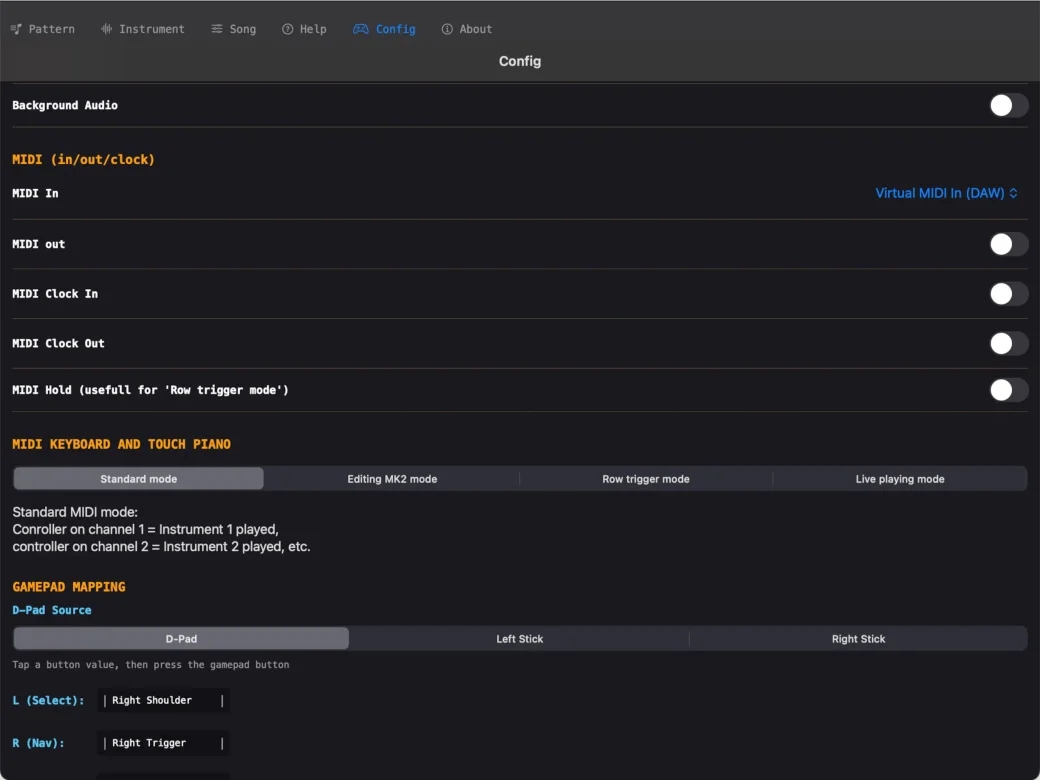
MIDI:
- MIDI Note In — receive notes from any MIDI controller, keyboard, or sequencer/DAW. Each MIDI channel controls its corresponding instrument (channel 1 = instrument 1, channel 2 = instrument 2, etc.)
- Row Trigger Mode : map each MIDI note to a row, turn your controller into a live performance instrument (with latency compensation)
- MIDI Hold : sustain triggered rows without holding the key
- MIDI Note Out : send notes to external synths and drum machines
- MIDI Clock Out : sync external hardware to XM Zhootracker's tempo (sends Start, Stop, Song Position, 24 PPQN clock)
- MIDI Clock In : slave XM Zhootracker to an external clock source (drum machine, DAW, etc.) with sample-accurate sync directly coupled to MIDI ticks
CONTROLS:
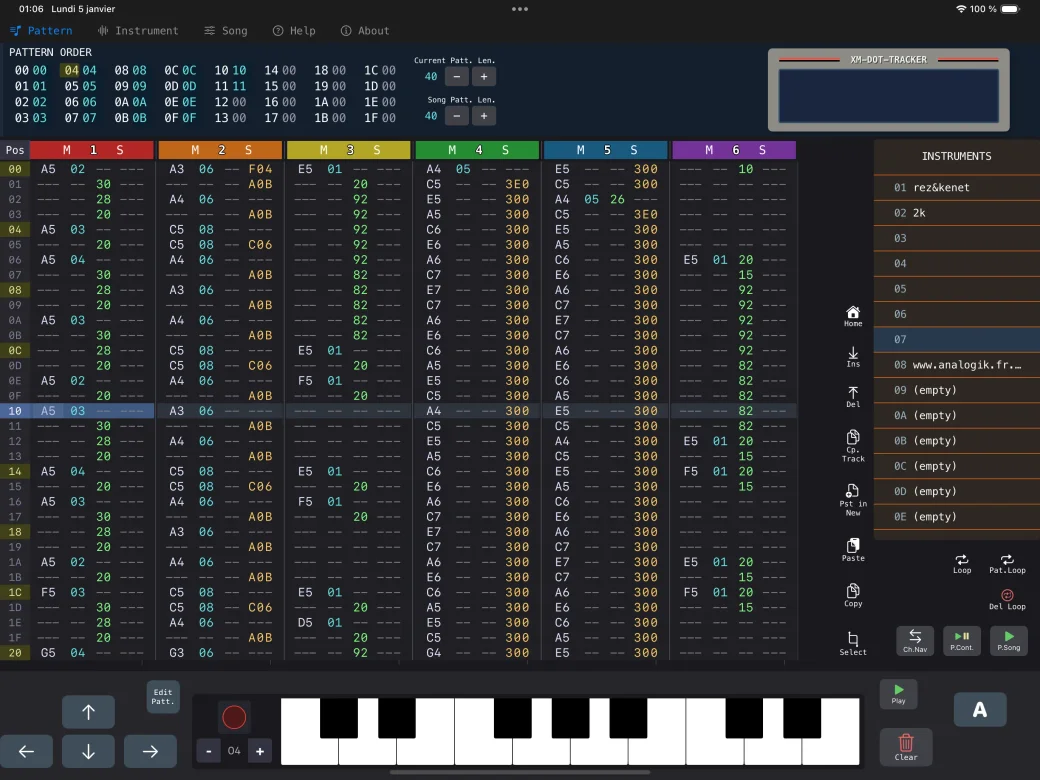
- Virtual D-pad + A button for fast pattern editing
- LSDJ-inspired navigation simplified for touchscreen
- Navigate with arrows OR tap directly
- The tracker experience you know, redesigned for iPad, inspired by both computer and handheld worlds
- Gamepad and keyboard support (using LSDJ shortcuts) (I can't test all gamepads, please report it if there is any problems and I will fix it).
INTELLIGENT FILE SYSTEM
- Open several samples folder and navigate in your folders
- Open .xm or .mod files to navigate into their samples and reuse them
SONG
- Save your projects
- Change BPM
- Mix global volume (useful when using with other apps or midi)
CONFIG
- Background audio
- MIDI config
- Gamepad mapping
DESIGNED FOR EVERYONE:
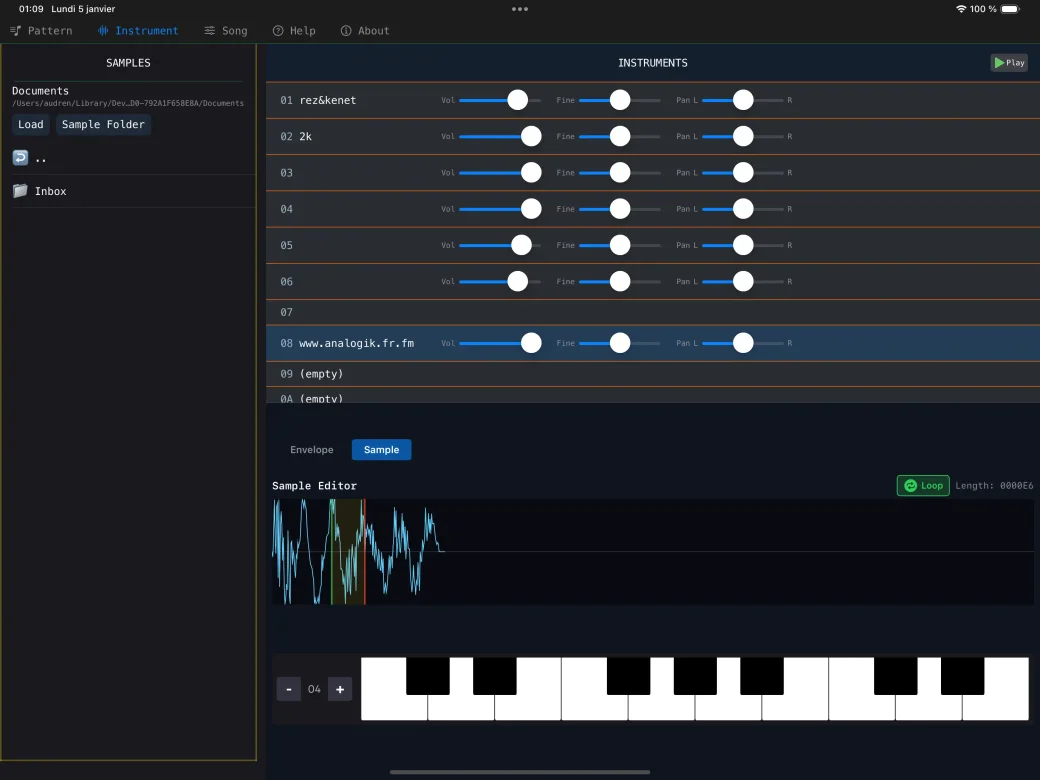
XM Zhootracker is built to be intuitive. You don't need to master FastTracker II. LSDJ/M8 knowledge will make you faster but I found it more easier to use than computer trackers. Load your sample in instrument page, add your note with A or Keyboard - start making music.
FULL XM SUPPORT:
- Load and save standard XM module files
- Import WAV samples or record your own
- Up to 256 patterns with 32 channels
- Real-time playback with accurate XM engine
- Volume envelopes
- Sample loop on instruments
- Mute/Solo tracks
- Support all fastTracker2/milkytracker commands (LCD style screen for help)
EXTRA FEATURES :
- Record from microphone directly on the grid (instant fun)
- Pattern Loop
- Copy track
- Intuitive touch controls
- Paste in new pattern
- Undo / Redo
INTERFACE :
- Built-in help section
Presentation of the app :
https://www.youtube.com/watch?v=wqaW5rX9xU8
REC and other features tutorial :
https://www.youtube.com/watch?v=elqwHqbG1F8&t=9s
FEEDBACK & SUPPORT: I am actively working on improving the app. If you encounter any bugs or have feature suggestions, please report them here : https://discord.gg/P6FxxVfv
Perfect for chiptune artists, experimental, enthusiasts, retro game composers, or anyone curious about tracker music.
What’s new
Version 1.4.5 · Jun 4, 2026
- Improved Cursor Movement: Navigation within the FX column is now as smooth and responsive as in the Note column when using the arrow keys.
- Recording Fix: Resolved an issue where notes recorded via the piano keyboard would sometimes fail to appear in the grid.
New buttons and Shortcuts:
- Alt + Left/Right Arrow: Switch between patterns.
- F5: Play from the beginning of the song.
- F8: Play from the current pattern.
- F9: Play and loop the current pattern.
- P.Hold: Play from the current row while the button is held down (useful for editing).
Envelope & Instrument Display:
- Fixed a bug where envelopes would stop working after removing points. The envelope display now updates correctly when switching instruments.
- Solo & Mute Controls: Added S (Solo) and M (Mute) buttons for each track in the Instrument view.
- Layout Adjustments: Reordered the P.Song and P.Cont buttons in the Pattern page for better usability.
- Loop Stability: Fixed a bug where changing sample gain would cause the selected loop to disappear.
- Zoom Functionality: Added the ability to zoom in on both envelopes and sample loops.
Controller Optimizations:
- Significantly improved navigation speed when using a game controller.
- L1 and R1 buttons can now be used to switch between patterns.
- Y now add a note off
Help & Documentation
Help Page: Refactored for better clarity and ease of use.
App privacy
What Audren Thibault declares on the App Store about how this app handles data.
-
Data not collected
The developer does not collect any data from this app.
Privacy practices may vary, for example with the features you use or your age.
Information
- Seller
- Audren Thibault
- Category
- Music
- Version
- 1.4.5
- Updated
- Jun 4, 2026
- Released
- Jan 16, 2026
- Size
- 11.3 MB
- Requires
- iOS 17.5 or later
- Age rating
- 4+
- Price
- $8.99
- Languages
- English
- Copyright
- © 2026 Audren Thibault
You might also like
-
 LOOPBARMultitrack looper for guitar
-
 Chiptune: A Simple ComposerWrite 8-bit video game music
-
 Retales SamplerEight-pad sampler & sequencer
-
 Gelato SynthSynthesizer. No wrong notes.
-
 NightShine AUv3 CompressorAlesis 3630 based compressor
-
 Spectrum AUv3 FFT VisualizerReal-time FFT Analyzer
-
 RMP: Retro Music PlayerMOD, XM, NSF, SPC, VGM
-
 TapeDesk: 4-Track Tape StudioSynth, samplers and sequencer
-
 SpellSynth: Retro Vocal SynthTalking AUv3 + Phonics games
-
 BLEASS MegalitMonumental Sonic Power