
- Age rating4+
- CategoryProductivity
- DeveloperThe Iconfactory
- LanguagesEnglish
- Size4.6 MB
Links to the official App Store page
Download.org hosts no file of xScope Mirror. The button opens its official App Store page, published by The Iconfactory. Listing last checked on Nov 12, 2026.
Screenshots


About
••• Requires xScope 4 available from the Mac App Store •••
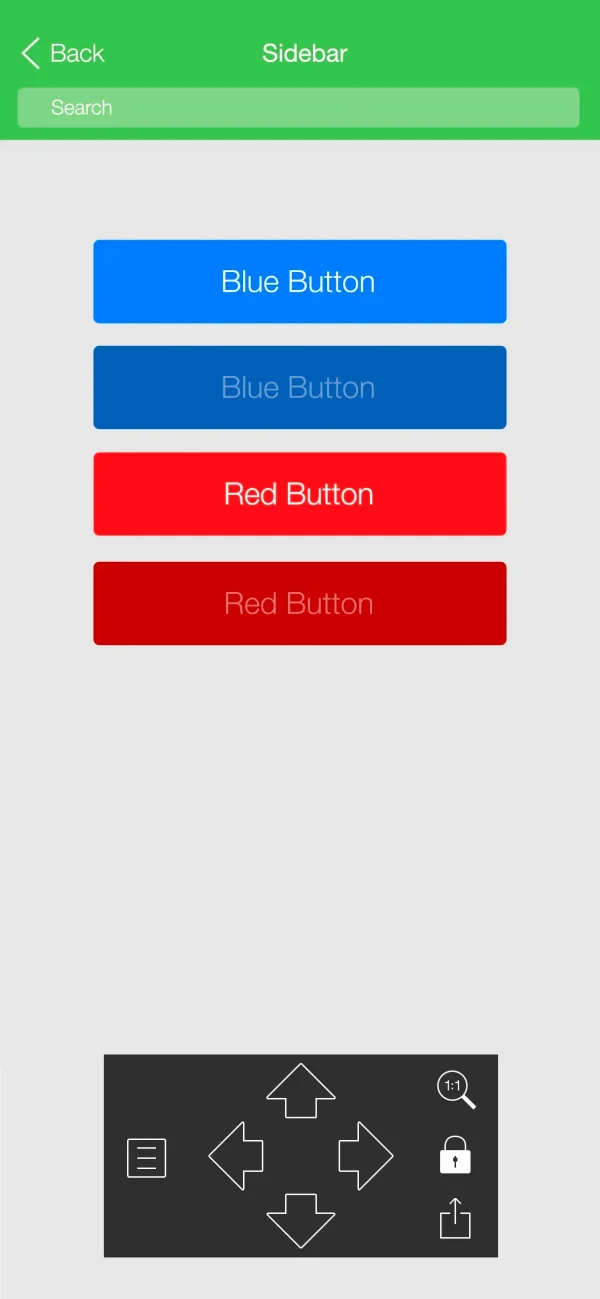
xScope Mirror lets designers and developers effortlessly preview any Mac desktop image directly on your iOS device or Apple Watch.
Unlike other preview apps, xScope Mirror doesn’t have any desktop chrome to get in your way while you work or require you to save files again and again. Simply launch xScope Mirror on iOS and then xScope on a Mac to begin. Confirm the connection on iOS and then drop an image file onto the Dock icon for xScope.
A remote connection to Photoshop is also supported: this lets you preview changes in your PSD while you edit. The Mirror can also display any window on your Mac or images copied to the clipboard.
Finally, any image that's displayed on the iOS device can be transferred to the Apple Watch by tapping on its screen. Layouts that are taller than the watch's screen are scrollable. Any file that matches the icon sizes for the Apple Watch will be presented with circular mask against a black background, allowing quick asset previews.
Features include:
• Remote Viewing – Easily view the contents of any Mac desktop window on your iOS device or Apple Watch
• Apple Watch – Includes a watch extension that makes previewing on your wrist a snap!
• Pin & Lock – Move the Mac window anywhere (even under other windows) & it always stays in focus on iOS
• Chromeless UI – No overlaid chrome to get in the way while you work
• Retina Scaling - Preview mirrored content 3:1, 2:1, 1:1, 1:2 or 1:3, great for testing on Retina devices
• Compatibility – Runs on all devices using iOS 5 or later
• Security – Toggle user authentication requests on/off via Preferences in the xScope desktop app
• Multi-client – Multiple iOS devices can connect and view the same Mac window – Great for demos or meetings
• Sharing – Copy the current image to the iOS clipboard or save it in your Photos
• Nudge – Nudge the selected window one pixel at a time (useful on Retina displays)
What’s new
Version 1.3.9 · Sep 18, 2026
Bug fixes and improvements.
App privacy
What The Iconfactory declares on the App Store about how this app handles data.
-
Data not collected
The developer does not collect any data from this app.
Privacy practices may vary, for example with the features you use or your age.
Information
- Seller
- The Iconfactory
- Category
- Productivity
- Version
- 1.3.9
- Updated
- Sep 18, 2026
- Released
- Jan 19, 2012
- Size
- 4.6 MB
- Requires
- iOS 16.6 or later
- Age rating
- 4+
- Price
- Free
- Languages
- English
- Copyright
- © 2026 The Iconfactory, Inc.
You might also like
-
 Emily: minimal bookmark saverSave links for later
-
 AstolaYour friends. Your AI.
-
 Friendly MileageAuto Mileage & Trip Tracker
-
 Explain This – Bills & LettersScan & Understand Any Document
-
 ScreenPlay RewardsEarn screen time, don't beg
-
 Private PDF SignerSign PDFs privately
-
 Narration RoomTranscribe & Text to Speech
-
 Altboard: AI Voice KeyboardPrivate offline dictation
-
 LISTA SMARTShopping list, prices & stores
-
 Handwritten Digital NotesNote Taking, Journal & Lock