
Yapsody YapScan
Ticket scanner for presenters
Designed for iPhone, iPad, iPod touch
Free
- Age rating4+
- CategoryUtilities
- DeveloperYapsody
- LanguagesEnglish+ 1 more
- Size23.4 MB
Links to the official App Store page
Download.org hosts no file of Yapsody YapScan. The button opens its official App Store page, published by Yapsody. Listing last checked on Nov 17, 2026.
Screenshots
About
*** For Yapsody Presenters Only ***
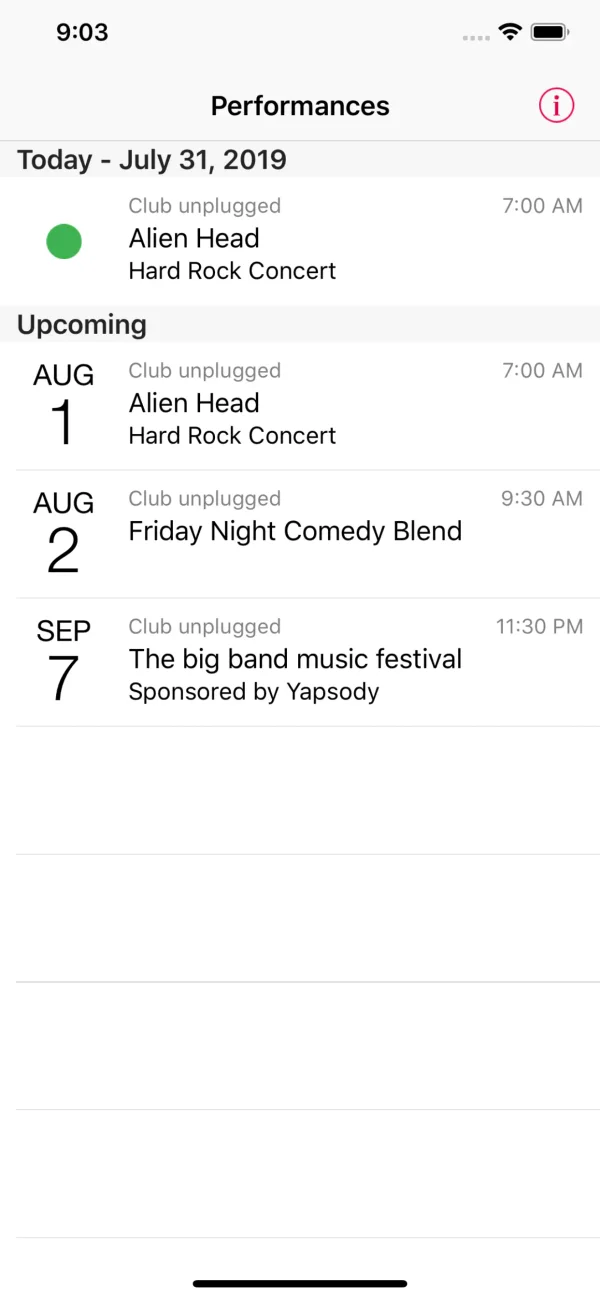
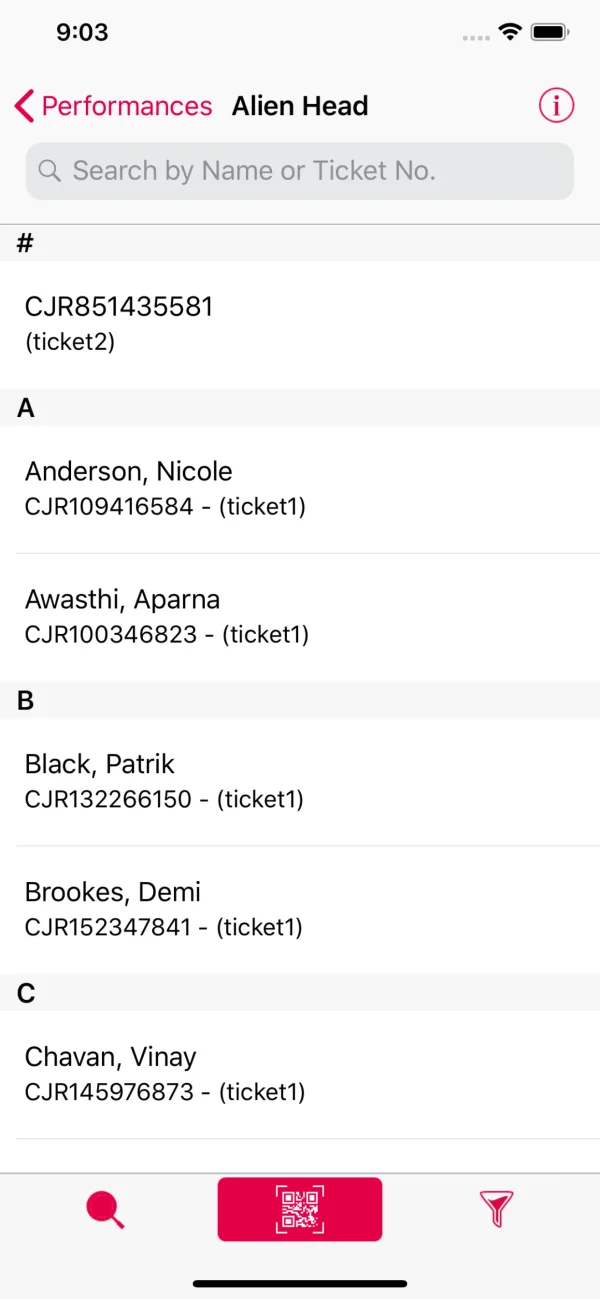
Yapsody Presenters -- Check in event attendees at your event site with Yapsody YapScan app for iOS devices by scanning e-ticket QR Codes or manually by entering a name, entering an e-ticket number, or using gestures to scroll through your attendee list.
All data is synched real-time between your mobile devices and Yapsody servers to prevent the same ticket from being used at multiple entry points and to ensure that last minute sales will validate regardless of time or place purchased.
Features:
- Validate attendees by scanning e-ticket QR codes using your mobile device's camera, manually entering attendees' names, manually entering e-ticket numbers, or scrolling through the attendee list on your iPhone, iPad, or iPod Touch.
- Automatic synching between mobile devices and Yapsody servers ensures that each mobile device is being constantly updated with the latest ticket status.
- View attendance stats on your Apple device.
- Set scan permissions for your staff online on a person-by-person basis. (Each staff member has separate login credentials.)
- Separate permissions for "unscanning" tickets so, for example, you can elect to reserve the "unscanning" function for specific management staff.
- Restrict scanning access to specific events on a person-by-person basis.
- For events allowing multiple entries per ticket, set the precise number of scans/check-ins allowed online
- Set alerts for specific ticket types online. For example, set alerts for Student tickets so that mobile devices alert your entry staff to check for student IDs.
- Restrict the time at which your staff can begin scanning tickets.
- All ticket data is downloaded to the mobile device, so continue to scan even if you lose Internet connection. YapScan will automatically. Synchronise with the Yapsody servers as soon as connection is restored.
- Use third party hardware laser scanners from Infinea Linea Series, Socket Scanner Series and Honeywell Captuvo Series for faster ticket scanning experience.
Set up your event at Yapsody.com and begin using YapScan today.
What’s new
Version 2.5.7 · Apr 29, 2026
Minor bug fixes and performance improvements
App privacy
What Yapsody declares on the App Store about how this app handles data.
-
Data linked to you
May be collected and linked to your identity.
- Contact info
-
Data not linked to you
May be collected but is not linked to your identity.
- Usage data
- Diagnostics
Privacy practices may vary, for example with the features you use or your age.
Information
- Seller
- Freedomtix Inc
- Category
- Utilities
- Version
- 2.5.7
- Updated
- Apr 29, 2026
- Released
- Apr 5, 2013
- Size
- 23.4 MB
- Requires
- iOS 12.0 or later
- Age rating
- 4+
- Price
- Free
- Languages
- English, Hindi
- Copyright
- © 2024 Yapsody, LLC
You might also like
-
 Shared CounterPeople flow management
-
 TicketLeap Scan-Event Check-InFast QR & barcode ticket scan
-
 myKCMOThe Official City App
-
 ProPresenter RemoteUtilities
-
 KindooUtilities
-
 MultiTimer: Multiple timersVisual countdown seconds timer
-
 HSVUTILUtilities
-
 Photo Light & Exposure MeterMeasure Shutter Speed, Lux, EV
-
 Brother iPrint&LabelUtilities
-
 Nielsen Meter CompanionUtilities