- Age rating4+
- CategoryUtilities
- DeveloperBryan Simpson
- LanguagesEnglish
- Size8.2 MB
Links to the official App Store page
Download.org hosts no file of Your Tracks. The button opens its official App Store page, published by Bryan Simpson. Listing last checked on Nov 17, 2026.
Screenshots



About
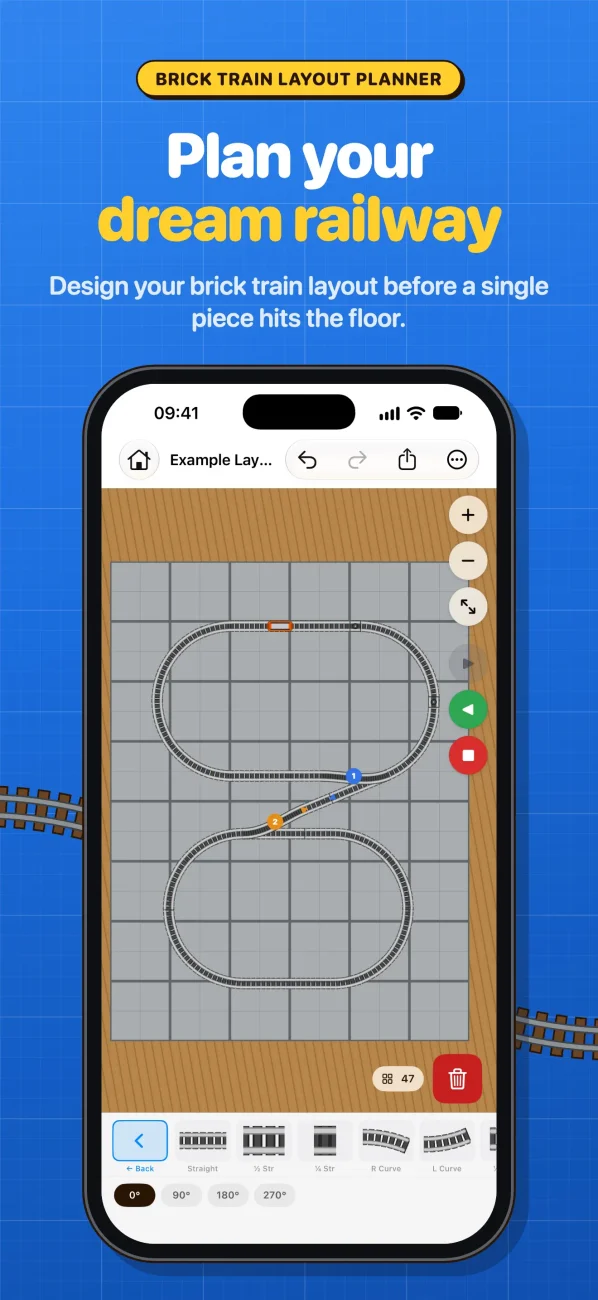
Plan your brick train layout, run a train round it, then see it at real size on your floor.
Ever spent an hour laying track on the living-room floor, only to find you're two curves short? Your Tracks is the design studio for brick-built railways — from a first oval with the kids to a two-table club layout. Snap real pieces together, let the app close the loop for you, and know it'll fit before you open a single box.
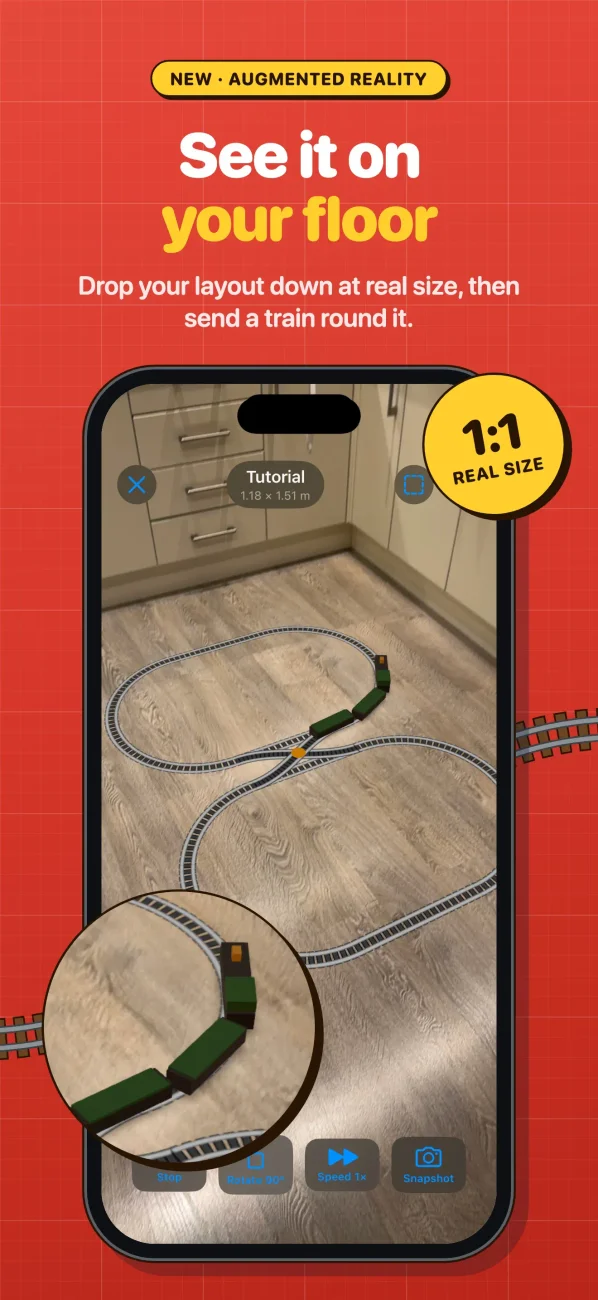
NEW: SEE IT ON YOUR FLOOR
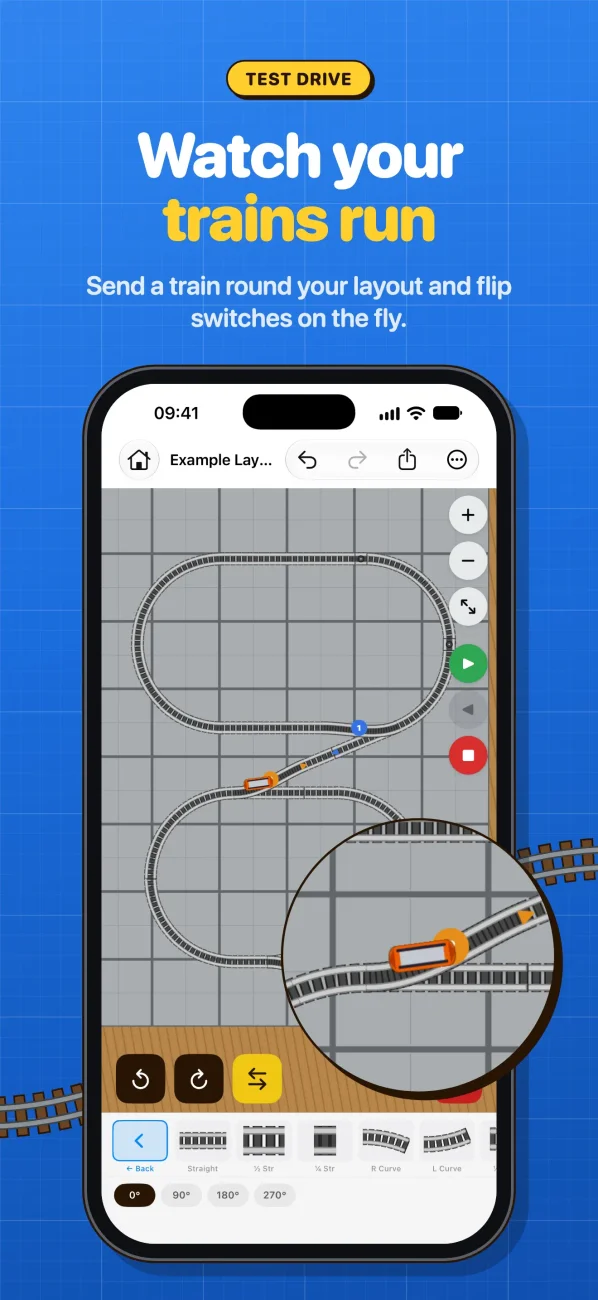
Point your iPhone or iPad at the floor and drop your layout down at true 1:1 size. Walk round it, check it clears the sofa, then send a train round the track and tap the switches to change its route. Tabletop mode shrinks it to 1:8 for the desk, and snapshots save straight to Photos.
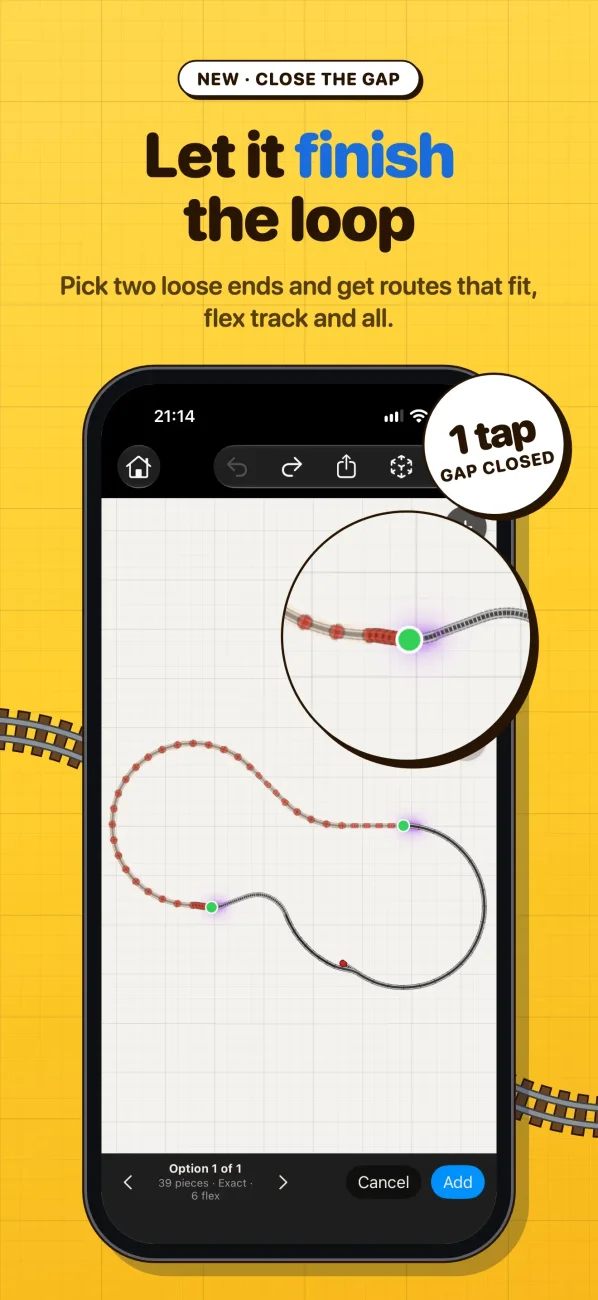
NEW: CLOSE GAP
Two loose ends that won't meet? Select them and Your Tracks finds up to three ways to join them with real pieces — adding a few gently bent flex sections when nothing else fits exactly. Preview each option, then add it with one tap.
PLAN
• Smart snapping — pieces join at their real connection points, rotations worked out for you, and you'll know the moment a loop closes
• Brick-track library — straights, half and quarter straights, R40 curves, switches, crossings, the double crossover and flex track, all to true scale in studs
• TrixBrix range — 100+ pieces: wide curves, switches, crossings, narrow and dual gauge
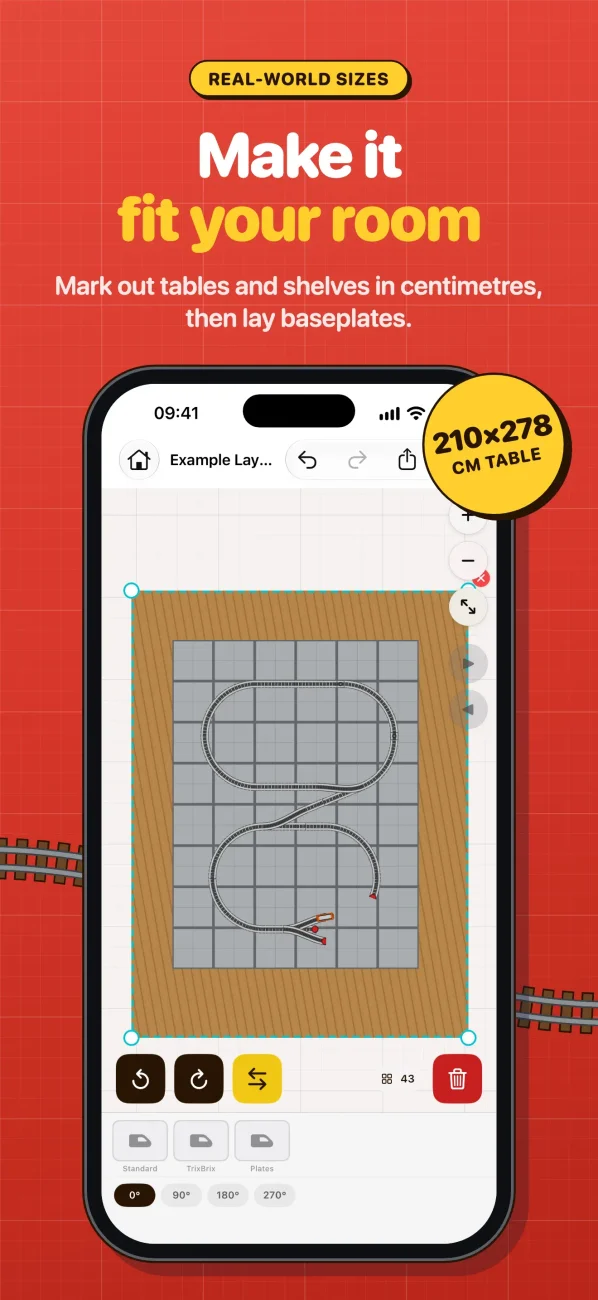
• Baseplates — 32×32 and 16×16 plates in 11 colours, to plan the town around your railway
• Areas — mark the space you really have: rectangles, circles or ovals, in centimetres or plates, with floors from carpet to wood
EDIT
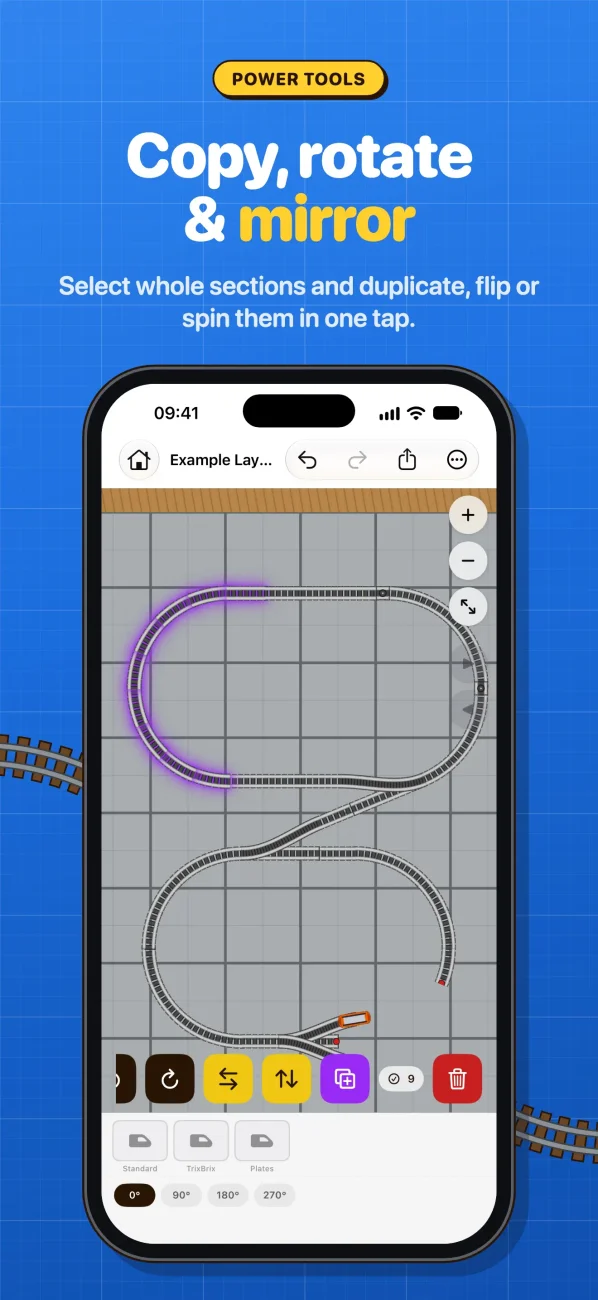
• Select whole routes, or just the run between two pieces
• Move, rotate, flip and duplicate whole sections at once
• Copy and paste between layouts — even paste a mirror image
• 50 levels of undo, shake to undo and the three-finger swipe
RUN
• Virtual train — steam, TGV or classic brick
• Tap to go faster, flip switches as it runs, and watch it follow every curve and crossover
KEEP & SHARE
• Unlimited layouts, favourites and auto-save
• Parts list — see exactly how many of each piece you need, so the shopping list writes itself
• Crisp PNG exports for your group chat, forum or club
• Three looks: cel-shaded, minimal or bricks
Built for iPhone and iPad. No account. No ads. No in-app purchases.
Designed by train builders, for train builders.
TrixBrix is a trademark of its respective owner.
What’s new
Version 2.12 · Nov 14, 2026
Elevation!!
Add inclines to simulate bridges within your layout, also available in AR Mode.
More detailed Trains in AR Mode: Redesigned look, adding more detail and carriages to the trains.
General quality of life improvements and behind the scenes stuff which should improve panning and zooming smoothness and consistency.
App privacy
What Bryan Simpson declares on the App Store about how this app handles data.
-
Data not collected
The developer does not collect any data from this app.
Privacy practices may vary, for example with the features you use or your age.
Information
- Seller
- Bryan Simpson
- Category
- Utilities
- Version
- 2.12
- Updated
- Nov 14, 2026
- Released
- Apr 27, 2026
- Size
- 8.2 MB
- Requires
- iOS 17.0 or later
- Age rating
- 4+
- Price
- $1.99
- Languages
- English
- Copyright
- © 2026 Bryan Simpson
You might also like
-
 iWay netHelpNetwork tests to help support
-
 BrickBankTrack Your Brick Collection
-
 Metronome: RhythmKeep Your Rhythm
-
 Eventfrog CashlessCashless payments at events
-
 HM | DCCRevolutionary Digital Control
-
 Metronome PrecisionYour daily rhythm practice
-
 Dashboard: Smart Home & RTSPWall panel for Apple Home
-
 BrushrageMiniature painting done right
-
 Disk GraphSave disk space
-
 HomeWatchController for HomeKit