
- Age rating4+
- CategoryDeveloper Tools
- Developer理想 姜
- LanguagesEnglish
- Size138.7 MB
Links to the official App Store page
Download.org hosts no file of yxcode. The button opens its official App Store page, published by 理想 姜. Listing last checked on Nov 17, 2026.
Screenshots
About
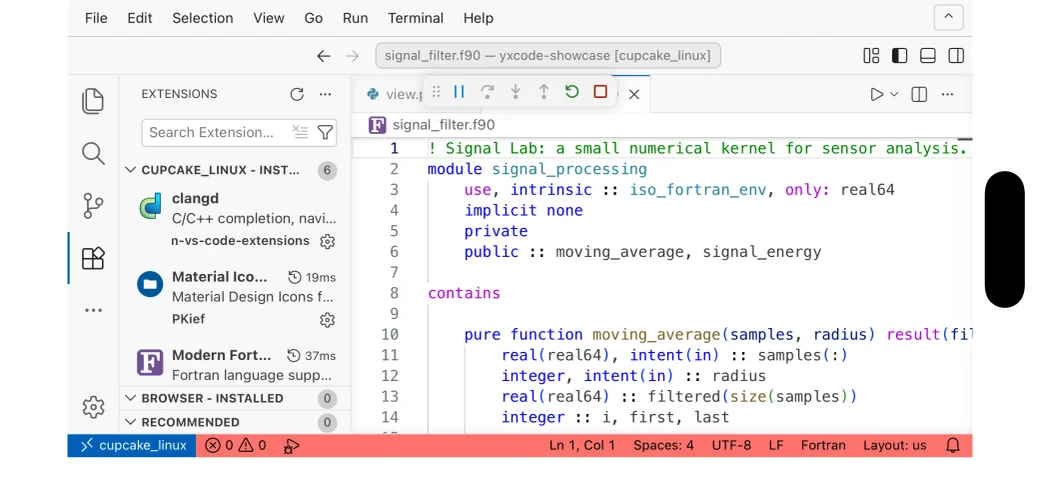
yxcode brings a code workspace to iPad and iPhone. Edit local projects for free, or connect to your own computer over SSH for remote development.
YOUR CODE WORKSPACE
Browse files, work with tabs and split editors, and search across your project. Customize the editor theme and layout for your screen and keyboard.
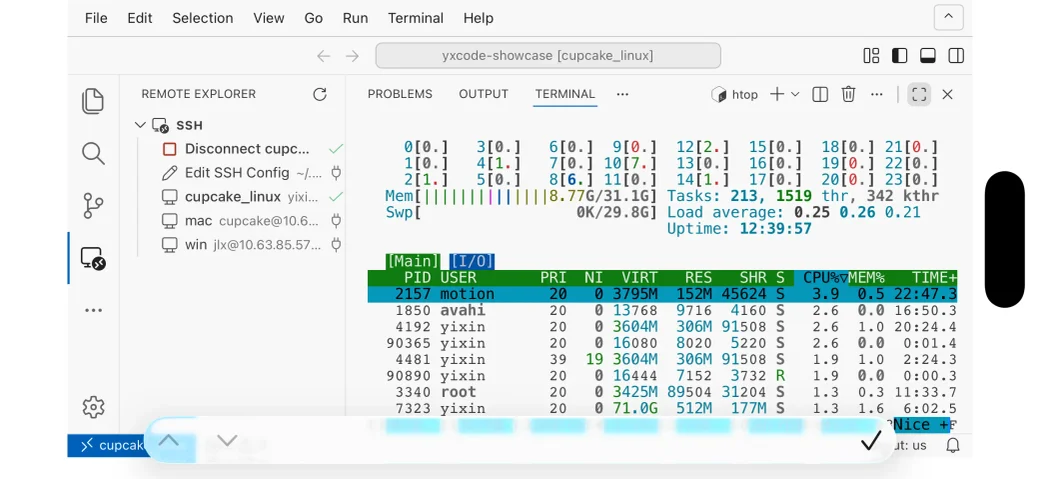
DEVELOP OVER SSH
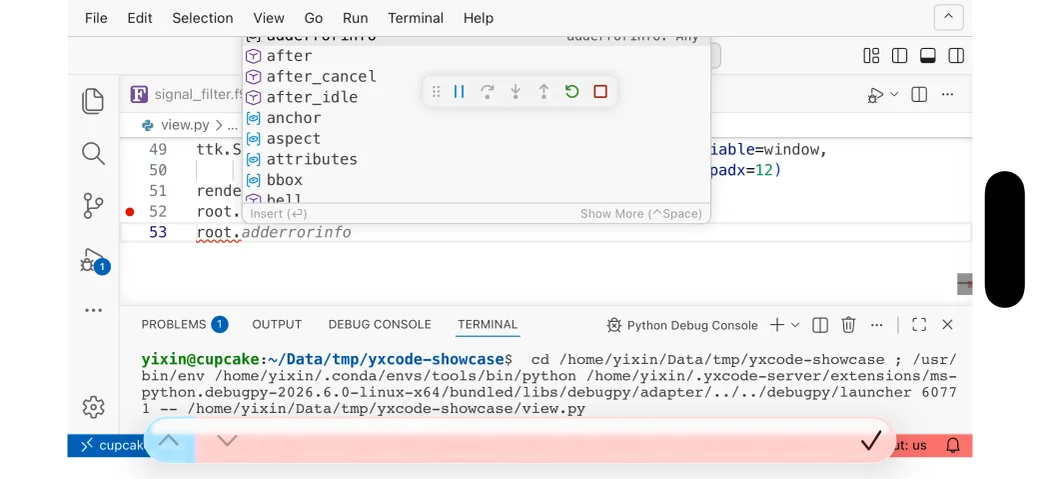
Connect to a reachable Mac, Windows or Linux SSH host. Use the remote machine for terminal commands, Git, compatible extensions, language services and debugging. Compatible language and debugger extensions can provide completion, definitions, references, breakpoints, variables and call stacks.
REMOTE X11
Display compatible graphical applications through SSH X11 forwarding.
ACCESS OPTIONS
Local file editing is free. Plus Monthly and Plus Yearly provide remote-development access during an active subscription. Core Lifetime provides permanent remote-development access. Use Help > Purchases & Subscriptions to view available plans, current prices and Restore Purchases.
If an eligible free trial is offered, its duration and the price afterward are shown before purchase. A trial becomes a paid subscription unless canceled. Except for free trials, payment is charged to your Apple Account at confirmation. Subscriptions renew automatically unless canceled at least 24 hours before the period ends; renewal is charged within the final 24 hours. Manage or cancel subscriptions in your Apple Account settings.
A reachable SSH host, valid access credentials, permissions and compatible remote tools are required.
Terms of Use: https://www.apple.com/legal/internet-services/itunes/dev/stdeula/
Privacy Policy: https://yxcode.net/privacy/
What’s new
Version 1.2.1 · Nov 13, 2026
Interface improvements:
• The top and bottom system areas now match the editor theme.
• Refined menu button hover effects and the controls for hiding and showing the menu bar.
• Improved the iPhone layout.
Fixes:
• After creating a file without an external keyboard, tap the editor to bring up the onscreen keyboard without first tapping the tab.
• Fixed touch tab reordering. Hold a tab, then drag it to change its position.
App privacy
What 理想 姜 declares on the App Store about how this app handles data.
-
Data not collected
The developer does not collect any data from this app.
Privacy practices may vary, for example with the features you use or your age.
Information
- Seller
- 理想 姜
- Category
- Developer Tools
- Version
- 1.2.1
- Updated
- Nov 13, 2026
- Released
- Sep 16, 2026
- Size
- 138.7 MB
- Requires
- iOS 16.6 or later
- Age rating
- 4+
- Price
- Free
- In-app purchases
- Yes
- Languages
- English
- Copyright
- © 2026 Lixiang Jiang
You might also like
-
 Termixa — Remote AI TerminalYour to machine's AI, anywhere
-
 Vibeit StudioCoding Studio with an AI Agent
-
 CodePad – Code Editor & IDEWrite & Run Offline
-
 Tide: Code EditorCode & run JS, Python offline
-
 PythonForge-Python 3 IDEPython3 Code Editor & Ai agent
-
 Apollo App BuilderBuild apps with AI
-
 Python Editor - Learn & CodeCode, Run & Debug Python
-
 Hop — SSH ClientSSH client & terminal
-
 DesignToCode for SwiftUIVisual Mobile Interface Design
-
 Python Code DevelopFull Coding Environment