- Age rating4+
- CategoryUtilities
- Developer才新 高
- LanguagesEnglish+ 35 more
- Size18.6 MB
Links to the official App Store page
Download.org hosts no file of YYi Calculator. The button opens its official App Store page, published by 才新 高. Listing last checked on Nov 27, 2026.
Screenshots

About
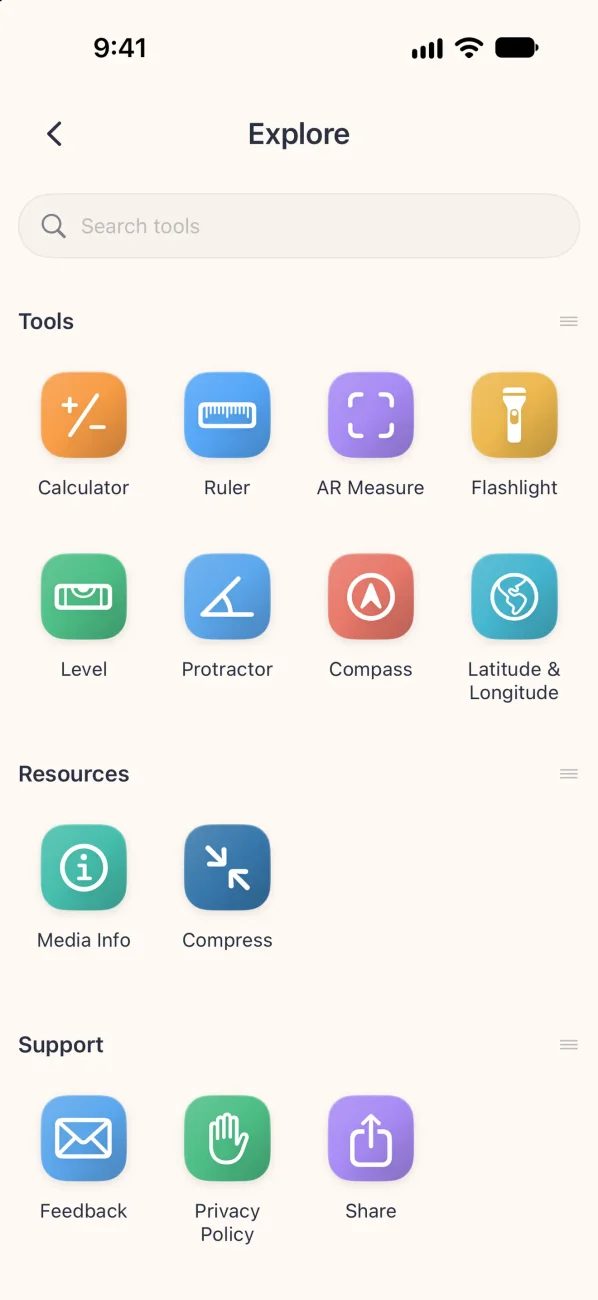
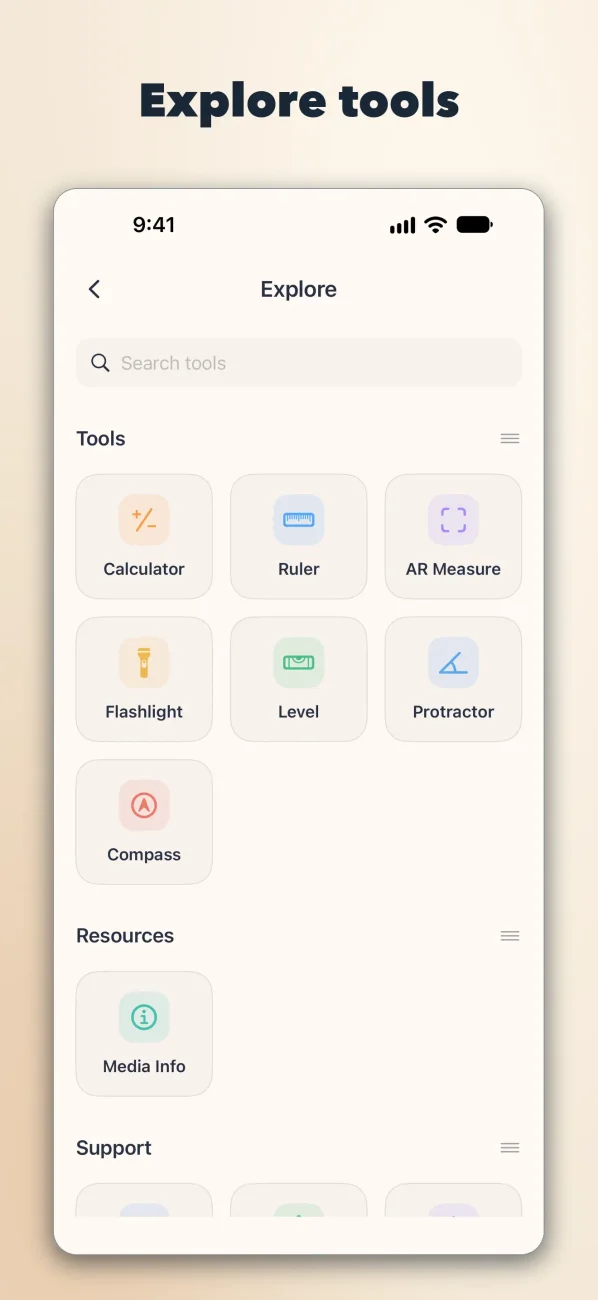
Open Explore in YYi for a toolbox that spans calculations, measurements, lighting and media details.
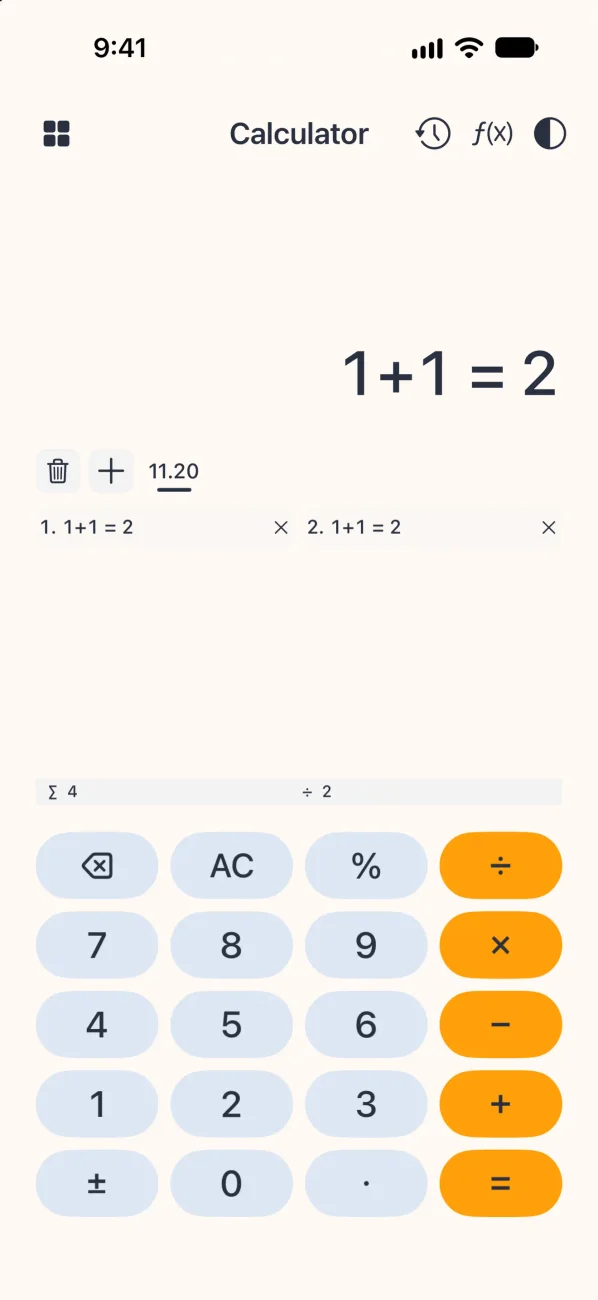
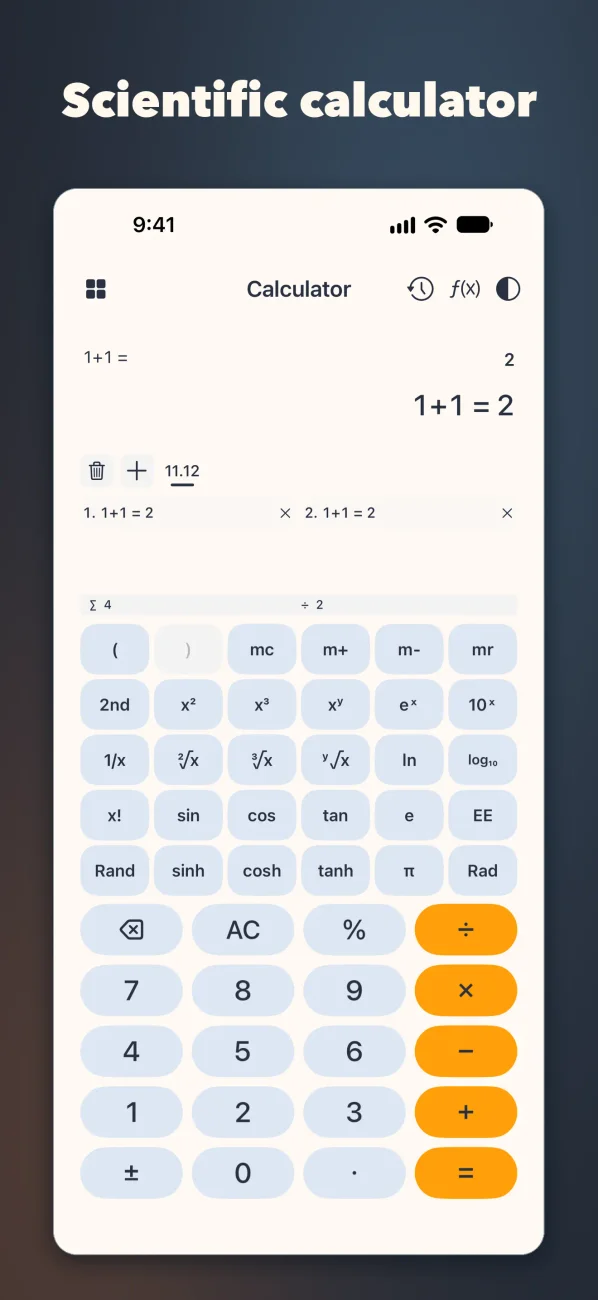
• Calculator — Run scientific calculations and revisit past formulas.
• Ruler — Calibrate the on-screen scale to estimate the length of small objects.
• AR Measure — Estimate the distance between two points with a compatible camera device.
• Flashlight — Use the screen as a light and adjust its color.
• Level — Check the tilt of a surface.
• Protractor — Drag two arms to read an angle on screen or in a photo.
• Compass — Read your heading relative to magnetic north.
• Latitude & Longitude — View your coordinates and location accuracy.
• Media Info — Inspect photo and video specs and export text or JSON reports.
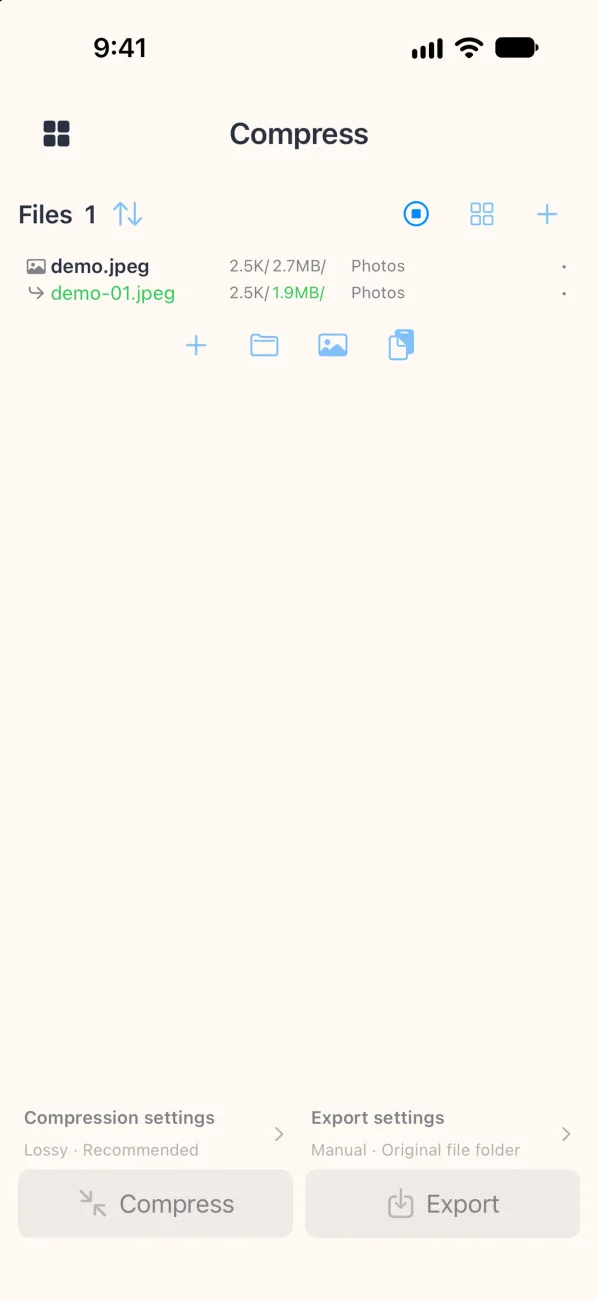
• Compress — Compress images or videos and export a new file.
Personalize your calculator with rich themes and keep every calculation organized in tabs.
Explore powers, roots, logarithms, trigonometry, constants, random values, memory, and parentheses. Organize work in tabs, reuse any past number, and see each tab’s total and average.
Live formulas remain visible until you calculate, and the interface adapts to portrait and landscape. YYi Calculator is free: no account, ads or cross-app tracking.
Create custom themes with your own colors, font, and text size.
Reuse complete formulas from history for further editing, with confirmation before replacing the current calculation.
Use a level and magnetic compass on compatible devices. Measure distances with AR on compatible devices. Screen ruler and AR measurements are approximate; calibrate the ruler before use.
Selected tools request camera or photo access; revoke it in system settings. Media analysis runs on device. iCloud items may download via Apple. Reports may contain personal data; review before sharing. Feedback opens your mail app with the device model and app version prefilled; you choose whether to send.
Tool settings and measurement results stay on this device. Clear history and measurements in the app; contact support for help removing other local data. These records are not sent to us. Manual order and the feedback cooldown are also saved on this device.
2.0 has no usage analytics. In 2.1, Firebase usage analytics and crash reporting are on by default. You can turn each off in the app.
Make quick calculations on Apple Watch, reopen past calculations, and use the level, protractor, compass, and screen flashlight.
Version highlights
2.1
• Compress — Compress images or videos and export a new file.
• Latitude & Longitude — View your coordinates and location accuracy.
2.0
• Find tools in Explore, use keyboard shortcuts, and share the app from Support.
1.6
• New level and magnetic compass on compatible devices. The protractor supports two-arm, single-arm and photo modes.
• Reorder Explore categories and tools, and open email feedback from Support.
1.5
• Explore a screen ruler, lighting tools and media information, with text or JSON report export.
• Measure distances with AR on compatible devices. Screen ruler and AR measurements are approximate; calibrate the ruler before use.
1.4
• Reuse complete formulas from history for further editing, with confirmation before replacing the current calculation.
• Windows now share a single draft and history, with consistent restoration when reopening the app.
1.3
• Custom fonts and text size, plus localized Shortcuts and Siri phrases.
1.2
• Custom theme colors and a refreshed theme preset palette.
1.1
• Basic and scientific calculations, history tabs and number reuse.
What’s new
Version 2.1 · Nov 27, 2026
• Compress — Compress images or videos and export a new file.
• Latitude & Longitude — View your coordinates and location accuracy.
• Explore has larger tool icons and smoother page transitions.
• iPhone / iPad — In 2.1, Firebase usage analytics and crash reporting are on by default. You can turn each off in the app.
Explore › Support › About › Analytics and diagnostics
Apple Watch — More › Crash reports
App privacy
What 才新 高 declares on the App Store about how this app handles data.
-
Data not linked to you
May be collected but is not linked to your identity.
- Location
- Identifiers
- Diagnostics
Privacy practices may vary, for example with the features you use or your age.
Information
- Seller
- 才新 高
- Category
- Utilities
- Version
- 2.1
- Updated
- Nov 27, 2026
- Released
- Aug 24, 2026
- Size
- 18.6 MB
- Requires
- iOS 16.6 or later
- Age rating
- 4+
- Price
- Free
- Languages
- English, Arabic, Bengali, Czech, Danish, Dutch, Finnish, French, German, Greek, Hebrew, Hindi + 24 more
- Copyright
- © 2026 Caixin Gao
You might also like
-
 CalcuStyle: Custom CalculatorBeautiful Smart Calculators
-
 Octodecuple CalcUtilities
-
 JigendentakuCalculate with units.
-
 AlarmCrew: Wake Up TogetherMorning routine with friends
-
 CalcPro: Finance & ScientificUtilities
-
 高機能な電卓Utilities
-
 ProCalc – Calculator AppMath, Percent, Converter
-
 Aurora CalculatorUtilities
-
 Summa – Precision Made SimpleNumbers, refined for you
-
 ConvertCalcUnits, Currency & Themes