
Zuru-zuru
scroll slider
Designed for iPhone, iPad, iPod touch
Free · In-app purchases
- Age rating4+
- CategoryUtilities
- DeveloperMichinori Matsuoka
- LanguagesEnglish+ 1 more
- Size3.3 MB
Links to the official App Store page
Download.org hosts no file of Zuru-zuru. The button opens its official App Store page, published by Michinori Matsuoka. Listing last checked on Nov 23, 2026.
Screenshots

About
Read Safari pages at your own pace.
Zuru-zuru is a Safari extension that lets you control scrolling with a small on-page button.
Read long articles without repeatedly swiping the screen.
■ Drag to scroll
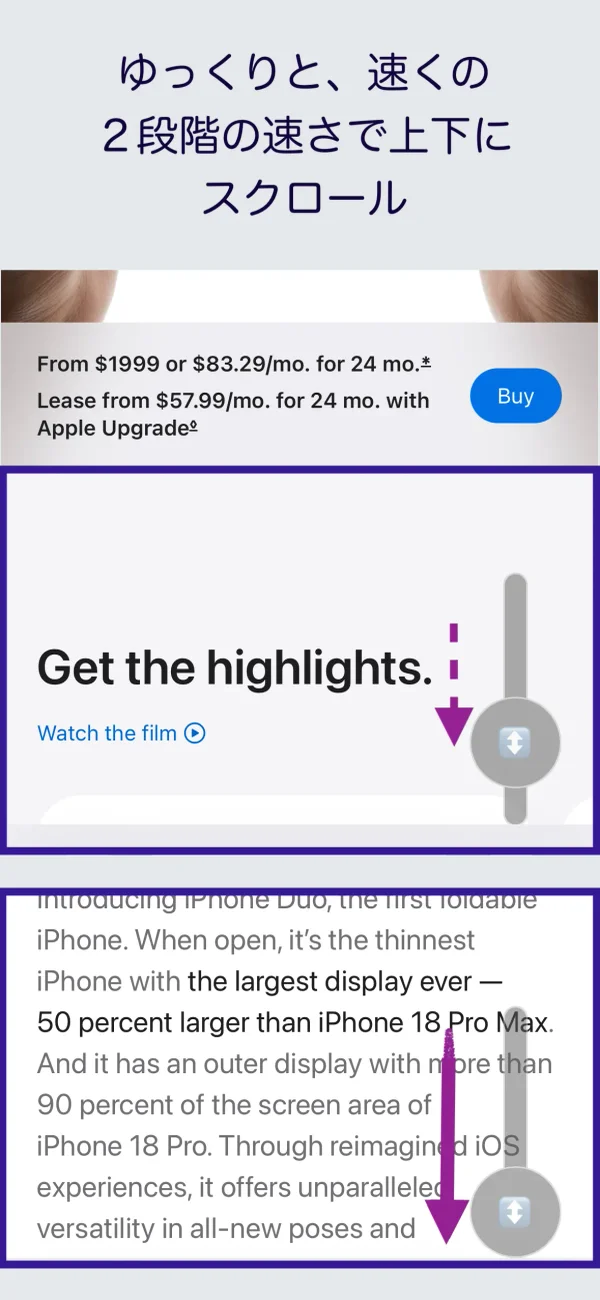
Drag the button up or down to scroll in that direction. Choose between two speeds by adjusting how far you drag. Release to stop.
■ Keep scrolling after you lift your finger
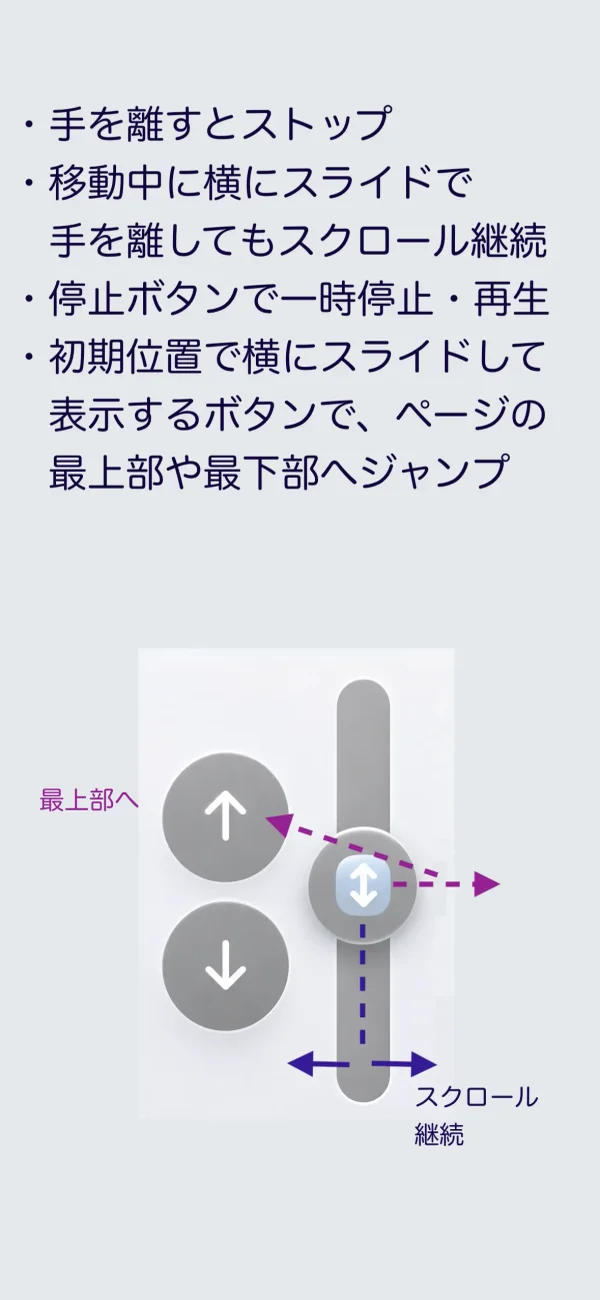
Start scrolling by dragging up or down, then slide either left or right and release to lock scrolling.
Tap the center button to pause or resume.
■ Jump to the top or bottom
Tap the center button while idle to show the up and down arrows. Tap an arrow to jump to the top or bottom of the page.
Choose instant or smooth movement.
■ Make it your own
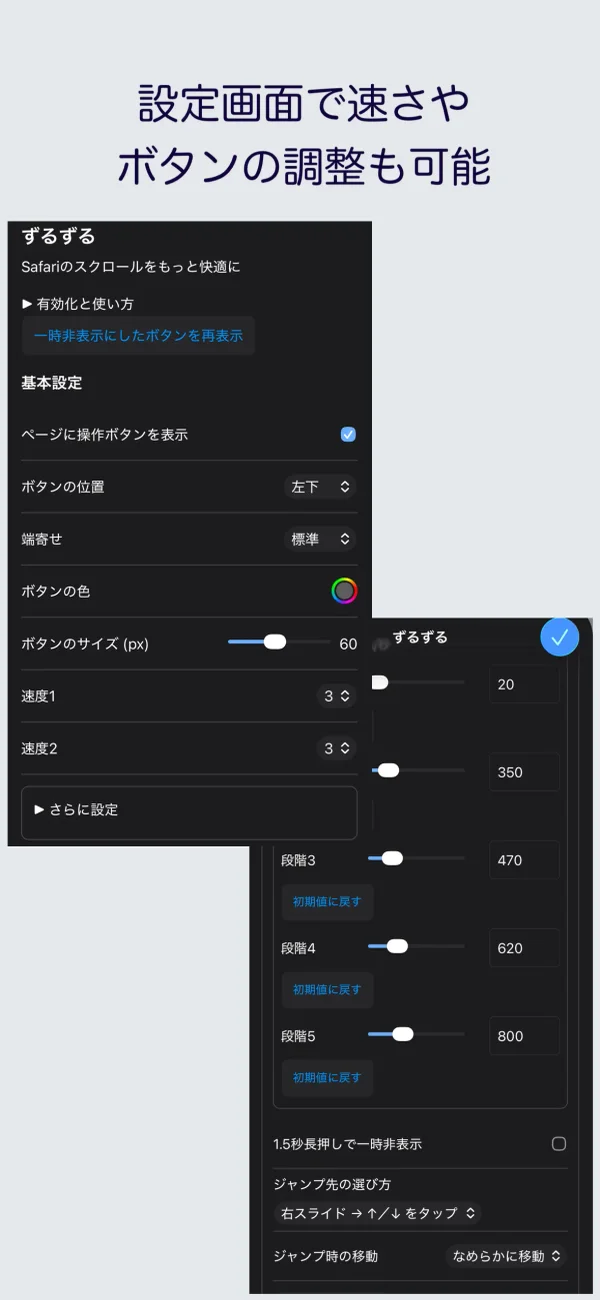
• Adjust each of the two scrolling speeds independently across five levels.
• Customize the button’s color, size, and transparency.
• Choose from six positions: top, middle, or bottom on either side.
• Use edge placement to move the button closer to the left or right edge.
■ Hide the control temporarily
Hold the button for 1.5 seconds to hide it on the current page. It reappears when you navigate to another page or reload. You can also restore it manually from the Safari extension popup.
You can turn off the hold-to-hide feature in settings.
■ All features free. No ads.
Every feature is available for free. No advertisements are displayed.
■ Made for iPhone and iPad
Available in English and Japanese.
GETTING STARTED
Open Settings on your device, find Safari, then open Extensions and enable Zuru-zuru. Allow the extension to access the websites you want to use it on, and the scrolling button will appear.
Note: Zuru-zuru controls vertical scrolling of the whole Safari webpage. It does not control independently scrollable areas within a page and cannot run on pages where Safari restricts extensions.
What’s new
Version 1.2 · Nov 22, 2026
Version 1.2
- Increased the default scrolling speed.
- Added an option to adjust the threshold for switching to faster scrolling.
Version 1.1
- Fine-tuned the default scrolling speed.
- Added options to enable Page Up and Page Down in Settings.
- Added an option to adjust the slider bar thickness in Settings. Set it to 0 to hide the bar.
App privacy
What Michinori Matsuoka declares on the App Store about how this app handles data.
-
Data not collected
The developer does not collect any data from this app.
Privacy practices may vary, for example with the features you use or your age.
Information
- Seller
- Michinori Matsuoka
- Category
- Utilities
- Version
- 1.2
- Updated
- Nov 22, 2026
- Released
- Nov 11, 2026
- Size
- 3.3 MB
- Requires
- iOS 15.0 or later
- Age rating
- 4+
- Price
- Free
- In-app purchases
- Yes
- Languages
- English, Japanese
- Copyright
- © Miccheey
You might also like
-
 Scrolly - Auto Web ScrollerHands-free web scrolling
-
 スプラチャートUtilities
-
 Trip Essentials CheckerNever forget what to pack
-
 Sakura3D SCANScan 3D points/mesh, and share
-
 Damage Counter Master: PTCGTrack HP & damage with one tap
-
 どこでもポリスUtilities
-
 Split Screen Browser - TwookuLUtilities
-
 日本通信アプリUtilities
-
 EarFun AudioBetter sound Better life
-
 SOUNDPEATSUtilities