
- Age rating4+
- CategoryUtilities
- Developerkyeongju Moon
- LanguagesEnglish
- Size708.0 KB
Links to the official App Store page
Download.org hosts no file of Scrolly - Auto Web Scroller. The button opens its official App Store page, published by kyeongju Moon. Listing last checked on Nov 12, 2026.
Screenshots
About
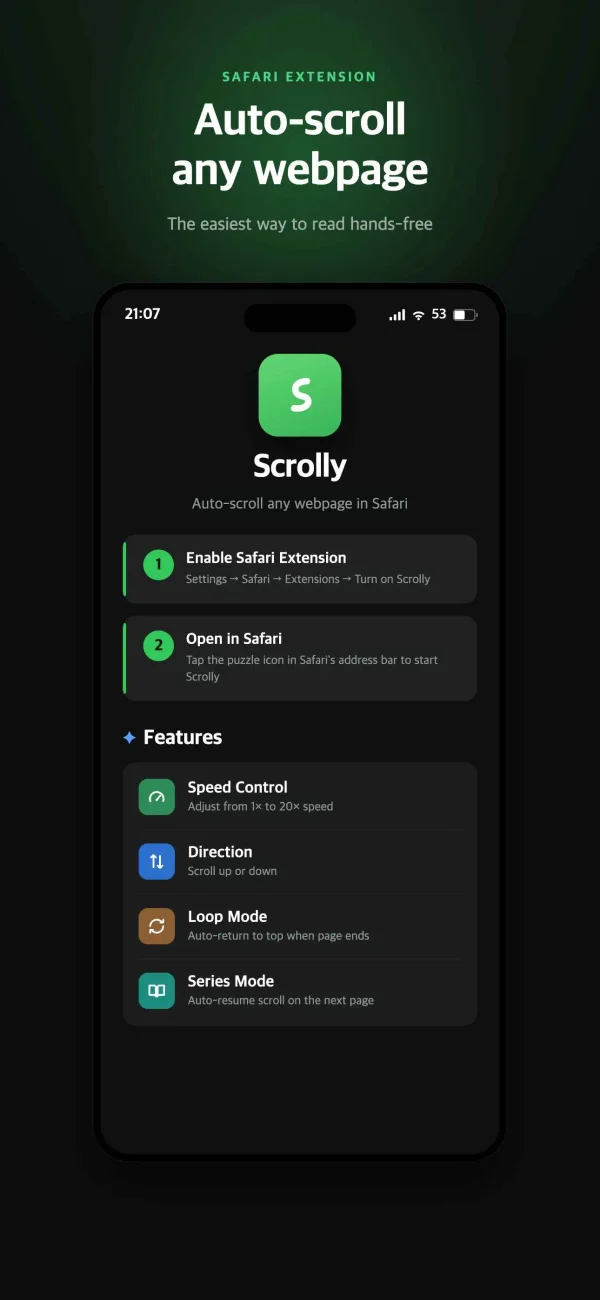
Scrolly is an auto-scroll extension for Safari on iPhone and iPad.
Whether you're cooking, exercising, or just want to read hands-free,
Scrolly smoothly scrolls any webpage in Safari — automatically.
+ KEY FEATURES +
* One-Tap Start / Stop
- Toggle auto-scroll instantly from the Safari popup.
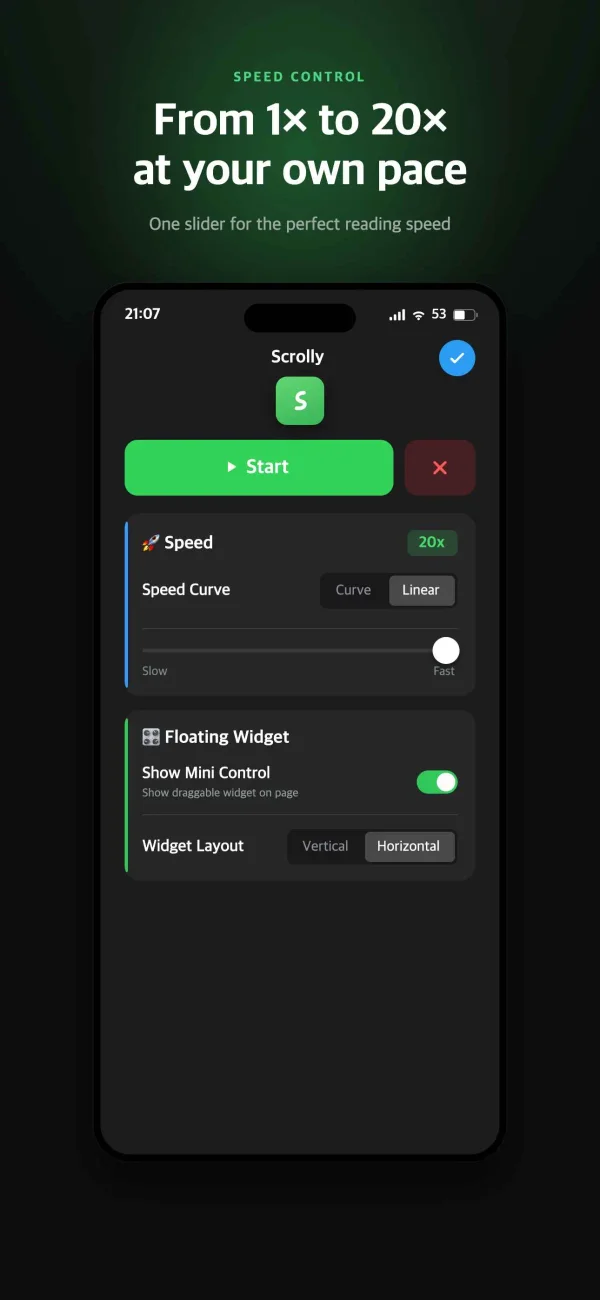
* Adjustable Speed (1x – 20x)
- Slow read or quick skim — drag the slider to your perfect pace.
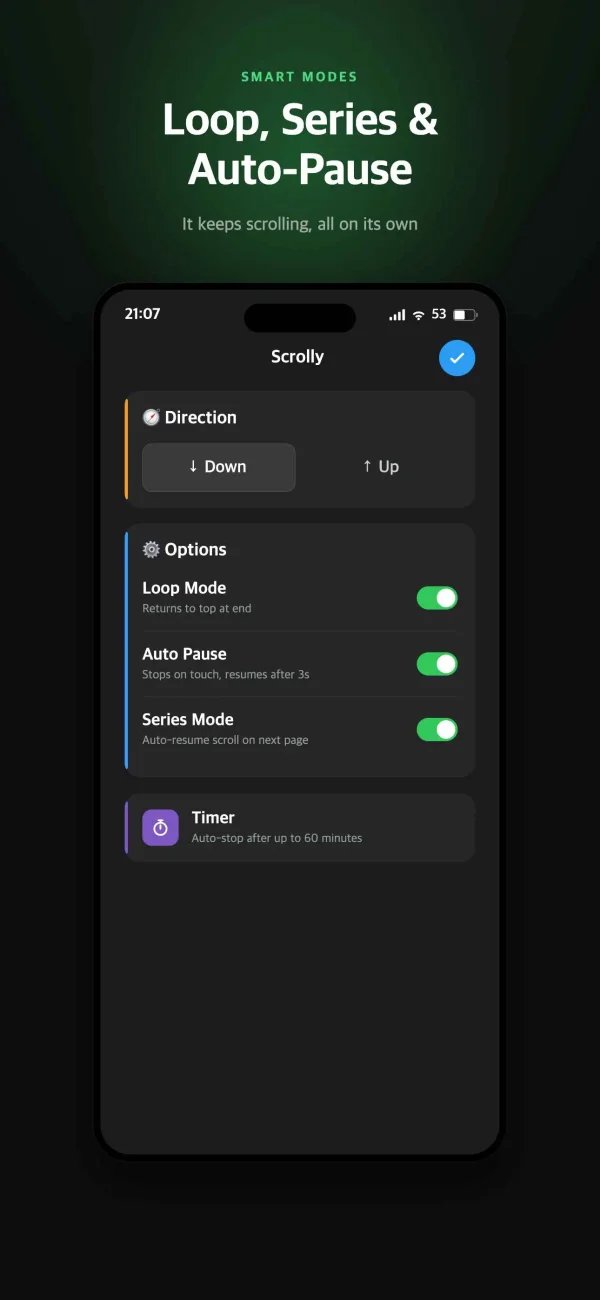
* Direction Control
- Scroll down ↓ or up ↑, whichever you need.
* Loop Mode
- Reaches the bottom? Jumps right back to the top.
- Perfect for banners, scripts, or continuous reading.
* Auto-Pause
- Touching the screen pauses scrolling instantly.
- Scrolly resumes automatically after 3 seconds.
- Tap links, zoom in — all without turning off auto-scroll.
* Timer (5 – 60 min)
- Set a duration and Scrolly stops on its own.
- Great for bedtime reading or timed sessions.
* Gesture Shortcuts
- Double tap: pause / resume instantly
- Triple tap: reset speed to default (2x)
Control Scrolly without ever opening the popup.
* Floating Widget
- A draggable mini-controller that stays on top of the page.
- Drag it anywhere — play/stop button and speed slider always handy.
* Keep Screen Awake
- Screen stays on while scrolling. No more tapping just to keep
- the display lit while following a recipe or sheet music.
* 6 Languages
Korean · English · Japanese · Chinese · French · Spanish
* HOW TO USE
1. After installing, go to Settings → Safari → Extensions → enable Scrolly
2. Open any webpage in Safari
3. Tap the puzzle icon in the address bar → select Scrolly
4. Press ▶ to start scrolling!
* PERFECT FOR
- Reading long articles or blogs hands-free
- Following recipes while cooking
- Keeping up with workout or stretching guides
- Auto-advancing sheet music, scripts, or e-books
- Looping dashboards or presentations
What’s new
Version 1.0.7 · Jun 17, 2026
Improved overall experience
Mini control updates
App privacy
What kyeongju Moon declares on the App Store about how this app handles data.
-
Data not collected
The developer does not collect any data from this app.
Privacy practices may vary, for example with the features you use or your age.
Information
- Seller
- kyeongju Moon
- Category
- Utilities
- Version
- 1.0.7
- Updated
- Jun 17, 2026
- Released
- Mar 3, 2026
- Size
- 708.0 KB
- Requires
- iOS 16.4 or later
- Age rating
- 4+
- Languages
- English
- Copyright
- © 2026 kyeongju Moon
You might also like
-
 EasyScroll - Hands-free scrollauto scroll
-
 Zuru-zuruscroll slider
-
 변호사 계산기Utilities
-
 Web Live ActivitiesWeb Powered Live Activities
-
 QuickScroll for SafariFast Read & Auto Scroll
-
 Screenshot Cleaner AIUtilities
-
 Auto Scroll for Safari: GlidaHands-Free Webtoon Reader
-
 Sodam - Photo Vault & NotesEncrypted files on your device
-
 저내려요 - 하차 알람·환승 알림Utilities