Accelerometer Pro
Microsys Com Ltd.広告を含む
- 3 歳以上対象年齢
- ツールカテゴリ
- 2026/11/7更新日
- 無料価格
com.microsys.AccelerometerProのGoogle Play公式ページにリンクしています。最終確認:2026/11/17。

スクリーンショット
このアプリについて
Googleによる英語 (アメリカ合衆国)からの自動翻訳です。
すべての平面における加速度ベクトルの方向と大きさを表示します。
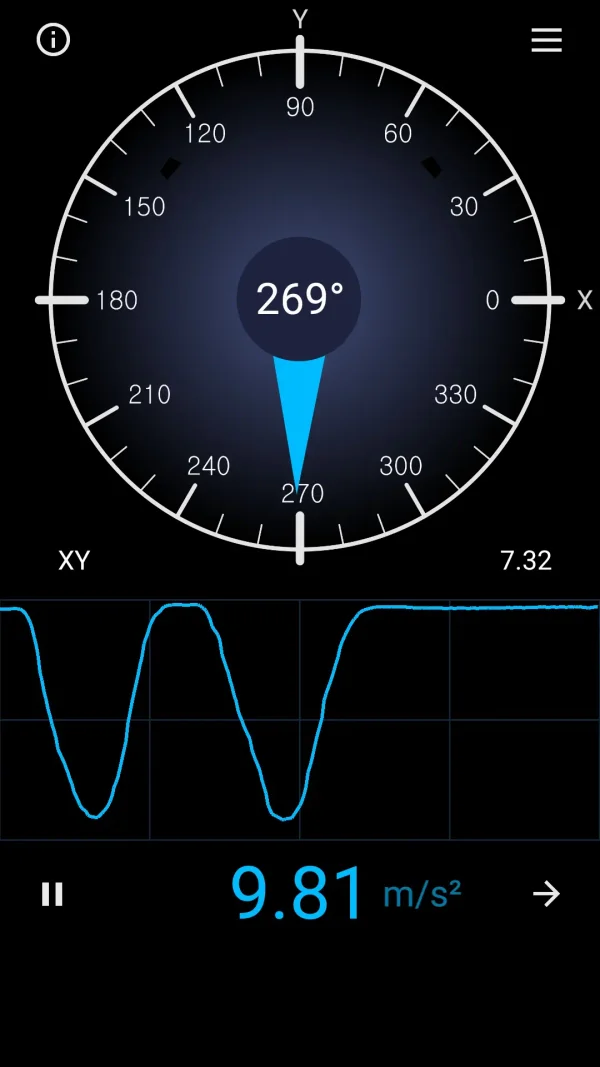
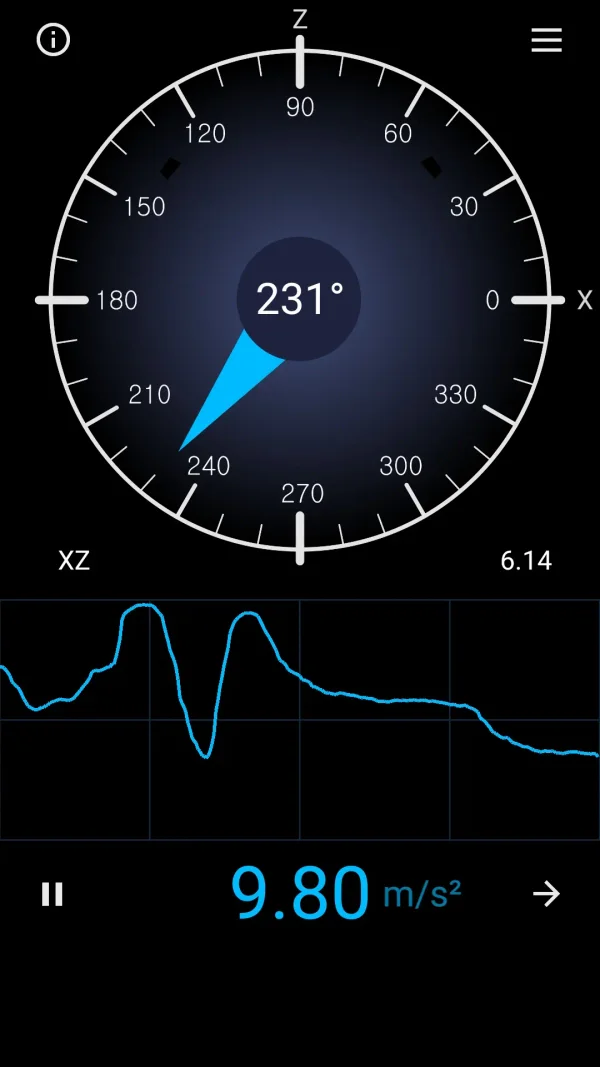
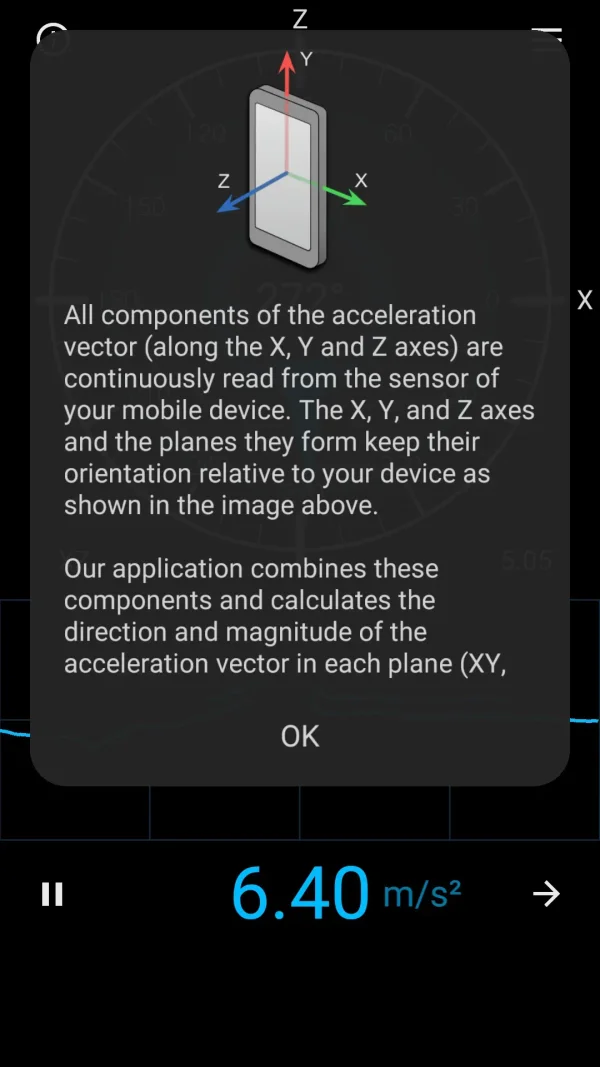
このアプリは、 すべての平面における加速度ベクトルの成分を大きさと方向として表示します。加速度ベクトルの主成分 (X、Y、Z 軸に沿った) は、モバイル デバイスのセンサーから継続的に読み取られます。 X、Y、Z 軸とそれらが形成する平面は、デバイスを基準とした方向を維持します。私たちのアプリケーションは高速アルゴリズムを使用してこれらのコンポーネントを組み合わせ、各平面 (XY、XZ、ZY) の加速度ベクトルの方向と大きさを計算します。たとえば、携帯電話を直立させた場合、XY 平面内の重力加速度ベクトルの傾きは 270 度、大きさは 9.81 m/s2 になります。
主な機能
- 角度を表示し、任意の平面における大きさと時間のグラフを表示します。
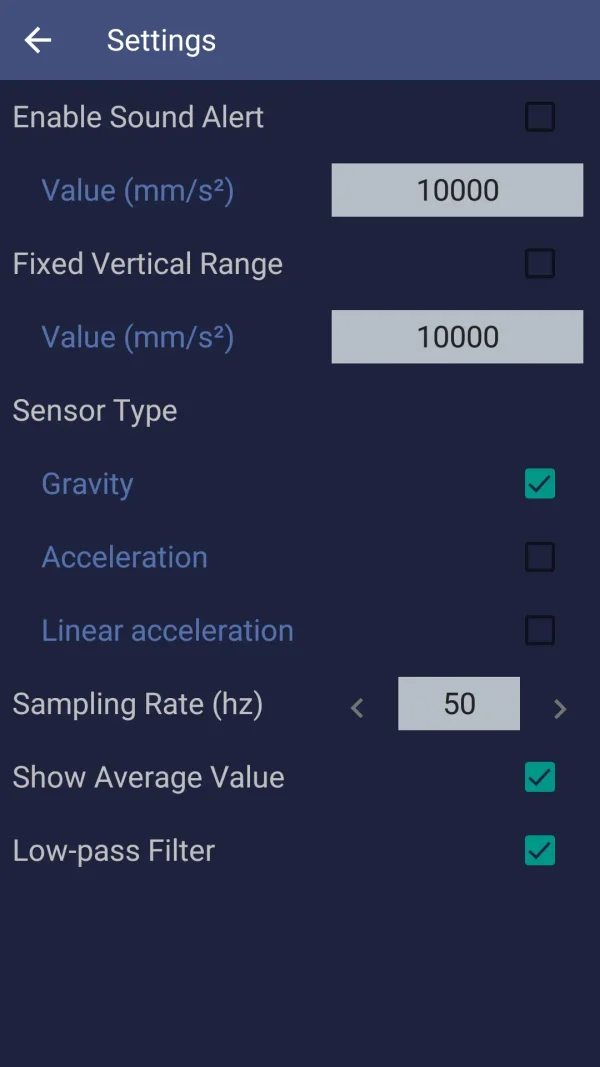
- サンプリングレートは10~100サンプル/秒まで調整可能
- 特定の制限に達したときにサウンドアラートをトリガーできます
- 重力、加速度、線形加速度の 3 つのセンサーを選択してテストできます。
- グラフの垂直解像度は自動的に調整できます
- 加速度の最大値と平均値が継続的に表示されます。
- 「開始/停止」ボタンと「平面の選択」ボタン
- 角度の基準手 (上下にパンして方向を変更します)
- マグニチュードの基準線 (固定垂直範囲にチェックを入れたときに表示されます)
その他の機能
- シンプルで使いやすいインターフェース
- 無料アプリケーション、邪魔な広告なし
- 権限は必要ありません
- 大きな数字を備えたハイコントラストのテーマ
原文を表示
This app shows you the components of the acceleration vector, as magnitude and direction, in all planes. The primary components of the acceleration vector (along the X, Y and Z axes) are continuously read from the sensor of your mobile device. The X, Y, and Z axes and the planes they form keep their orientation relative to your device. Our application uses fast algorithms to combine these components and calculate the direction and magnitude of the acceleration vector in each plane (XY, XZ and ZY). For example, if you are holding your phone upright, the gravitational acceleration vector in the XY plane will have an inclination of 270 degrees and a magnitude of 9.81 m/s2.
Main features
- displays the angle and shows the graph of magnitude vs. time in any plane
- the sampling rate can be adjusted from 10 to 100 samples/second
- a sound alert can be triggered when a certain limit is reached
- three sensors can be selected and tested: Gravity, Acceleration and Linear acceleration
- the vertical resolution of the graph can be adjusted automatically
- the Maximum and the Average acceleration values are continuously displayed
- 'Start/Stop' and 'Select plane' buttons
- Reference hand for angles (pan up or down to change its orientation)
- Reference line for magnitude (visible when the Fixed vertical range is ticked)
More features
- Simple, easy-to-use interface
- Free application, no intrusive ads
- Permissions are not required
- High-contrast theme with large digits
データ セーフティ
このアプリが収集・共有するデータについて、Microsys Com Ltd.がGoogle Playで申告している内容です。
- 第三者と共有されるデータはありません詳しくは、デベロッパーが共有を申告する方法についての説明をご覧ください
- データは収集されません詳しくは、デベロッパーが収集を申告する方法についての説明をご覧ください
新機能
2026/11/7
- UI speed optimization
- More units of measurement
- Save the last 300 samples
- Reference hand for angles
- Reference line for magnitude
- Code optimization
- Graphic changes
- 'Exit' added to the menu
- Dark theme added
開発元の連絡先
- ウェブサイトmicrosys.ro
- メールinfo@microsys.ro
- プライバシーポリシーmicrosys.ro
- 住所STR. DOAMNA GHICA NR. 6 BL. 3 SC. C ET. 10 AP. 119, SECTORUL 2 022832 Bucuresti Romania
情報
- 提供元
- Microsys Com Ltd.
- カテゴリ
- ツール
- 更新日
- 2026/11/7
- リリース
- 2022/6/10
- 対象年齢
- 3 歳以上
- 価格
- 無料
- パッケージ名
- com.microsys.AccelerometerPro