Active 2: Watch face
amoledwatchfaces™- 3 歳以上対象年齢
- 仕事効率化カテゴリ
- 2026/8/4更新日
- ¥240価格
com.amoledwatchfaces.active2のGoogle Play公式ページにリンクしています。最終確認:2026/11/26。
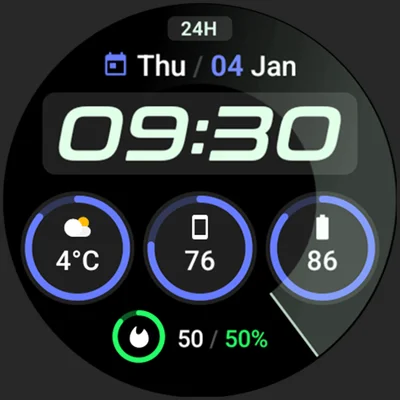
このアプリについて
Googleによる英語 (アメリカ合衆国)からの自動翻訳です。
フィットネス指向のデザイン。カスタム合併症。バッテリーに優しい。トゥルーブラックBG。
Wear OS 4 以降のデバイスのみ
// 長方形の時計には適していません
ウォッチフェイス形式を採用
amoledwatchfaces.com
1 つ購入すると 1 つ特典!
amoledwatchfaces.com/bogo
カスタム コンプリケーション アプリ
amoledwatchfaces.com/apps
特徴
• ウォッチフェイス形式 1
• 4 種類の 3 つの主要な合併症
• LONG_TEXT コンプリケーション (次のイベント) に変換できる日付ボックス
• 低OPRとアダプティブカラーを備えた独自のアンビエントモード
• 焼き付き防止
• PNGQuant に最適化されたレイヤー > バッテリーに優しい
• 真っ黒な背景
• 高解像度
• 完全に互換性のある最新のWear OSデバイス
• ユニークなカラーテーマ
• 範囲値のコンプリケーションを使用する場合は、独自のプログレスバーのグラデーションを個別にカスタマイズします。
• 日付をタップしてカレンダーを開きます
• 「デジタル時計」をタップしてカスタムアプリの起動アクションを設定します
• 午前-午後をタップしてアラームアプリを開きます
• スイープ秒インジケーター
• 電話通知機能のサポート*
* 電話バッテリー コンプリケーション アプリが必要です
https://play.google.com/store/apps/details?id=com.weartools.phonebattcomp
ユーザー設定
• テーマ (デフォルト + 29x)
• Bar1、2、3 - 色合い 1、色合い 2、色合い 3 - テーマから色を取得し、3 つの主要な合併症の進行状況バーにのみ適用されます。
• 秒インジケーター (4x + 無効にするオプション)
• AOD (スタイル - 2x)
• デジタル時計の背景 (切り替え)
• 下部スロットの概要 (切り替え)
• カスタムコンプリケーション (6x)
インストールとトラブルシューティングのガイド
amoledwatchfaces.com/guide
問題のレポートやヘルプ リクエストがある場合は、サポート アドレスに送信してください。
support@amoledwatchfaces.com
Telegram グループに参加してライブ サポートやディスカッションを行ってください
t.me/amoledwatchfaces
amoledwatchfaces™ - Awf
原文を表示
Only for Wear OS 4+ devices
// Not suitable for rectangular watches
Powered by Watch Face Format
amoledwatchfaces.com
BUY ONE GET ONE OFFER!
amoledwatchfaces.com/bogo
CUSTOM COMPLICATION APPS
amoledwatchfaces.com/apps
FEATURES
• Watch Face Format 1
• three main complications with four types
• date box which can be converted to LONG_TEXT complication (Next Event)
• unique ambient mode with low OPR & adaptive colors
• burn-in protection
• PNGQuant optimized layers > battery friendly
• true black background
• high resolution
• fully compatible latest Wear OS devices
• unique color themes
• make it your own, customize each progress bar gradient individually when ranged value complication is used
• tap date to open Calendar
• tap Digital Clock to set custom app launch action
• tap am-pm to open Alarm app
• sweep seconds indicator
• phone notifications complication support*
* requires Phone Battery Complication app
https://play.google.com/store/apps/details?id=com.weartools.phonebattcomp
USER CONFIGURATIONS
• Theme (Default + 29x)
• Bar1, 2, 3 - Tint 1, Tint 2, Tint 3 - takes color from Theme, applies only to Progress bars in three main complications
• Seconds Indicator (4x + option to disable)
• AOD (Style - 2x)
• Digital Clock Background (Toggle)
• Bottom Slot Summary (Toggle)
• Custom Complication (6x)
Installation and troubleshooting guide
amoledwatchfaces.com/guide
Please send any issues reports or help requests to our support address
support@amoledwatchfaces.com
Join our Telegram group for live support and discussion
t.me/amoledwatchfaces
amoledwatchfaces™ - Awf
データ セーフティ
このアプリが収集・共有するデータについて、amoledwatchfaces™がGoogle Playで申告している内容です。
- 第三者と共有されるデータはありません詳しくは、デベロッパーが共有を申告する方法についての説明をご覧ください
- データは収集されません詳しくは、デベロッパーが収集を申告する方法についての説明をご覧ください
新機能
2026/8/4
v1.1.0
• EMPTY (date) potential fix
v1.0.9
• watchface.xml optimizations
• reworked customization previews
• added watch face preview time
• added phone notifications complication support*
v1.0.8
• minified watchface.xml
v1.0.7
• added new orange theme
v1.0.5
• WFF XSD format fixes
• added an option to remove bottom complication slot summary (s%%)
...
* requires Phone Battery Complication app
https://play.google.com/store/apps/details?id=com.weartools.phonebattcomp
開発元の連絡先
- ウェブサイトamoledwatchfaces.com
- メールsupport@amoledwatchfaces.com
- プライバシーポリシーamoledwatchfaces.com
- 住所51 Nižný Kručov 09301 Nižný Kručov Slovakia
情報
- 提供元
- amoledwatchfaces™
- カテゴリ
- 仕事効率化
- 更新日
- 2026/8/4
- リリース
- 2024/1/4
- 対象年齢
- 3 歳以上
- 価格
- ¥240
- パッケージ名
- com.amoledwatchfaces.active2
類似のアプリ
-
 SeptaWorks Watch Face
カスタマイズ
-
 Gravity Watch Face
カスタマイズ
-
 Fit ONE: Watch face
カスタマイズ
-
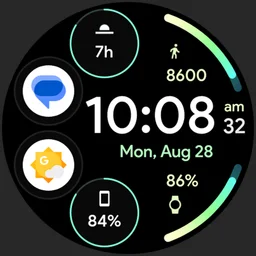 Pulse 2: Watch face
カスタマイズ
-
 Summit Watch Face
仕事効率化
-
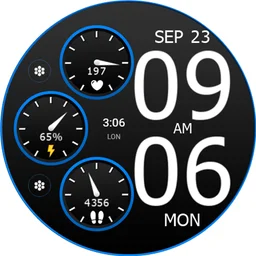 Key WF45 Digital Watch Face
カスタマイズ
-
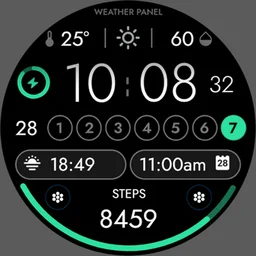 QuanTick 04 - Digital Watch
カスタマイズ
-
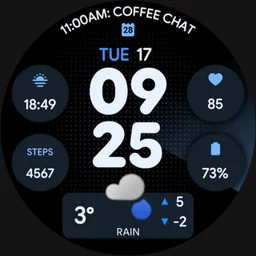 SG-168
カスタマイズ
-
 Pixel OLED: Watch face
カスタマイズ
-
 Apex SE Watch Face
カスタマイズ
-
 SG-172
カスタマイズ
-
 Utility Watch Face
仕事効率化