Commerzbank Banking
Commerzbank AG広告を含む
- 3 歳以上対象年齢
- ファイナンスカテゴリ
- 2026/11/11更新日
- 無料価格
de.commerzbanking.mobilのGoogle Play公式ページにリンクしています。最終確認:2026/11/26。

スクリーンショット

このアプリについて
Googleによるドイツ語 (ドイツ)からの自動翻訳です。
Commerzbank Banking Appで銀行取引を迅速かつ簡単に完了します
ドイツの大手銀行ならではのセキュリティと、最新のモバイルバンキングの利便性が融合。いつでもどこでも、銀行取引を迅速かつ簡単に行えます。コメルツ銀行アプリがあれば、銀行はいつでもあなたのポケットの中に。
ドイツの大手銀行ならではのセキュリティと、最新のモバイルバンキングの利便性が融合。いつでもどこでも、銀行取引を迅速かつ簡単に行えます。コメルツ銀行アプリがあれば、銀行はいつでもあなたのポケットの中に。
…機能
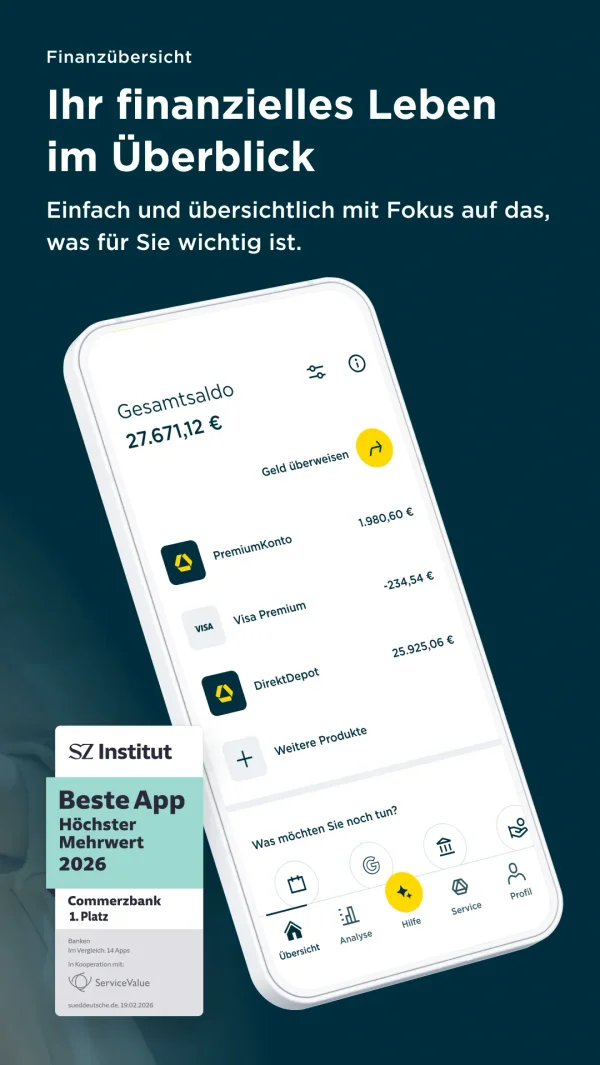
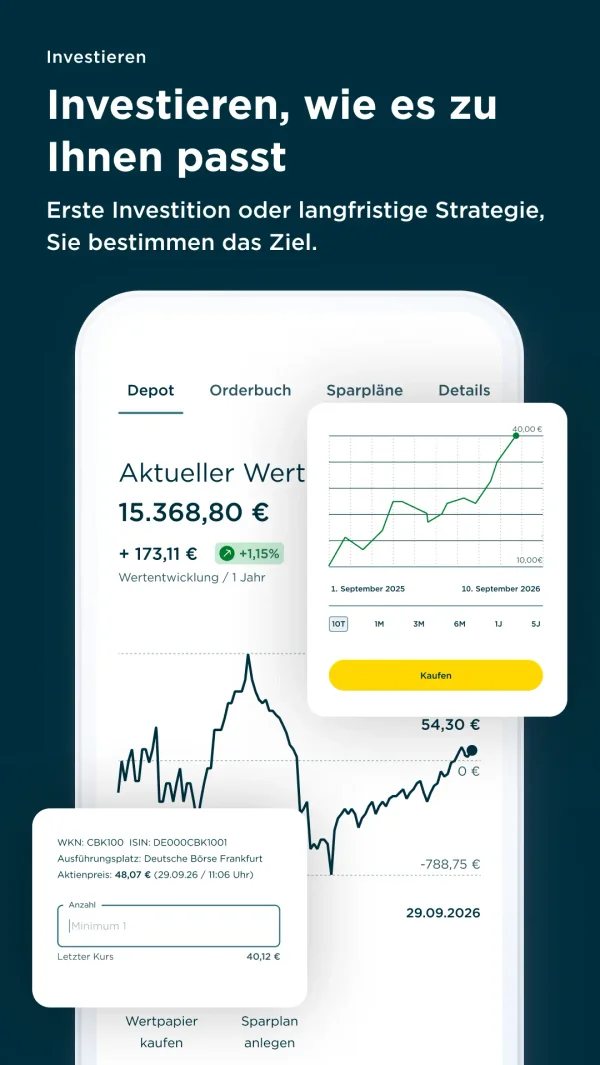
• 財務概要:すべての口座残高と取引履歴を一目で確認できます
• クイックログイン:簡単な生体認証ログイン
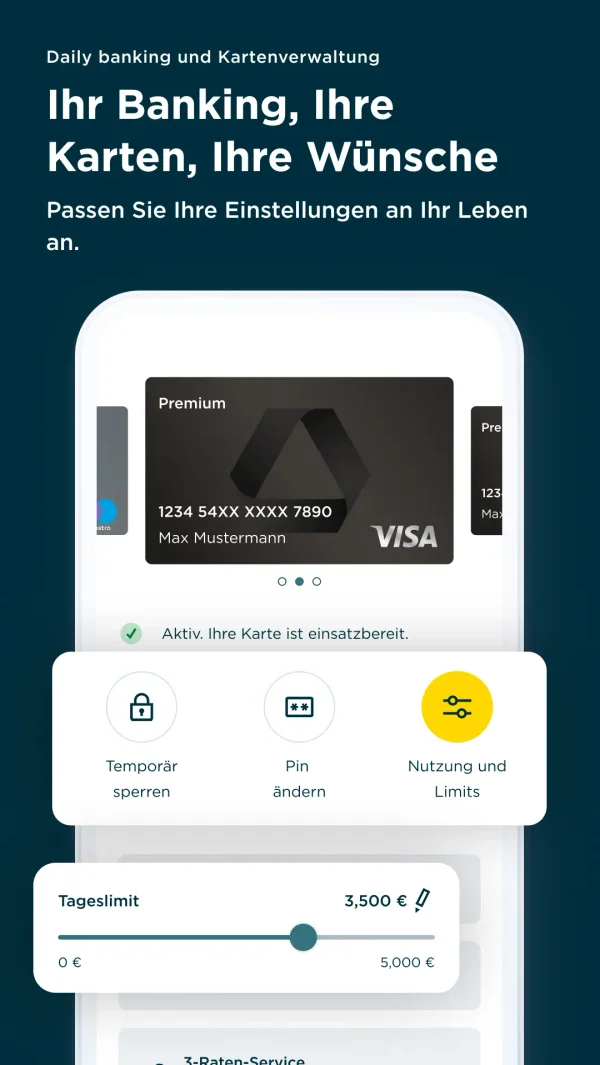
• カード管理:PINの変更や緊急時のカード停止が簡単に行えます
• 高速送金:QRコードや請求書のスキャンによる写真送金、photoTAN認証、リアルタイム送金
• 自動振込:自動振込の確認、作成、削除が可能です
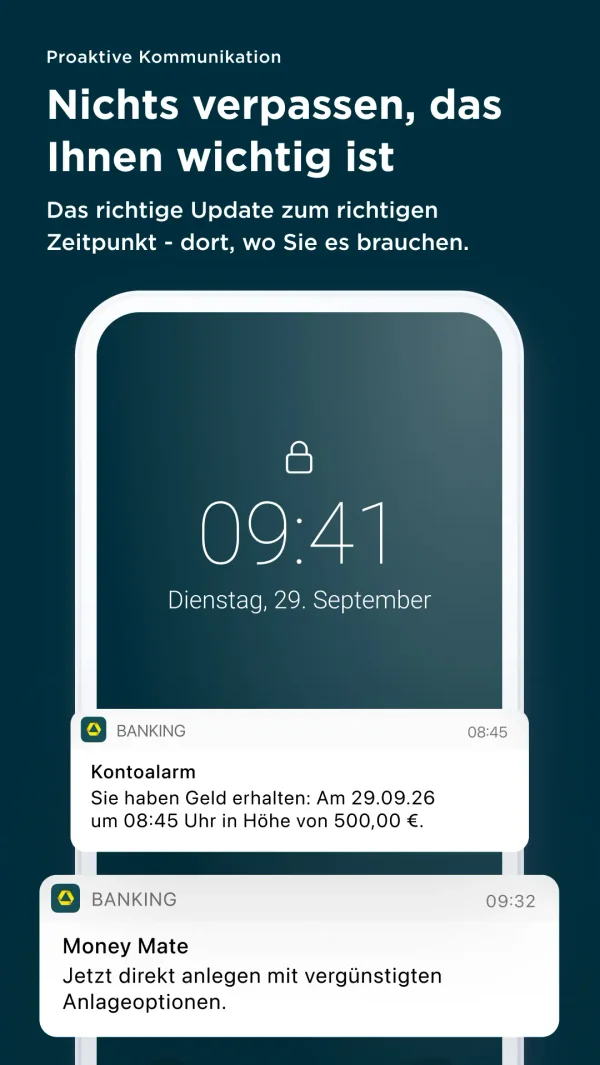
• 口座アラート:口座の取引状況をリアルタイムでプッシュ通知でお知らせします
• ロケーション:ATMやコメルツ銀行の支店を素早く検索できます
• その他、便利な機能が多数
セキュリティ
• 生体認証ログイン:指紋認証で数秒で安全にログインできます
• セキュリティ保証:意図しない金銭的損失を全額補償します
• photoTAN:安全な送金のための革新的なセキュリティ手順
• Google Pay:カード情報やPINを共有することなく、暗号化された取引が可能です
フィードバック
当社のバンキングアプリに関する素晴らしいアイデアやご質問がありましたら、ぜひお聞かせください。アプリ内のフィードバック機能をご利用いただくか、direktbanking@commerzbank.comまでメールをお送りください。
必要条件
• カメラ:写真転送、請求書、振込伝票、QRコードのスキャンに使用します。
• マイクとBluetooth:アプリからの通話機能に使用します。
• 位置情報共有:ATMや支店の検索に使用します。
• ストレージ:アプリ内でのお客様のアカウント情報の保存に使用します。
• 電話:カスタマーサービスへの直接通話、および着信時のセッション維持に使用します。
• ネットワークの状態と変更:アプリは銀行へのインターネット接続が必要です。接続状況を確認するため、ネットワークの状態を表示する権限が必要です。
• リファラー:アプリはアプリストアに問い合わせてインストール元を特定します。
• デバイスのハードウェア/ソフトウェアチェック:アプリの実行中に、既知のセキュリティ関連の攻撃ベクトル(例:ルート化/ジェイルブレイクされたデバイス、悪意のあるアプリなど)をチェックします。
注記
Androidでは、権限は常にグループ単位で割り当てられます。そのため、グループ内の特定の権限のみが必要な場合でも、すべてのカテゴリの権限を要求する必要があります。
もちろん、これらの権限はアプリ内でここに記載されている目的のみに使用され、お客様の個人データにアクセスすることはありません。詳細については、Playストアの「プライバシーポリシー」リンクをクリックしてご確認ください。
重要
コメルツ銀行のバンキングアプリは、「Xposed Framework」および類似のフレームワークと互換性がありません。バンキングアプリを使用するには、これらのソフトウェアを完全にアンインストールする必要があります。フレームワークがインストールされている場合、アプリは起動直後にエラーメッセージを表示せずに終了します。
原文を表示
All the advantages of modern mobile banking with the security of a major German bank. Banking is quick and easy with the Commerzbank Banking app, whenever you want and wherever you are. Your bank is always with you.
FUNCTIONS
• Financial overview: all account balances and transactions at a glance
• Quick login: Simple via biometric procedures
• Card management: easily change your PIN or block your card in an emergency
• Faster transfer: speedy and safe with photoTAN and Instant Payment as well as photo transfers with QR Codes, remittance slips and invoice scan
• Standing orders: view, change, create or delete
• Account alarm: push notifications about account movements, in real time, to your mobile
• Finder: find nearby ATMs and Commerzbank branches
• Many more practical functions
SECURITY
• Biometric login: Login secure and in seconds with your fingerprint
• Security guarantee: financial losses not caused by negligence will be fully reimbursed
• photoTAN: innovative security method for secure transfers
• Google Pay: encrypted transactions without sharing card details or PINs
FEEDBACK
Do you have a great idea for our banking app? Do you have a question? Simply use the feedback function in the app or send an e-mail to: direktbanking@commerzbank.com.
PREREQUISITES
• Camera: for photo transfers to read invoices, remittance slips or QR codes
• Microphone: to use call from-within-the-app function
• Location approval: to search for ATMs and branches
• Memory: to store your personalized account display in the app
• Telephone: to directly dial customer service and avoid losing an existing session on incoming calls
• Network: the app requires an internet connection to the bank. To check the connection, we need the right to view the network status.
• Referrer: The app checks with the store where the installation was initiated.
• Hard-/software checks of your device: At runtime, we check known, security-relevant attack vectors (e.g. rooted/jailbreak, malicious apps, etc.)
NOTE
With Android, rights are always assigned in groups. So, we need to request permissions for all topics, even if we only need one permission from the group. We use these rights only for the purposes mentioned here, within the app, and do not access your personal
data. A detailed explanation can be found further down in the Play Store, at the link "Privacy Policy".
IMPORTANT
The Commerzbank Banking app is not compatible with the "Xposed Framework" and similar frameworks. To use the App, you must completely uninstall this software. If the app is opened with the framework installed, it will close immediately without an error message.
データ セーフティ
このアプリが収集・共有するデータについて、Commerzbank AGがGoogle Playで申告している内容です。
- 第三者と共有されるデータはありません詳しくは、デベロッパーが共有を申告する方法についての説明をご覧ください
- このアプリは以下の種類のデータを収集することがあります位置情報、個人情報、他 8 件
- データは送信中に暗号化されます
- データを削除できません
新機能
バージョン 26.11.100 (261022026) · 2026/11/11
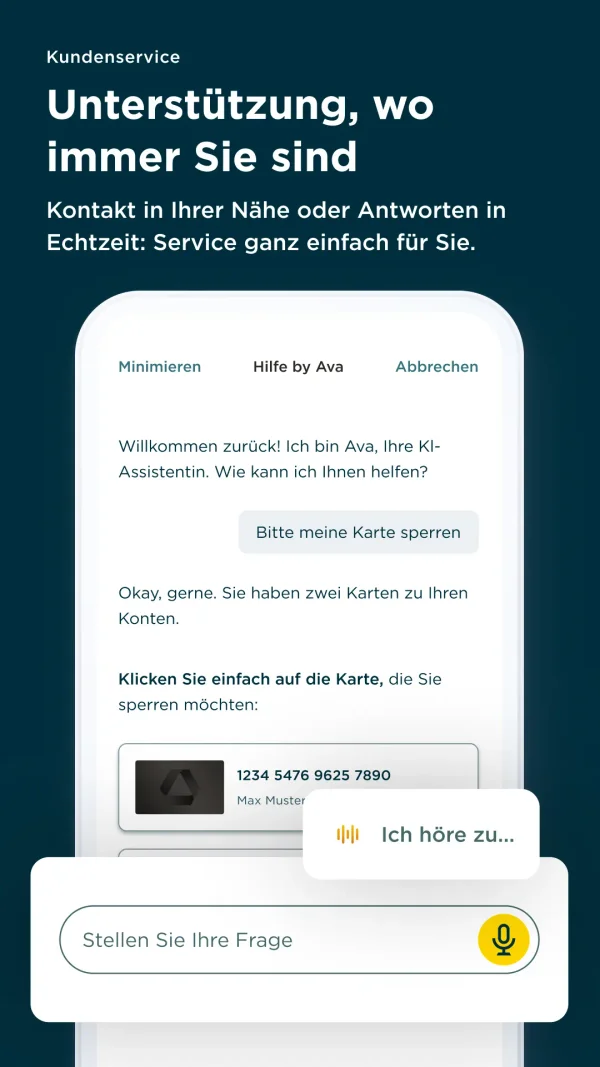
With this new update, you’ll receive a new version of our help with AI assistant Ava. Simply ask your question in the text chat or through voice input. Many issues can be resolved straight away: For example, you can have your cards blocked or unblocked directly, make a transfer or get information about your accounts and products. If needed, you can also contact us personally through the Help section.
開発元の連絡先
- ウェブサイトcommerzbank.de
- メールdirektbanking@commerzbank.com
- プライバシーポリシーcommerzbank.de
- 住所Kaiserstr. 30 60311 Frankfurt am Main Germany
情報
- 提供元
- Google Commerce Ltd
- カテゴリ
- ファイナンス
- バージョン
- 26.11.100 (261022026)
- 更新日
- 2026/11/11
- リリース
- 2011/2/21
- 必要条件
- Android 10以降
- 対象年齢
- 3 歳以上
- 価格
- 無料
- パッケージ名
- de.commerzbanking.mobil
類似のアプリ
-
 Commerzbank photoTAN
ファイナンス
-
 Wero
ファイナンス
-
 Nect Wallet
仕事効率化
-
 Yuh - Your app. Your money.
ファイナンス
-
 BISON - Buy Bitcoin & Crypto
ファイナンス
-
 Trade.com: Investing & Finance
ファイナンス
-
 MVGO: Munich Mobility App
旅行&地域
-
 David Lloyd Clubs
健康&フィットネス
-
 GLS Parcels
仕事効率化
-
 hvv switch – Mobility Hamburg
旅行&地域
-
 Holvi – Business banking
ファイナンス
-
 VVS Mobil - Trip planner
地図&ナビ