Counter Widget
CELEST Watches広告を含む
- 3 歳以上対象年齢
- ツールカテゴリ
- 2026/7/20更新日
- 無料価格
com.celestwatches.counterwidgetのGoogle Play公式ページにリンクしています。最終確認:2026/11/24。

スクリーンショット

このアプリについて
Googleによる英語 (アメリカ合衆国)からの自動翻訳です。
ホーム画面用のシンプルなタップカウンターウィジェット。回数、タスク数、ページ数などをカウントします。
カウンターウィジェット ― ホーム画面用のミニマルなタップカウンター。
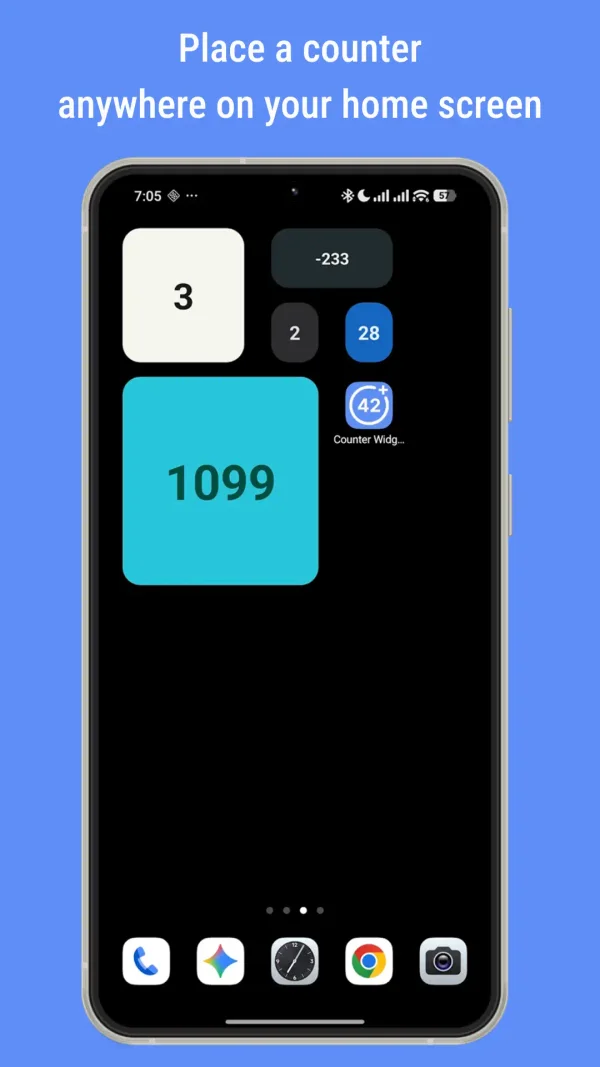
カウント機能付きのホーム画面ウィジェットです。タップすると数値が1ずつ増えます。ホーム画面の好きな場所にウィジェットを配置し、タップするだけで、記録したいものをカウントできます。
**カウントできるもの**
カウンターウィジェットは、あらゆる種類のカウントに対応しています。
- ワークアウト中のレップ数、セット数、ラップ数
- 毎日の習慣や連続記録
- 読んだページ数や読了した章数
- 水、コーヒー、その他の1日の摂取量
- 在庫数と集計
- タップ1回で記録したいものなら何でも
配置したウィジェットはそれぞれ独立しているので、複数の項目を同時に記録できます。
**使い方**
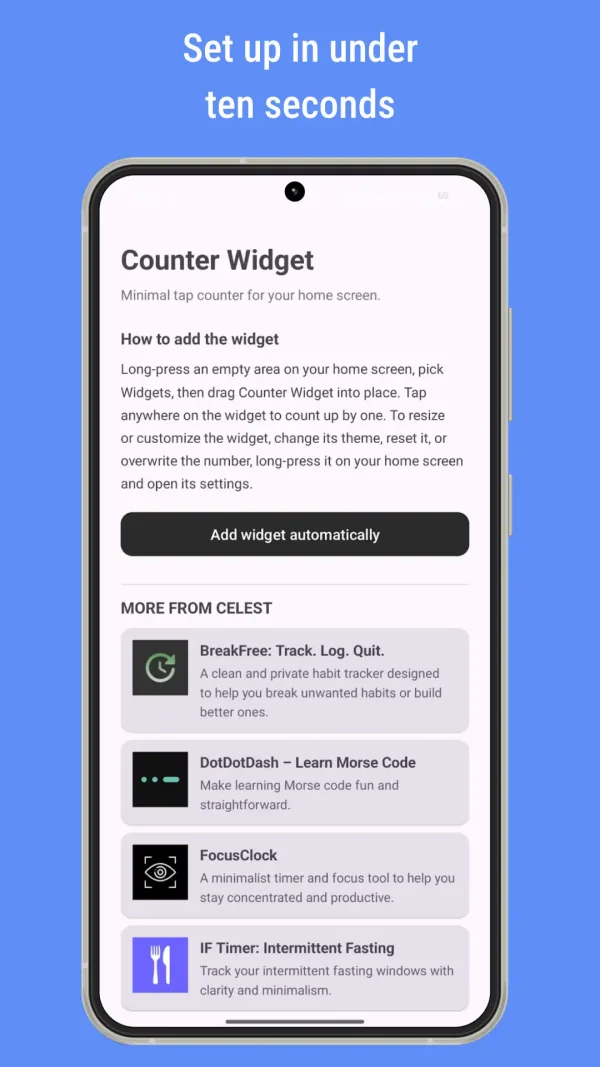
ホーム画面の空いている場所を長押しし、ウィジェットピッカーからカウンターウィジェットを選択して、好きな場所にドラッグします。ウィジェットをタップすると、数値が1ずつ増えます。ウィジェットの高さが十分(2セル以上)になると、+と−のコントロールが表示され、ホーム画面から直接カウントを増減できます。ウィジェットをカスタマイズするには、ウィジェットを長押しして設定を開きます。設定画面では、以下の操作が可能です。
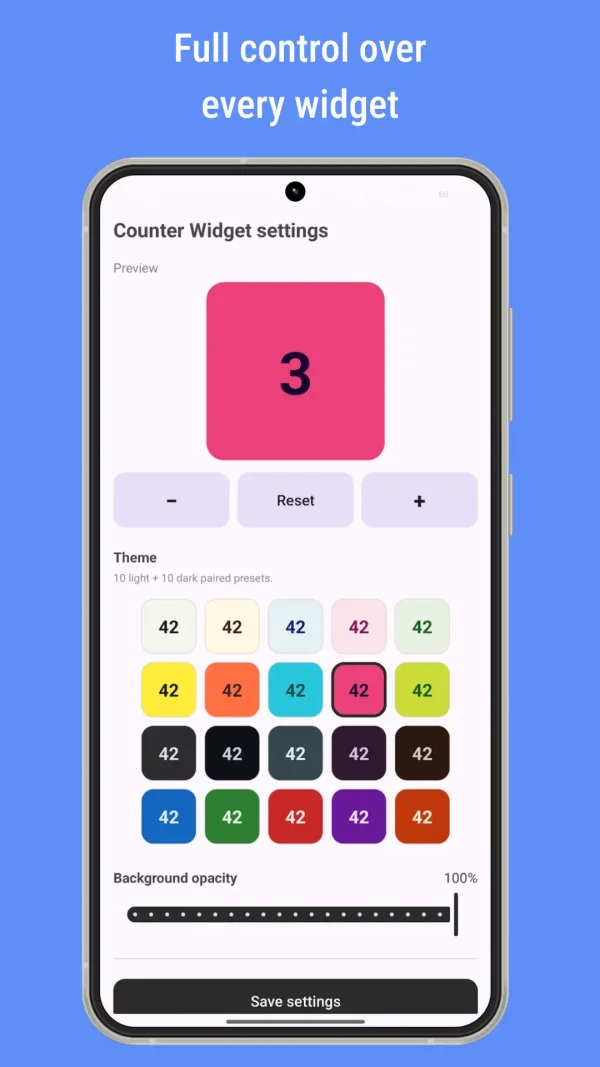
- プレビュー画面のカウンターをタップして、任意の数値を入力できます。
- + ボタンと − ボタンでカウンターを調整できます。長押しすると素早く変更できます。
- 確認メッセージが表示されたら、カウンターをゼロにリセットできます。
- 20種類のカラーテーマ(落ち着いた色、鮮やかな色、明るい色、暗い色)から選択するか、カラーホイールと明るさスライダーで独自の色を選択できます。正確な16進数カラーコードを入力することも可能です。
- 背景の透明度を0%(完全透明)から100%まで、5%刻みで調整できます。
ウィジェットは1×1セルから4×4セルまでサイズ変更可能です。数値は選択したサイズに合わせて自動的に拡大縮小されます。
**プライバシー**
すべてのデータはデバイスにローカルに保存されます。アカウント、クラウド同期、トラッキング、分析は一切行いません。
**アクセシビリティ**
カウンターウィジェットはTalkBackに対応しており、カウンターの数値や、すべてのインタラクティブ要素に表示されるアクセシビリティ対応ラベルを音声で読み上げます。テーマ選択時にはテーマ名が読み上げられます。 **価格について**
Counter Widgetにはアプリ内課金やサブスクリプションはありません。アプリには「CELESTのその他のアプリ」セクションがあり、CELEST Watchesが提供する他のアプリをご覧いただけます。Counter Widgetが便利だと感じて他のアプリも試してみたい場合は、このオプションをご利用ください。必須ではありません。
**開発者について**
Counter Widgetは、ミニマルなAndroidアプリとWear OSウォッチフェイスを公開している独立系開発者、CELEST Watchesによって開発されています。
原文を表示
Counter Widget — a minimal tap counter for your home screen.
A home screen widget that counts. One tap increments the number by one. Place the widget anywhere on your home screen and tap it to count whatever you need to track.
** What you can count **
Counter Widget works for any kind of tally:
- Reps, sets, and laps during workouts
- Daily habits and streaks
- Pages read or chapters finished
- Cups of water, coffee, or other daily intake
- Inventory counts and tallies
- Anything else you want to track with a single tap
Each widget you place is independent, so you can track multiple things in parallel.
** How it works **
Long-press an empty area on your home screen, select Counter Widget from the widget picker, and drag it into place. Tap the widget to count up by one. When the widget is tall enough (2 cells or more), + and − controls appear so you can increment or decrement directly from the home screen.
To customize the widget, long-press it and open its settings. From there you can:
- Enter any specific number by tapping the counter in the preview
- Adjust the counter with + and − buttons, including press-and-hold for fast changes
- Reset the counter to zero with confirmation
- Choose from 20 color themes (muted, vibrant, light, and dark) or pick your own colors with a color wheel and brightness slider — you can also type an exact hex code
- Adjust background opacity from 0 % (fully transparent) to 100 %, in 5 % steps
The widget is resizable from 1×1 up to 4×4 cells. The number automatically scales to fit the size you choose.
** Privacy **
All data is stored locally on your device. No accounts, no cloud sync, no tracking, no analytics.
** Accessibility **
Counter Widget supports TalkBack, including spoken counter values and accessible labels on every interactive element. Theme names are announced during selection.
** About pricing **
Counter Widget has no in-app purchases and no subscriptions. The app includes a "More from CELEST" section showing other apps from CELEST Watches. If you find Counter Widget useful and want to explore the other apps, the option is there — it is not required.
** About the developer **
Counter Widget is developed by CELEST Watches, an independent developer publishing minimal Android apps and Wear OS watch faces.
データ セーフティ
このアプリが収集・共有するデータについて、CELEST WatchesがGoogle Playで申告している内容です。
- 第三者と共有されるデータはありません詳しくは、デベロッパーが共有を申告する方法についての説明をご覧ください
- データは収集されません詳しくは、デベロッパーが収集を申告する方法についての説明をご覧ください
新機能
バージョン 1.5.0 · 2026/7/20
The main app lists the added widgets for easy editing
開発元の連絡先
- ウェブサイトcelest-watches.com
- メールinfo@celest-watches.com
- プライバシーポリシーcelest-watches.com
- 住所Budapest ERZSEBET UTCA 32 04. 5 em. 28 a. 1041 Hungary
情報
- 提供元
- CELEST Watches
- カテゴリ
- ツール
- バージョン
- 1.5.0
- 更新日
- 2026/7/20
- リリース
- 2026/4/21
- 必要条件
- Android 11以降
- 対象年齢
- 3 歳以上
- 価格
- 無料
- パッケージ名
- com.celestwatches.counterwidget