ELM327 Test
Radarbot Company広告を含む
- 3 歳以上対象年齢
- 自動車カテゴリ
- 2023/10/6更新日
- 無料価格
com.vialsoft.elm327_test_obd_identifierのGoogle Play公式ページにリンクしています。最終確認:2026/11/27。
スクリーンショット
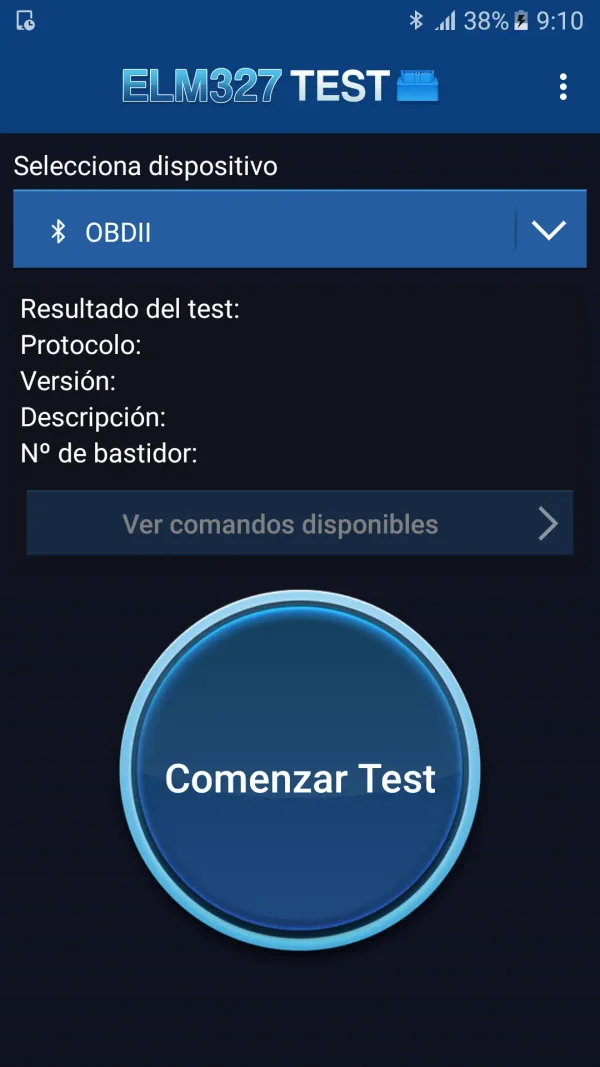
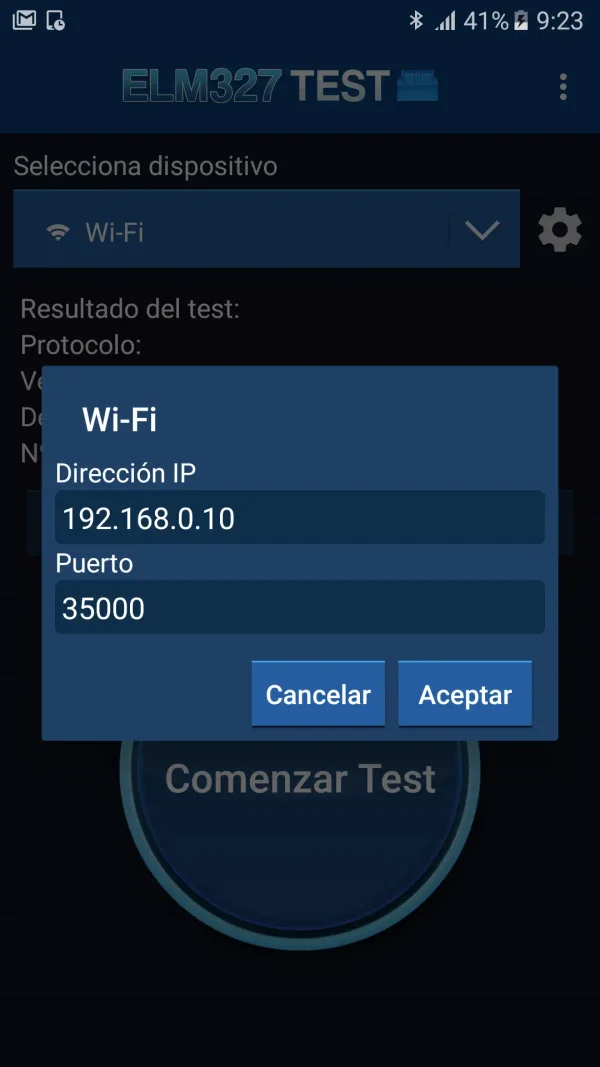
このアプリについて
Googleによるスペイン語 (スペイン)からの自動翻訳です。
お使いのELM327デバイスが実際のバージョンとサポートされているPIDを識別し確認してください
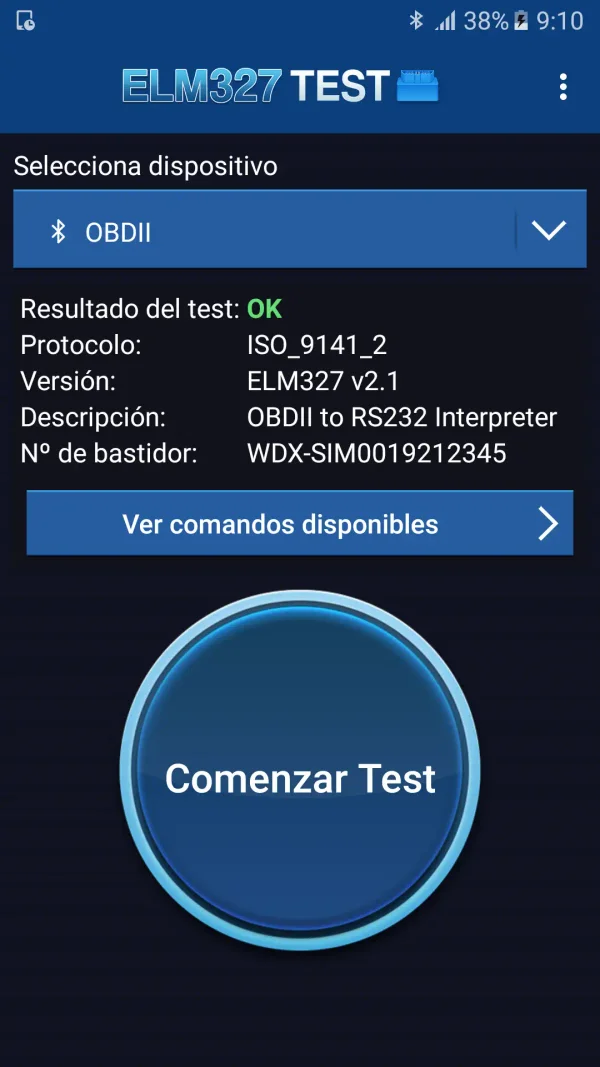
ELM327診断装置の動作を確認するには、 "ELM327 Test"を使用します。 ELM327デバイスをお持ちの場合は、このアプリケーションを使用して次の操作を実行できます。
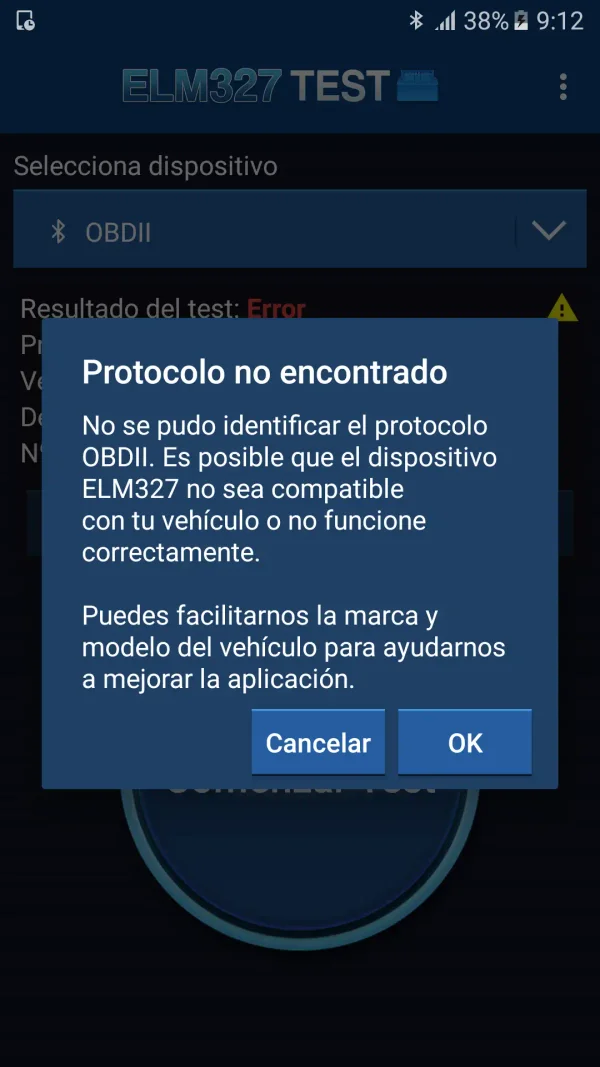
*デバイスの正しい機能や接続の問題、プロトコルの問題、またはデバイスのハードウェア障害を確認してください。
*デバイスの実際のバージョンを識別します。 (ELM327 v1.0、v1.1、v1.2、v1.3、v1.3a、v1.4、v1.4b、v2.0、v2.1、v2.2)。
*あなたの車と互換性のあるOBD2プロトコルを検出:
- ISO 9141-2
- ISO 14230-4 KWP 2000
- ISO 14230-4 KWP 2000(FAST)
- ISO 15765-4 CAN-BUS
- SAE J1939 CAN
- SAE J1850 PWM
- SAE J1850 VPW
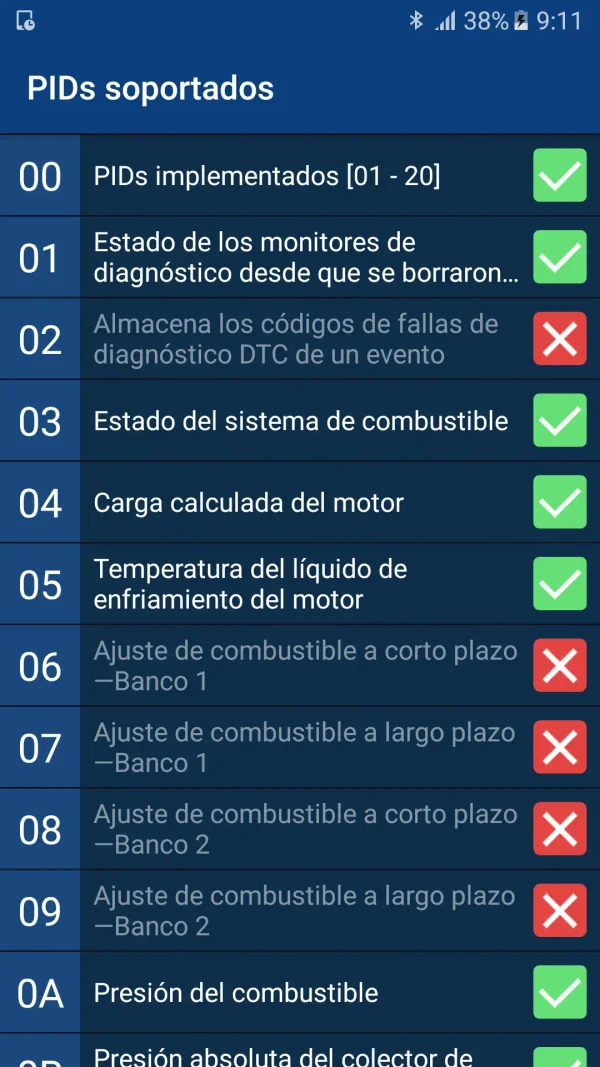
*車両がサポートしているすべてのPIDコマンドを表示します。
*車のフレーム数を表示します。
アプリケーションの使用方法
1. OBD2ソケットを使用してELM327アダプタを車に接続します。
2. AndroidデバイスのBluetooth設定からアダプタをリンクするか、AndroidデバイスをデバイスのWIFIに接続します。
3.アプリケーションを起動し、ペアリングされたデバイス(BluetoothまたはWIFI)を選択します。
4.「テスト開始」ボタンを押します。
5.テストが終了するまで待って、結果を確認します。
6.「使用可能なコマンドを表示」ボタンを押して、車両がサポートしているすべてのPIDコマンドを表示します。
ご不明な点がございましたらsupport@iteration-mobile.com宛に電子メールをお送りください
原文を表示
"ELM327 Test" is used to check the operation of devices with an ELM327 diagnosis. If you have a, ELM327 device, with this application you can:
* Check the correct operation of your device or possible connection problems, protocol problems or hardware failures in the device.
* Identify the current version of the device. (ELM327 v1.0, v1.1, v1.2, v1.3, v1.3a, v1.4, v1.4b, v2.0, v2.1, v2.2).
* Detect OBD2 protocol compatible with your vehicle:
- ISO 9141-2
- ISO 14230-4 KWP 2000
- ISO 14230-4 KWP 2000 (FAST)
- ISO 15765-4 CAN-BUS
- SAE J1939 CAN
- SAE J1850 PWM
- SAE J1850 VPW
* Show all PID commands supported by the vehicle.
* Display the chassis number of your vehicle.
HOW TO USE THE APPLICATION
1. Connect the ELM327 adapter to your car using the OBD2 socket.
2. Link the adapter from the Bluetooth settings on your Android device or connect your Android device to the device's WiFi.
3. Start the application and select the paired device (Bluetooth or WiFi).
4. Press the "Start Test" button.
5. Wait until the end of the test and check the results.
6. Press the button "View available commands" to show all PIDs commands supported by your vehicle.
For inquiries please email us at support@iteration-mobile.com
データ セーフティ
このアプリが収集・共有するデータについて、Radarbot CompanyがGoogle Playで申告している内容です。
- このアプリはサードパーティと以下の種類のデータを共有することがあります位置情報、メッセージ、他 3 件
- このアプリは以下の種類のデータを収集することがあります位置情報、メッセージ、他 3 件
- データは送信中に暗号化されます
新機能
バージョン 1.6 · 2023/10/6
Bug fixes
開発元の連絡先
- ウェブサイトiteration-mobile.com
- メールsupport@iteration-mobile.com
- プライバシーポリシーiteration-mobile.com
- 住所CALLE VALVERDE, 1 - 4 B 28004 MADRID Spain
情報
- 提供元
- Radarbot Company
- カテゴリ
- 自動車
- バージョン
- 1.6
- 更新日
- 2023/10/6
- リリース
- 2018/6/29
- 必要条件
- Android 4.4以降
- 対象年齢
- 3 歳以上
- 価格
- 無料
- パッケージ名
- com.vialsoft.elm327_test_obd_identifier
類似のアプリ
-
 OBD2 car scanner - EOBD Facile
自動車
-
 Emporia Energy
ライフスタイル
-
 StarLine 2
自動車
-
 ScanMaster for ELM327 OBD-2
通信
-
 myChevrolet
ライフスタイル
-
 Wahoo: ライド、ラン、トレーニング
健康&フィットネス
-
 MyHyundai with Bluelink
仕事効率化
-
 TomTom GO Expert: Truck GPS
地図&ナビ
-
 Carly — OBD2 car scanner
自動車
-
 CuboAi ベビーモニター
出産&育児
-
 Cannondale
健康&フィットネス
-
 Sentry Pro for Tesla
自動車