FoxBox
UserLAnd Technologies- 3 歳以上対象年齢
- ツールカテゴリ
- 2026/11/17更新日
- ¥260価格
tech.ula.foxbox_proのGoogle Play公式ページにリンクしています。最終確認:2026/11/19。

スクリーンショット
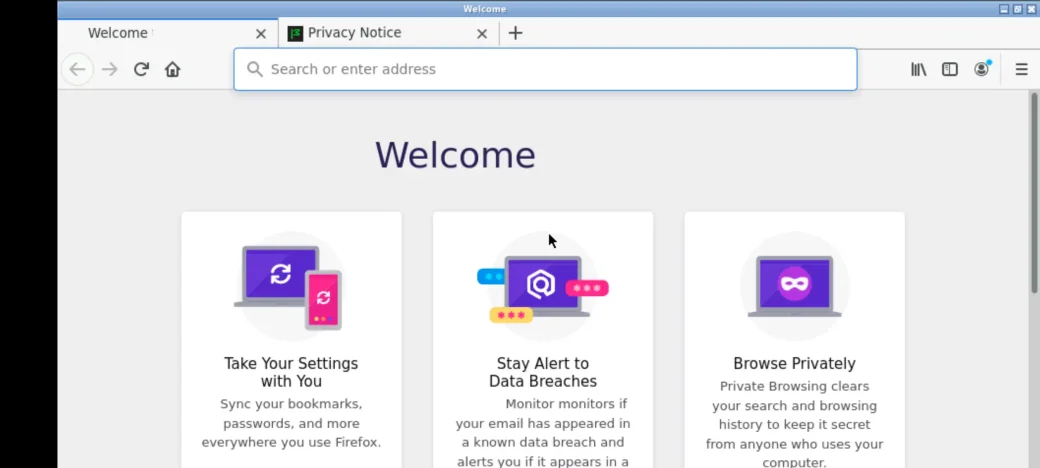
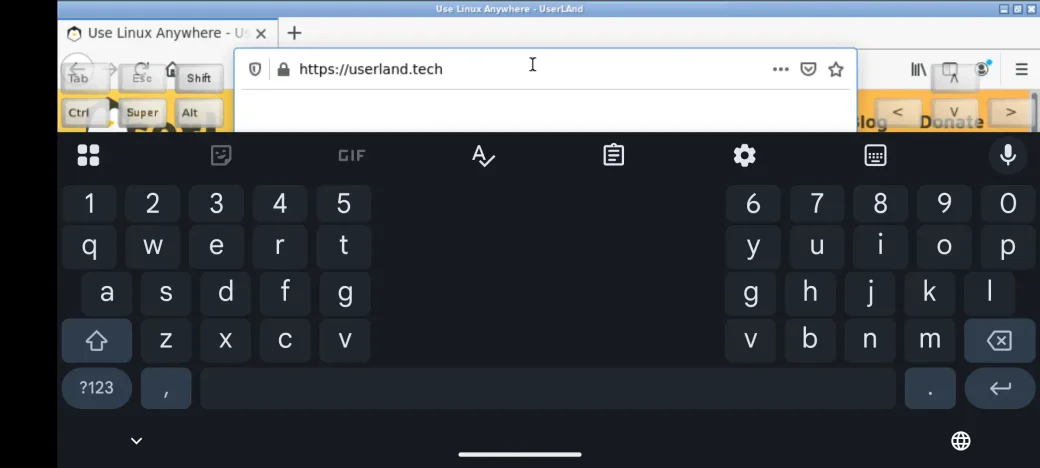
このアプリについて
Googleによる英語 (アメリカ合衆国)からの自動翻訳です。
FoxBox:Android上でデスクトップ版Firefoxを実行
FoxBoxは、AndroidデバイスでFirefox®を実行できるようにするアプリです。
FoxBoxとは?
FoxBoxはFirefox本体ではなく、Mozillaのプロジェクトでもありません。Linuxデスクトップ版Firefoxをセットアップし、起動、レンダリング、そして操作を可能にする互換性レイヤーです。
どのような機能がありますか?
*ウェブページのレンダリング
*デスクトップ版Firefoxの標準拡張機能
*内蔵ファイルマネージャー。権限を付与すれば、SDカード上のファイルも操作できます。
*開発者ツール
*サウンドサポート
*その他
FoxBoxの使い方
通常通り使用できます。ただし、アプリ特有の操作方法がいくつかあります。
*指1本でタップしてクリックします。
*ピンチ操作でズームします。
*指2本で上下にスライドしてスクロールします。
*キーボードを表示するには、画面をタップしてアイコンを表示させ、キーボードアイコンをクリックします。
* 指1本で長押ししてスライドすると、画面をパンできます(ズームイン時に便利です)。
* 右クリックと同じ操作をしたい場合は、指2本でタップしてください。
* 拡大縮小やDNS設定を変更したい場合は、Androidサービスの通知を見つけて設定をタップしてください。これらの設定を変更した後は、アプリを停止して再起動しないと変更が反映されません。
FoxBoxを使う理由
デスクトップ版Firefoxは、Androidモバイルアプリとは異なる機能セットを備えています。また、ウェブサイトはデスクトップブラウザで開いた場合とモバイルブラウザで開いた場合で動作が異なります(デスクトップ版のウェブサイトを表示するように指定した場合でも)。
原文を表示
FoxBox allows you to run Firefox® on an Android device.
What is FoxBox?
FoxBox is not Firefox itself and is not a Mozilla project, but instead is a compatibility layer that sets up a Linux desktop Firefox build, launches it, renders it and provides a way to interact with it.
What features does it provide?
*Web page rendering
*Standard desktop Firefox extensions
*Built-in file manager. Can interact with files on sdcard, after you give it permissions.
*Developer tools.
*Sound support.
*Etc
How to Use FoxBox?
Use it just like normal. But here are some specifics to the app.
* Tap with one figure to click.
* Pinch to zoom.
* Slide to fingers up and down to scroll.
* If you want to bring up a keyboard, tap on the screen to get a set of icons to appear and then click the keyboard icon.
* Hold and slide one finger to pan (useful when zoomed in).
* If you want to do the equivalent to a right click, tap with two fingers.
* If you want to change the scaling or the dns settings, find the service android notification and click the settings. You have to stop and restart the app after changing these settings for them to take effect.
Why Use FoxBox?
Desktop Firefox has a different set of features than the Android mobile app. Also, websites behave different when opened in a desktop browser vs a mobile browser (even when you say you want the desktop version of a website).
データ セーフティ
このアプリが収集・共有するデータについて、UserLAnd TechnologiesがGoogle Playで申告している内容です。
- 第三者と共有されるデータはありません詳しくは、デベロッパーが共有を申告する方法についての説明をご覧ください
- データは収集されません詳しくは、デベロッパーが収集を申告する方法についての説明をご覧ください
新機能
バージョン 26.11.17 · 2026/11/17
Your app's Linux system is now built fresh from our new image pipeline, with up-to-date packages and a faster, more reliable download. Opening files in your phone's shared storage no longer fails the first time, and more programs run correctly. Already installed? Your existing setup is kept; reinstall to get the new system.
開発元の連絡先
- ウェブサイトuserland.tech
- メールsupport@userland.tech
- プライバシーポリシーuserland.tech
- 住所10258 SW 67th Ave Portland, OR 97223 United States
情報
- 提供元
- UserLAnd Technologies
- カテゴリ
- ツール
- バージョン
- 26.11.17
- 更新日
- 2026/11/17
- リリース
- 2023/1/8
- 必要条件
- Android 7.0以降
- 対象年齢
- 3 歳以上
- 価格
- ¥260
- パッケージ名
- tech.ula.foxbox_pro
類似のアプリ
-
 TeamViewer Remote Control
ビジネス
-
 BeenVerified Background Search
通信
-
 Startpage Private Browser
通信
-
 RealVNC Viewer: Remote Desktop
仕事効率化
-
 pCloud: Cloud Storage
仕事効率化
-
 Zoiper IAX SIP VOIP Softphone
通信
-
 スクエアホームランチャー - タイルレイアウト
カスタマイズ
-
 Arc Search – Find it, Faster
ツール
-
 Ever Accountable - ポルノを超えて上昇
仕事効率化
-
 Stargonブラウザ
通信
-
 Power Browser-Block Ads & Earn
通信
-
 Collectibles.com: スキャン+価値
ツール