Lock Screen OS
Apps Genz広告を含む · アプリ内課金
- 3 歳以上対象年齢
- カスタマイズカテゴリ
- 2026/7/27更新日
- 無料価格
com.babydola.lockscreenのGoogle Play公式ページにリンクしています。最終確認:2026/11/19。
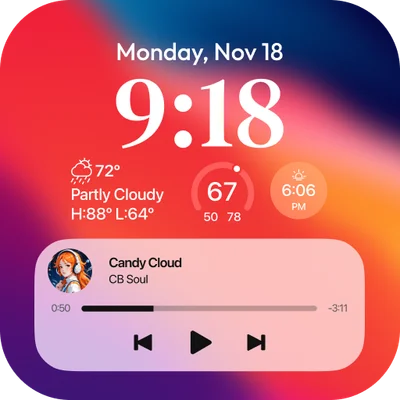
スクリーンショット



このアプリについて
Googleによる英語 (アメリカ合衆国)からの自動翻訳です。
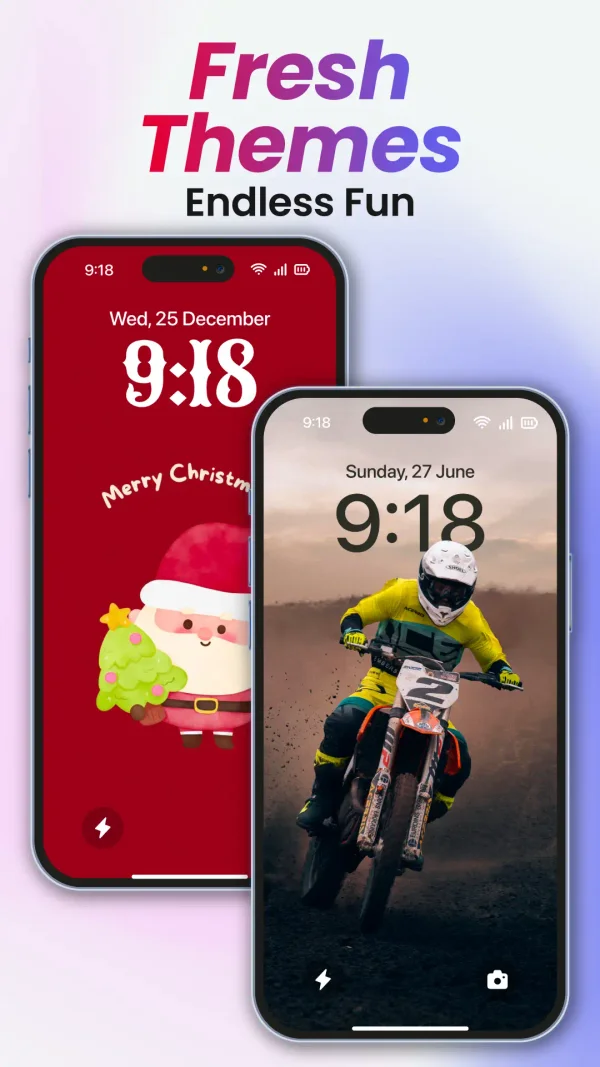
美しい壁紙、フォント、ウィジェットでロック画面をカスタマイズ
ロック画面 OS は、Android のシステム ロックの優れた代替品です。
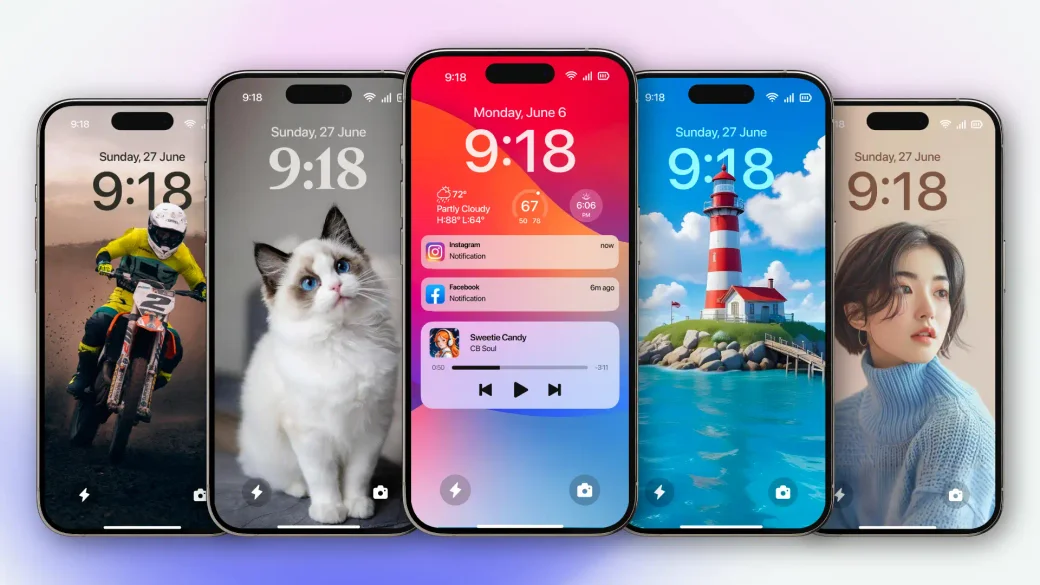
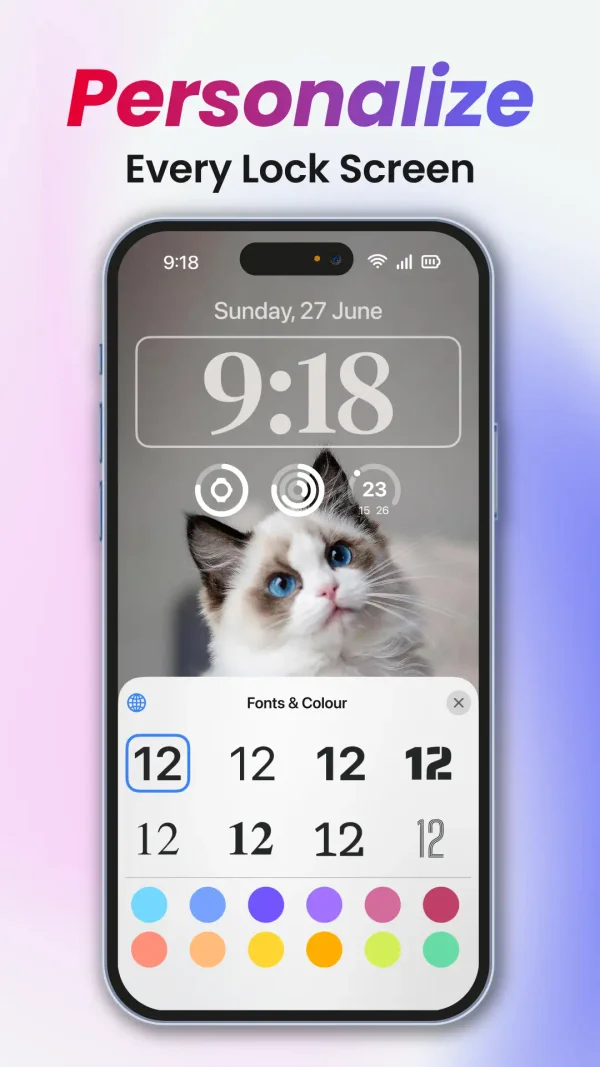
ロック画面 OS は、ロック画面をパーソナライズするまったく新しい方法を提供します。お気に入りの写真を表示したり、フォント スタイルをカスタマイズしたり、一連のウィジェットを表示して情報を一目で確認したりできます。
🔻 再考されたロック画面 OS
ロック画面をパーソナライズするまったく新しい方法を備えた OS に携帯電話を変更します。フォント スタイルをカスタマイズし、一連のウィジェットを表示して情報を一目で把握できます。
🔻 複数のロック画面を作成する
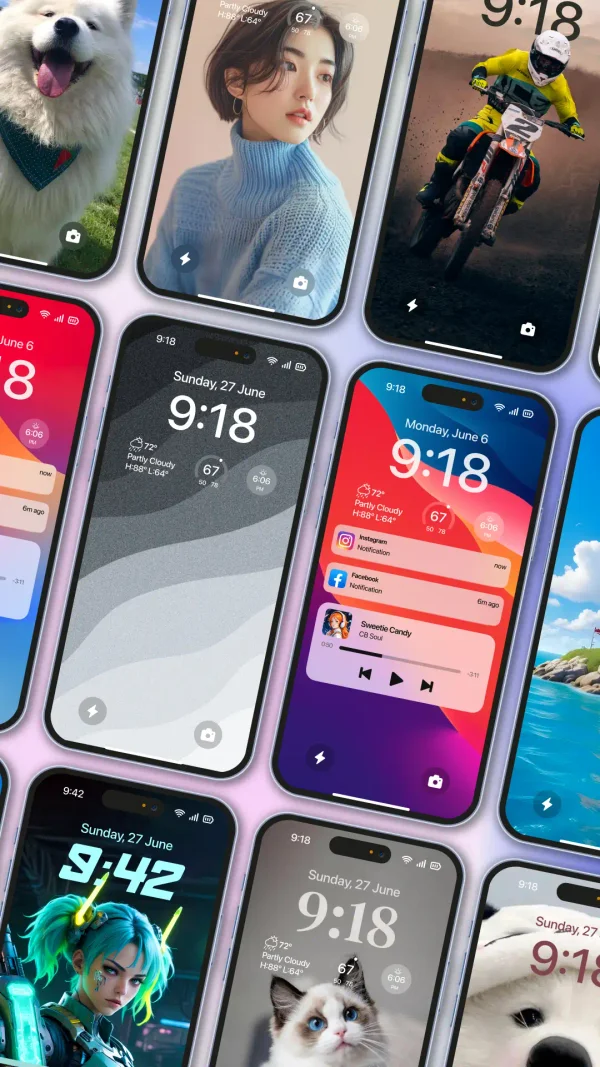
それぞれ独自の背景とスタイルを持つさまざまなロック画面を作成し、それらを簡単に切り替えることができるようになりました。インスピレーションを得るために、提案された写真やテーマのコレクションが含まれる壁紙のギャラリーを参照してください。
🔻通知
展開されたリスト ビュー、積み上げビュー、または非表示ビューでロック画面の通知を表示します。
ロック画面 OS を最も完璧に動作させるため。次のような特別な権限を付与する必要があります。
- カメラ: 画面がロックされているときに携帯電話のカメラを開きます。
- READ_PHONE_STATE: 画面がロックされているときに通話を表示します。
- 通知アクセス: 画面がロックされているときに通知を表示します。
- READ/WRITE_EXTERNAL_STORAGE: ストレージとサーバーの保存画像から設定された壁紙をサポートします。
- 画面上に描画: すべてのアプリケーションの上にロック画面を表示します
- アクセシビリティ許可: ロック画面 OS を有効にするには、アクセシビリティ サービスを許可してください。このサービスは、このアプリが携帯電話のホーム画面とステータス バーに描画できるようにするためにのみ使用されます。アプリケーションは、このアクセシビリティの権利に関するユーザー情報を収集または共有しないことを約束します。
最初のインストールでのステップ設定は、ロック画面 OS アプリケーションの動作を向上させるのに役立ちます。
ステップ 1: すべての権限要件を付与します。
ステップ 2 : パスコードを設定 > パスコードオプションをクリック > 新しいパスコードを作成または変更します。
ステップ 3: システム通知を無効にする > システム ロックを無効にするオプションをクリックします > 選択されたシステム ロックは「なし」であることに注意してください。
ステップ 4: コンテンツを非表示にしてシステム通知を表示する必要がある場合は、必要に応じて通知オプションを選択し、スイッチをオンにしてください。
YouTube ビデオですぐに見ることができます: https://youtu.be/bpaan93yfCU
Lock Screen OS は完璧なアプリケーションであり、美しいインターフェイスを備えた素晴らしい Android アプリケーションを作成するのに役立ちます。
免責事項
当社が所有していないすべての製品名、ロゴ、ブランド、商標および登録商標は、それぞれの所有者の財産です。
このアプリで使用されているすべての会社名、製品名、サービス名は、識別のみを目的としています。これらの名前、商標、ブランドの使用は、承認を意味するものではありません。
このアプリは当社が所有しています。当社は、サードパーティのアプリや企業と提携、提携、認可、承認されておらず、いかなる形でも公式に関係していません。
機能の使用に関してサポートが必要な場合や提案がある場合は、皆様のご意見はすべて、今後のアプリケーションの作成やその他の改善に役立ちます。support@appsgenz.com までご連絡ください。
さて、画面をオフにしてからオンにして、今すぐ楽しみましょう!
原文を表示
Lock Screen OS is a great replacement for system lock of Android.
Lock Screen OS provides you with all-new ways to personalize your Lock Screen. Showcase favorite photos, customize font styles, and display a set of widgets to get information at a glance.
🔻 Reimagined Lock Screen OS
Change your phone into an OS with all-new ways to personalize your Lock Screen. Customize font styles, and display a set of widgets to get information at a glance.
🔻 Create multiple Lock Screens
You can now create different Lock Screens, each with a unique backdrop and style, and easily switch between them. Browse a gallery of wallpapers with suggested photos and themed collections for inspiration.
🔻 Notifications
View notifications on the Lock Screen in an expanded list view, stacked view, or hidden view.
To make Lock Screen OS working most perfect. You must grant some special permissions like to:
- CAMERA: Open camera in your phone when screen is locked.
- READ_PHONE_STATE: Show phone call when screen is locked.
- NOTIFICATION ACCESS: Show notification when screen is locked.
- READ/WRITE_EXTERNAL_STORAGE: Support wallpaper set from your storage and our server save image.
- DRAW OVER SCREEN: Show Lock Screen in over all application
- ACCESSIBILITY PERMISSION: To enable Lock Screen OS, please allow Accessibility services. The service is only used to allow this app to draw on the phone's home screen and status bar. The application commits not to collect or share any user information about this accessibility right.
Step setting in the first install can help Lock Screen OS applications work better.
Step 1 : Grant all permission requirements.
Step 2 : Setup pass code > click on Pass code option > create new or change pass code.
Step 3 : Disable system notification > Click on Disable system lock option > Please note that , selected system lock is "None".
Step 4 : If you need to hide content and show system notification > Please select Notification option and turn on switch if needed.
You can quickly view with youtube video at : https://youtu.be/bpaan93yfCU
Lock Screen OS is a perfect application and helps you have wonderful Android applications with beautiful interface.
Disclaimers
All product names, logos, brands, trademarks and registered trademarks, which are not owned by us, are property of their respective owners
All company, product and service names used in this app are for identification purposes only. Use of these names, trademarks and brands does not imply endorsement.
This app is owned by us. We are not affiliated, associated, authorized, endorsed by, or in any way officially connected with any 3rd party apps or companies.
All of your opinion can be help us making more application and improving other in future, if you need help for using feature or have some suggestion, Please contact us via: support@appsgenz.com
Ok, let's turn off and turn on the screen to enjoy it now!
データ セーフティ
このアプリが収集・共有するデータについて、Apps GenzがGoogle Playで申告している内容です。
- 第三者と共有されるデータはありません詳しくは、デベロッパーが共有を申告する方法についての説明をご覧ください
- このアプリは以下の種類のデータを収集することがありますユーザー ID
- データは送信中に暗号化されます
- データを削除できません
新機能
バージョン 4.0.10 · 2026/7/27
Lock Screen OS - New version 4.0.10 (85)
開発元の連絡先
- ウェブサイトappsgenz.com
- メールadmin@appsgenz.com
- プライバシーポリシーappsgenz.com
- 住所Dinh Phu, Xuan Phu, Yen Dung Bac Giang Bắc Giang 230000 Vietnam
情報
- 提供元
- Apps Genz
- カテゴリ
- カスタマイズ
- バージョン
- 4.0.10
- 更新日
- 2026/7/27
- リリース
- 2021/3/16
- 必要条件
- Android 7.0以降
- 対象年齢
- 3 歳以上
- 価格
- 無料
- アプリ内課金
- ¥160/アイテム
- パッケージ名
- com.babydola.lockscreen
類似のアプリ
-
 Color Widgets, Theme: iWidgets
ライフスタイル
-
 iOSに移行
ツール
-
 DNA Launcher ‧ Home Screen
カスタマイズ
-
 Minimal Widgets
カスタマイズ
-
 Volume Styles - カスタムコントロール
カスタマイズ
-
 A Launcher : Galaxy A Launcher
カスタマイズ
-
 heyUp:ロック画面ウィジェット&壁紙
カスタマイズ
-
 Ratio: 生産性ホーム画面
仕事効率化
-
 アプリロック - App Lock VIP
ツール
-
 MyICON – アイコンチェンジャーテーマー
カスタマイズ
-
 Everything Widgets
カスタマイズ
-
 Facemoji Emoji Keyboard Pro
ツール