Mooon Digital Watch Face
Mooon - Vision Time- 3 歳以上対象年齢
- カスタマイズカテゴリ
- 2024/7/27更新日
- ¥120価格
com.watchfacestudio.MooonDigitalのGoogle Play公式ページにリンクしています。最終確認:2026/11/16。
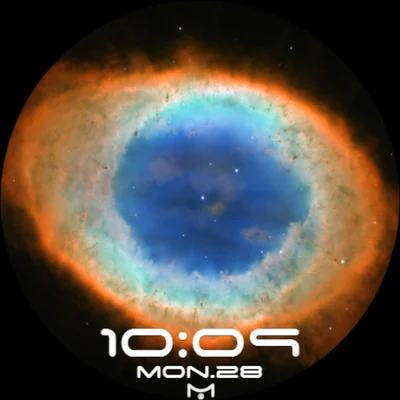
スクリーンショット
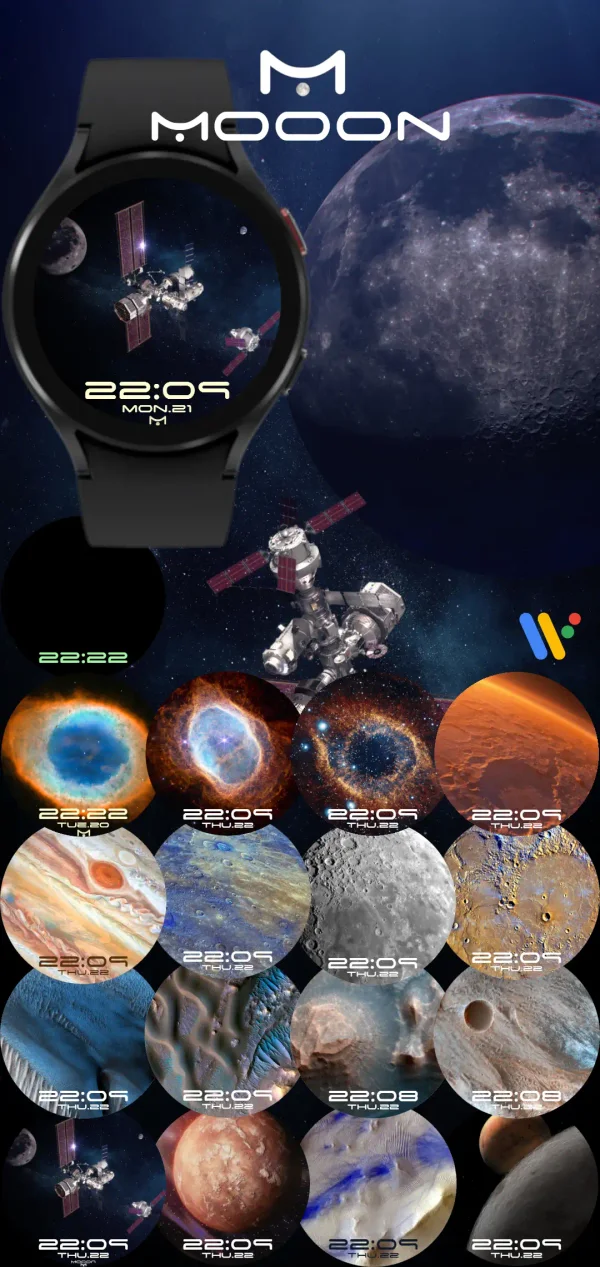
このアプリについて
Googleによる英語 (アメリカ合衆国)からの自動翻訳です。
Mooon Cosmos Digital Watch Face は、Wear OS 用の編集可能なウォッチフェイスです。
Wear OS 用の Mooon Cosmos デジタル ウォッチフェイス。
既存の機能:
- デジタル時計。
- 曜日と日付を表示する日付スタンプ
- 時計の文字盤には、時計の設定で有効にすると緑色のバックライトが点灯する常時オン機能が含まれています。
- 約 9、11、12、および 1 時間、クリックしてアプリケーションを開きます (図を参照)。
- 利用可能時間は12/24時間です。
--- 注: Google Play で「互換性のないデバイス」と表示された場合は、コンピューターまたは携帯電話の Web 検索エンジンでリンクを開き、そこからウォッチフェイスをインストールしてください。 ---
パーソナライゼーション:
- 壁紙の変更 - 画面をタッチすることで写真を作成できます。
- ロゴを押すと、ロゴを変更したり、非表示にしたりすることができます。
-文字盤を長押ししてオプションに入ると、日付と時計の色(1z30)を選択できます。
電話アプリで利用できるデジタル時計ウィジェットがあります。
プライバシーポリシー:
Mooon Cosmos Watch Face - 当社のアプリケーションは個人データを収集、使用、共有しません。さらにご質問がある場合は、次の電子メール アドレスまでご連絡ください:visiontimewatch@gmail.com
写真は NASA/ESA からダウンロードされ、ニーズに合わせて変更されました。
(注: Google Play で「互換性のないデバイス」と表示された場合は、コンピューターまたは携帯電話の Web 検索エンジンでリンクを開いて、そこからウォッチフェイスをインストールしてください。)
楽しむ ;)
原文を表示
Mooon Cosmos Digital Watch Face for Wear OS.
Existing Features:
- Digital clock.
- Date stamp displaying the day of the week and date
- The watch face includes the Always-On feature with green backlight when activated in the watch settings.
- About 9, 11, 12 and 1 hours, click to open any application (as shown in the picture).
- Time available 12/24h.
--- Note: If Google Play says "Incompatible Device", open the link in the web search engine on your computer or mobile phone and install the watch face from there. ---
Personalization:
- Wallpaper changes - photos can be made by touching the screen.
- The logo can be changed or made invisible by pressing on it.
-After a long press on the dial and entering the option, you can choose the colors (1z30) of the date and clock.
There is a digital clock widget available in the phone app.
Privacy policy:
Mooon Cosmos Watch Face - our application does not collect, use or share any personal data. If you have additional questions, please contact me at the following e-mail address: visiontimewatch@gmail.com
Photos downloaded and modified for our needs from NASA/ESA.
(Note: If Google Play says "Incompatible Device", open the link in the web search engine on your computer or mobile phone and install the watch face from there.)
Have fun ;)
データ セーフティ
このアプリが収集・共有するデータについて、Mooon - Vision TimeがGoogle Playで申告している内容です。
- 第三者と共有されるデータはありません詳しくは、デベロッパーが共有を申告する方法についての説明をご覧ください
- データは収集されません詳しくは、デベロッパーが収集を申告する方法についての説明をご覧ください
開発元の連絡先
- ウェブサイトmooon.pl
- メールvisiontimewatch@gmail.com
- プライバシーポリシーsites.google.com
- 住所Krzemieniecka 28/75 94-017 Łódź Poland
情報
- 提供元
- Mooon - Vision Time
- カテゴリ
- カスタマイズ
- 更新日
- 2024/7/27
- リリース
- 2022/8/20
- 対象年齢
- 3 歳以上
- 価格
- ¥120
- パッケージ名
- com.watchfacestudio.MooonDigital