NAVER Maps, Navigation
NAVER Corp.広告を含む
- 3 歳以上対象年齢
- 地図&ナビカテゴリ
- 2026/11/20更新日
- 無料価格
com.nhn.android.nmapのGoogle Play公式ページにリンクしています。最終確認:2026/11/22。

スクリーンショット
このアプリについて
Googleによる英語 (アメリカ合衆国)からの自動翻訳です。
旅の計画を立てる
韓国のGPSナビゲーションを今すぐ始めましょう!
* まったく新しいNAVERマップを体験してください。
※ 韓国旅行ですか?
NAVERマップの便利な使い方はこちら:https://naver.me/GfCSj5Ut
【主な機能】
- マップホームメニュータブ
ホーム画面から「発見」「予約」「交通機関」「ナビゲーション」「ブックマーク」タブに簡単にアクセスできます。
- 簡単検索
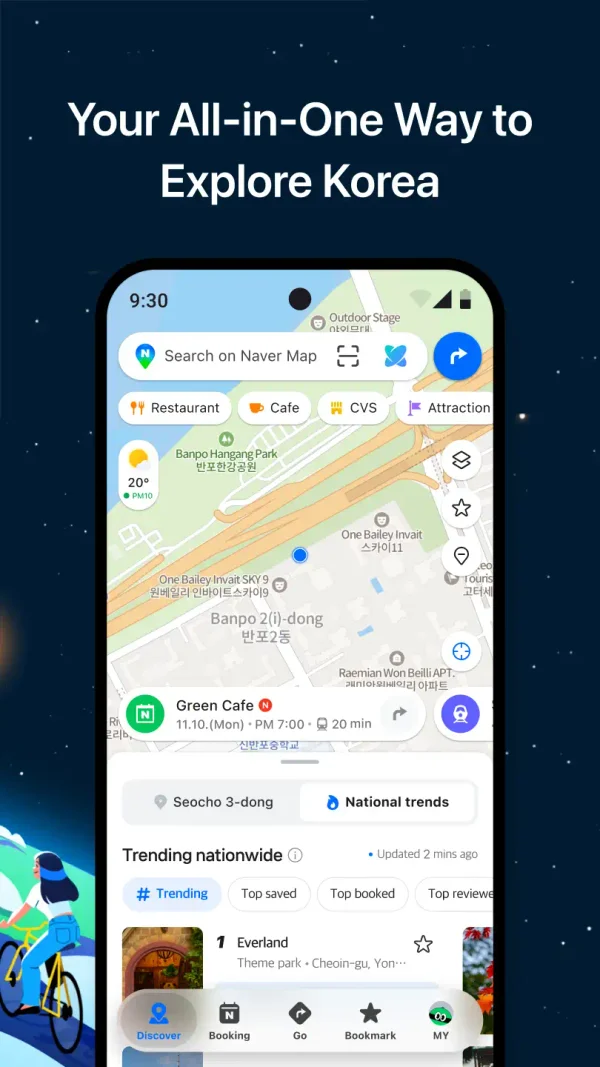
場所、バス、地下鉄など、あらゆる情報を網羅した検索バーで簡単に検索できます。
- 発見
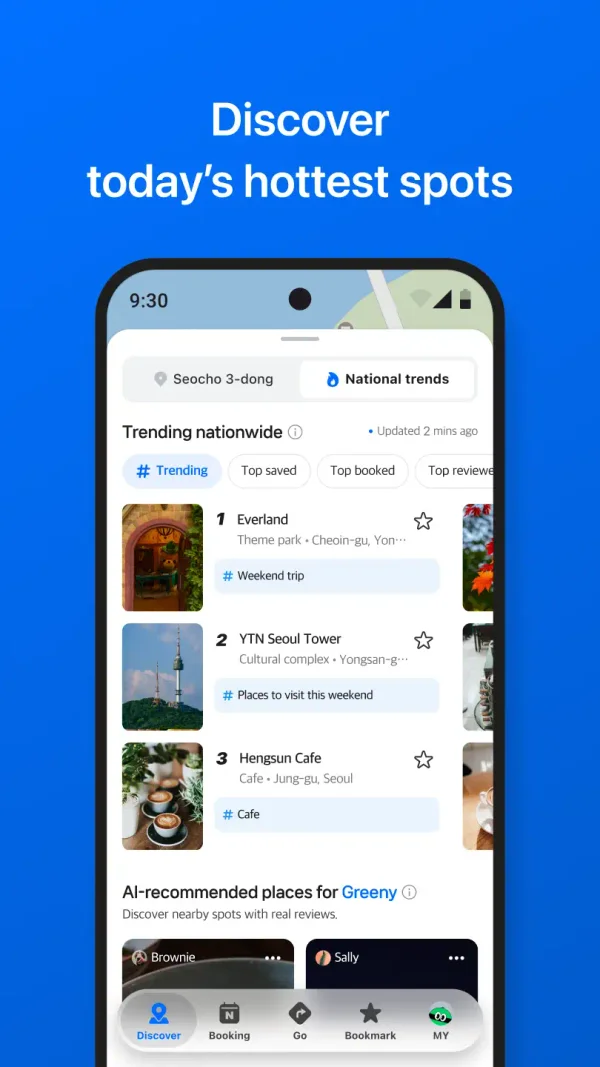
全国各地や近隣の新しいスポットを見つけましょう。リアルタイムランキング、おすすめ情報、話題のスポット、ブックマークリスト、クーポン情報などをお楽しみください。
- 予約
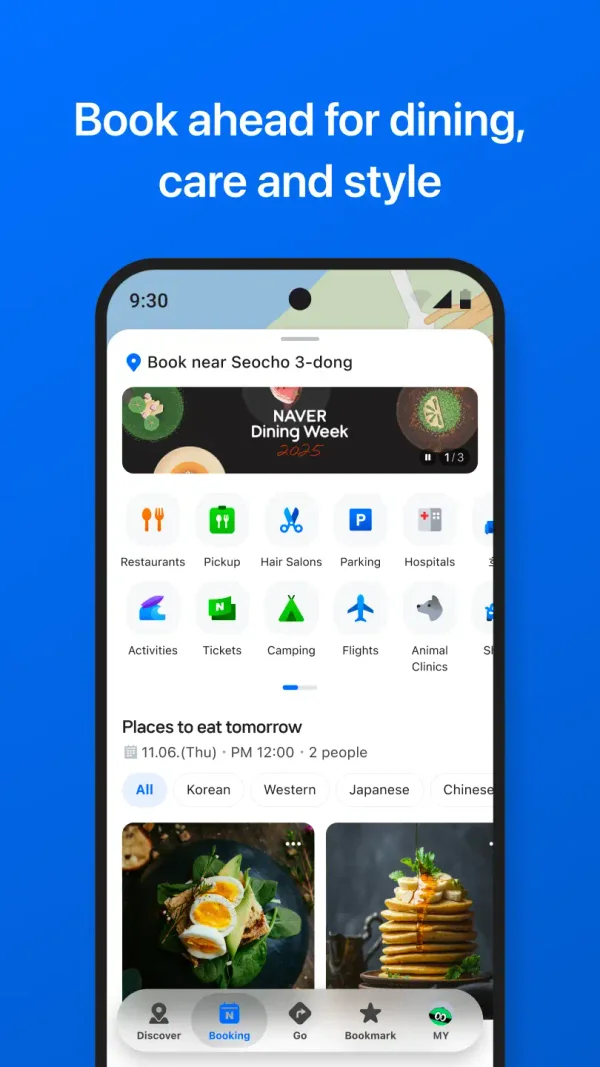
NAVERで予約可能な店舗や商品をまとめて検索できる新しい「予約」タブが登場しました。近隣のレストラン、美容院、遊園地、1日レッスン、電車のチケットなど、あらゆる予約情報が「予約」タブで一箇所に集約されています。
- ナビゲーション
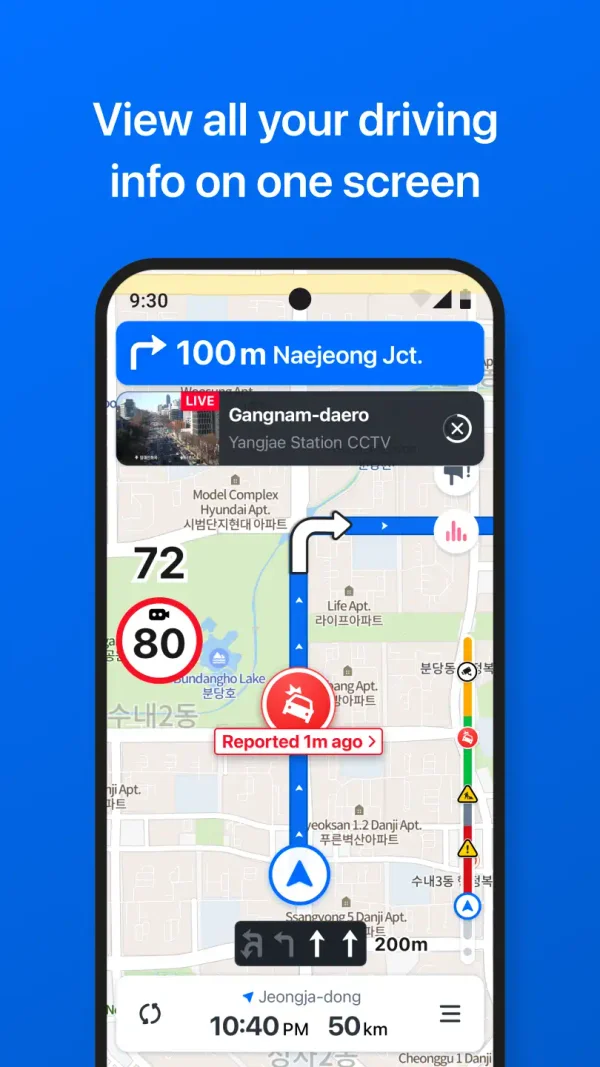
リアルタイムの交通情報とあらゆる運転状況に対応した最適化された使いやすさで、高速かつ正確なナビゲーションを提供します。
- ベクターマップ
360度回転可能なベクターマップで、傾けることで主要なランドマークを3Dビューで確認できます。
- 公共交通機関
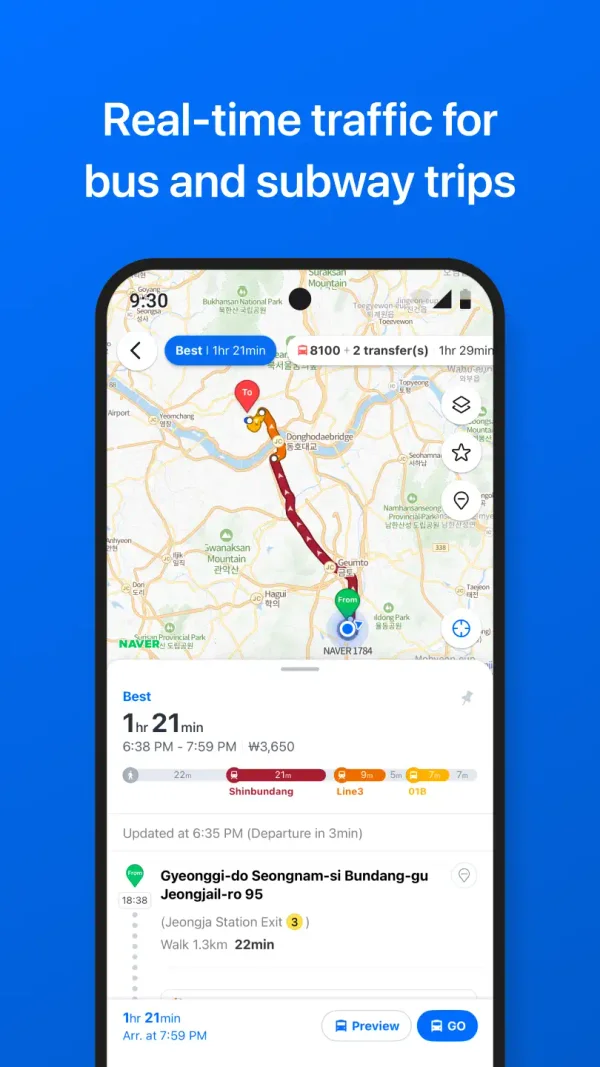
様々な交通機関の経路案内、リアルタイムの出発・到着時刻、乗降タイミングの通知機能で、目的地まで簡単にアクセスできます。
- ストリートビュー
シームレスなストリートビューと航空写真で、場所の検索やルートプランニングが可能です。
- ブックマーク
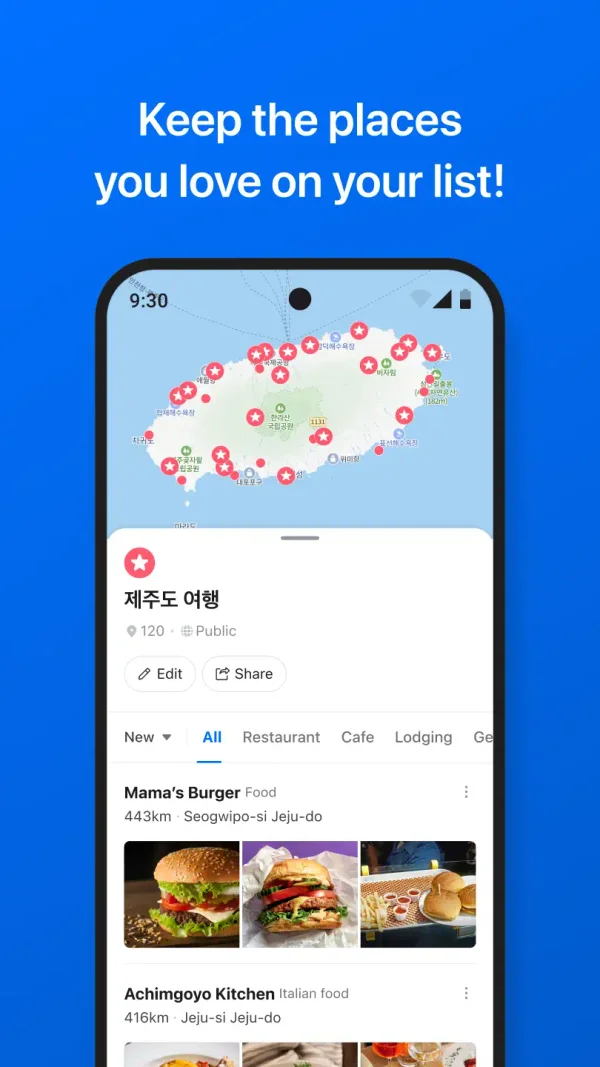
お気に入りのレストランや必見の観光スポットをNAVERマップに簡単に保存し、他のユーザーと共有できます。
- マイページ
すべての地図、レビュー、予約を1か所で確認し、簡単にレビューを投稿できます。
- インスタント検索
検索中に、スーパーマーケットの営業時間など、検索に関連する便利な情報が表示されます。
- 言語
韓国語、英語、日本語、中国語の地図と英語のナビゲーションに対応しています。
*Android OS 8.0以降が必要です
*NAVERマップの使い方に関するヒントはこちら
- NAVERマップカスタマーサービス:http://naver.me/GYywEiT4
- NAVERマップブログ:https://blog.naver.com/naver_map
----
* NAVERマップの使用に必要な権限
- 位置情報:マップ、経路案内、ナビゲーションなどを使用する際に現在地を表示するために使用します。(ウィジェットに位置情報を表示するには、「常に許可」を選択する必要があります。)
- マイク:音声検索、Clova音声コマンド、スマートグラスに使用します。
- 身体活動:AR経路案内や徒歩経路案内の歩数を検出するために使用します。(OS 10.0以降を搭載したデバイスのみ)
- 電話:ナビゲーションの開始時および使用時に、通話状況の確認と発信に使用します。
- 通話履歴:ナビゲーション中に発信またはメッセージを送信する際に、受信者を確認するためにアクセスします。 (NAVER Maps v6.3以降、通話履歴は使用されなくなりました。)
- SMS:ナビゲーション中にメッセージを送信するために使用します。(NAVER Maps v6.3以降、SMSは使用されなくなりました。)
- 連絡先:Clova音声コマンドで電話をかけたり、場所の検索結果から電話番号を保存したりするために使用します。
- カメラ:場所情報の編集提案、MY Placeレシートの確認、ARナビゲーションの提供、QRコードのスキャン、パスポートの確認に使用します。
- ファイルとメディア(写真と動画):ナビゲーションやその他のサービスをスムーズに提供するために、デバイス上のコンテンツを保存および読み込むために使用します。(OS 13.0以降を搭載したデバイスでは使用されません。)
- 通知:重要なお知らせ、イベント、プロモーション情報を送信するために使用します。(OS 13.0以降を搭載したデバイスのみ)
- 近くのデバイス:アプリを自動的に起動したり、Bluetooth接続時にスマートグラスを接続したりするために使用します。 (OS 12.0以降を搭載した端末のみ対応)
----
*お問い合わせ:1588-3820
*住所:大韓民国京畿道城南市盆唐区貞家路95
原文を表示
South Korea's GPS navigation Get started right away
* Experience the completely new NAVER Map.
※ Are you traveling Korea?
Don't miss the smart tips to use NAVER Map: https://naver.me/GfCSj5Ut
[Key features]
- Map Home Menu Tab
You can now conveniently use the Discover, Booking, Transit, Navigation, and Bookmark tabs on the Home.
- Simplified search
Search locations, buses, subway, and more in a comprehensive search bar.
- Discover
Helps you find new places nationwide and nearby. Enjoy real-time rankings, recommendation feeds, trending spots, bookmarked lists, and coupon offers.
- Booking
Explore a new Booking tab, a space that brings together businesses and products available for booking on NAVER. From nearby restaurants, hair salons, amusement parks, one-day classes to even train tickets, you can find them all in one place on the booking tab.
- Navigation
Fast and accurate navigation with real-time traffic info and optimized usability for any driving condition.
- Vector map
360 degrees rotation-enabled vector map with 3D view of key landmarks via tilting.
- Transit
You can easily reach your destination by using transit directions for various modes of transportation, real-time departure and arrival times, and notifications for when to get on/off.
- Street view
Seamless street and aerial views provided for location search and route planning.
- Bookmark
Easily save your best restaurants and must-visit tourist spots on NAVER Map and share them with others.
- MY
View all your maps, reviews, and bookings in one place and write reviews with ease.
- Instant search
View useful info about your query, such as opening/closing times for supermarkets while you search.
- Language
Korean/English/Japanese/Chinese maps and English navigation provided.
*Requires Android OS 8.0 or later
*Find out more tips on how to use NAVER Map
- NAVER Map customer service: http://naver.me/GYywEiT4
- NAVER Map blog: https://blog.naver.com/naver_map
----
* Required permissions for using NAVER Maps
- Location: Used to show your location when you use the map, directions, navigation, and more. (Allow all the time must be selected to display location information in the widget.)
- Microphone: Used for voice search, Clova voice commands, and smart glasses.
- Physical activity: Used to detect steps for AR directions and walking directions. (Only on devices running OS 10.0 or later)
- Phone: Used to check call status and make calls when entering and using navigation.
- Call logs: Accessed to confirm recipients when making calls or sending messages during navigation. (Call logs are no longer used as of NAVER Maps v6.3.)
- SMS: Used to send messages during navigation. (SMS is no longer used as of NAVER Maps v6.3.)
- Contacts: Used to make calls with Clova voice commands and to save phone numbers from place search results.
- Camera: Used for suggesting edits to place information, verifying MY Place receipts, providing AR directions, scanning QR codes, and verifying passports.
- Files and media (photos and videos): Used to save and read content on your device in order to provide navigation and other services smoothly. (Not used on devices running OS 13.0 or later.)
- Notifications: Used to send important notices, events, and promotional information. (Only on devices running OS 13.0 or later)
- Nearby devices: Used to launch the app automatically and to connect smart glasses when Bluetooth is connected. (Only on devices running OS 12.0 or later)
----
*Contact: 1588-3820
*Address: 95, Jeongjail-ro, Bundang-gu, Seongnam-si, Gyeonggi-do, Republic of Korea
データ セーフティ
このアプリが収集・共有するデータについて、NAVER Corp.がGoogle Playで申告している内容です。
- このアプリはサードパーティと以下の種類のデータを共有することがあります個人情報、アプリのアクティビティ
- このアプリは以下の種類のデータを収集することがあります位置情報、個人情報、他 5 件
- データは送信中に暗号化されます
- データを削除するようリクエストできます
新機能
バージョン 6.12.2.4 · 2026/11/20
- App stabilization and bug fixes
開発元の連絡先
- ウェブサイトnavercorp.com
- メールnaver_market@naver.com
- プライバシーポリシーpolicy.naver.com
- 住所분당구 정자일로 95 성남시, 경기도 13561 South Korea
情報
- 提供元
- NAVER Corp.
- カテゴリ
- 地図&ナビ
- バージョン
- 6.12.2.4
- 更新日
- 2026/11/20
- リリース
- 2010/3/25
- 必要条件
- Android 8.0以降
- 対象年齢
- 3 歳以上
- 価格
- 無料
- パッケージ名
- com.nhn.android.nmap
類似のアプリ
-
 KakaoMap - Map / Navigation
地図&ナビ
-
 Google Earth
旅行&地域
-
 3D地図地球-衛星マップ-路線図計画
地図&ナビ
-
 Naver SmartBoard - Keyboard
ツール
-
 Karta GPS - オフラインナビ
地図&ナビ
-
 全言語翻訳者
ツール
-
 Google マップ - ナビ、乗換案内
旅行&地域
-
 Offline Map Navigation
地図&ナビ
-
 現在地:GPS地図、場所の保存
地図&ナビ
-
 話す翻訳機 - 通訳, 音声翻訳
ツール
-
 Gaminik: Auto Screen Translate
ツール
-
 Naver Whale ブラウザ
通信